










Understanding the Height of Stand Up Desk Configurations
Finding the ideal height of stand up desk workstations is essential for maintaining natural posture throughout the working day. Rather than relying on a rigid numerical standard, establishing the proper standing desk height requires tuning the furniture to your individual body geometry. When the surface height matches your physical frame, your upper body can rest comfortably without tension.
Why Workstation Height Must Match Natural Body Geometry
An adjustable workstation should adapt to the user rather than forcing the body into awkward positions. If a desk surface sits too high, the shoulders must shrug upward, creating tension through the neck and upper back. Conversely, a surface that sits too low encourages slouching, forward neck tilt, and leaning onto the forearms. Aligning the height of stand up desk setups directly to your natural resting posture supports relaxed movement during long working sessions.
The Neutral Posture Baseline: Elbow Angle and Wrist Alignment
The foundational baseline for any standing desk height begins with the arms. Stand in an upright, relaxed position with your shoulders dropped naturally. Bend your elbows at approximately a right angle so your forearms point forward parallel to the floor or angled very slightly downward. The top of your desk surface or keyboard platform should meet your hands precisely at this resting level. Your wrists should stay straight and neutral rather than bent upward or pressed firmly against a hard front edge.
Remember that daily footwear and floor surfaces alter this baseline. Working barefoot, wearing cushioned sneakers, or standing on a thick anti-fatigue mat raises or lowers your standing height relative to the floor. For an accurate setup, always measure and calibrate your desk while wearing the shoes and standing on the surface you use regularly.
How to Determine the Right Standing Desk Height for Your Stature
Because body proportions vary widely even among people of the same overall height, measuring your standing elbow height is the most reliable way to find your ideal standing desk height.
Step-by-Step Method to Measure Your Standing Elbow Height
- Put on your typical workday footwear and stand on your preferred floor mat.
- Stand tall with relaxed shoulders, keeping your upper arms vertical alongside your torso.
- Bend your elbows so your forearms extend straight forward horizontally.
- Use a tape measure to record the vertical distance from the floor to the underside of your bent elbows.
- Use this measurement as your baseline desk surface or keyboard tray height.
Height Brackets: Shorter, Average, and Taller User Considerations
While personal measurements provide the most exact result, standard height categories offer a helpful planning reference when selecting furniture with sufficient adjustment ranges:
- Petite Statures: Users around five feet three inches to five feet four inches typically require a lower standing platform to keep their shoulders relaxed. When planning a desk height for 5'4" or shorter individuals, ensure the desk frame lowers sufficiently in seated mode as well as standing mode.
- Average Statures: Individuals between five feet seven inches and five feet ten inches generally find comfortable standing alignment in mid-range positions. A standing desk height for 5'10" users fits within standard commercial lift column travels.
- Taller Statures: Taller professionals require a desk height for tall person configurations with extended leg columns. Planning a standing desk height for 6 foot person setups or taller demands a frame that remains rigid at higher elevations without wobbling under typing pressure.
Factoring in Dynamic Adjustments Between Sitting and Standing
The primary benefit of a sit-stand desk is the ability to shift positions throughout the day. Investing in an electric motor system, such as an height standing desk product, allows you to transition smoothly between seated elbow height and standing work levels at the touch of a button without manual recalibration.
Keyboard, Surface, and Monitor Elevation Zones
A frequent mistake in home office design is assuming that your keyboard, mouse, and computer monitor should all rest on the exact same flat surface. In reality, optimal hand positioning and healthy sightlines require distinct vertical zones.
Keyboard and Mouse Tray Positioning vs. Desktop Surface
Your keyboard and mouse should reside directly at your elbow level. If you place your peripherals directly on a thick desktop, the working height is raised by the thickness of the tabletop, keyboard chassis, and wrist rest. Using a dedicated under-desk tray or a thin desk profile helps maintain a straight wrist posture without elevating your forearms unnaturally.
Separating Typing Level from Display Sightlines
While hands rest at elbow height, your eyes should comfortably view the upper portion of your monitor screen. When a monitor sits flat on a desk adjusted for typing, the screen is almost always positioned too low, causing downward neck strain. To correct this, elevate your display using an adjustable monitor arm, integrated shelving riser, or desktop stand so the top third of the viewing area sits at or slightly below eye level.
Understanding how physical work surfaces interface with digital tools is a central part of organizing your setup. Reviewing a comprehensive need work desk guide can clarify how dedicated furniture layouts support better posture compared to informal kitchen counter or couch alternatives.
Preventing Common Ergonomic Mismatches
- The Tilted Wrist Trap: Avoid elevating the desk so high that your hands tilt back toward your wrists while typing.
- The Leaning Habit: If your desk is set slightly low, resist the urge to lock your elbows and lean your body weight on the desktop. Raise the frame until light contact is effortless.
- Screen Glare and Angle: Tilt your monitor slightly upward toward your face to prevent glare from overhead lighting while maintaining an upright head position.
Integrating Storage, Cables, and Room Clearances Around Dynamic Desks
A standing desk does not exist in isolation; it must integrate seamlessly with the surrounding furniture, storage, and architectural features of the room.
Dynamic Vertical Clearance and Wall Obstructions
Unlike stationary desks, height-adjustable tables move vertically through a wide path of travel. Before placing your desk, check the wall behind and above the surface for obstructions such as floating wall shelves, framed artwork, window sills, and wall sconces. Ensure there is ample clearance at the maximum elevated height so the desktop and mounted monitors do not collide with wall-mounted decor.
Under-Desk Mobile Storage and Lateral Pedestals
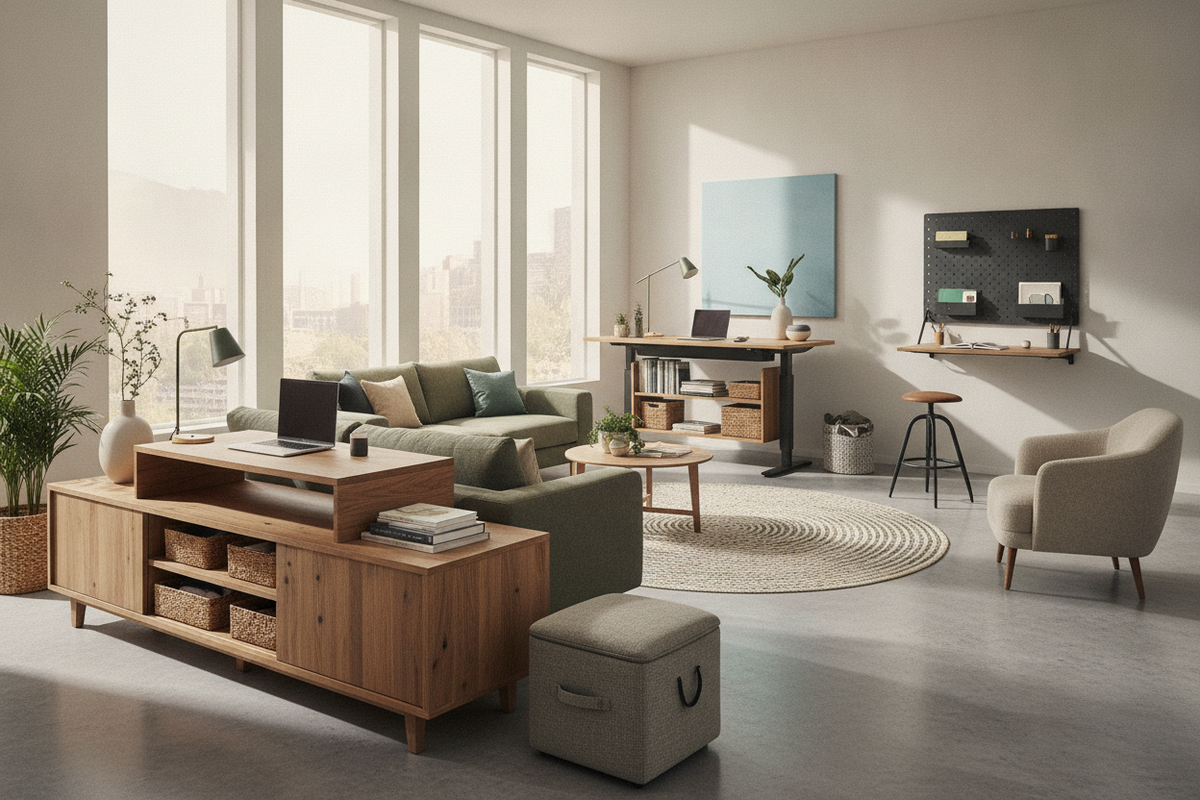
When the desk lowers into its seated position, the space beneath the tabletop decreases significantly. Stationary drawer units placed under a moving frame can create collision risks. Opt for low-profile mobile filing pedestals that clear the underside of the desk at its lowest travel point, or position larger storage credenzas and lateral bookcases alongside the workstation. Pairing a spacious worktop, such as a height standing desk product, with standalone perimeter storage provides both generous tabletop space and dedicated organization for files and office supplies.
Cable Slack and Peripheral Routing at Maximum Elevation
Cable management requires special attention on dynamic desks. Power cords, monitor cables, and peripheral wires must have enough slack to extend freely when the desk reaches its maximum height. Fasten cables to the underside of the desktop with a flexible cable spine or under-desk wire tray, leaving an expansion loop near the wall outlet to prevent plugs from being pulled loose during upward travel.
Choosing the Right Height-Adjustable Desk for Your Space
Selecting the best height for standing desk setups involves choosing hardware that meets your physical requirements while fitting your room's aesthetic and functional needs.
Single-Motor vs. Dual-Motor Stability at Full Extension
Lift mechanisms generally come in single-motor or dual-motor configurations. Single-motor frames use a connecting hex rod to drive both legs, making them a practical choice for smaller, lighter desk setups. Dual-motor desks feature dedicated motors in each lifting column, providing smoother movement, greater weight capacity, and superior horizontal stability when extended to taller heights.
Memory Handsets for Repeatable Ergonomic Presets
Manually adjusting a desk up and down using simple arrow keys often leads to imprecise positioning. Choosing a workstation equipped with programmable memory presets, such as an ergonomic stand desk product, lets you lock in your exact seated and standing elbow heights. With a single button press, the surface returns to your preferred elevation every time, eliminating daily guesswork.
Final Selection Checklist: Range, Weight Capacity, and Finish
- Vertical Travel Range: Verify that the lowest and highest settings accommodate every person who will use the desk, taking into account footwear and floor mats.
- Frame Stability: Look for heavy-gauge steel leg columns with wide floor feet to reduce wobble at higher standing elevations.
- Desktop Dimensions: Select a desktop width and depth that holds your dual monitors, laptop, and writing accessories while maintaining open room flow.
- Coordinated Finishes: Match the desktop texture and frame color to your existing office cabinets, bookcases, and side storage for a cohesive interior look.


Leave a comment
This site is protected by hCaptcha and the hCaptcha Privacy Policy and Terms of Service apply.