










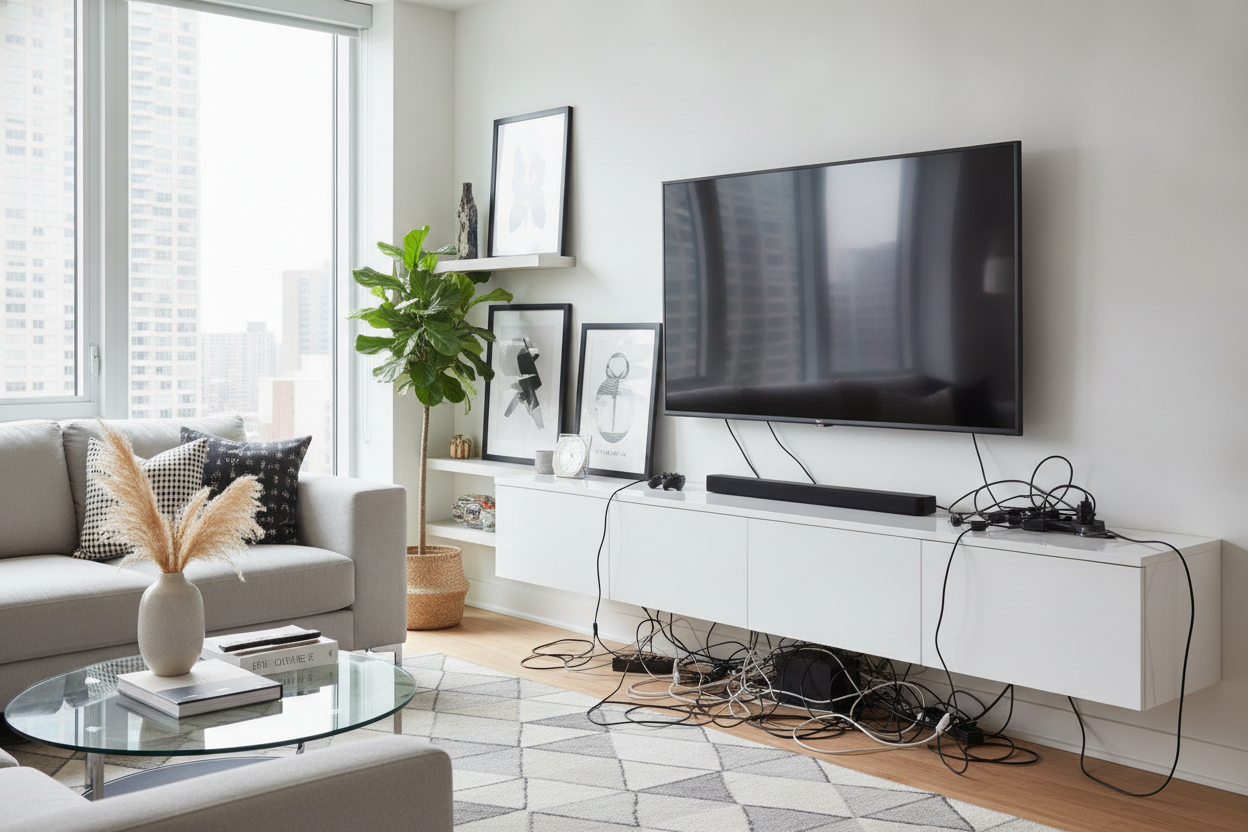
I spent three hours last Saturday on my hands and knees, wrestling with a power brick that refused to fit through a two-inch hole. It is the ritual of the modern living room: buying beautiful tv media cabinets only to realize they were not designed for a life with more than one plug. If your entertainment center looks like a copper-and-plastic jungle, you are not alone.
Quick Takeaways
- Standard cabinet holes are usually too small for modern setups.
- Velcro straps are superior to zip ties for cable longevity.
- Mounting power strips to the interior ceiling saves floor space.
- Heat management is as important as aesthetics for your electronics.
The Ugly Truth About Pre-Drilled Cord Holes
Most manufacturers treat cable management as an afterthought. They drill one pathetic hole in the center of the back panel and call it a day. But try fitting a router, a Nintendo Switch dock, a soundbar, and a PS5 through that single port and you will see the design flaw immediately. The wires end up pinched, the back panel bows out, and you are left wondering why you paid for a designer piece that can not handle a basic tech stack.
When you are hunting for Tv Stands, I have learned to look for units with removable back panels or multiple access points across different levels. One hole is merely a suggestion; a truly functional piece of tv and media furniture needs a highway system, not a footpath. If the unit you love is lacking, do not be afraid to take a 2-inch hole saw to the back panel yourself. Just stay away from the structural supports.
My Cord-Taming Toolkit (What You Actually Need)
Put the plastic zip ties away. They are permanent, sharp once cut, and a total nightmare when you inevitably need to swap out a faulty HDMI cable. I swear by rolls of velcro tape. You can cut them to the exact length you need and adjust them infinitely as your setup grows. It is the only way to keep the inside of your cabinet from turning into a snake pit of tangled rubber.
You also need adhesive cable clips. These are small plastic hooks that stick to the interior walls of your cabinet. Instead of letting cables drape across the floor of the unit, you can pin them along the corners and 'ceiling' of the interior. This keeps the floor clear for the actual devices and makes it much easier to wipe away the inevitable dust that accumulates behind the glass.
How to Route Cables Without Trapping Heat
Heat is the silent killer of expensive consoles. If you bundle every wire into a tight, insulated tube and shove it behind a closed door, you are creating a thermal blanket. I have seen routers literally warp their own plastic casings because they were suffocated in a poorly ventilated cubby. You need to balance the 'invisible' look with the reality that your electronics need to breathe.
I personally like units like the 78 7 W 4 Drawer Tv Stand Media Console because the multiple compartments allow you to separate the heavy hitters. I keep the heat-generating gaming consoles in the open-air sections or larger compartments, while the messy power bricks and excess cord length live in the drawers or smaller closed-off areas. Always leave at least two inches of clearance around any device with an internal fan.
A Quick Trick for Bulky Power Strips
The heaviest part of any media setup is the power strip and those massive 'wall wart' adapters. If you leave the strip sitting on the floor of the cabinet, the weight of the cords will eventually pull them out of their ports. It is a mess and a safety hazard. My favorite hack is using heavy-duty command strips to mount the power strip to the inside roof or the upper back wall of the cabinet.
By defying gravity, you keep the bulk of the wiring off the floor. This makes it significantly easier to manage the slack. The wires 'drop' down to the devices rather than 'climbing' up to them. It sounds like a small change, but it is the difference between a cabinet you can actually organize and one that you just jam shut and hope for the best.
Making Peace with the One Cord You Can't Hide
No matter how much you organize the interior, you will still have that one thick black cord running from the cabinet to the wall outlet. Unless you are ready to cut into your drywall, that cord is a fact of life. I have learned to stop stressing about it and start camouflaging it. A well-placed floor plant or a stack of oversized coffee table books can work wonders for blocking the view of the outlet.
Once the interior chaos is solved and the wires are safely routed, you can finally focus on the fun part: the decor. If you are struggling with how to make the top of the unit look as good as the inside, check out these tips on Tv And Media Stand Styling How To Avoid The Showroom Look. A little bit of styling goes a long way in making a tech-heavy area feel like a home.
My Biggest Mistake
A few years ago, I bought a cheap MDF media unit and tried to drill extra holes without a proper hole saw bit. I used a regular drill bit and the entire back panel splintered like a dry cracker. It looked terrible and compromised the stability of the shelf. If you are going to modify your furniture, spend the ten bucks on the right tool. Your future self will thank you when your TV doesn't end up on the floor.
FAQ
Can I use a closed cabinet for my router?
Only if it has slatted doors or a mesh front. Solid wood or metal will significantly degrade your Wi-Fi signal and trap heat. If you must hide it, ensure there is plenty of ventilation at the back.
Are adhesive cable clips safe for wood?
Most use a mild adhesive, but they can peel the finish off cheap veneer if you rip them off. Use a hair dryer to warm the adhesive before removing them to protect your furniture.
How do I label my cables?
Don't buy fancy labels. Wrap a small piece of masking tape around the end of the cord and write the device name on it with a Sharpie. It is cheap, effective, and easy to change.


Leave a comment
This site is protected by hCaptcha and the hCaptcha Privacy Policy and Terms of Service apply.