











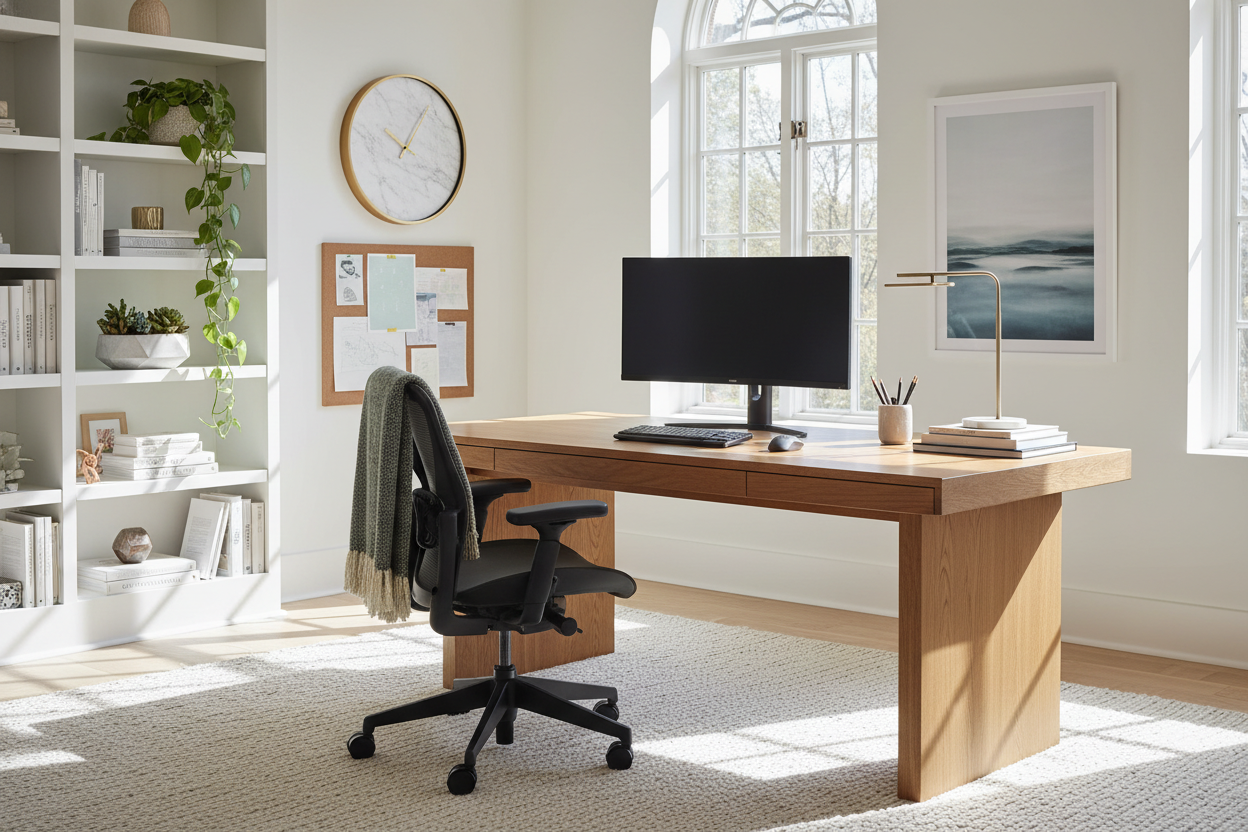
We have all been there: hunching over a laptop on the kitchen island, fighting the urge to clear away breakfast dishes while trying to answer emails. It is a recipe for physical discomfort and mental clutter. As an interior designer, I see many clients treat their home office as an afterthought, only to realize that their environment is actively hindering their productivity. Mastering the art of working from home for dummies isn't about buying the most expensive mahogany desk; it is about intentional spatial planning and understanding how your body interacts with your surroundings.
Quick Decision Guide: The Essentials
If you are rushing to set up a workspace, these are the non-negotiable elements you must prioritize to ensure functionality and comfort.
- Ergonomics First: Your chair is the most critical investment. Look for adjustable lumbar support and a seat height that allows your feet to rest flat on the floor.
- Lighting Layers: Never rely solely on overhead lights. Combine ambient lighting with a dedicated, adjustable task lamp to reduce eye strain.
- Surface Depth: Ensure your desk is at least 24–30 inches deep to maintain the correct focal distance from your monitor.
- Acoustics: In open-plan homes, incorporate soft furnishings (rugs, curtains) to dampen echo and background noise.
Zoning and Layout Strategy
The first step in professional space planning is establishing a dedicated zone. In design terms, we look for a "command position." Ideally, you should position your desk so you have a view of the room and the door, rather than facing a blank wall. This taps into a primal psychological need for security and reduces low-level anxiety.
If you are working with limited square footage, avoid the common mistake of floating a desk in the middle of a high-traffic corridor. Instead, utilize vertical space with wall-mounted shelving units that include a drop-down desk surface. This maintains the room's flow while providing a distinct workspace.
Selecting Furniture: Material and Form
The Desk: Solid Wood vs. Veneer
When selecting a desk, the tactile experience matters. Solid wood offers durability and can be refinished over decades, developing a patina that adds character. However, high-quality architectural veneers are often more stable in fluctuating humidity and offer a sleek, modern aesthetic. Avoid hollow-core laminates; they lack the weight to remain stable while typing, causing monitors to wobble.
The Chair: Balancing Aesthetics and Support
There is often a tension between the visual weight of an ergonomic chair and the style of a residential room. While a mesh-backed task chair offers superior breathability and suspension, it can look too "corporate" for a living room nook. Look for performance fabrics—commercial-grade wool blends or treated linens—that conceal ergonomic mechanisms within a tailored silhouette. The goal is a piece that supports your spine for eight hours but looks like high-end furniture when the workday ends.
Lighting and Video Call Aesthetics
Lighting is technical. You need to manage the Color Rendering Index (CRI). A low CRI light makes a space feel flat and depressing. Aim for bulbs with a CRI of 90+ and a color temperature between 3000K (warm white) and 4000K (cool white).
For video calls, avoid backlighting (sitting with a window behind you), which turns you into a silhouette. Position your desk perpendicular to the window for soft, side-lighting. If that isn't possible, place a dimmable task light behind your monitor to illuminate your face evenly without casting harsh shadows.
Lessons from My Own Projects
I learned the hard way that "aesthetic" does not always equal "functional." Early in my career, I designed a home office for myself featuring a stunning, vintage mid-century modern chair. It had a teak frame and original boucle upholstery. It looked incredible in photos.
However, after two weeks of sitting in a fixed-height chair with zero lumbar support, my posture collapsed. I developed a nagging pain in my right shoulder because the armrests were too low for my keyboard tray. I eventually had to swap it for a high-performance task chair. The lesson? I now keep the vintage chair in the corner for reading—never for working. Always prioritize the mechanics of your body over the silhouette of the furniture when it comes to the piece you sit on for 40 hours a week.
Conclusion
Transitioning to a home office setup doesn't require a renovation, but it does require a shift in perspective. By investing in the right materials, prioritizing light, and respecting ergonomics, you elevate your daily experience. Treat your workspace with the same design integrity as your living room, and your productivity will follow.
Frequently Asked Questions
1. How deep should a desk be for a laptop setup?
For a simple laptop setup, a depth of 20 inches is the absolute minimum. However, if you use an external monitor, aim for 24 to 30 inches deep to allow for keyboard placement and proper focal distance to the screen.
2. Can I use a dining chair for my home office?
Generally, no. Dining chairs are designed for 1-2 hour sittings. They lack the lumbar curvature, seat adjustability, and cascading front edge needed to prevent circulation cutoff in your legs during a full workday.
3. How do I hide cables in a floating desk setup?
Cable management is vital for visual calm. Use underside cable trays or vertebrae cable spines that run from the desk to the floor. For a cleaner look, run cables along the legs of the desk using color-matched velcro ties or adhesive clips.

Leave a comment
This site is protected by hCaptcha and the hCaptcha Privacy Policy and Terms of Service apply.