










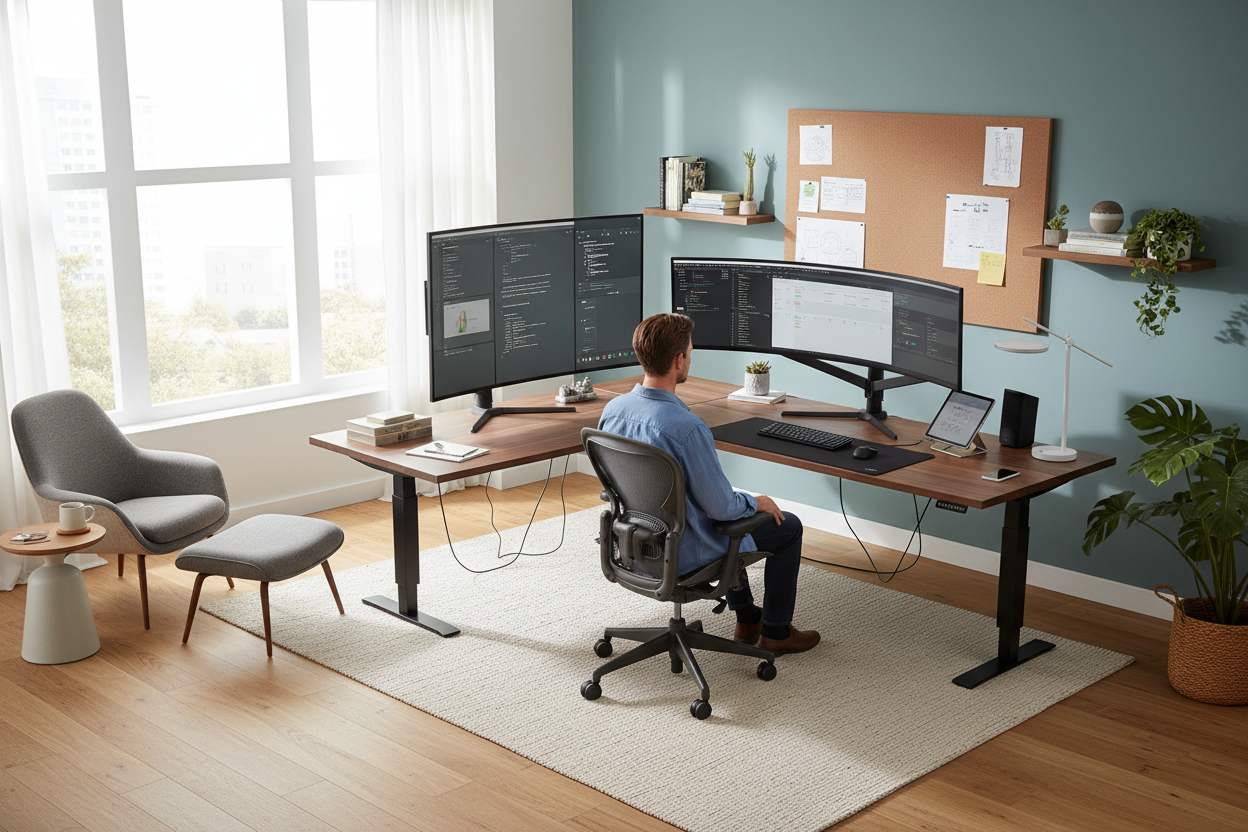
Let's be real. When you spend forty-plus hours a week writing code, managing servers, or jumping between endless video calls, your environment dictates your focus. I see countless clients try to squeeze a massive dual-monitor setup onto a tiny console table they bought solely for its mid-century silhouette. The result? A cramped, chaotic mess that ruins both the room's aesthetic and the user's posture. If you are working from home in it, your space needs to work as hard as your hardware. We are going to break down how to balance heavy tech requirements with actual interior design principles so your office looks intentional, not accidental.
Key Takeaways for Tech-Heavy Offices
- Prioritize desk depth: Aim for at least 30 inches to safely accommodate dual or ultra-wide monitors without eye strain.
- Invest in ergonomics over aesthetics for your chair; your spine will thank you during long deployment nights.
- Plan cable management before buying furniture; look for desks with built-in trays or grommets.
- Balance the heavy visual weight of black screens with warm, organic textures like walnut, oak, or woven wool rugs.
Space Planning for the Modern Tech Professional
The Multi-Monitor Dilemma
When you are working from home it becomes obvious very quickly that standard writing desks are built for laptops, not command centers. A typical 24-inch deep desk forces a 32-inch monitor uncomfortably close to your face. For intensive setups, I always specify a minimum depth of 30 to 36 inches. This gives you the necessary focal distance and leaves negative space for your keyboard, mousepad, and reference materials. Use heavy-duty monitor arms to reclaim your surface area and create a floating, minimalist look that makes the room feel larger.
Comfort & Ergonomics
The Truth About Office Chairs
That velvet accent chair looks stunning in photos, but it will destroy your lower back. When your job requires intense, prolonged focus, ergonomics cannot take a backseat. Look for high-density foam or breathable mesh, adjustable lumbar support, and seat pan depth adjustment. If you hate the corporate look of standard ergonomic chairs, bridge the gap with transitional pieces that feature polished aluminum bases or premium leather upholstery. Your chair is a functional tool first and a design piece second.
Style & Coordination
Taming the Visual Clutter
Tech equipment carries a massive amount of visual weight. Black monitors, bulky docking stations, and thick power cords can quickly make a room feel cold and industrial. To counteract this, introduce organic textures. Pair a matte black monitor setup with a solid walnut desk top. Add a heavily textured rug underneath to absorb sound and soften the room's overall proportion. Keep surrounding wall colors light and neutral to bounce natural light around the heavy electronics.
Designer's Honest Take
I learned the hard way that aesthetics can absolutely ruin functionality in a tech-focused office. A few years ago, I designed a spectacular home office for a software engineer featuring a custom-cut, tempered glass desk. It looked incredibly sleek on day one. By day three, we realized the optical mouse wouldn't track on the glass, the monitors wobbled because we couldn't clamp the heavy-duty arms to the fragile edge, and every single cable was painfully visible through the desktop. We ended up replacing it with a solid white oak slab six months later. Glass desks and heavy tech setups are a miserable combination.
Frequently Asked Questions
What is the best desk material for a heavy tech setup?
Solid wood or high-quality plywood with a durable wood veneer are your best bets. They easily support the weight of clamp-on monitor arms and resist the scratches that come from sliding keyboards and heavy hardware.
How do I hide cables if my desk floats in the middle of the room?
Use a desk with a modesty panel or mount a comprehensive cable management tray directly under the desktop. Route all wires down a single desk leg using a neat neoprene sleeve or a rigid cable spine.
Do I really need a standing desk?
If you sit for more than six hours a day, a sit-stand desk is highly recommended. Just ensure you buy a dual-motor frame; single-motor frames struggle with the weight of multiple monitors and heavy equipment, leading to a shaky surface when elevated.



Leave a comment
This site is protected by hCaptcha and the hCaptcha Privacy Policy and Terms of Service apply.