










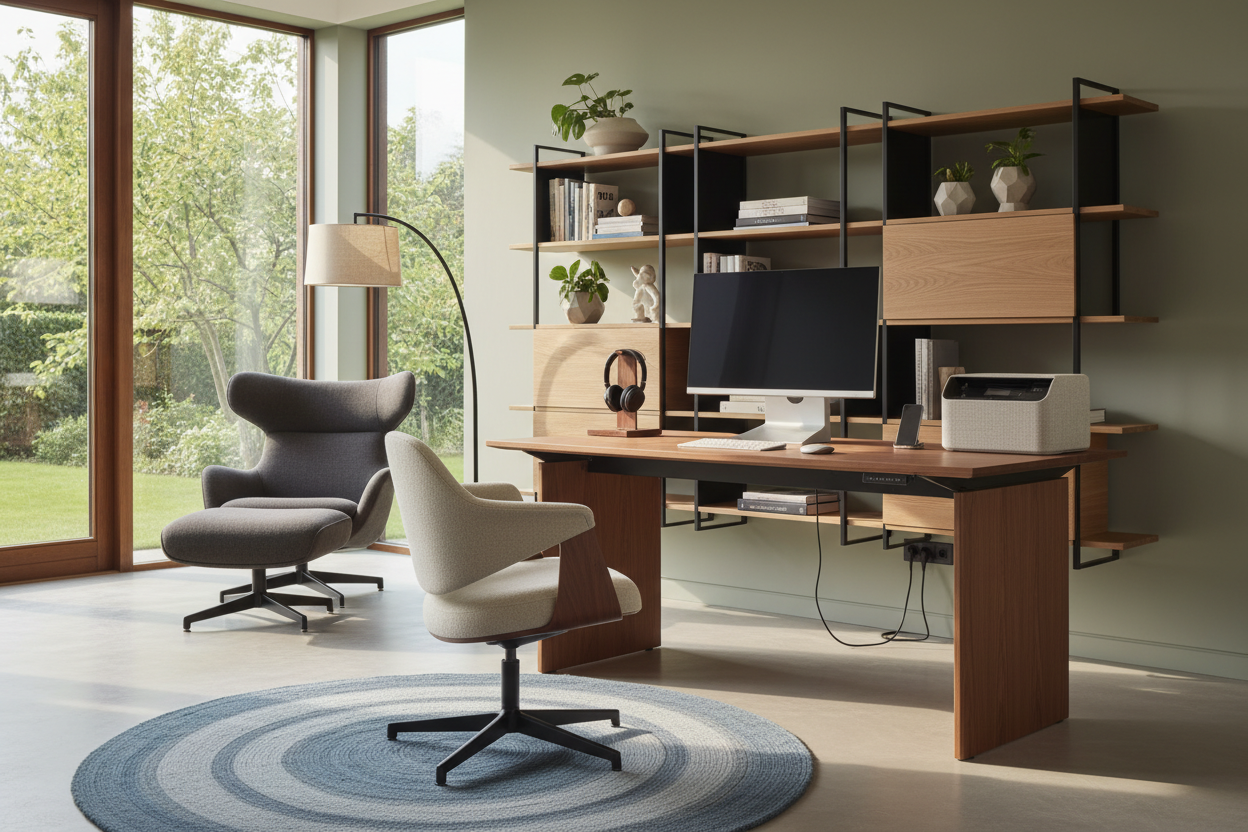
It usually starts with a temporary setup at the dining table. A few months later, you find yourself surrounded by tangled black cords, a clunky plastic chair that ruins your living room's aesthetic, and a makeshift desk that feels entirely out of place. Merging corporate functionality with residential comfort is one of the most common design dilemmas I tackle today.
Finding the best work from home items isn't just about picking pieces with high reviews online; it is about selecting furniture and accessories that support your posture without looking like they belong in a cubicle. By the end of this guide, you will know exactly how to choose office pieces that respect your home's architecture, maximize your square footage, and keep you comfortable through long meetings.
Quick Decision Guide
- Prioritize adjustable seating over matching sets: An ergonomic chair is non-negotiable, but it doesn't need to match your desk perfectly. Mix textures to soften the corporate feel.
- Respect visual weight: If your home office is part of a bedroom or living room, choose a desk with an open silhouette and slender legs to maintain a sense of spaciousness.
- Layer your lighting: Overhead recessed lights cause eye strain. You need a dedicated task lamp combined with ambient room lighting to reduce glare on your monitors.
- Plan for cable management early: A beautiful desk is instantly ruined by hanging wires. Always check if a desk has built-in routing or enough of a back lip to clamp a hidden tray.
Carving Out an Office in Any Room
Not everyone has a dedicated spare room to convert into an executive suite. Often, the best items for working from home are those that can seamlessly blend into a multi-use space.
Zoning with Visual Weight
When integrating a workspace into an open-concept living area, you have to manage the visual weight of your furniture. A heavy, solid-wood pedestal desk will dominate a small apartment, making the whole room feel like an office. Instead, opt for a writing desk with an open metal base or tapered wooden legs. This preserves the negative space underneath, allowing the eye to travel through the piece and making the room feel larger.
The 36-Inch Clearance Rule
Space planning is where most home setups fail. You need a minimum of 36 inches of clearance between the edge of your desk and the wall (or nearest piece of furniture) behind you. This allows you to push your chair back and stand up comfortably without scraping the paint or feeling claustrophobic. If you are tight on space, consider a wall-mounted floating desk paired with a low-profile chair that tucks completely out of the way.
Balancing Aesthetics and Ergonomics
There is a constant tug-of-war between pieces that look beautiful in an architectural digest spread and the best work from home products that actually support your spine for eight hours a day.
The Truth About Task Chairs
I frequently see clients trying to use a rigid, mid-century modern dining chair as their daily office seat. While it looks stunning, your lower back will disagree after a week. You do not have to settle for a bulky mesh monstrosity, though. Look for transitional task chairs wrapped in performance fabrics like boucle or high-grade leather. Ensure they offer adjustable seat depth and lumbar support. A chair with a polished aluminum or brass base can bridge the gap between residential warmth and ergonomic necessity.
Monitor Heights and Sightlines
Your monitors are the biggest aesthetic hurdle. They are essentially black voids in your room's design. To mitigate this, place your desk perpendicular to a window if possible, rather than facing the wall. This gives your eyes a place to rest and softens the harshness of the screens. Use monitor arms that clamp to the back of the desk to reclaim your surface area, and ensure the top third of your screen is at eye level to prevent neck strain.
Lessons from My Own Projects
I learned the hard way that a beautiful silhouette means nothing if it cannot handle modern technology. A few years ago, I sourced a stunning, vintage teak desk for a client's living room corner. It was an absolute showstopper.
However, I completely failed to account for the heavy, dual-monitor setup they needed for their daily work. The desk had a delicate, beveled edge that made it impossible to clamp a monitor arm, and there was zero routing for cables. We ended up with a gorgeous piece of furniture covered in a rat's nest of wires and bulky freestanding monitor bases that ruined the entire aesthetic. It taught me that when selecting the best items for work from home, you must interrogate the piece's functional limits before falling in love with its finish. Now, I always check the underside clearance and edge depth of any desk before specifying it.
Frequently Asked Questions
How do I hide cables on an open-frame desk?
Open-frame desks are tricky because there is no modesty panel to hide behind. Use a clamp-on cable management tray mounted to the back edge of the desk. Route all your wires through a neoprene cable sleeve that runs down the back of one of the desk legs, securing it with matching zip ties or velcro straps.
What size desk do I need for a dual-monitor setup?
If you are using two standard 27-inch monitors, you need a desk that is at least 60 inches wide and 24 to 30 inches deep. Anything narrower will force the monitors to hang off the edges, and anything shallower will sit the screens too close to your face, causing eye strain.
Are standing desks actually worth the investment?
Yes, but only if you buy one with a dual-motor mechanism. Single-motor standing desks tend to burn out quickly and wobble significantly at their highest settings. If you dislike the industrial look of most standing desks, purchase a high-quality motorized frame and mount a custom solid wood top that matches your home's decor.

Dejar un comentario
Este sitio está protegido por hCaptcha y se aplican la Política de privacidad de hCaptcha y los Términos del servicio.