










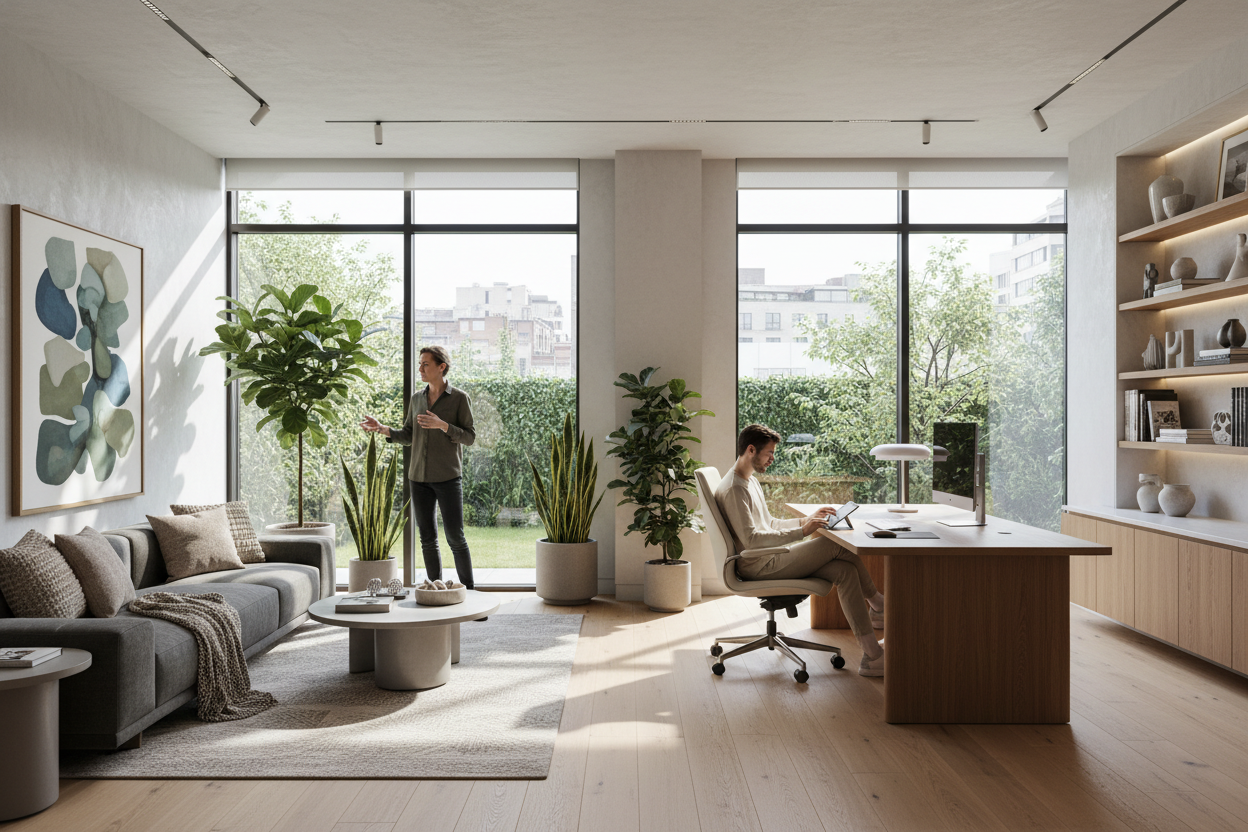
We have all been there: you finally get approval to work remotely, but your 'office' is just a laptop balanced on a dining room table. As companies roll out the best work from home policies, they are increasingly offering generous furniture stipends to help employees build proper setups. Yet, I constantly see clients panic-buy bulky, corporate-looking furniture that completely ruins the aesthetic of their North American homes.
Understanding how to navigate these new work from home policies from a design perspective is crucial. You do not have to turn your guest bedroom into a sterile cubicle just because your HR department gave you a budget. Today, we are going to break down exactly how to allocate your stipend, balance ergonomics with residential style, and create a workspace that actually feels good to spend eight hours in.
Quick Decision Guide
- Prioritize the chair first: Allocate at least 40 to 50 percent of your stipend to a highly adjustable, ergonomic chair before looking at desks.
- Measure your clearance: Always leave a minimum of 36 inches behind your desk so you can push your chair back without hitting a wall or bedframe.
- Read the fine print: Check if your company requires specific ergonomic compliance (like monitor height or lumbar support) before purchasing.
- Skip the matching sets: Avoid buying a matching desk and bookshelf combo; mixing materials creates a more natural, collected look in a residential space.
Space Planning: Fitting the Office into Your Home
Most remote workers do not have a dedicated 200-square-foot room just for an office. Usually, we are carving out a functional zone in a primary bedroom, a living room corner, or a tight den. The key here is visual weight. When you place a heavy, dark mahogany desk in a small room, it immediately anchors the space and makes the room feel cramped.
The 36-Inch Rule
When planning your layout, the golden rule of home offices is leaving 36 inches of clearance behind the desk. If you are tucking a desk behind a living room sofa, ensure you have enough room to slide in and out comfortably. I always recommend open-frame desks with slim metal or light wood legs for these shared spaces. They provide the necessary surface area without blocking sightlines across the room.
Ergonomics & Aesthetics: Striking the Balance
The hardest part of designing a home office is finding pieces that support your posture but do not look like they belong in a 1990s corporate park. Many of the best work from home policies require you to submit photos of your ergonomic setup, meaning you cannot just use a rigid wooden dining chair.
The Truth About 'Aesthetic' Office Chairs
Do not fall into the trap of buying a trendy velvet bucket chair for a full-time job. They look fantastic on a mood board, but they lack the seat depth adjustability and lumbar support required for long-term comfort. Look for commercial-grade chairs from reputable brands that offer residential finishes, such as a white frame with a light gray mesh, which blends much better into a modern or transitional home than standard stark black plastic.
Material & Build Quality: Investing Wisely
If your company provides a stipend, you want to invest in pieces that will last. Solid wood desks are beautiful and age incredibly well, but they require maintenance and are susceptible to water rings from your morning coffee. Engineered wood with a high-quality laminate or veneer is often the smarter choice for a heavy-use work surface.
Pay close attention to the desk edges. A sharp, square edge on a cheap desk will dig into your forearms while typing. Look for a desk with a slight bevel or a 'waterfall' edge, which significantly improves daily comfort.
Designer's Honest Take
I learned the hard way that trying to hide a home office completely usually backfires. A few years ago, I helped a client who wanted her workspace to 'disappear' into her living room at 5 PM. We used her generous stipend to buy a beautiful, expensive secretary desk that folded up. It looked stunning.
The downside? The fold-out surface was only 18 inches deep. Her monitors sat way too close to her face, and her knees bumped the back panel every time she shifted. Within a month, she was working from her kitchen island again, and the expensive desk became a very pricey mail-catcher. The lesson here is never to sacrifice baseline functional dimensions just to hide your workspace. If you work full-time, your setup needs to function as an office first and a living space second.
Frequently Asked Questions
What furniture should I prioritize with my WFH stipend?
Always prioritize your chair and your lighting. A high-quality ergonomic chair saves your back, and proper task lighting prevents eye strain. You can easily get away with a budget-friendly desk if your chair is top-tier.
Do companies require specific desk dimensions?
While most do not dictate exact dimensions, standard ergonomic guidelines suggest a desk height of 28 to 30 inches and a minimum depth of 24 inches to keep your monitor at a safe viewing distance. Always review the details of your specific policy.
How do I hide messy cables in a living room office?
Cable management is crucial for keeping a residential feel. Mount a power strip directly to the underside of your desk and use adhesive cable clips to route wires along the back legs. A clean floor instantly makes the workspace feel less cluttered.


Dejar un comentario
Este sitio está protegido por hCaptcha y se aplican la Política de privacidad de hCaptcha y los Términos del servicio.