










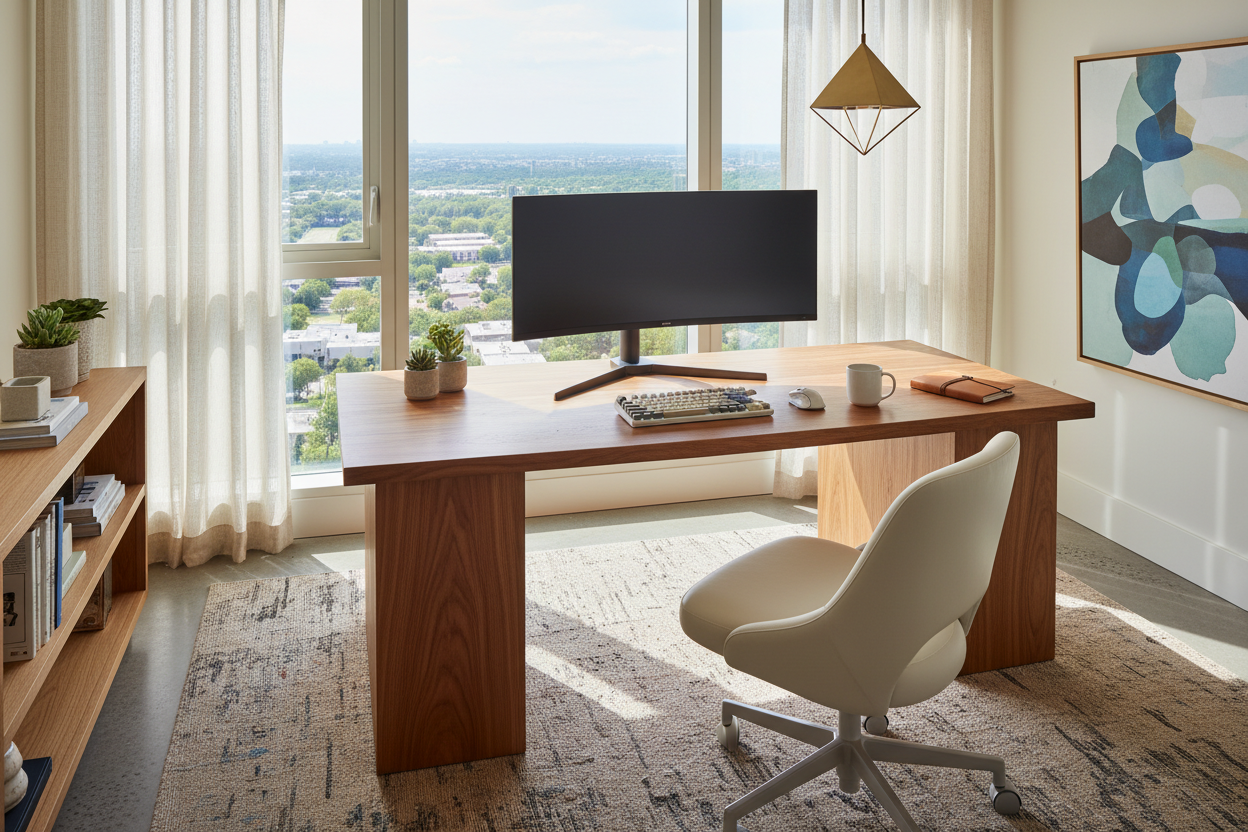
The era of tolerating a makeshift laptop setup on the dining table is officially over. As our homes evolve into multifunctional sanctuaries, the demand for sophisticated, permanent work station ideas has shifted from a luxury to a necessity. The challenge, however, lies in creating a space that functions like a high-performance office but feels like a curated part of your home. It is not merely about buying a desk; it is about integrating ergonomics with your existing interior design language.
Quick Decision Guide: Key Features for a Home Office
If you are planning your layout, prioritize these four elements to ensure longevity and comfort. These are the non-negotiables I check off for every client project:
- Surface Depth: Ensure a minimum depth of 24-30 inches to accommodate monitor arms and prevent eye strain.
- Material Tactility: Choose solid wood or high-grade laminate over glass to reduce glare and improve tactile warmth.
- Acoustic Control: Incorporate soft furnishings (rugs, curtains) nearby to dampen echo during calls.
- Lighting Layers: Combine ambient room lighting with dedicated, adjustable task lighting to eliminate shadows.
Zoning: Integrating WFH Space Ideas into Open Layouts
One of the most common hurdles in residential design is finding the right location. When exploring working station ideas, avoid facing a blank wall if possible. This "time-out" orientation can feel stifling.
The "Command Position"
Ideally, position your desk so you have a view of the room or a window, known in design as the command position. If you are working with limited square footage, consider wfh ideas that utilize vertical space. A wall-mounted shelving unit with a drop-down desk maintains floor flow and reduces visual clutter when the workday ends.
Selecting the Right Desk: Material and Silhouette
Your desk is the anchor of the space. For wfh desk ideas, the silhouette dictates the visual weight of the room. In smaller apartments, a desk with slender, metal legs and an open back keeps the sightlines clear, making the room feel larger.
Solid Wood vs. Veneer
For executive-style work-from home station ideas, I often recommend solid walnut or oak. Unlike veneer, which can chip and is difficult to repair, solid wood develops a patina over time and can be refinished. However, if you are budget-conscious, look for high-pressure laminates with textured finishes that mimic the grain of real wood without the maintenance requirements.
Ergonomics Meets Aesthetics
The biggest mistake homeowners make with work from home workspace ideas is prioritizing the look of a chair over its function. A dining chair will ruin your back within a week.
Look for "hidden ergonomic" chairs. These are seating options that offer lumbar support, seat tilt, and height adjustment but are upholstered in residential fabrics like tweed, velvet, or leather rather than standard office mesh. This bridges the gap between a sterile corporate look and a cozy home environment.
Lighting and Ambiance
Proper lighting is often the forgotten element in wfh office setup ideas. Relying solely on overhead recessed lighting creates harsh shadows under the eyes—unflattering for video calls and straining for reading. Layer your lighting by adding a desk lamp with a warm temperature (2700K-3000K) and an articulating arm to direct light exactly where you need it.
Lessons from My Own Projects: The "Glass Desk" Regret
I want to share a specific mistake I made early in my career so you don’t have to. I designed a sleek, minimalist office for a client using a high-end, tempered glass desk. It looked stunning in the photos—airy, modern, and architectural.
However, three weeks later, the client called me with two complaints I hadn't anticipated. First, the glass was perpetually cold on her wrists, making typing uncomfortable during winter mornings. Second, glass desks offer zero hiding spots for cables. We spent hours trying to zip-tie cords down the transparent legs, but it never looked clean. Every wire from the monitor, mouse, and charger was visible. Now, I almost exclusively specify desks with modesty panels or integrated cable management channels. Practicality must always partner with aesthetics.
Conclusion
Curating the perfect workspace is an investment in your productivity and your well-being. By selecting materials that age gracefully and prioritizing a layout that honors the flow of your home, you create a station that invites you to do your best work. Start with the desk depth, invest in a chair that supports your spine, and let the design reflect your personal style.
Frequently Asked Questions
How deep should a desk be for a dual-monitor setup?
For dual monitors, aim for a depth of at least 30 inches. This distance prevents eye strain and allows enough surface area for a keyboard and paperwork without feeling cramped.
What are the best wfh ideas for small bedrooms?
In tight spaces, utilize "ghost" furniture (acrylic) or floating wall desks. These provide functionality without occupying floor space, maintaining the room's visual openness.
How do I hide cables in an open office setup?
Use cable sleeves that match your wall or desk leg color. Additionally, mount a power strip to the underside of the desk using strong adhesive tape so that only one main power cord runs to the wall outlet.

Dejar un comentario
Este sitio está protegido por hCaptcha y se aplican la Política de privacidad de hCaptcha y los Términos del servicio.