










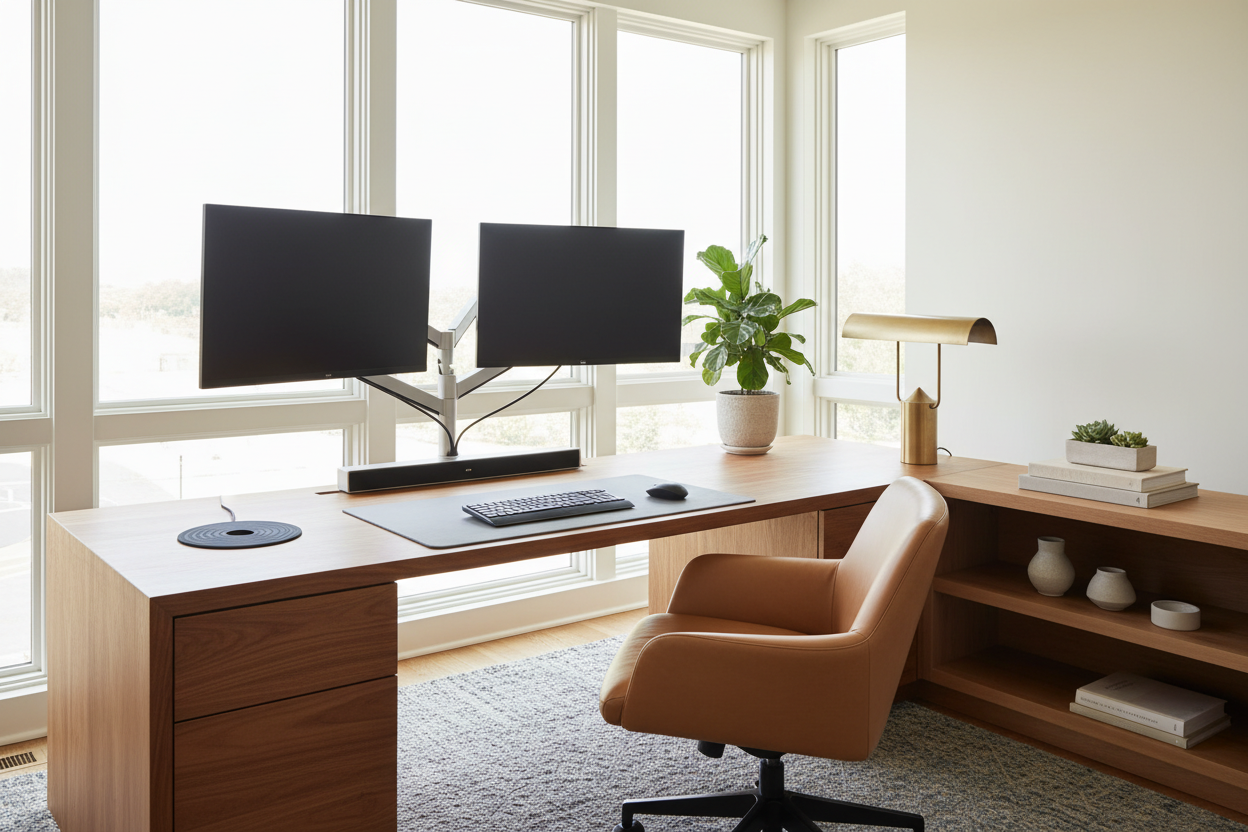
You finally upgraded your workspace for productivity, but now your room feels like a corporate IT department. It is a common design dilemma: bringing heavy, black plastic screens into a carefully curated residential space instantly throws off the room's visual balance. Creating a functional yet beautiful dual monitor office requires more than just slapping two screens on a desk.
When you introduce that much tech into a room, you are adding a massive amount of dark visual weight. In this guide, I will walk you through exactly how to integrate multiple displays without sacrificing your home's aesthetic. You will learn the non-negotiable layout rules, ergonomic spacing guidelines, and the designer secrets to hiding all those cables.
Quick Decision Guide: The Aesthetics of Tech
- Desk depth is critical: Never attempt a two-screen setup on a desk shallower than 28 inches, or you risk severe eye strain and a cramped aesthetic.
- Ditch the factory stands: Using a single, heavy-duty monitor arm reclaims desktop real estate and introduces much-needed negative space beneath the screens.
- Offset the layout: Position your primary monitor directly in front of your chair, with the secondary screen angled to the side, rather than splitting the seam perfectly down the middle.
- Counterbalance the cold: Offset the harsh black plastic of your tech with warm, organic materials like a solid wood desktop, leather desk pads, and trailing plants.
Space Planning and Layout Rules
The 30-Inch Depth Rule
The biggest mistake people make with a dual screen home office setup is trying to force it onto a standard hallway console or a shallow writing desk. When you have two large displays, you need physical distance to take them in without whipping your neck back and forth. A desk depth of 30 inches is the sweet spot. This gives you enough room to push the screens back, leaving space for a keyboard, a notebook, and a coffee mug without feeling claustrophobic.
Mastering the Asymmetrical Layout
When figuring out how to setup a home office with two monitors, symmetry is often your enemy. If you place the gap between the two monitors directly in the center of your desk, you will spend your entire day staring at a plastic bezel. Instead, designate one screen as your primary focal point. Center it directly in front of your keyboard. Then, angle the secondary monitor at a 30-degree tilt to your left or right. This asymmetrical approach not only improves ergonomics but also looks much more natural in a residential setting.
Styling a Minimal Dual Monitor Setup
The Magic of Monitor Arms
If you want a truly minimal dual monitor setup, the factory stands have to go. They are bulky, they gather dust, and they eat up the most valuable real estate on your desk. By mounting your screens on a pneumatic dual-arm system, you create the illusion that the monitors are floating. This opens up the visual space underneath, allowing you to slide a laptop, a tray, or a desk lamp beneath the screens. It instantly shifts the vibe from "cubicle" to "executive suite."
Softening the Tech
A successful design relies on contrast. Because home office two monitors inherently look cold and industrial, you must inject warmth into the surrounding space. This is where dual monitor home office ideas often fail: people pair black screens with black metal desks. Instead, opt for a desktop in rich walnut, white oak, or even a heavily textured linoleum. Add a wool felt desk pad and position a warm-toned table lamp nearby to soften the glare of the screens during the evening.
Designer's Honest Take: My Battle with the Vintage Desk
A few years ago, I tried to force a dual monitor setup for home office onto a stunning, mid-century teak writing desk in my own home. It looked incredible in photos when the screens were turned off. But the desk was only 24 inches deep and had elegant, spindly legs.
Within a week, my eyes were burning from being too close to the glass. Worse, every time I typed, both screens wobbled uncontrollably because the vintage desk lacked structural cross-bracing. I had to admit defeat. I swapped the vintage piece for a heavy-duty solid oak desk with a 30-inch depth, and I drilled a massive hole right through the beautiful wood top to mount a heavy-duty monitor arm. It hurt my designer heart to drill that hole, but the ergonomic relief, the elimination of screen shake, and the hidden cable management were absolutely worth the compromise.
Frequently Asked Questions
What size desk is best for a home office 2 screens setup?
Aim for a desk that is at least 60 inches wide and 28 to 30 inches deep. This width allows two 27-inch monitors to sit comfortably side-by-side while leaving room for desktop speakers or a lamp on the outer edges.
What are the best dual monitor home office ideas for hiding cables?
The most effective method is using a monitor arm with built-in cable channels. Route the display and power cables down the arm, through a grommet hole in the desk, and into a cable management tray mounted underneath the desktop. Keep everything off the floor.
Should my monitors be flat or angled?
Unless you are using an ultra-wide curved monitor, two flat screens should always be angled toward you. Placing them perfectly flat against a wall creates a harsh viewing angle for the outer edges of the screens, leading to poor posture and neck strain.


Dejar un comentario
Este sitio está protegido por hCaptcha y se aplican la Política de privacidad de hCaptcha y los Términos del servicio.