










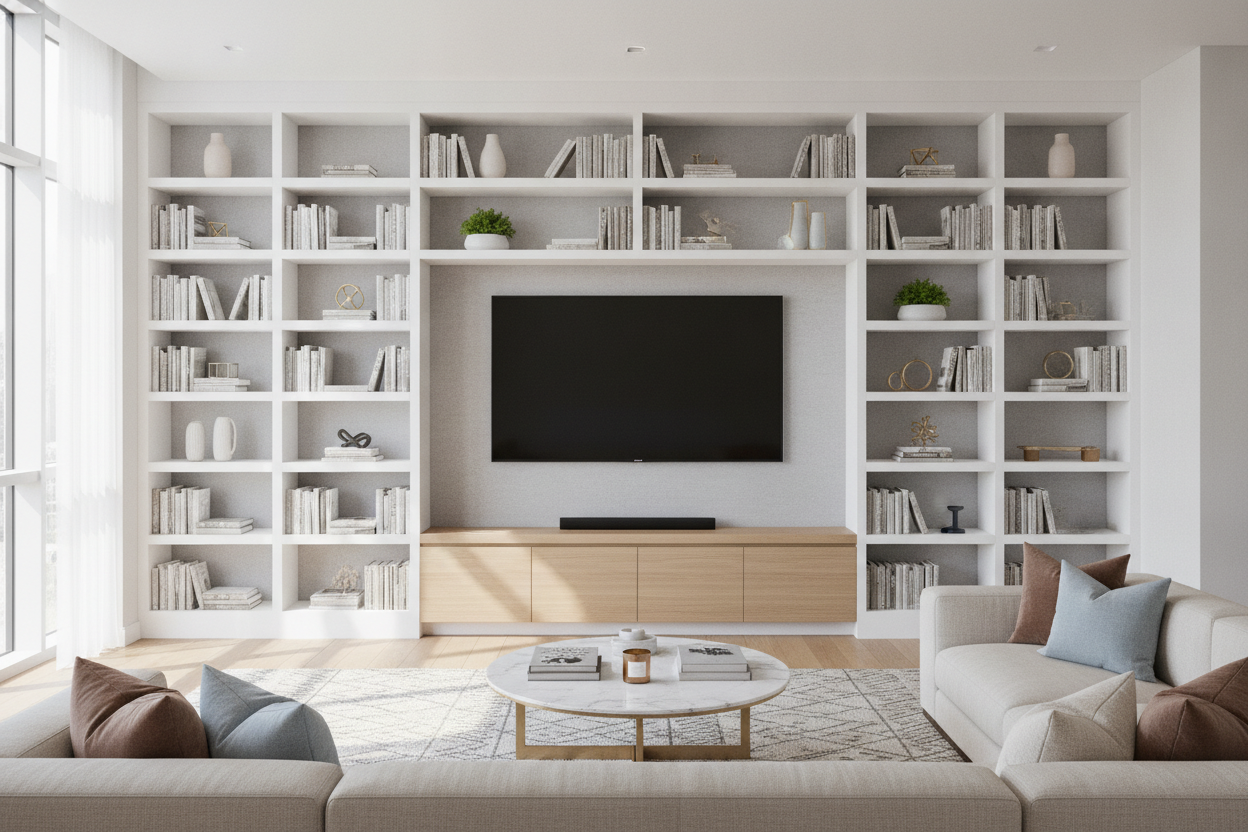
I spent three weeks staring at my 65-inch OLED against a rental-beige wall. It looked like a giant, expensive void. Every time the screen went black, the room felt empty and cold, like a Best Buy showroom rather than a home. I realized that bookshelves on either side of tv wasn't just a design choice—it was a necessity to stop the 'black hole' effect.
The goal isn't just to store your stuff. It's to frame the tech so it doesn't dominate your life. When you get the symmetry right, that massive plastic rectangle starts to look like a curated piece of a larger architectural puzzle.
Quick Takeaways
- Go tall: Aim for shelves at least 72 inches high to draw the eye upward.
- Leave breathing room: Keep 3 to 5 inches between the TV and the shelf edges.
- Mix depths: Ensure your center console is slightly deeper than the flanking shelves for visual layers.
- Cable management: Use the space behind the books to hide your unsightly mesh routers and power strips.
The 'Black Hole' Problem (And Why Symmetrical Shelving Fixes It)
A big TV is a visual anchor, but on a blank wall, it's an anchor that's dragging the whole room down. The sheer 'blackness' of a screen when it's off creates a vacuum. By using shelves surrounding tv, you're adding texture and verticality that competes with the screen's flat surface. It balances the room's 'visual weight' so your eyes aren't immediately sucked into the void.
Symmetry is your best friend here. Our brains love order, and two identical bookcases flanking a screen create a sense of permanence. It mimics the look of high-end library built-ins without the $5,000 contractor bill. I used two simple 30-inch wide towers, and suddenly, my living room felt like it had actual architecture instead of just four drywall surfaces.
Getting the Proportions Right: A TV Between Two Bookcases
Scale is where most people mess up. If you have a 65-inch TV and pair it with two wimpy, waist-high bookcases, it looks like a dorm room. You want the height of the shelves to be significantly taller than the TV. Ideally, the top of the screen should sit at about the midpoint of the flanking units. This creates a 'nesting' effect that makes the tv between two bookcases feel intentional.
Measure your wall twice. If your TV is 55 inches wide, you need to make sure your total setup—console plus two shelves—doesn't cramp the corners. I leave about 4 inches of 'air' on either side of the screen. Any tighter and it looks like the TV is being strangled; any wider and the units look disconnected.
My Go-To TV Bookshelf Ideas for Hiding the Clutter
The biggest struggle with a media center is the 'tech spaghetti'—those tangled HDMI cables and blinking routers. I’ve found that the best tv bookshelf ideas involve using the bottom two shelves for closed storage. Use baskets or decorative boxes to hide your controllers and remotes. For the upper shelves, stick to a 70/30 rule: 70% books, 30% objects and art.
If you're tight on horizontal space, you might consider bookshelf TV stand ideas I actually love that integrate the shelving directly into a single unit. But for that true custom look, separate towers are the way to go. I personally use the 'leaning' ladder style for a lighter look, though solid-back bookcases are better if you're trying to hide a mess of wires against the wall.
The Bridge Debate: Should You Put a Bookshelf Over TV?
The 'bridge' is that horizontal shelf that connects the two side towers. Adding a bookshelf over tv can be a polarizing move. On one hand, it completes the 'built-in' look and gives you a spot for long, trailing plants like Pothos. On the other hand, it can make the whole setup feel very heavy and dated if the materials are too chunky.
I usually skip the bridge unless the ceilings are over nine feet. In a standard apartment, leaving the space above the TV open makes the room feel airier. If you do go for a bridge, keep it thin. A heavy wooden beam over a modern thin-bezel TV looks top-heavy and awkward. I once tried a DIY bridge using a 2x10 board, and it felt like a guillotine for my PlayStation. Not a great vibe.
Anchoring the Setup: Why Your Center Console Still Matters
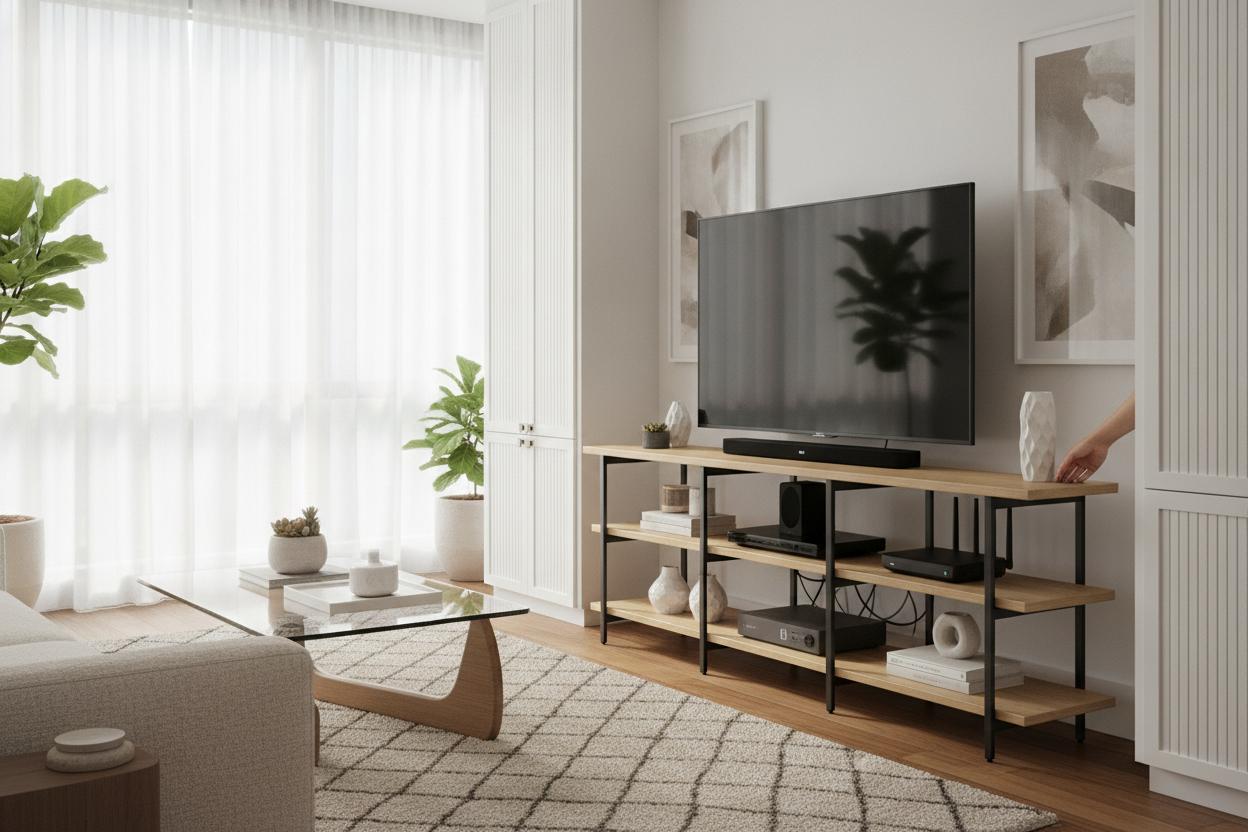
Even with a tv surrounded by bookshelves, the piece of furniture the TV actually sits on is the most important element. It’s the foundation. You can't just have two tall towers and a flimsy little stand in the middle. You need a substantial collection of TV stands to choose from that offer enough width to bridge the gap between your bookcases.
I'm a huge fan of using a mid-century TV stand with slatted doors as the center anchor. The vertical slats echo the vertical lines of the books on either side, and the closed storage is a lifesaver for hiding the PS5 and the soundbar sub. Just make sure the console is at least as wide as the TV—never, ever let your TV overhang the edges of the stand.
FAQ
How much space should be between the TV and the bookshelves?
Give it 3 to 5 inches on each side. You need enough room to reach behind the screen for cables, and it prevents the setup from looking cramped or 'stuffed' into the space.
Should the bookshelves be taller than the TV?
Yes, absolutely. To get that built-in look, the shelves should be at least a foot taller than the top of your TV. If they are the same height, the whole arrangement looks like a flat, boring line.
Can I mix different styles of bookcases?
I wouldn't. For this specific look, symmetry is key. Using two different bookcases makes the room feel cluttered and accidental rather than designed. Stick to a matching pair.

Dejar un comentario
Este sitio está protegido por hCaptcha y se aplican la Política de privacidad de hCaptcha y los Términos del servicio.