










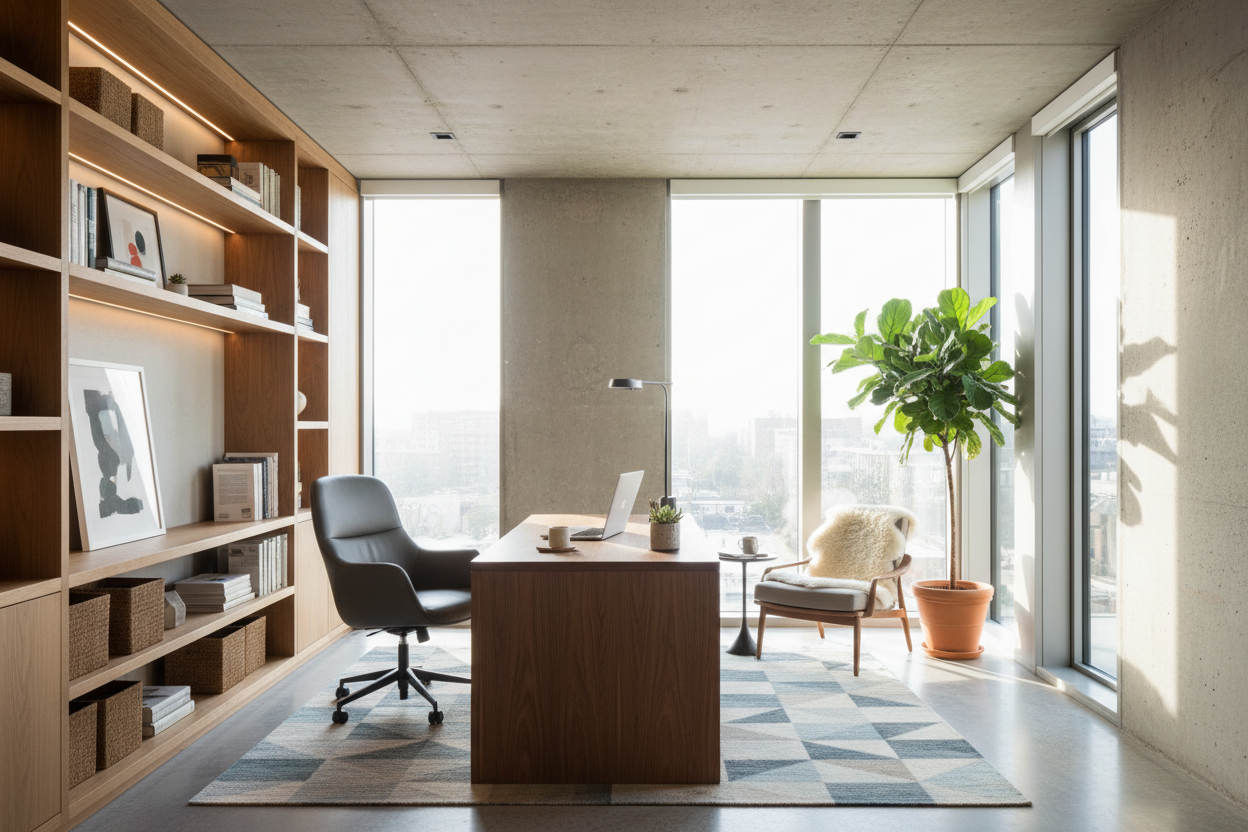
We have all been there: trying to take a crucial video call while balancing a laptop on a stack of books at the dining table. When a makeshift workspace finally stops cutting it, the prospect of a permanent solution can feel overwhelming. Planning a proper home office build is not just about picking a pretty desk; it is about creating an environment that supports your daily focus without clashing with the rest of your house.
Whether you are converting a spare bedroom, claiming an awkward alcove, or constructing an entirely new addition, the physical details matter. By the end of this guide, you will know exactly how to approach layout, ergonomics, and material choices so you do not waste money on a setup that looks great on social media but feels awful to work in.
Quick Decision Guide
- Measure for movement: Always leave at least 36 inches of clearance behind your desk for your chair to roll back comfortably.
- Prioritize depth over width: A desk needs to be at least 24 inches deep to accommodate a monitor and keyboard without causing eye strain.
- Map your outlets early: Hardwire your electrical and internet connections before finishing walls or ordering custom cabinetry.
- Control the lighting: Position your primary work surface perpendicular to windows to avoid harsh screen glare.
Space Planning and Layout Rules
When figuring out how to build a home office, the biggest mistake I see is ignoring the room's natural traffic flow. You want to anchor the space without making it feel cramped.
The Command Position
Whenever possible, place your desk in the 'command position'—facing the door but not directly in line with it. This setup provides a psychological sense of control and prevents the dreaded background-door-opening surprise during meetings. If you are working with a small suburban room, floating the desk in the middle of the room can eat up valuable square footage. In those cases, a peninsula layout anchored to a side wall offers a great compromise between negative space and usable surface area.
Ergonomics and Material Selection
A stunning workspace means nothing if your back aches by mid-afternoon. Building a home office requires a ruthless focus on physical comfort and durability.
Desk Height and Leg Room
Most standard desks sit at 29 to 30 inches high, which is actually too tall for the average person unless they use an under-mount keyboard tray. If you are doing a custom built-in, consider dropping the work surface to 28 inches, or invest in an adjustable sit-stand frame. Pair this with a high-quality ergonomic chair. Skip the trendy, rigid wooden dining chairs; your spine needs adjustable lumbar support and proper seat depth.
Choosing the Right Surface
Solid wood tops like walnut or white oak bring warmth and visual weight to a room, but they require maintenance. If you are someone who sets down hot coffee mugs or uses heavy metal equipment, consider a high-pressure laminate or a commercial-grade veneer. They resist scratches and moisture far better than a soft natural wood, ensuring your investment lasts.
Lessons from My Own Projects
A few years ago, I designed what I thought was the ultimate custom workspace for a client in a stunning mid-century modern home. We installed a floating, wall-to-wall matte black walnut desk. It looked incredibly sleek in the architectural photos.
But I learned a hard lesson about practicality. I only made the desk 20 inches deep to preserve floor space. Once the client added dual 27-inch monitors, a mechanical keyboard, and a microphone on a boom arm, they had zero space left for a simple notepad. Worse, the monitors were so close to their face that they experienced constant eye strain. We ended up having to pull the entire built-in out and rebuild it at a 26-inch depth. The lesson? Never sacrifice ergonomic depth for a minimalist silhouette.
Frequently Asked Questions
How much space do I need for a home office build?
Ideally, you want a minimum footprint of 6 by 6 feet to comfortably fit a desk, an ergonomic chair, and basic storage. If you are converting a closet or alcove, ensure you have at least 36 inches of depth for the chair to pull out.
Is custom built-in cabinetry worth the investment?
Built-ins maximize every inch of a room and add tremendous resale value, especially in smaller homes. However, they lock you into a specific layout. If you frequently change your workflow or upgrade equipment, high-quality freestanding modular furniture might be a safer bet.
How do I handle lighting in a new workspace?
Layer your lighting. Do not rely solely on overhead recessed lights, which cast harsh shadows on your face and screen. Incorporate a dedicated task lamp on the desk and ambient floor or wall fixtures to reduce eye fatigue throughout the day.

Dejar un comentario
Este sitio está protegido por hCaptcha y se aplican la Política de privacidad de hCaptcha y los Términos del servicio.