










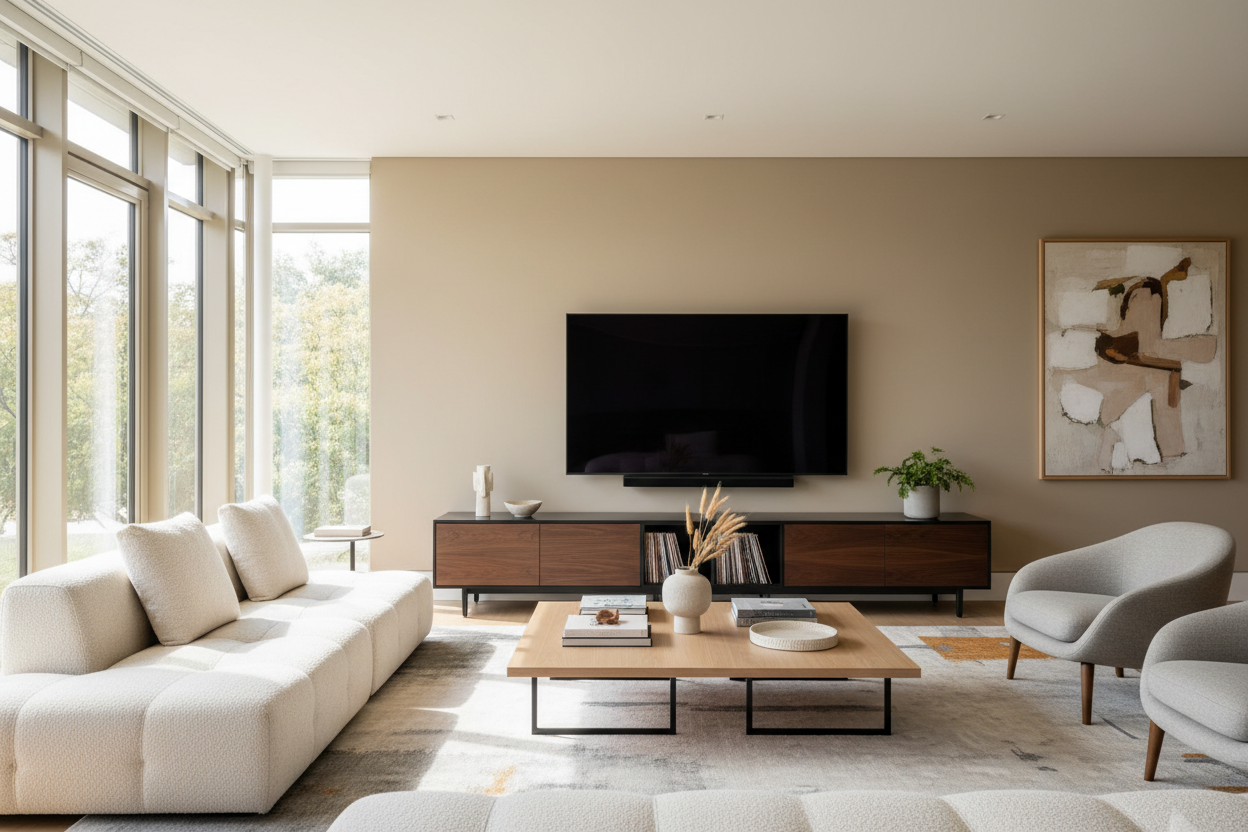
I remember the day the delivery truck dropped off my 70-inch OLED. I had spent three months researching refresh rates, local dimming zones, and black levels until my eyes bled. I felt like a tech genius. Then, the delivery guys left, and I realized my current 70 inch tv and stand situation was a total disaster waiting to happen.
I had this grand vision of a home theater, but I’d completely neglected the actual 'home' part of the equation. Balancing a state-of-the-art, four-figure display on a wobbly, decade-old particleboard console is a special kind of anxiety. I spent the next four hours praying the middle wouldn't snap before I could get to a store.
Quick Takeaways
- The 30% Rule: Budget at least 30% of your TV's cost for the furniture.
- Width Matters: Your stand should be at least 5-10 inches wider than the screen to avoid the 'lollipop' look.
- Weight Ratings: Always check the weight capacity; a 70-inch TV is heavy, but the soundbar and consoles add up fast.
- Cable Management: If the stand doesn't have dedicated routing, your living room will look like a server room gone wrong.
The $1,500 Screen on a $50 Wobbly Box
There I was, staring at a razor-thin masterpiece of engineering sitting on a DIY cube shelf I’d bought in college. It looked pathetic. The screen overhung the edges of the shelf by several inches on each side, which is a major safety hazard if you have pets or a vacuum cleaner. Most tv stands for 70 inch tv are designed to be at least 65 to 75 inches wide to prevent this exact 'top-heavy' nightmare.
I noticed the shelf was already beginning to bow in the center. Particleboard has a memory, and once it starts to sag under a tv stand 70 inch wide load, there is no going back. I had to move the TV to the floor—yes, the floor—because I didn't trust the furniture to last through the night. It was a humbling moment for a supposed 'interiors expert.'
The 30% Rule for Media Centers
After that fiasco, I developed what I call the 30% Rule. If you are dropping $1,200 on a screen, you need to be prepared to spend at least $400 on the unit holding it up. When you browse TV stands with this budget in mind, the quality jump is massive. You move away from flimsy veneers and toward 70 inch solid wood tv stand options or high-grade MDF that won't crumble the first time you move it.
Applying this rule changed how I shopped. I stopped looking for the cheapest stands for 70 inch tv and started looking for joinery and weight specs. A 70-inch TV isn't just a purchase; it's an anchor for the entire room. If the furniture looks cheap, the TV looks like a mistake rather than a feature.
Visual Weight: Why Big Screens Need Chunky Furniture
Design-wise, a massive screen has a lot of 'visual weight.' It’s a giant black rectangle that dominates the wall. If you put it on a skinny, low-profile stand, the room feels unbalanced. You need a 70 inch modern tv stand with some physical mass to ground the space. I prefer pieces with closed storage because seeing a mess of wires and PlayStation controllers underneath a high-end screen ruins the aesthetic.
A modern TV stand with cabinets is usually my go-to recommendation. The cabinets hide the clutter, and the solid base provides the necessary visual foundation. It makes the 70 tv stand look like a permanent architectural element rather than a temporary perch. If you go too small, the TV looks like it’s trying to escape the furniture.
The Hidden Cost of 'Cheap' TV Consoles
We’ve all been tempted by the 70 inch tv stand cheap options on big-box sites. But here is what they don't tell you: the hardware is usually garbage. I’ve assembled units where the cam-locks snapped during installation. Even worse is the 'sag.' An entertainment center 70 inch wide needs a center support leg. Without it, gravity will eventually win, and your cabinet doors will stop aligning.
People often ask if a budget-bin clearance unit is sturdy enough for a 65 inch or 70 inch screen. My answer is almost always a hard no. You’ll end up with a 70 inch tv entertainment unit that looks aged and broken within a year. Spend the extra money on something with a 70 x 30 tv stand footprint that can actually handle the torque of a large display.
What I Actually Swapped My Flimsy Stand For
I eventually upgraded to a Symmetric L Shaped TV Stand. The difference was night and day. It didn't just hold the TV; it framed it. The L-shape added an interesting geometric layer to my living room that a standard rectangular box couldn't match. It turned my 70 inch entertainment stand into a conversation piece.
Switching to a more substantial 70 tv console furniture piece made the whole room feel 'grown-up.' No more exposed wires, no more sagging shelves, and no more worrying if a stiff breeze would knock my tech over. If you're buying the big screen, do yourself a favor and buy the right stand at the same time. Your floor—and your sanity—will thank you.
Frequently Asked Questions
How wide should a stand be for a 70 inch TV?
A 70-inch TV is usually about 61 inches wide. You want a stand that is at least 65 to 70 inches wide so the screen doesn't overhang. A 70 inch tv stand is the bare minimum, but 75 inches looks much better.
Can I use a 60 inch stand for a 70 inch TV?
Technically, if the legs of the TV fit, you *can*, but it looks terrible and is top-heavy. It’s a safety risk, especially in homes with kids or pets. Always aim for a stand wider than the screen.
What is the best height for a 70 inch TV stand?
For a screen that large, you want a 70 inch low profile tv stand. If the stand is too tall, you'll be straining your neck looking up. Aim for the center of the screen to be at eye level when you're seated.

Dejar un comentario
Este sitio está protegido por hCaptcha y se aplican la Política de privacidad de hCaptcha y los Términos del servicio.