










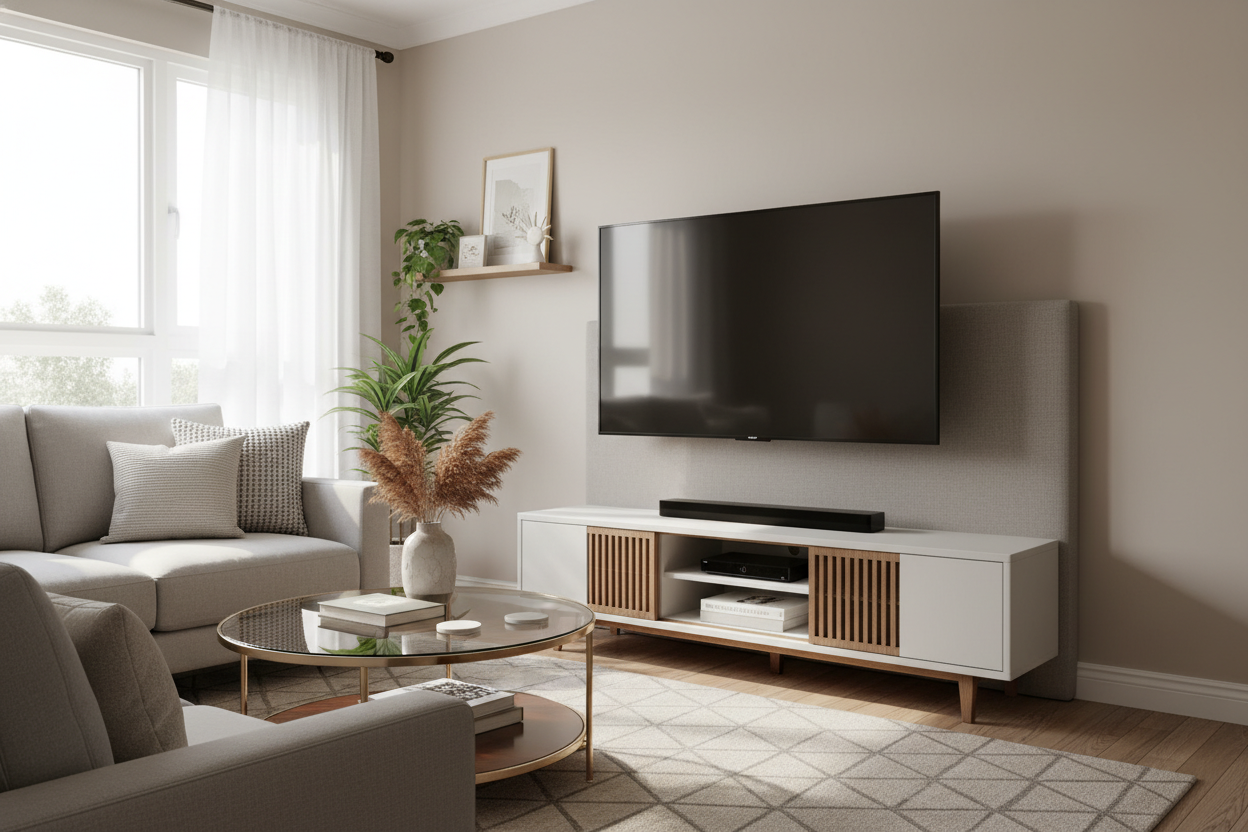
I spent three hours staring at a pristine white wall in my new Brooklyn apartment, holding a drill I wasn't legally allowed to use. My lease specifically forbids 'structural modifications,' which is landlord-speak for 'don't you dare touch the drywall.' But I wanted that high-end, gallery look—not a bulky cabinet that eats up four feet of floor space. That is how I ended up obsessed with finding the perfect 50 inch tv mount stand.
Quick Takeaways
- Zero holes in the wall means you keep your security deposit.
- Integrated cable management hides the 'spaghetti' mess of wires.
- Adjustable height prevents the dreaded 'TV too high' neck strain.
- Portable design makes it easy to rearrange your room on a whim.
The Drywall Dilemma (And My Breaking Point)
Most apartments have that one 'perfect' wall that turns out to be a total nightmare. Maybe it's crumbly 1920s plaster, maybe it's shared with a neighbor who files a noise complaint if they hear a screwdriver, or maybe your landlord is just a stickler. I once tried those 'no-stud' heavy-duty hangers in a previous place. They worked until I tried to remove them, leaving a series of jagged scars in the wall that cost me $200 from my deposit. Never again.
I needed a way to get my screen off the furniture without actually attaching it to the building. I was tired of my TV sitting on a generic console that felt like it belonged in a dorm room. I wanted the screen to float, to feel intentional, and to leave the surface below it clear for things that actually look good, like my record player or a stack of oversized art books.
Enter the Fake Floating Solution
That's when I discovered the tv stand for 50 inch tv with mount. Unlike sleeker modern TV stands that just sit low to the ground and act as a pedestal, these hybrid units feature a heavy-duty metal spine. You bolt the TV directly to a bracket on that spine, and suddenly the screen is hovering. It gives you the minimalist aesthetic of a professional wall installation without the commitment or the power tools.
When I finally got mine set up, the vibe of the room shifted instantly. Because the TV wasn't sitting on its own legs, I could use a much narrower console underneath it. It opened up the floor plan and made my 12x14 living room feel like it actually had breathing room. The best part? All the HDMI and power cables tuck neatly into the hollow center of the stand's pillar.
But Does the Metal Spine Look Tacky?
I’ll be honest: I was worried the exposed metal post would look like a piece of office equipment from a corporate conference room. The trick is in the styling. I layered a couple of thick coffee table books over the base plate and tucked a trailing Pothos plant nearby to soften the lines. If you really want to go high-end and hide the tech entirely when it's not in use, you could splurge on an electric vertical lift TV cabinet, but for most of us, a simple mount stand does the job with a little bit of clever decor placement.
Why This Exact Setup Is the Sweet Spot
A tv stand with mount 50 inch configuration is the Goldilocks of living room layouts. A 50-inch screen is large enough to feel like a proper home theater experience, but it doesn't swallow a modest apartment whole. When you use an integrated mount, you gain total control over the height. Most wall mounts are installed way too high—the 'TV over the fireplace' crime—but with this stand, I set the center of the screen exactly at eye level while I'm sunk into my sofa cushions. My neck has never been happier.
The 2 Things You Actually Need to Check
Before you hit 'buy,' you have to check the VESA pattern. Look at the back of your TV and find the four screw holes arranged in a square or rectangle. Measure the distance between them in millimeters (e.g., 200mm x 200mm). If the stand doesn't support your specific pattern, you're going to have a very frustrating afternoon.
Second, don't skimp on the base weight. A flimsy, lightweight base is a recipe for a tipped-over screen, especially if you have a dog or a toddler. You want a heavy tempered glass or solid steel base to ensure the unit is sturdy enough for larger screens if you decide to upgrade your TV size down the road. I went for a model with a wide, weighted bottom, and it hasn't budged an inch, even when I'm vacuuming around it.
The Best Part? Taking It With You
When my lease ended last June, I didn't spend my final day in the apartment with a tub of spackle and a sanding block. I didn't have to explain any weird holes to my landlord. I just unscrewed the TV, took the stand apart in about ten minutes, and threw it in the back of the U-Haul. It’s the ultimate hack for anyone who wants a custom, high-end look without the permanent consequences. Temporary furniture doesn't have to look temporary.
FAQ
Is it hard to assemble?
If you can put together an IKEA nightstand, you can do this. It usually takes about 20 to 30 minutes. Just make sure you have a second person to help you lift the TV onto the bracket once it's built.
Can I tilt the screen to avoid glare?
Most of these stands allow for about 15 degrees of tilt. It’s a lifesaver if you have a window directly opposite your TV that catches the afternoon sun.
Will it hold a soundbar?
Some models come with a dedicated shelf. If yours doesn't, you can usually buy a universal soundbar bracket that attaches directly to the VESA mount behind the TV, keeping that 'floating' look consistent.

Dejar un comentario
Este sitio está protegido por hCaptcha y se aplican la Política de privacidad de hCaptcha y los Términos del servicio.