










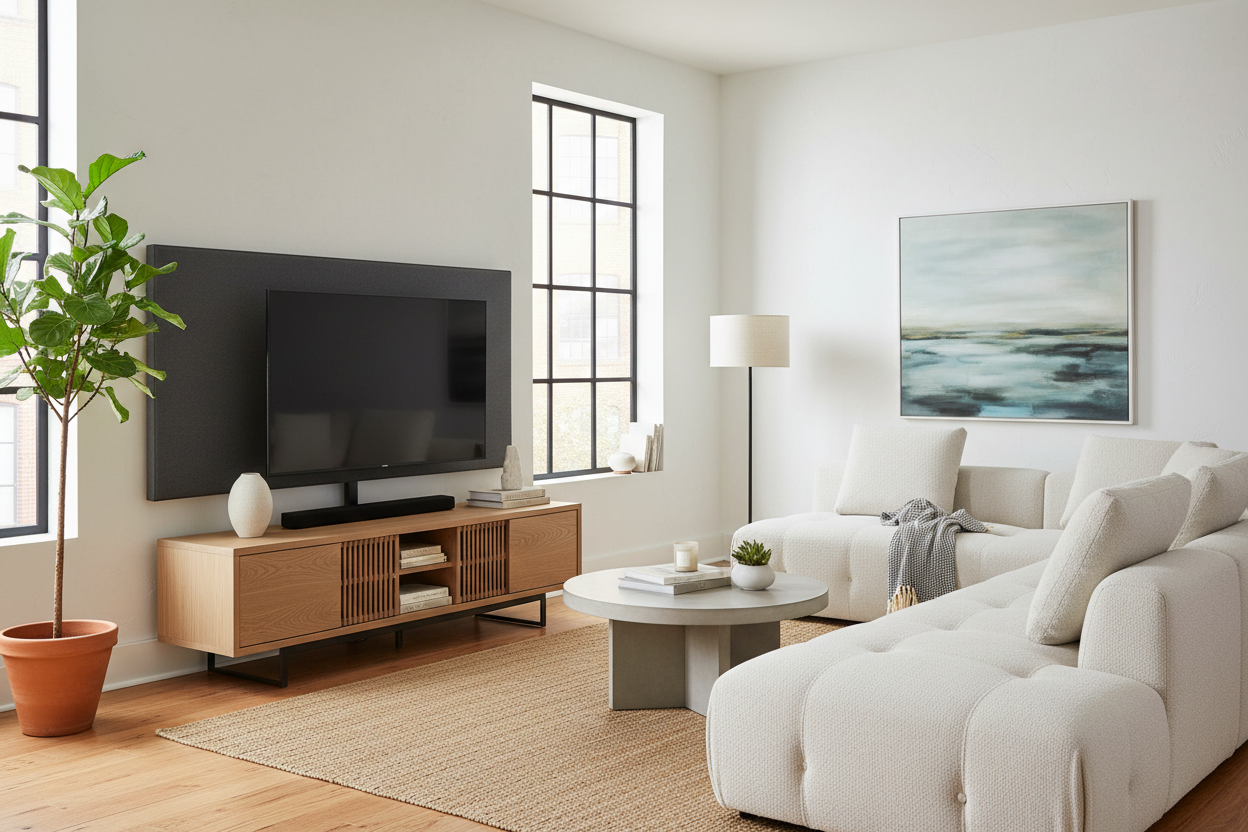
I spent three hours last Saturday staring at a wall covered in blue painter's tape. I was trying to decide if my 65-inch screen should sit exactly 42 inches from the floor or if that would make my neck ache by Tuesday. The problem with wall mounting isn't the drill; it's the commitment. Once those lag bolts are in the studs, that is where your TV lives until you move or repaint the entire room.
I finally gave up on the drill and bought a tv stand with panel mount. It is basically the ultimate cheat code for people like me who treat furniture arranging like a high-stakes game of Tetris. You get that clean, floating-screen aesthetic without the structural permanence of a home renovation.
Quick Takeaways
- No power tools or drywall repair kits required.
- The height is usually adjustable, so you can swap from a low-profile sofa to a taller accent chair without a headache.
- Internal channels hide every single HDMI and power cord.
- It moves when you move—perfect for renters or chronic redecorators.
The Trap of the Permanent Wall Mount
There is a specific kind of dread that comes with drilling massive anchor holes into drywall. You are essentially betting that your current furniture arrangement is the best it will ever be. But what happens when you find a vintage sideboard that would look better on that wall? Or when the afternoon sun starts hitting your screen at a weird angle? If you mounted it, you are stuck with 'wall acne'—those ugly patched holes—if you decide to move things.
I have lived in four apartments in five years. Every time I thought I had the 'perfect' spot, a new rug or a different light source changed my mind. A permanent mount is a trap for anyone who likes their living room to feel fluid rather than fixed.
Enter the TV Stand With Panel Mount
This isn't your average piece of media furniture. While standard TV stands just give you a flat surface to plop a screen on, this setup includes an integrated backboard or pillar that holds a mounting bracket. It is a self-contained unit that tricks the eye into thinking the TV is part of the wall itself.
The panel usually extends up from the back of the cabinet, providing a solid, decorative backdrop. I opted for a dark wood finish that makes the black bezel of the TV almost disappear when it's off. It creates a focal point that looks intentional and architectural, rather than just a screen sitting on a box.
Why a Hybrid TV Mount is a Layout Lifesaver
The beauty of a hybrid tv mount is the mobility. If I decide my living room works better on the opposite wall, I just unplug, slide the unit over, and I am done. You get the elevated viewing height of a wall bracket—which is much better for your posture—with the total freedom of freestanding furniture.
I have seen people try to mimic this by putting a tv console table with mount behind a floating sofa, and it works brilliantly. It allows you to create a media zone in the middle of an open-concept room without needing a wall nearby. If you pair this with a modern TV console cabinet, you get that sleek, low-slung look at the base while the screen stays at the perfect eye-level height.
The Cord Concealment is Actually Flawless
Let's talk about the 'spaghetti' problem. Even if you wall-mount, you usually end up with a plastic cord hider strip running down the wall like a giant scar. A tv cabinet with mounting bracket solves this because the vertical panel is hollow. You feed your cables through a port behind the screen and they pop out inside the cabinet at the bottom.
I use a modern TV cabinet table with storage at the base of mine to house my PS5, the router, and a bulky power strip. Everything is tucked away, and the only thing you see is the screen. It is the cleanest my setup has ever looked, and I didn't have to fish a single wire through a hole in the plaster.
What to Look For in a TV Console Table With Mount
Before you buy, check the VESA compatibility. That is just the distance between the four mounting holes on the back of your TV (usually measured in millimeters like 400x400). Most stands are universal, but if you have a massive 85-inch beast, make sure the stand’s weight capacity can handle it. Look for a base made of solid wood or heavy-duty steel; if the base is too light, the whole thing can feel tippy when you're cleaning behind it.
If you're worried about your landlord or just want to save your security deposit, this is the way to go. I actually read a piece titled My Landlord Banned Drilling, So I Bought a Cabinet With TV Mount that convinced me to stop trying to sneak holes into my rental. It’s a total relief not having to worry about spackling when my lease is up.
My Honest Experience
I’ll be real: assembly is a two-person job. I tried to attach the 65-inch screen to the bracket by myself and nearly face-planted into the rug. The stand itself is sturdy, but balance is key during the initial setup. My only regret? Not getting a model with a swivel mount. Being able to turn the screen 15 degrees toward the kitchen while I'm cooking would have been the ultimate win.
FAQ
Can it hold a heavy OLED TV?
Yes, as long as you check the weight rating. Most high-quality stands handle up to 100-130 lbs, which is plenty for a modern 65 or 75-inch screen. Just ensure the base is wide enough to prevent wobbling.
Is the height adjustable?
Almost always. Most have 3 to 5 height settings on the mounting column, so you can hover the TV just an inch above the console or set it higher if you have a tall soundbar.
Does it work with curved TVs?
Usually, yes. The VESA pattern on the back of curved TVs is the same as flat ones, though you might need slightly longer screws (which usually come in the hardware kit) to account for the curve.

Dejar un comentario
Este sitio está protegido por hCaptcha y se aplican la Política de privacidad de hCaptcha y los Términos del servicio.