










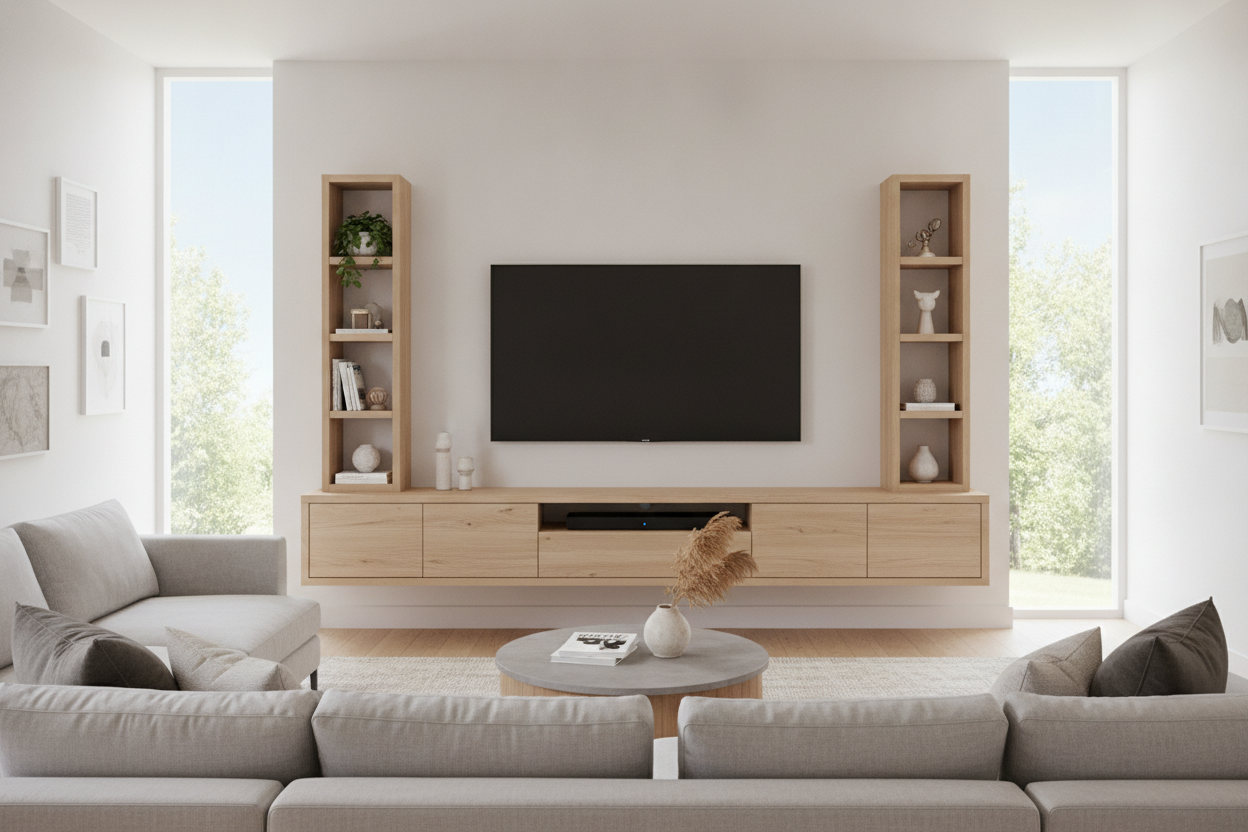
I sat on my floor for three hours staring at my new 70-inch TV, feeling like I’d just bought a billboard for my living room. It was massive, beautiful, and absolutely dominated the space in a way that made my old sideboard look like dollhouse furniture. I knew I couldn't just plop it on a bulky floor unit; the room already felt like it was shrinking under the weight of that screen.
After agonizing over weight limits and wall anchors, I finally pulled the trigger on the hawkinsville floating tv stand. I wanted that hovering look that makes a room feel airy, even when you're hosting a giant piece of tech. It was a gamble against gravity, but I was tired of my living room looking bottom-heavy and cramped.
Quick Takeaways
- Clears up floor space, making small rooms feel significantly larger and less cluttered.
- Actually supports a 70-inch TV without sagging, provided you hit the wall studs.
- Internal cable management is effective but requires a bit of patience during the initial setup.
- Assembly is definitely a two-person job if you value your lower back and your drywall.
The Giant TV Dilemma (And Why Floor Consoles Weren't Cutting It)
When you get into the 65-to-75-inch TV range, your furniture choices start to feel limited. Most people default to a modern TV stand with cabinets that sits on the floor. The problem? Those units are usually massive blocks of wood that eat up four square feet of floor space and make the whole wall feel crowded.
I realized that by keeping the floor visible, I could trick my brain into thinking the room was bigger than it actually is. A floor-bound console creates a visual dead zone. A floating unit, however, lets the rug or hardwood continue underneath, which is a total lifesaver for anyone living in a narrow townhouse or a small apartment.
Why the Hawkinsville Floating TV Stand Caught My Eye
I spent weeks looking for a wall mounted media console that didn't look like it was made of cardboard. The hawkinsville floating tv stand stood out because it didn't try to be too flashy. It has clean, architectural lines and a matte finish that doesn't reflect the glare from the screen during movie marathons.
Unlike the ultra-cheap options I saw on discount sites, this unit felt substantial. It is built with a density that gives you confidence once you start drilling into your home. I’ve seen too many floating shelves that start to tilt forward after six months because the mounting bracket is a flimsy piece of sheet metal. This one promised a more robust hanging system.
The Real Question: Will It Actually Hold a 70-Inch Screen?
This was my biggest fear. The hawkinsville floating entertainment center for tvs up to 70 is rated for the weight, but rated for and actually holding are two different things when you’re talking about a thousand-dollar television. I’ve had bad luck before, almost giving up on floating tech entirely after a floating desk nearly ripped out of my wall in my last place.
Here is the reality: you cannot skip the stud finder. If you try to mount this unit into just drywall with plastic anchors, you are asking for a disaster. I spent forty minutes just marking my studs and ensuring the bracket was level. Once it was locked into the 2x4s, I literally hung some of my own body weight on it to test the strength. It didn't budge. If you're nervous, just remember: furniture doesn't fail; the mounting job does.
Hiding the Snake Pit (Cord Management Reality Check)
Nothing kills the modern minimalist vibe faster than a tangle of black HDMI cables hanging down like vines in a jungle. This unit has dedicated ports for cable routing, which is essential. I managed to tuck a PS5 power cable, an Apple TV cord, and three HDMI leads through the back without any visible bulging or stress on the ports.
One pro tip: get some velcro cable ties. Don't just shove the wires in there and hope for the best. If you organize them inside the cabinet, the doors will actually close flush, and you won't be fighting with a wire nest every time you want to add a new console or soundbar.
Is the Installation Sweat Worth the Final Look?
My back was sore, and I definitely cursed a few times while trying to hold the main frame level, but the result is undeniable. Upgrading to a modern entertainment center that floats off the ground completely changed the energy of my living room. It looks intentional, high-end, and—most importantly—safe.
If you're willing to spend a Saturday morning being meticulous with a drill and a level, the payoff is a setup that looks like it cost three times what you actually paid. It’s a solid piece of kit for anyone brave enough to ditch the floor-standing clunkers and reclaim their floor space.
FAQ
Can I install this alone?
Technically you could, but I wouldn't recommend it. You need someone to hold the unit against the wall while you check the level and drive the first few screws. Save your drywall—get a helper.
Does it fit a soundbar?
The top surface is plenty deep for most standard soundbars. Just measure yours first; if you have one of those massive 50-inch Atmos bars, check the width against the unit's specs before buying.
What if my studs aren't perfectly centered?
Most mounting brackets for these units have some play or multiple holes. As long as you hit two studs, you can usually slide the unit an inch or two left or right to center it perfectly under your TV.

Dejar un comentario
Este sitio está protegido por hCaptcha y se aplican la Política de privacidad de hCaptcha y los Términos del servicio.