










Nothing disrupts the flow of a beautifully curated study faster than the visual chaos of tangled wires and bulky plastic casings. As designers, we spend hours selecting the perfect walnut grain or the right velvet upholstery, only to have the aesthetic compromised by necessary but unsightly home office tech. The challenge isn't removing the technology—efficiency is paramount—but rather integrating it so seamlessly that the room feels like a sanctuary first and a workspace second. This guide navigates the intersection of high-performance electronics and high-end interior design.
Key Features to Look For
- Wireless Integration: Prioritize devices with built-in wireless charging or Wi-Fi printing to reduce cabling.
- Material Finishes: Opt for matte blacks, brushed aluminums, or fabric-wrapped cords that complement natural wood and stone.
- Cable Management Potential: Ensure furniture has integrated channels or grommets before purchasing electronics that require heavy wiring.
- Visual Footprint: Choose slim profiles and bezel-less monitors to minimize visual weight in the room.
- Noise Levels: Check decibel ratings for towers and external drives to maintain acoustic comfort.
The Art of Concealment vs. Display
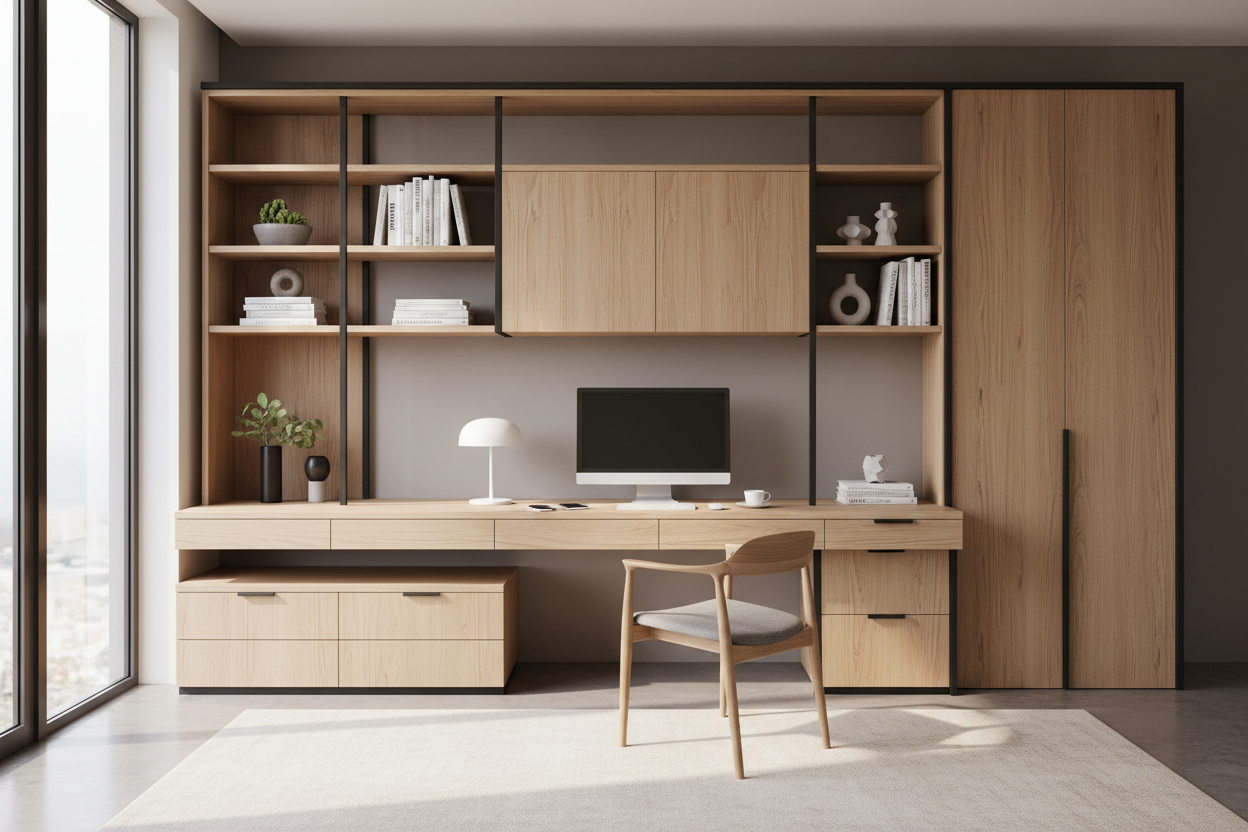
When curating home office technologies, you must decide what deserves to be a focal point and what should vanish. A high-resolution monitor with a sleek, architectural stand can act as a sculptural element. However, the supporting cast—modems, external hard drives, and printers—rarely offer aesthetic value.
I often advise clients to utilize closed storage with ventilated backing for these items. If you are using open shelving, consider home office electronics that use "lifestyle" materials. For instance, speakers wrapped in acoustic fabric or routers with a ceramic-like finish can sit on a bookshelf without looking out of place. The goal is to ensure the tech reads as decor, not clutter.
Ergonomics Meets Aesthetics
There is often a misconception that ergonomic tech for home office setups must look industrial or clinical. This is false. High-end monitor arms, for example, are now available in powder-coated white or polished brass finishes that coordinate with drawer pulls and lighting fixtures.
When selecting a standing desk, look beyond the standard laminate tops. Pair a motorized standing base with a custom solid wood slab—oak or walnut adds warmth that counteracts the coldness of the metal frame. The juxtaposition of organic textures with precision engineering creates a sophisticated, layered look.
Lighting: The Invisible Technology
Proper technology for home office setups extends beyond the computer. Lighting is the most critical technical element for visual comfort. Avoid the harsh glare of standard overhead LEDs. Instead, layer your lighting.
Invest in smart bulbs that allow you to adjust the Kelvin temperature. During the day, a cooler 4000K mimics daylight and boosts focus. In the evening, shifting to a warmer 2700K helps the room transition back into a part of the home. Bias lighting—placed behind your monitor—is a subtle technical addition that reduces eye strain while adding a soft, ambient glow that elevates the room's mood.
Lessons from My Own Projects
I learned a hard lesson about home office tech during a project for a client in a pre-war apartment. We bought a stunning, heavy-duty monitor arm that clamped to the back of an antique writing desk. It looked incredible on installation day.
Three months later, the client called me. The weight of the monitor, combined with the constant micro-vibrations of typing, had actually compressed the wood grain and left a permanent indentation in the vintage mahogany. I hadn't accounted for the lack of a distribution plate. Now, I always use a leather or felt shim between clamps and wood surfaces. It’s a small, unpolished detail you won't find on a spec sheet, but it saves the furniture. Also, never underestimate the dust that gathers on the back of "ribbed" electronic casings; if you can't wipe it clean in one swipe, it's going to look grimy in six weeks.
Conclusion
Your workspace should inspire you, not remind you of a server room. By carefully selecting electronics that offer both performance and visual harmony, you protect the integrity of your design. Treat your technology with the same discernment you apply to your furniture, and the result will be a space that works as hard as it looks.
Frequently Asked Questions
How do I hide cables if my desk floats in the middle of the room?
This is a common layout dilemma. Use a floor outlet if possible. If not, route cables down a singular desk leg using a cable sleeve that matches the leg's color. A rug can also help conceal a cord running to a wall outlet, provided it is a flat, trip-free wire cover.
Is a curved monitor too aggressive for a traditional home office?
It depends on the radius. A deeply curved screen can feel very "sci-fi." However, a gentle curve often feels more organic than a stark flat panel. To balance it, ensure the rest of the room features softer lines—perhaps a rounded chair back or circular rug—to echo the silhouette.
What is the best way to integrate a printer?
Printers are notoriously difficult to style. The best approach is a pull-out shelf within a cabinet or credenza. If it must be visible, choose a compact model in a neutral color (white or grey) and place it on a side cart rather than the primary desktop to preserve your main workspace's visual clarity.

Dejar un comentario
Este sitio está protegido por hCaptcha y se aplican la Política de privacidad de hCaptcha y los Términos del servicio.