










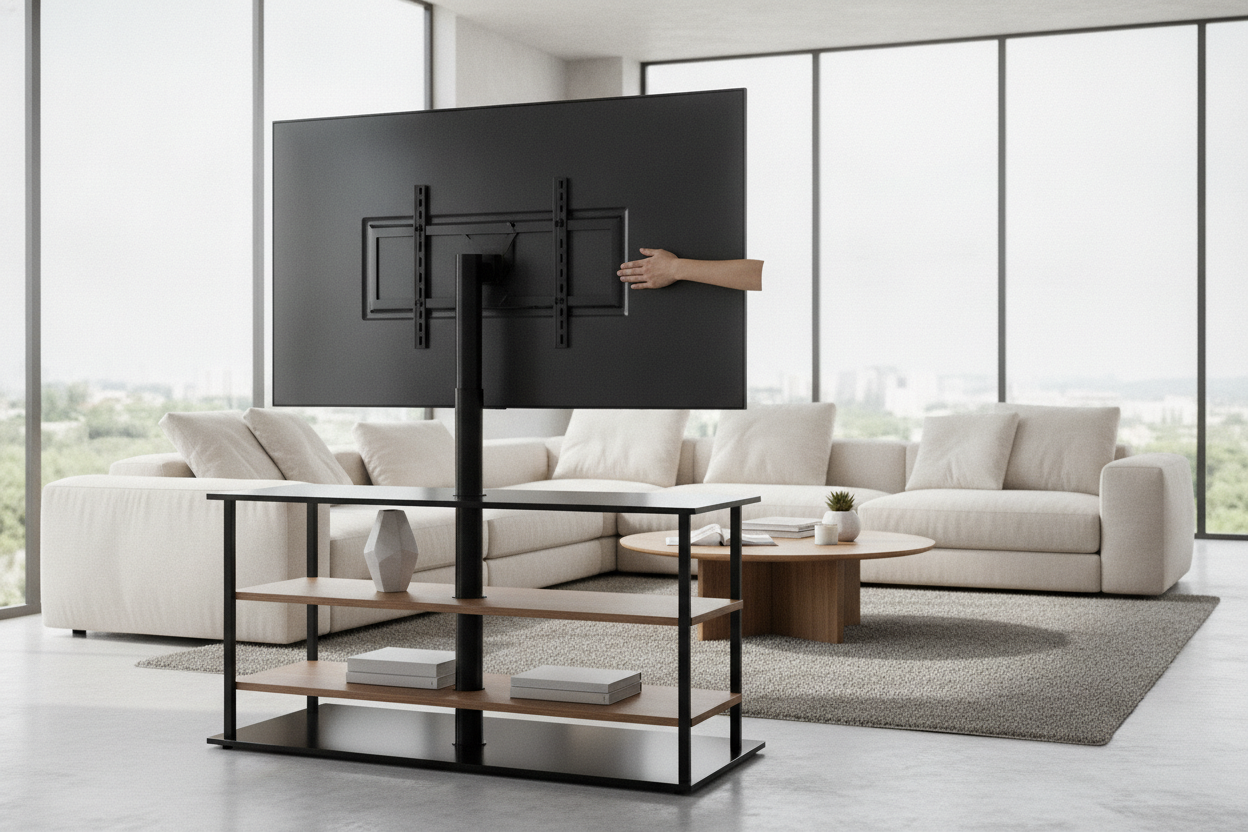
I spent three hours last Tuesday staring at a fresh lease agreement and a 65-inch OLED that cost more than my first car. The lease says 'no holes in the wall,' but my soul says 'I cannot live with a TV sitting low on a dusty cabinet.' This is the renter's catch-22. You want that clean, floating aesthetic without the $500 security deposit deduction for drilling four massive lag bolts into the drywall.
Naturally, I went down the rabbit hole looking for a tv stand with mount for sale. I’ve been through three of these units in four years, and I’ve learned the hard way that 'universal fit' is often code for 'universal headache.' I originally swapped my console for a TV stand with mount because I needed to reclaim floor space in a 600-square-foot studio, but I quickly realized that not all metal spines are created equal.
Quick Takeaways
- If the base weighs less than 15 pounds, your TV is a tipping hazard.
- Avoid 'hollow' aluminum poles; look for cold-rolled steel.
- Check the VESA pattern twice—manufacturers love to lie about compatibility.
- Integrated cable management is only 'integrated' if you have fewer than three wires.
My Security Deposit vs. The 65-Inch Screen
The dream is simple: a sleek, vertical pole that holds your screen at eye level while you hide the wires behind a slim pillar. It looks great in the staged photos. In reality, you are trusting a 10mm piece of tempered glass and a couple of M6 screws to hold up your most expensive piece of tech. I’ve lived through the anxiety of watching a screen tilt forward by three degrees over a week because the bracket was made of soft, cheap metal.
The Terrifying 'Wobble Test' on Budget Units
When you see a generic tv holder stand for sale for under $60, be afraid. I tested a budget unit that looked decent on the box, but the 'wobble test' was a disaster. I don’t even mean an earthquake; I mean if I walked too heavily across my hardwood floors, the TV would sway like a palm tree in a hurricane. It’s a sickening feeling.
I’ve even tried a Big Lots TV stand with mount during a move-in pinch. While it beat a cardboard box, the metal was so thin I could feel the threads stripping as I tightened the bolts. If you can flex the vertical support with your bare hands, it has no business holding a 50-pound screen. Cheap units use thin-walled tubing that vibrates, and over time, that vibration loosens the very hardware keeping your TV from a face-plant.
Red Flags to Spot During a TV Stand With Mount Sale
Whenever you see a massive tv stand with mount sale, the first thing you should check isn't the price—it's the footprint. Manufacturers love to make the base as small as possible to save on shipping costs. A narrow base is a death sentence for stability. If the base doesn't extend at least 20 inches wide and 15 inches deep, the center of gravity is going to be way too high.
Another red flag is the 'tilt' mechanism. On low-end models, the tilt is controlled by a single friction knob. Trust me: your TV is heavier than that knob can handle. You’ll set it perfectly, go to bed, and wake up to a TV that is permanently looking at the floor. Look for notched adjustments or double-bolt locking systems instead.
The 3 Specs That Actually Keep Your Screen Upright
If you want to sleep at night, ignore the marketing fluff and look at the spec sheet. First, base material. Solid steel is best, but if it’s glass, it needs to be at least 8mm thick tempered glass. Weight is your friend here. A heavy base acts as an anchor.
Second, look for the VESA bracket thickness. You want 2mm or thicker steel. If it looks like a bent paperclip, keep scrolling. Third, check the swivel range. A good stand should offer 30 to 60 degrees of swivel without the base shifting. If the whole stand moves when you try to turn the TV, the friction in the neck is too high or the base is too light.
The Verdict: Are They Worth the Trade-Off?
For renters, these combo units are a lifesaver, but only if you don't cheap out. You are buying a piece of structural engineering, not a decorative vase. I’d rather spend an extra $50 now than buy a new TV next month. If you have the floor space, I always recommend looking for heavy-duty TV stands that prioritize a weighted bottom over a 'slim' profile.
At the end of the day, a stand with a mount is about peace of mind. You get the height you need, the landlord stays happy, and your TV stays off the floor. Just don't buy the one that wobbles when you sneeze.
FAQ
Will these stands work with a curved TV?
Usually, yes. Most mounts use standard VESA patterns. However, you’ll likely need the spacers that come in the box to ensure the flat bracket doesn't press against the curved back of the screen.
How high should the TV be mounted?
The center of the screen should be at eye level when you are sitting on your sofa. Most people mount their TVs way too high. If you're looking up, you're going to have a neck ache by the end of a movie.
Can one person assemble these alone?
The stand? Yes. Hanging the TV? Absolutely not. Unless you have a death wish for your screen, always have a second person help you lift the TV onto the mounting bracket hooks.

Dejar un comentario
Este sitio está protegido por hCaptcha y se aplican la Política de privacidad de hCaptcha y los Términos del servicio.