










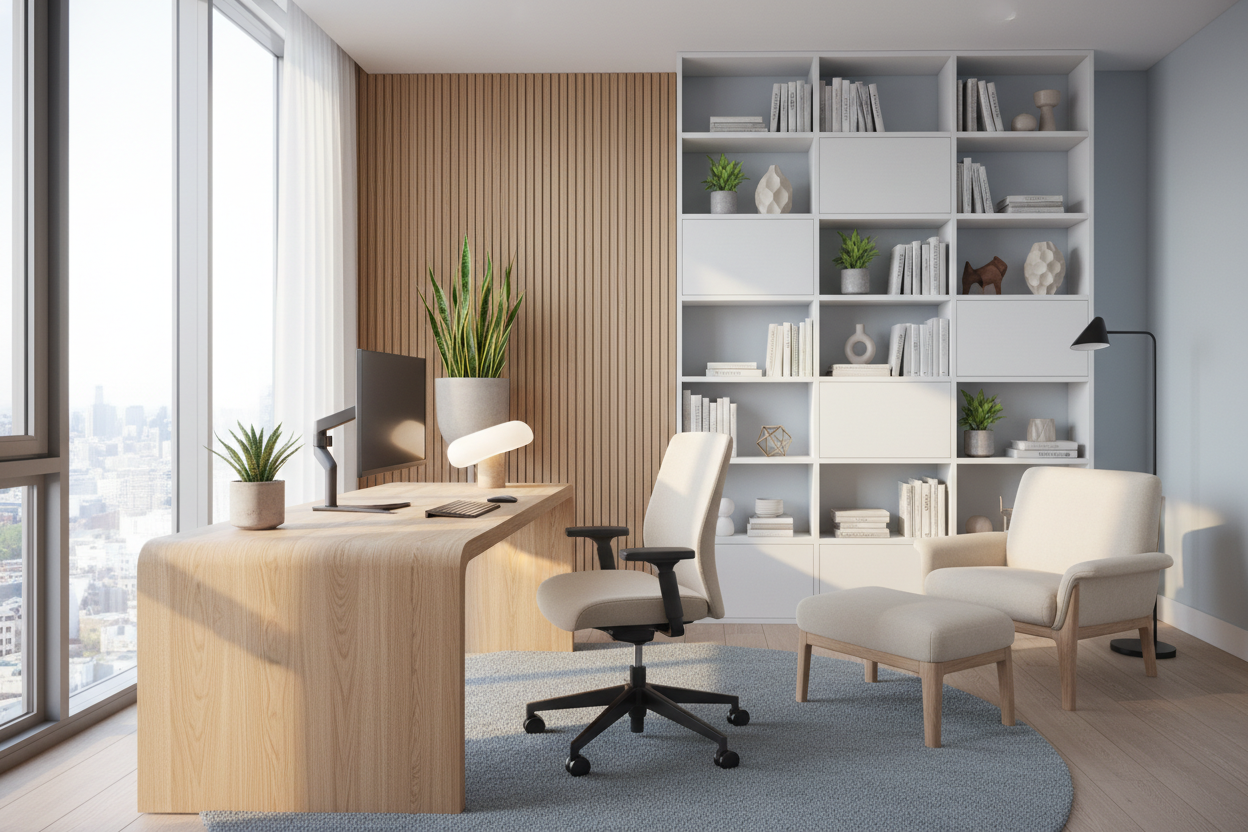
For many of my clients, the biggest challenge isn't finding a desk; it's integrating a workspace into a living environment without disrupting the sanctuary of the home. We are moving past the era of makeshift setups on dining tables. A dedicated office at home requires a sophisticated balance of ergonomic function and residential warmth. It is about creating a zone that signals 'focus' when you sit down, yet blends seamlessly into your interior narrative when the workday ends.
Quick Decision Guide: The Essentials
Before selecting a single piece of furniture, consider these four pillars of functional design. These are the non-negotiables I use for every client consultation:
- Ergonomics First: Aesthetic chairs are useless if they cause lumbar strain. Prioritize adjustable seat height and lumbar support over velvet upholstery if you work 6+ hours a day.
- Material Durability: Solid wood offers longevity and can be refinished; veneers are cost-effective but chip easily. Glass creates visual lightness but demands constant cleaning.
- Lighting Layers: Never rely on a single overhead fixture. You need a mix of ambient light (general) and task lighting (focused desk lamp) to reduce eye strain.
- Spatial Flow: Ensure there is at least 36 to 48 inches of clearance behind your desk for comfortable chair movement.
Structuring the Layout: Beyond the Wall-Facing Desk
One of the most common mistakes in interior design for home office layouts is instinctively pushing the desk against a wall. While this saves space, it is often the least inspiring position. If your square footage allows, I always recommend 'floating' the desk. Positioning your desk perpendicular to a window or facing the door places you in the 'command position,' offering a better view and reducing that claustrophobic feeling.
Zoning Small Spaces
If you are working with limited square footage, visual zoning is critical. Use an area rug to anchor the desk and chair, physically separating the home office interior from the rest of the room. This creates a psychological boundary that helps you switch between 'work mode' and 'home mode.'
Materiality and Texture: Curating the Look
When discussing personal office interior design, the tactile experience is just as important as the visual. The materials you touch daily influence your mood.
Wood vs. Synthetics
For an executive feel, walnut or white oak provides warmth and texture that laminates simply cannot replicate. However, be mindful of the finish. A matte, polyurethane seal on wood is essential to prevent water rings from your morning coffee. If you prefer a modern, industrial home office style, tempered glass or metal works well, but be aware that glass surfaces can feel cold to the touch and reflect monitor glare if not positioned correctly.
Lighting and Color Psychology
Lighting is the unsung hero of interior design home office projects. Poor lighting leads to fatigue. I recommend a heavy, architectural desk lamp as a focal point. It adds vertical interest and provides necessary task lighting. Regarding color, deep blues and greens foster concentration, while softer neutrals keep the space feeling open and airy. Avoid overly bright reds or yellows, which can induce anxiety over long periods.
Lessons from My Own Projects: The 'Velvet Trap'
I want to share a mistake I made early in my career so you don't have to. I once designed a stunning office at home design for a client where we prioritized the aesthetic above all else. We chose a gorgeous, vintage-inspired velvet bucket chair. It looked incredible in the photos.
However, three months later, the client called me. The velvet, while beautiful, trapped heat. After sitting in it for eight hours a day, it was uncomfortable and hot. Furthermore, the fabric on the arms began to mat down and look greasy from daily contact. We ended up swapping it for a high-end mesh ergonomic chair. The lesson? Keep the soft textiles for your guest seating or curtains. For the chair you sit in all day, performance mesh or high-grade leather is the only way to go. It might not look as 'cozy' initially, but your back (and the upholstery longevity) will thank you.
Conclusion
Designing your workspace is an investment in your productivity and your peace of mind. By focusing on ergonomic foundations, durable materials, and proper lighting, you can build a space that serves your career without sacrificing your home's style. It is not just about buying a desk; it is about curating an environment where you do your best work.
Frequently Asked Questions
How much space do I really need for a home office?
At a minimum, you need a footprint of about 60 inches by 84 inches to accommodate a standard desk and allow for chair movement. This ensures you aren't hitting the wall every time you stand up.
What is the best desk depth for computer work?
I recommend a depth of at least 30 inches. This provides enough distance between your eyes and the monitor to prevent strain, and leaves ample room for a keyboard, notebook, and task lamp.
How do I hide cables in a floating desk layout?
This is a common dilemma. Look for desks with built-in modesty panels or integrated cable management channels. Alternatively, use a floor-mounted outlet directly beneath the desk and run cables up a desk leg using a magnetic cable spine.

Dejar un comentario
Este sitio está protegido por hCaptcha y se aplican la Política de privacidad de hCaptcha y los Términos del servicio.