










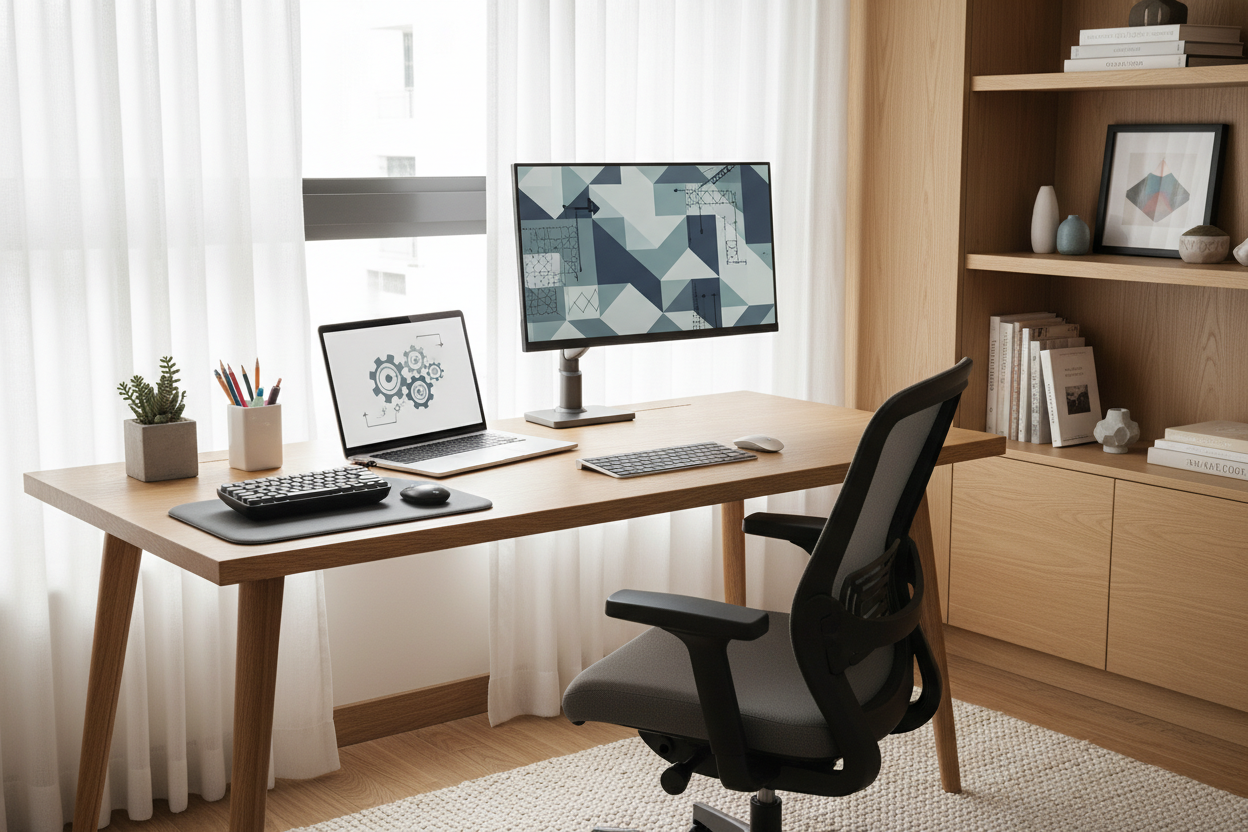
We have all experienced it: you invest in a stunning mid-century modern writing table or a high-end ergonomic chair, yet the workspace feels disjointed. The lighting casts shadows over your notes, or your lower back aches by 2 PM. The reality is that setting up office desk configurations is about far more than furniture placement; it is an architectural exercise in flow, lighting, and human mechanics. As a designer, I see clients prioritize the aesthetic of the desk itself while neglecting how it interacts with the room and the user. Let’s correct that balance.
Quick Decision Guide: The Essentials
Before moving heavy furniture, consider these core pillars of a functional layout. These are the non-negotiables I use for every client consult:
- The Command Position: Position your desk to face the door but not directly in line with it. This offers psychological security and reduces startle reflexes.
- Lighting Layers: Never rely solely on overhead cans. You need task lighting (a desk lamp) and ambient lighting to reduce eye strain.
- Ergonomic Triangle: Your eyes should hit the top third of the monitor, elbows at 90 degrees, and feet flat on the floor.
- Surface Zoning: Divide the desk into a "primary reach zone" (keyboard/mouse) and a "secondary reach zone" (reference papers/coffee).
- Material Warmth: Ensure the desk surface texture is conducive to work; glass can be cold and reflective, while wood offers tactile warmth.
Mastering the Layout and Orientation
When clients ask how to set up your desk for maximum productivity, I start with the windows. Natural light is the ultimate luxury, but glare is the enemy. The ideal placement is perpendicular to the window. This allows sunlight to wash over the workspace without hitting your screen directly or blinding you.
Consider the "visual weight" of the desk. If you have a heavy, solid wood executive desk, floating it in the center of the room creates a focal point and allows for better circulation. Pushing a massive desk against a wall can make a room feel smaller and more claustrophobic. Conversely, if you are working with a parsons-style desk with a slender silhouette, it can function beautifully as a console layout against a wall, provided you style the vertical space above it with intention.
Ergonomics Meets Aesthetics
Functionality does not require sacrificing style. The biggest challenge in setting up my desk for many homeowners is hiding the mechanics of ergonomics. If you need a monitor riser, avoid the cheap plastic stacking blocks. Opt for a riser shelf that matches your desk's veneer, or use high-quality hardcover design books to create the lift. This integrates the ergonomic need into the decor.
The Chair-to-Desk Relationship
The gap between the seat and the underside of the desk—the clearance—is critical. I recommend a minimum of 9 to 11 inches of clearance for leg movement. If your chair has arms, measure them against the desk apron. Nothing ruins a workflow faster than being unable to scoot in because the chair arms collide with the drawer unit.
Visual Balance and Styling
A clutter-free desk is not an empty desk; it is a curated one. To avoid the sterile "showroom" look, use the rule of three for accessories. For example, balance a tall architectural lamp on the left with a low leather catch-all tray and a medium-height plant on the right. This creates an asymmetrical balance that feels organic.
Pay attention to tactile feedback. I often specify leather desk pads for clients. Not only do they define the work zone visually, but they also provide a superior writing surface and protect the wood finish from laptop heat and coffee mug rings.
My Personal Take on Setting Up Office Desk
I want to share a specific lesson from a project I did a few years ago that changed how I approach this. I designed a gorgeous, minimal office featuring a tempered glass desk. It looked incredible in the photos—sleek, modern, and airy.
However, two weeks later, the client called me. The issue wasn't the look; it was the temperature and the sound. Every time he set his watch down, it clanked. In the winter, the glass sucked the heat right out of his wrists, making typing uncomfortable after an hour. Furthermore, glass reveals everything. We hadn't accounted for the visual chaos of cables hanging behind the desk, which were perfectly visible through the transparent top.
I learned that when setting up my desk or a client's, material warmth and cable concealment are just as vital as the silhouette. We ended up adding a custom leather blotter and a modesty panel to hide the wires. Now, I always check the "wrist feel" of a surface before recommending it.
Conclusion
Your workspace should be a destination, not a default. By respecting the geometry of the room, prioritizing light, and selecting materials that age gracefully, you create a space that invites focus rather than forcing it. Take the time to adjust your layout this weekend—your posture and your peace of mind will thank you.
Frequently Asked Questions
What is the ideal depth for an office desk?
For a setup with a laptop or a single monitor, 24 inches is sufficient. However, if you use dual monitors or require space for physical paperwork, aim for a depth of 30 inches to prevent the screen from sitting too close to your eyes.
How do I hide cords when my desk is in the middle of the room?
This is a common design hurdle. Use a floor outlet if possible. If not, route cables down a desk leg using color-matched cable sleeves, then run them under a rug to the nearest wall outlet. Avoid distinct "trip hazards" by using flat cord covers.
Should my desk face the wall or the room?
Ideally, face the room (the Command Position). Facing a wall can feel limiting and blocks your peripheral vision of the entry. If you must face a wall due to space constraints, hang a mirror above the desk to reflect the room behind you and expand the visual space.

Dejar un comentario
Este sitio está protegido por hCaptcha y se aplican la Política de privacidad de hCaptcha y los Términos del servicio.