










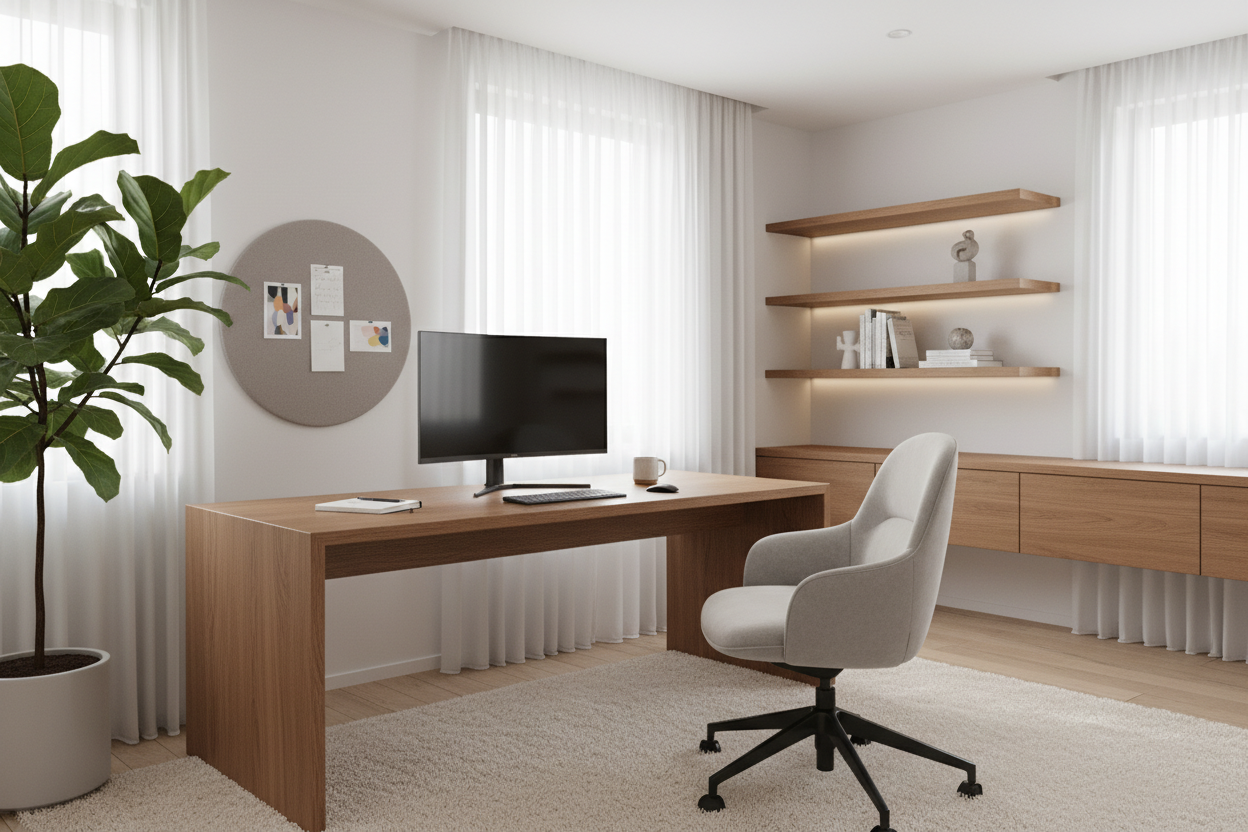
We have all experienced the mid-afternoon slump, but few realize that the culprit is often the room itself, not the workload. As an interior designer, I often walk into home offices that are aesthetically pleasing but functionally disastrous. The glare on a monitor, the lack of lumbar support, or a desk facing a blank wall can subconsciously drain your energy. Learning how to work more efficiently from home starts with treating your workspace as a machine for living, not just a corner for a laptop.
Key Design Elements for Productivity
- Ergonomic Foundation: Prioritize seating with adjustable lumbar support and seat depth to prevent physical fatigue.
- Lighting Layers: Combine ambient overhead lighting with focused task lighting (aim for 4000K color temperature) to reduce eye strain.
- Material Tactility: Choose natural materials like solid wood or high-grade veneer over cold laminates to improve sensory comfort.
- Spatial Zoning: Distinctly separate 'focus zones' from 'relaxation zones' within the room to trigger mental shifts.
- Acoustic Dampening: Utilize rugs, curtains, or upholstered furniture to minimize echo and background noise.
Structuring Your Space for Flow and Function
To understand how to be productive while working from home, we must look at the 'Command Position.' In design theory, facing the entrance of the room—rather than staring at a wall—reduces subconscious anxiety and creates a sense of authority. This visual balance allows you to manage the room's energy.
Investing in the Right Materials
The surface you touch all day matters. I constantly advise clients to consider the tactile experience of their furniture. A cheap laminate desk can feel cold and sticky after hours of use. In contrast, solid wood or a high-quality walnut veneer warms to the skin and offers a matte finish that diffuses light rather than reflecting it. This reduces visual noise, one of the subtle ways to stay productive at home that is often overlooked.
Ergonomics: The Architecture of Comfort
It is impossible to discuss how to make work from home more productive without addressing the silhouette of your chair. We aren't just looking for 'soft'; we are looking for suspension. A mesh backing allows for airflow, keeping your body temperature regulated, while a chair with a synchro-tilt mechanism moves with you, preventing static muscle loading. If you are constantly shifting to get comfortable, you are breaking your flow state.
Visual Balance and Color Theory
Clutter is visual noise. When designing a study, I focus on 'closed storage' solutions. Open shelving is beautiful for styling objects, but functional chaos (papers, cables, printers) should be hidden behind cabinet doors. Furthermore, color plays a pivotal role. While white feels clean, it can be clinical and straining. Soft greens (Sage) or deep blues (Navy) are known to enhance focus and calmness, teaching you how to be productive wfh through psychology rather than willpower.
My Personal Take on WFH Efficiency
I learned a hard lesson about aesthetics versus function early in my career. I once designed a custom workspace for myself using a stunning, reclaimed oak writing desk. It had a thick apron (the vertical strip of wood beneath the tabletop) that looked architectural and substantial. However, after two days of working, I realized my mistake: the apron prevented me from crossing my legs or adjusting my chair height properly.
I spent months feeling restless at that desk, blaming my attention span, when in reality, my knees were hitting the wood every time I shifted. It created a micro-annoyance that shattered my concentration. I eventually swapped it for a sit-stand mechanism with a slim profile. The takeaway? Measure the clearance space for your legs. If the furniture fights your body, your productivity will lose every time.
Conclusion
Transforming your home office isn't just about buying new furniture; it is about curating an environment that respects your physiology and your workflow. By prioritizing ergonomics, lighting, and material quality, you stop fighting your space and start being supported by it.
Frequently Asked Questions
Is a sit-stand desk actually worth the investment?
From a design and health perspective, yes. The ability to change posture stimulates blood flow, which re-oxygenates the brain. Look for dual-motor frames for stability; single-motor desks often wobble at standing height, which ruins the typing experience.
How do I fit a productive workspace in a small apartment?
Focus on verticality. Use a wall-mounted ladder desk or a secretary desk that closes up when not in use. This psychological 'closing of the shop' is crucial for separating work from rest in small footprints.
What is the best lighting temperature for a home office?
Avoid warm, yellow light (2700K) which induces relaxation/sleep. Aim for 'cool white' or 'daylight' bulbs around 4000K to 5000K for your task lamp, as this mimics natural daylight and signals the brain to stay alert.


Dejar un comentario
Este sitio está protegido por hCaptcha y se aplican la Política de privacidad de hCaptcha y los Términos del servicio.