










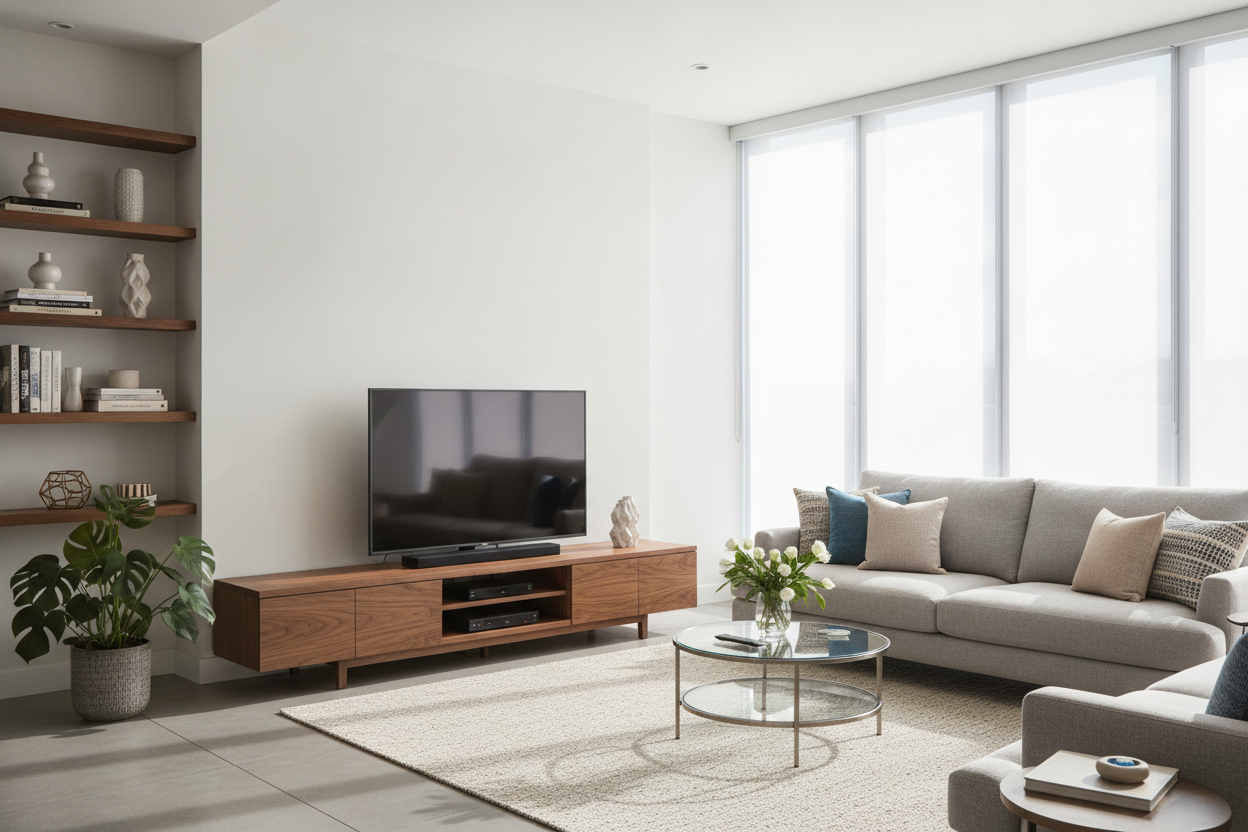
I remember unboxing my first truly large screen—a 65-inch monster—and realizing my existing console looked like a child's toy underneath it. I spent three hours trying to center it, only to realize the proportions were fundamentally broken. Staring at that setup felt less like a cozy evening at home and more like waiting for a flight at a terminal gate.
Finding the right tv stand for 65 in tv setups isn't just about making sure the legs don't fall off the edges. It is about visual weight and room flow. If you get the furniture wrong, the TV doesn't just dominate the room; it eats it. Here is how I avoid the dreaded 'tech-bro' basement aesthetic and keep things looking intentional.
- Go Wide: Your stand should be at least 10-15 inches wider than the TV itself.
- Stay Low: A 65-inch screen has a lot of vertical real estate; keep the console height under 24 inches.
- Hide Everything: If I can see your power strip, the design has failed.
- Material Matters: Look for solid wood or heavy-duty MDF to prevent the 'center sag' over time.
The 'Sports Bar Effect' (And Why It's Ruining Your Living Room)
We have all walked into that one apartment. You know the one: a massive black rectangle perched on a tiny, glass-and-chrome rack that looks like it was borrowed from a doctor's office. This is the 'Sports Bar Effect.' When a 65 inch tv stand is too small or too clinical, the room stops feeling like a living space and starts feeling like a commercial venue designed for maximum turnover.
If you lean too hard into the high-gloss, neon-lit aesthetic, you risk making your home look like a showroom floor. While an LED TV stand console table can work in a dedicated gaming room, in a primary living area, it often clashes with the soft textures of your rugs and sofas. You want furniture that anchors the tech, not furniture that tries to compete with it for 'most futuristic' award.
Rule 1: You Need Way More Width Than You Think
Here is the math most people miss: a 65-inch TV is actually about 57 inches wide. If you buy a tv stand 65 inches wide, you only have four inches of clearance on either side. That creates a 'top-heavy' look that makes the whole setup feel physically unstable, even if it is perfectly safe. You want a 65 inch tv console that is at least 70 to 80 inches wide.
This extra width provides a visual 'landing pad' for the screen. Without it, the TV looks like it's hovering precariously. I’ve seen people ask is a Big Lots TV stand with mount actually sturdy enough for a 65-inch, and while it might hold the weight, the narrow profile usually kills the room's proportions. A wider base allows you to place a lamp or a small plant on the ends, which helps integrate the electronics into your actual decor.
Rule 2: Closed Storage is Completely Non-Negotiable
A 65 tv entertainment center comes with baggage. You have the soundbar, the gaming consoles, the streaming boxes, and the inevitable nest of HDMI cables that looks like a robotic octopus is living behind your furniture. Open shelving is a trap. Unless you are a master of cable management with a surplus of zip ties, open shelves will always look cluttered.
A proper entertainment center for 65in tv needs doors. I personally prefer a modern TV stand with cabinets and drawers because it allows you to shove the controllers and remotes out of sight when guests come over. It’s the difference between a room that looks 'lived in' and a room that looks 'messy.' Plus, drawers are great for storing those random manuals and extra cables you’re afraid to throw away.
Rule 3: Please Stop Putting Your Screen So High
The biggest mistake I see is the 'fireplace height' disaster. If you are sitting on a standard sofa, the center of your screen should be at eye level. For a screen this size, that means your tv table stand for 65 inch tv needs a low profile. If the stand is 30 inches tall, and the TV adds another 32 inches of height, you are basically sitting in the front row of a movie theater, straining your neck.
Look for a console for 65 tv that sits between 18 and 22 inches off the ground. This keeps the center of the action right where your eyes naturally rest. If you have a 65 tv with center stand, this is even more critical because the screen can feel even more imposing than if it were wall-mounted just above the surface.
Where to Actually Find Heavy-Duty Consoles
When you’re shopping for tv units 65 inch wide, don't just look at the price tag. Check the weight capacity. A 65-inch TV isn't as heavy as the old plasma units, but it still puts constant pressure on the center of the stand. Cheap particle board will start to bow within six months, creating a sad U-shape that makes your expensive TV look cheap.
Prioritize kiln-dried hardwoods or high-grade veneers over the paper-thin laminates found at big-box retailers. You want something that feels substantial when you knock on it. If you're ready to stop scrolling and start styling, you can browse quality TV stands that actually meet these size and weight requirements. Trust me, your neck and your living room's aesthetic will thank you.
My Personal Lesson in 'Cheap' Furniture
I once bought a gorgeous, mid-century style console for a 65 inch tv sale price that seemed too good to be true. It was. The moment I set the TV down, I heard a faint 'creak.' Within a month, the middle leg had shifted, and the doors wouldn't close properly because the frame had warped. I ended up spending more money replacing it than I would have spent buying a quality unit the first time. Buy for the weight of the TV you have, not the budget you wish you had.
FAQ
How wide should a TV stand be for a 65-inch TV?
Your stand should be at least 70 inches wide. Since a 65-inch TV is roughly 57 inches wide, a 70-inch or 80-inch stand provides the necessary visual balance and room for accessories.
Can a 65-inch TV fit on a 55-inch stand?
Physically, it might fit if the legs are centered, but it will look terrible. The TV will overhang the sides, making the room feel cramped and the setup look unstable. Always aim for a stand wider than the screen.
What is the best height for a 65-inch TV stand?
Aim for a height between 18 and 24 inches. This ensures that when you are seated on a standard sofa, your eyes are level with the middle of the screen, preventing neck strain.

Dejar un comentario
Este sitio está protegido por hCaptcha y se aplican la Política de privacidad de hCaptcha y los Términos del servicio.