










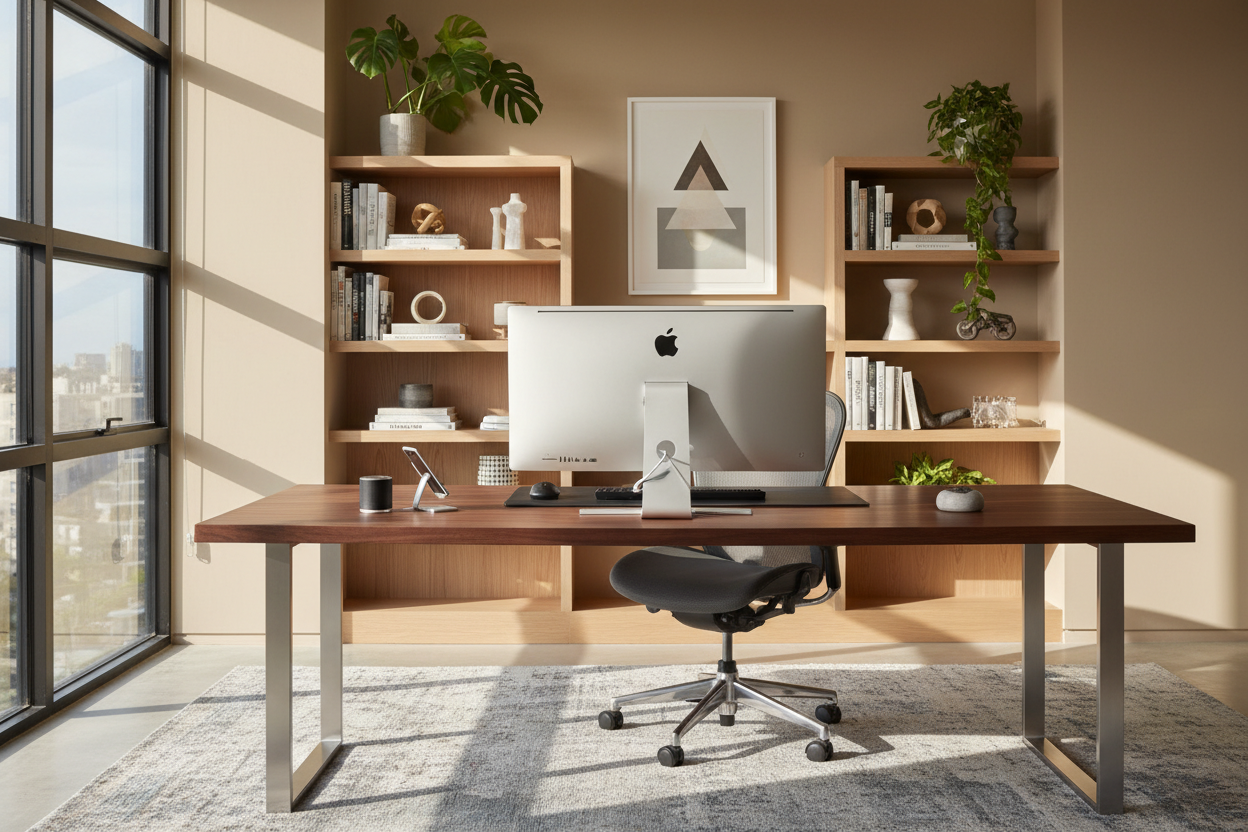
There is nothing quite as jarring as walking into a beautifully curated study, complete with walnut joinery and soft task lighting, only to have the visual harmony shattered by a bulky, loud, industrial-looking PC tower. As a designer, I constantly battle the tension between technology and aesthetics. Finding the best computer for at home work is no longer just a question of processing speed; it is about finding a machine that respects the footprint of your desk and the style of your interior.
Key Features to Look For
- Form Factor & Silhouette: Choose an All-in-One (AIO) for minimalism or a Compact Tower for hidden power.
- Cable Management: Look for systems with single-cord setups or wireless peripherals to reduce visual clutter.
- Acoustics: Ensure the cooling fans are whisper-quiet to maintain the room's ambient tranquility.
- Display Ergonomics: The screen should be adjustable to prevent neck strain without dominating the room's focal point.
- Material Finish: Select matte finishes to reduce glare and fingerprints, or metallic casings to reflect light.
Balancing Aesthetics and Performance
When clients ask me what is a good desktop computer to work from home, I ask them to look at their desk first. The scale of your furniture dictates the technology it can support. If you are working with a delicate mid-century modern writing desk, a massive tower is going to look disproportionate and feel oppressive.
For most design-conscious professionals, the best desktop to work from home is often an All-in-One model. These units house the processor behind the screen, eliminating the need for a floor unit. This creates a floating silhouette that feels lighter in the room and preserves valuable floor space for an area rug or footrest.
The "Work from Home Computer Package" Dilemma
Many retailers offer a generic work from home computer package, but these often include bulky plastic monitors and wired keyboards that create a chaotic "spaghetti" of cables. From a design perspective, wireless is non-negotiable. When selecting the best computer for home office use, prioritize Bluetooth connectivity for your mouse, keyboard, and headphones. This allows you to "reset" the room at the end of the day, sweeping peripherals into a drawer to transition the space from 'office' to 'home'.
Materiality and Light
The finish of your machine matters. A high-gloss black plastic chassis attracts dust and fingerprints, making your office look unkempt within hours. I recommend brushed aluminum or matte composite materials for the best desktop computer for work at home. These textures blend seamlessly with natural wood grains and stone desk surfaces. Furthermore, consider the back of the computer. If your desk floats in the center of the room, the back of the monitor is visible to anyone entering. It needs to look as polished as the front.
My Personal Take on the best computer for at home work
Lessons from My Own Projects
I recently redesigned a home office for a client in a high-rise with floor-to-ceiling windows. We initially installed a high-performance gaming tower because he needed raw power for video editing. It was a mistake. The tower was too wide for the custom joinery, and the RGB lights inside the case reflected off the glass windows at night, ruining the city view.
We pivoted to a high-spec Mac Studio (a tiny metal cube) and tucked it onto a floating shelf. The difference was night and day. However, here is the unpolished truth I learned: while the smaller unit looked better, the cable stiffness mattered. We had to buy specialized braided cables because the standard rubber ones were too stiff to bend sharply behind the unit, pushing it too close to the edge of the shelf. When you are buying the best desktop computer to work from home, always measure the clearance for the plugs, not just the machine itself.
Conclusion
Your workspace should inspire creativity, not stress. By selecting a computer that offers a sleek profile, excellent cable management, and quiet operation, you ensure your home office remains a sanctuary. Don't settle for industrial plastic; choose technology that acts as a piece of modern sculpture.
Frequently Asked Questions
How do I hide the computer tower if I don't get an All-in-One?
If you need a tower for performance, place it on a dedicated CPU stand under the desk to keep it off the carpet (which helps with airflow). Better yet, house it in a ventilated cabinet with a mesh back to hide it completely while allowing heat to escape.
What size monitor is best for a standard 24-inch deep desk?
For a standard writing desk, a 24 to 27-inch screen is ideal. Anything larger than 27 inches on a shallow desk will force you to turn your head constantly, causing strain, and will visually overwhelm the furniture piece.
Is a laptop or a desktop better for a home office design?
While laptops offer portability, a desktop usually provides better ergonomics and a cleaner look because you aren't looking down. If you must use a laptop, use a vertical stand (clamshell mode) and connect it to a beautiful external monitor to mimic a desktop setup.


Dejar un comentario
Este sitio está protegido por hCaptcha y se aplican la Política de privacidad de hCaptcha y los Términos del servicio.