










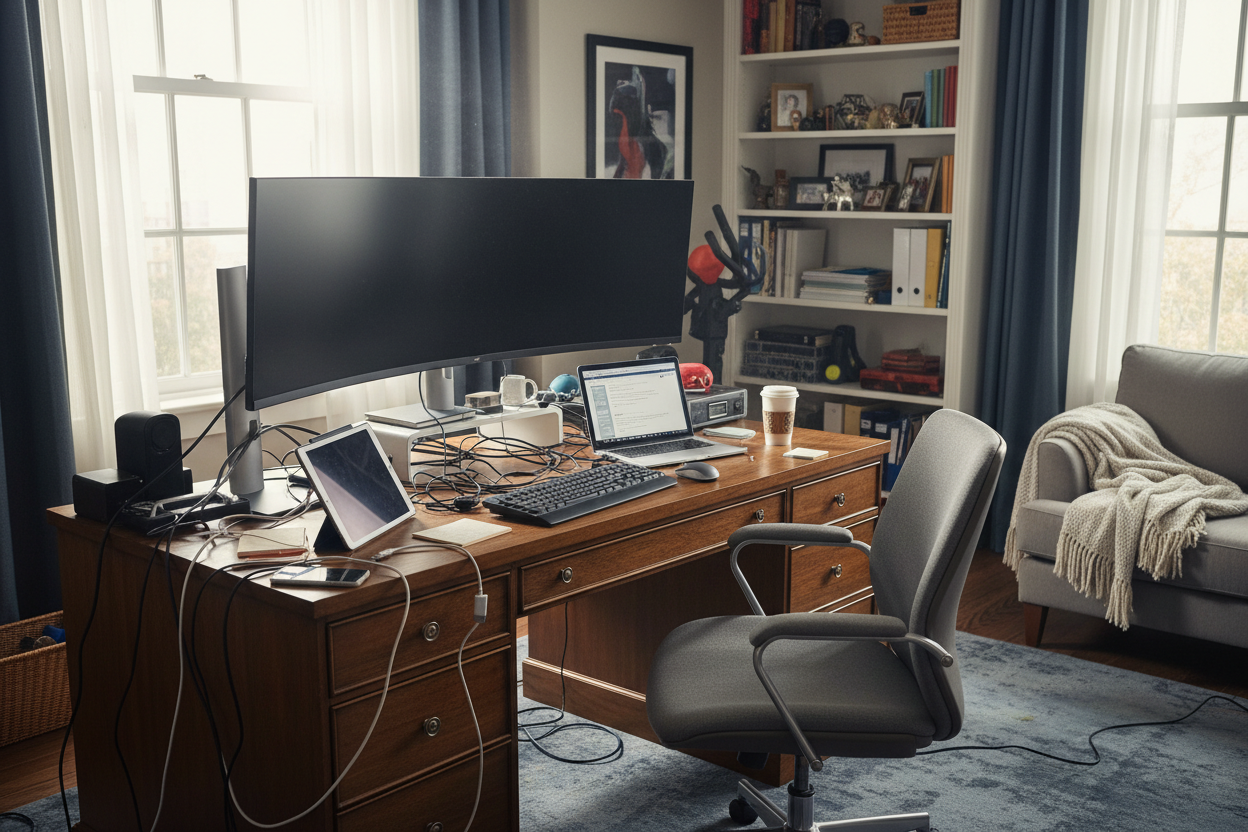
We have all experienced the fatigue of a poorly designed workspace—shifting uncomfortably in a chair that looked sculptural in the catalog but feels rigid by 2 PM, or staring at a surface that accumulates clutter rather than inspiring work. True design efficacy lies not in purchasing a matching suite, but in curating office furniture setups that balance architectural beauty with biomechanical support. When I walk a client through a showroom, I remind them that their environment dictates their output.
Quick Decision Guide: What Matters Most
- Ergonomics First: Prioritize chairs with adjustable lumbar support and seat depth over purely aesthetic silhouettes.
- Surface Material: Choose matte finishes (wood, laminate) over glass to reduce glare and fingerprint maintenance.
- Scale & Proportion: Ensure the desk width allows for a 30-inch clearance path behind your chair for movement.
- Visual Weight: In smaller rooms, opt for legs with open frames to keep the space feeling airy.
- Cable Management: Look for integrated grommets or modesty panels to hide technical clutter.
Curating the Foundation: Desk & Seating Dynamics
The core of any workspace is the relationship between the user, the chair, and the desk. One of the best office setup ideas is to stop viewing these as separate purchases. They must function as a kinetic system. If your chair arms cannot slide under the desk, you are forced to lean forward, compromising your posture.
Materiality and Tactile Experience
When selecting a desk, consider the tactile experience. Solid wood offers warmth and longevity, developing a patina over time that adds character. However, high-quality architectural veneers are often more stable in fluctuating humidity. Avoid high-gloss lacquers for high-traffic surfaces; while they look striking in photos, they highlight dust and micro-scratches instantly.
Space Planning & Flow
Positioning is just as critical as the furniture itself. For a desk setup at home, try to position the desk in the "command position"—facing the door but not directly in line with it. This reduces subconscious anxiety and improves focus.
Managing Visual Noise
A cohesive look relies on managing visual weight. If you have a heavy, executive-style oak desk, pair it with a lighter, mesh-backed chair or a rug with a subtle texture to break up the mass. Conversely, a minimal floating desk requires substantial shelving nearby to ground the vignette and provide necessary storage.
My Personal Take on Office Furniture Setups
I learned a hard lesson early in my career regarding "aesthetic over function." I once specified a stunning, reclaimed barn-wood desk for a client who was a graphic designer. It was visually arresting—a true statement piece. However, I failed to account for the texture.
Within two weeks, the client called me. The uneven grain, while beautiful, made writing on paper impossible without a blotter, and the rough edge was irritating his forearms while he used his mouse. We had to have a custom glass top cut to salvage the piece, which unfortunately introduced glare. Now, I always run the "forearm test" on any desk edge. If it feels sharp or rough against the skin for ten seconds, it will be unbearable after eight hours. It’s these unpolished, tactile details that determine if a setup is actually livable.
Conclusion
Investing in the right furniture is an investment in your cognitive clarity. By prioritizing tactile materials, ergonomic precision, and proper spatial flow, you elevate your daily routine from mundane to inspired. Don't just fill a room; curate a space that works as hard as you do.
Frequently Asked Questions
How much space do I need behind my desk chair?
For a comfortable workflow, allow at least 30 to 36 inches (approx. 76-91 cm) of clearance between the edge of your desk and the wall or bookshelf behind you. This allows you to slide back and rotate without damaging the furniture or the wall.
Is a standing desk worth the investment for a home office?
Absolutely, provided it has a dual-motor system for stability. The ability to alternate between sitting and standing reduces spinal load. Look for programmable height settings so you don't have to manually fine-tune the height every time you switch positions.
What is the best desk depth for multiple monitors?
If you are running a dual or triple monitor setup, aim for a desk depth of at least 30 inches. Standard 24-inch desks often place screens too close to the eyes, causing strain and leaving little room for a keyboard and notepad.

Dejar un comentario
Este sitio está protegido por hCaptcha y se aplican la Política de privacidad de hCaptcha y los Términos del servicio.