










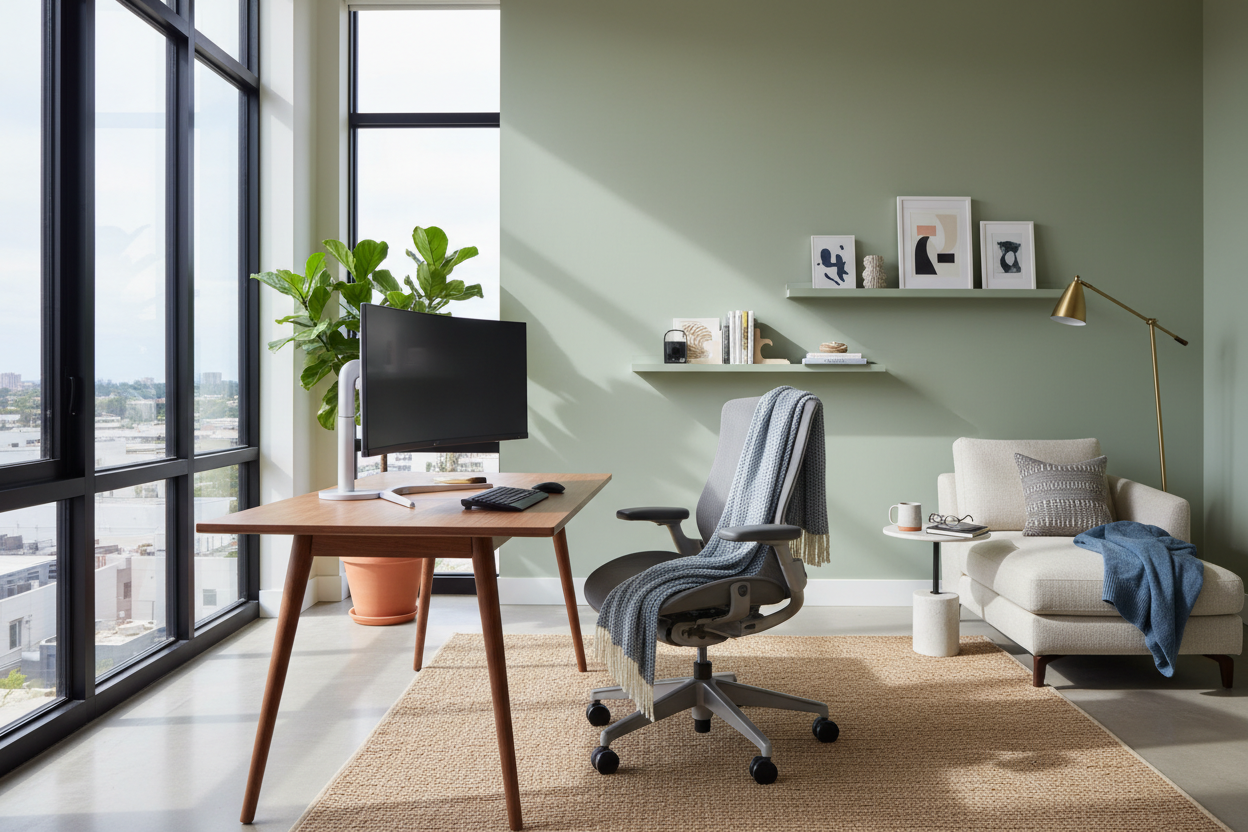
We have all been there: shifting awkwardly in a dining chair that was never meant for an eight-hour shift, or squinting at a screen as the afternoon sun creates an impossible glare. The transition to remote work often prioritizes connectivity over physiology, leaving many homeowners with makeshift setups that ruin their posture and dampen their mood. As an interior designer, I see this constantly—clients trying to force office utility into residential serenity without the right tools.
The secret isn't just buying expensive gear; it is about curating an environment that supports your body while pleasing your eye. This guide bridges the gap between high-performance ergonomics and residential style to show you exactly how to make work from home more comfortable and sustainable for the long haul.
Key Features for a High-Comfort Workspace
- Ergonomic Support: Prioritize chairs with adjustable lumbar support, seat depth, and armrest height to maintain spinal alignment.
- Lighting Layers: Combine ambient overhead light with focused task lighting (aim for 3000K-4000K color temperature) to reduce eye strain.
- Monitor Positioning: The top of your screen should be at or slightly below eye level to prevent neck fatigue.
- Acoustic Control: Use textiles like rugs, curtains, or upholstered panels to dampen echo and background noise.
- Air Quality & Biophilia: Incorporate air-purifying plants or a humidifier to combat stale air and improve cognitive function.
The Foundation: Seating Mechanics vs. Aesthetics
The most common friction point in a home office is the chair. In a showroom, clients often gravitate toward structural, mid-century modern pieces that look sculptural but offer the comfort of a park bench. To truly elevate your comfort, you must prioritize the mechanism over the silhouette.
Look for a chair with a 'synchro-tilt' mechanism. This allows the backrest and seat pan to move in a specific ratio (usually 2:1), keeping your feet flat on the floor while you recline. Regarding materials, while leather exudes luxury, high-quality performance mesh or fabric allows for heat dispersion, which is critical if your workspace lacks aggressive climate control. If you insist on a softer, upholstered look to match your living room decor, ensure the foam density is rated for 'commercial use' (typically 2.5 lbs or higher) so it doesn't bottom out after a few months.
Lighting Architecture: Beyond the Overhead Bulb
Visual fatigue is a silent productivity killer. Relying solely on a single overhead fixture creates harsh shadows and forces your eyes to work harder. In design terms, we call the solution 'layered lighting.'
Start with your ambient light, but the game-changer is the task light. Invest in an articulated desk lamp with adjustable color temperature. During high-focus morning hours, a cooler light (4000K) mimics daylight and alerts the brain. As the day winds down, switching to a warmer tone (2700K-3000K) signals your body to relax. Position the light opposite your writing hand to avoid casting shadows across your documents.
Spatial Planning and Flow
Comfort is also psychological. Cramming a desk into a corner facing a blank wall is a recipe for feeling claustrophobic. If your floor plan allows, 'float' your desk into the room. This command position gives you a view of the door and the window, expanding your visual field and reducing the feeling of confinement.
If space is tight and you must face a wall, create depth. Install a floating shelf above the monitor with trailing plants or artwork. This provides a 'soft focus' point for your eyes to rest on during breaks, which helps reset your vision and reduces headaches.
My Personal Take on how to make work from home more comfortable
I learned my lesson about 'aesthetic over function' the hard way early in my career. I designed a custom home studio for myself featuring a stunning, vintage cane chair. It looked incredible in photos and fit the organic modern vibe perfectly. However, the rigid frame had zero give.
After two weeks, I noticed two distinct issues: the cane pattern left actual indentations on my legs, and the hard front edge of the seat was cutting off circulation behind my knees—a design flaw known as lacking a 'waterfall edge.' I found myself taking breaks just to walk off the numbness. I eventually swapped it for a high-back task chair with a dedicated waterfall seat pan. The difference was night and day. I realized that in a workspace, the furniture should disappear beneath you. If you are noticing your chair, it's failing you.
Conclusion
Transforming your home office isn't about replicating a corporate cubicle; it is about introducing intentional design that serves your wellbeing. By investing in supportive seating, layering your lighting, and respecting the flow of the room, you create a space where focus comes naturally. Comfort is the ultimate luxury in a workspace—prioritize it, and your productivity will follow.
Frequently Asked Questions
What is the best desk depth for comfort?
Ideally, aim for a desk depth of at least 24 to 30 inches. This provides enough distance between your eyes and the monitor (about an arm's length) to prevent eye strain and allows ample room for a keyboard and wrist support.
How can I make a small space feel less cramped?
Utilize vertical space. Tall, open shelving draws the eye upward, making the ceiling feel higher. Additionally, choosing furniture with exposed legs (rather than solid bases) increases the visible floor area, maintaining a sense of openness.
Do I really need a rug under my desk?
From a design and acoustic standpoint, yes. A rug anchors the zone visually and absorbs sound, making video calls clearer. However, ensure it is a low-pile or flat-weave rug so your chair casters can roll smoothly without getting stuck.


Dejar un comentario
Este sitio está protegido por hCaptcha y se aplican la Política de privacidad de hCaptcha y los Términos del servicio.