










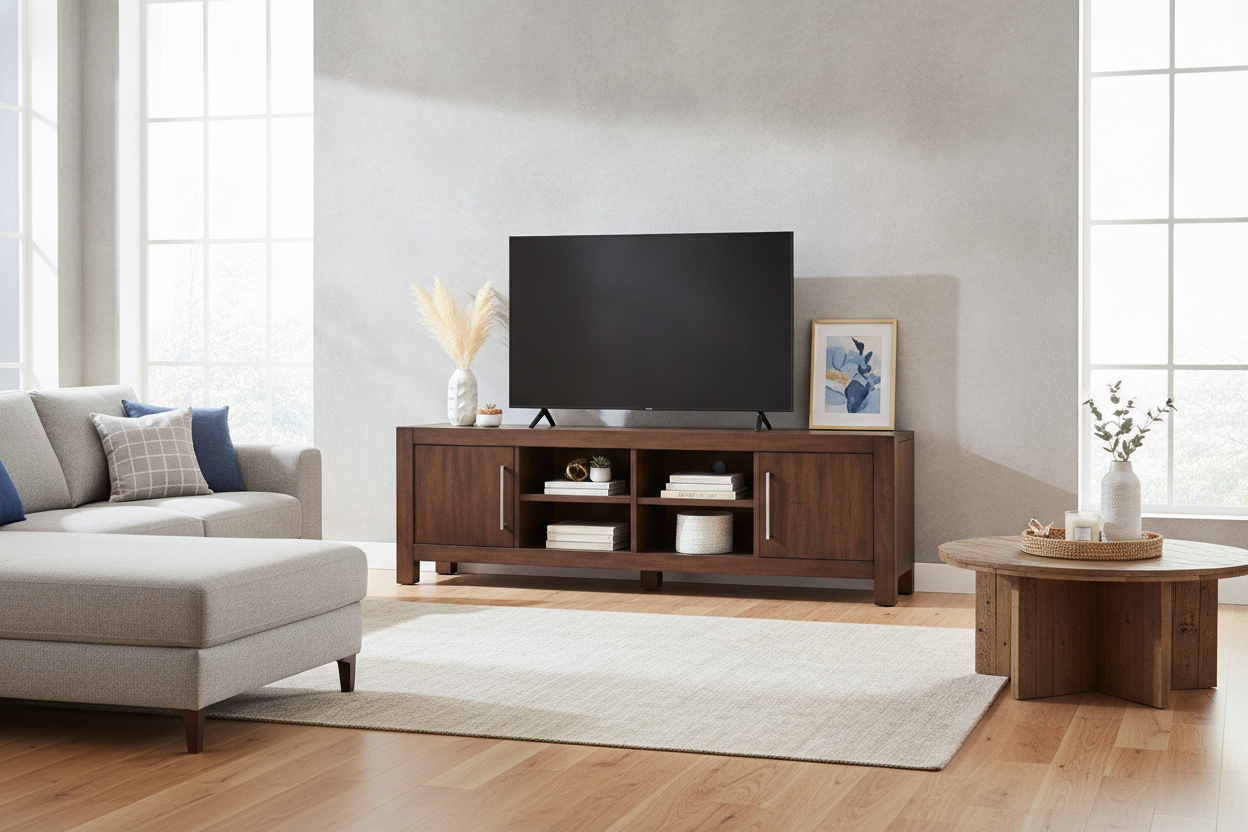
I finally did it. I bought the television that looks like a small cinema screen in my 12x15 living room. But the moment the delivery guys left, I realized my old media console was a disaster waiting to happen. It was a 50-inch wide unit I’d had since college, and sitting under a massive screen, it looked like a toothpick trying to hold up a bowling ball. I needed a tv stand for 70 inch tv walmart could ship to me before the whole setup tipped over.
- Scale is everything—your stand should be at least 4-6 inches wider than the TV frame.
- Enclosed storage is the only way to hide the 'cable spaghetti' of modern gaming setups.
- Don't fear particle board, but look for units with a 1-inch thick top slab for stability.
- Swap out the stock plastic hardware for metal pulls to instantly double the perceived price.
The 'Big Screen, Tiny Stand' Mistake I Made
The math of TV buying is deceptive. A 70-inch TV isn't 70 inches wide; it's the diagonal measurement. In reality, the screen is about 61 inches wide. My old stand was exactly 60 inches. When I centered the TV, the edges of the screen hung over the sides of the wood by half an inch on each side. It didn't just look unstable; it looked cheap. It made the whole room feel top-heavy and accidental.
Beyond the aesthetics, there was the 'cat factor.' I have a 14-pound tabby who thinks every flat surface is a runway. One jump against that overhanging screen and the whole thing would have been a $700 pile of glass on the floor. I spent that first night staring at the TV from the kitchen, realizing that a massive screen demands a visually heavy base. You can't put a mountain on a pedestal; you need a foundation.
Why I Started Hunting for a Walmart 70 Inch TV Stand
I checked the usual high-end suspects first. Most 'designer' consoles that can actually handle a 70-inch footprint start at $1,200 and go up from there. My budget was already blown on the 4K resolution and the soundbar. I found myself scrolling through the walmart 70 inch tv stand options at 2 AM, mostly out of desperation. I was debating if big-box furniture is worth it, especially since I've been burned by flimsy cam-lock fasteners in the past.
The criteria were simple: it had to be at least 70 inches wide (ideally 75), it needed to be deeper than 15 inches so the legs of the TV actually sat securely, and it couldn't look like it belonged in a freshman dorm. I was looking for thick side walls and a center support leg. That middle leg is the difference between a stand that lasts five years and one that starts to sag in the middle after six months of supporting a heavy screen.
Hiding the Mess: Finding a TV Stand With Storage Walmart Actually Sells
Once you have a screen that big, you usually have a lot of junk to go with it. I have a PS5, an Apple TV, a router, and a mess of HDMI cables that look like a nest of snakes. I realized that a tv stand with storage walmart offered was my only hope of keeping the living room looking like an adult lives there. Open shelving is a trap—it just becomes a dusty display for things you don't actually want to look at.
I looked for a modern stand with hidden cabinets because I wanted to shove the controllers and chargers behind a solid door. If you have a lot of components that need infrared signals from a remote, a credenza with sliding glass doors is a better move. It keeps the dust off the electronics but lets you actually use the equipment. The key is to find a unit with 'wire management' holes already cut into the back panel. If they aren't there, you'll end up having to use a hole saw on your brand-new furniture, which is never a fun Saturday afternoon.
My Honest Verdict on the TV Stand 70 Inch Walmart Options
I ended up pulling the trigger on a 78-inch wide console. The box was heavy—nearly 110 pounds—so don't try to move this by yourself. Assembly took me roughly two hours with a podcast and a glass of wine. My big tip? Use your own wood glue in the dowel holes. The stuff they provide is usually watery. Using a real carpenter's glue makes the final piece feel like a solid unit rather than a collection of boards.
The 'wobble test' was a success. With the center support leg adjusted properly, there is zero movement when I bump into it. It actually looks like a grown-up piece of furniture. Before you buy, I highly suggest browsing dedicated media console collections to compare the heights. A 70-inch TV sits higher than you think, and if your stand is too tall, you'll be craning your neck like you're in the front row of a movie theater. You want the middle of the screen at eye level when you're sitting on your sofa.
3 Cheap Ways to Make Your Console Look Custom
If the finish of your Walmart find feels a little 'flat,' there are three things I did to make mine look like a $2,000 custom piece. First, the hardware. Most budget stands come with silver or black plastic knobs. I spent $25 on heavy, brushed brass pulls and it changed the entire vibe. It adds a tactile weight that makes the doors feel more expensive when you open them.
Second, don't leave the shelves empty but don't clutter them either. Use large decorative boxes to hide small items like extra batteries or manuals. Finally, add a small LED strip to the back of the stand. It provides 'bias lighting' which makes the TV screen easier on your eyes and gives the whole setup a high-end, built-in look for about ten bucks.
FAQ
Will a 70-inch TV fit on a 60-inch stand?
It might physically fit if the TV legs are close together, but it will look terrible. The screen will overhang the edges, making the room feel cramped and the setup look unstable. Always aim for a stand wider than the TV.
Is Walmart furniture hard to assemble?
It is mostly just time-consuming. If you can follow LEGO instructions, you can build a TV stand. Use a power drill on a very low torque setting to avoid stripping the pre-drilled holes.
How do I hide the wires if the stand has open back?
Use adhesive cable clips to run the wires down the back of the legs rather than letting them hang in the middle. You can also buy 'cable sleeves' that bunch all the black cords into one neat tube.


Dejar un comentario
Este sitio está protegido por hCaptcha y se aplican la Política de privacidad de hCaptcha y los Términos del servicio.