










We have all been there—balancing a laptop on a throw pillow, feeling the familiar ache in the lower back, and realizing the living room sofa was not built for a nine-to-five schedule. When you finally ask yourself, what can i do for work from home to make this sustainable, the answer almost always starts with proper furniture and space planning. In this guide, I will walk you through how to build a functional, beautiful home office layout that supports your posture without ruining your home's aesthetic.
Quick Decision Guide: WFH Setup Essentials
- Prioritize desk depth: Aim for at least 24 inches of depth if you use a monitor, or 20 inches if you only use a laptop.
- Invest in the chair, save on the desk: Ergonomics dictate your comfort; a flat surface is just a flat surface.
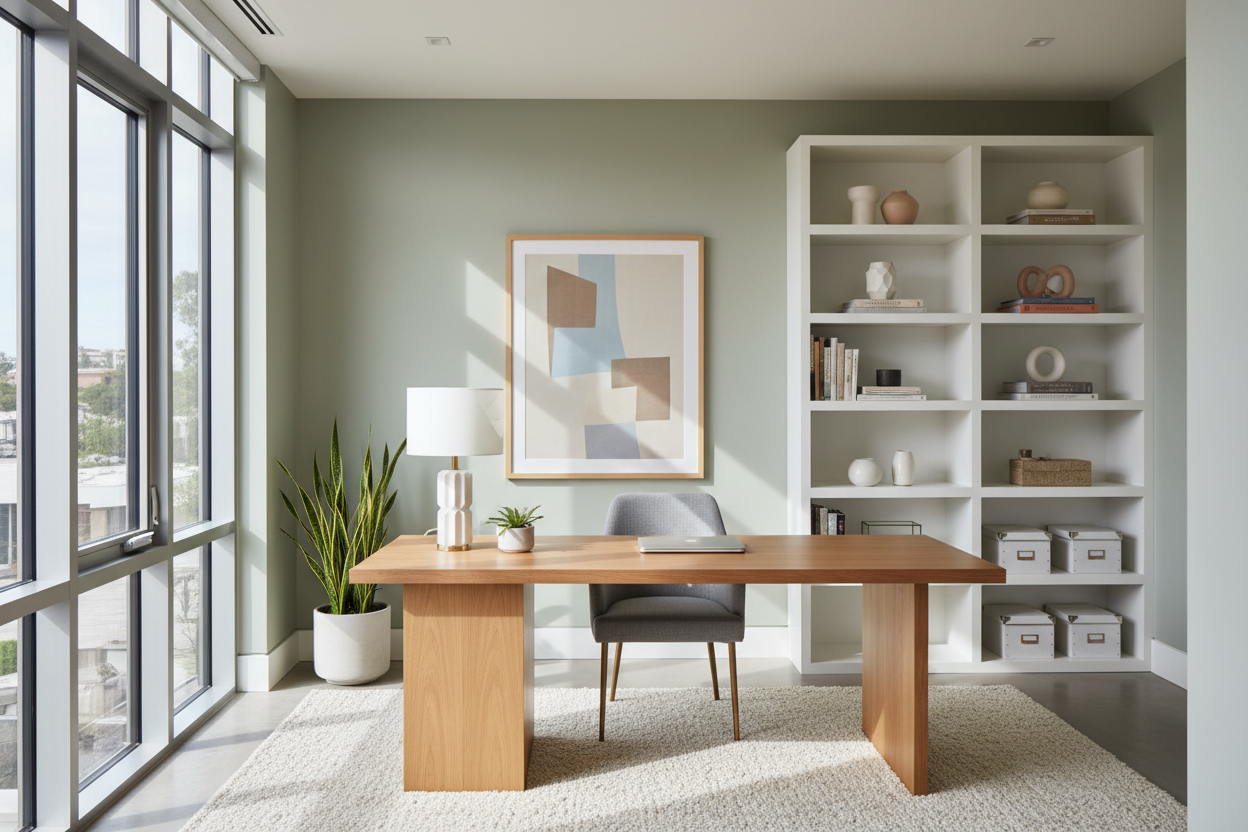
- Control the light: Position your desk perpendicular to windows to avoid harsh screen glare while still enjoying natural light.
- Define the zone: Use a dedicated area rug or a strategic bookshelf to separate your workspace from your relaxation space.
Space Planning & Layout
Finding the Right Footprint
When clients look at a cramped spare room and ask, 'what can i do work from home wise?', I immediately look at negative space. You do not need an entire dedicated room to create a highly functional office. A 48-inch wide alcove or a quiet corner in the dining room is often enough. The key is establishing visual boundaries. If you are wondering, 'can i do work from home in a studio apartment?', the answer is yes, provided you use visual dividers like open-backed shelving or a distinct change in wall color to carve out the office zone. Always leave at least 36 inches of clearance behind your desk so you can push your chair back comfortably without hitting a wall or sofa.
Comfort & Ergonomics
The Chair vs. Desk Height Equation
A beautiful workspace is useless if it sends you to the chiropractor. The standard desk height in North America is 29 to 30 inches, which is actually too high for many people unless they use a keyboard tray or an adjustable chair with a footrest. When selecting a chair, look for adjustable seat depth and lumbar support. Many clients come to me frustrated, saying, 'i want to work from home what can i do to stop my neck from hurting?' The solution is usually raising the monitor so the top third of the screen is at eye level, and adjusting the chair so your feet are flat on the floor with knees at a 90-degree angle.
Style & Coordination
Blending Work with Living Areas
Your home office should not look like a corporate cubicle dropped into your living room. To maintain a cohesive aesthetic, match the material of your desk to existing wood tones in the room. If your living space leans mid-century modern, a warm walnut writing desk with tapered legs will feel intentional. If you have a heavier, traditional style, consider a solid wood desk with built-in cable management to hide the inevitable nest of wires. Upholstered office chairs in performance fabrics—like a textured boucle or a tight-weave linen blend—can soften the utilitarian look of a workspace.
Designer's Honest Take: My Own WFH Mistakes
Early in my career, I designed my own home office around a stunning, vintage velvet dining chair. It had the perfect curved silhouette and looked incredible next to my brass-legged desk. I lasted exactly three weeks before my shoulders were entirely locked up. I learned the hard way that a dining chair is pitched for a 45-minute meal, not an eight-hour workday. I eventually swapped it for a high-end ergonomic office chair. It isn't nearly as photogenic, and I honestly hate the black plastic base, but it allows me to actually do my job. Never sacrifice your spine for an aesthetic.
Frequently Asked Questions
What size desk do I need for dual monitors?
If you use two standard 24-inch or 27-inch monitors, you need a desk that is at least 55 to 60 inches wide. Anything smaller will force the monitors to hang over the edges, creating visual clutter and a cramped working surface.
How do I hide computer cords in a living room office?
Use a desk with a built-in modesty panel or a cable management tray mounted underneath. I also recommend routing cables down a single table leg using zip ties or a neoprene cable sleeve so they visually disappear against the furniture.
Are standing desks really worth the investment?
Yes, but only if you actually use the standing feature. If you invest in a sit-stand desk, pair it with an anti-fatigue mat. The motors on cheaper models tend to burn out within a few years, so look for dual-motor frames with a solid warranty.

Dejar un comentario
Este sitio está protegido por hCaptcha y se aplican la Política de privacidad de hCaptcha y los Términos del servicio.