










I remember the day my first 75-inch screen arrived. I had spent weeks obsessing over refresh rates and local dimming zones, but approximately zero seconds thinking about where it would actually sit. I tried to center it on a 48-inch console I had kept since my first apartment. It looked ridiculous—like a billboard balanced on a toothpick.
It is a common trap. We buy these massive displays because we want the home cinema experience, but then we get shy about the furniture. We try to hide the bulk by picking a 'slim' or 'minimalist' base, thinking it will make the room feel less crowded. In reality, it does the exact opposite. Buying a huge tv stand is actually the only way to keep your tech from swallowing the entire living room.
- Scale is more important than style when dealing with large screens.
- The 25-percent overhang rule prevents a 'top-heavy' visual disaster.
- Visual weight in the furniture absorbs the 'black hole' effect of the screen.
- Oversized units provide essential storage that hides cable clutter.
The Floating Monolith Problem (And How We Got Here)
When you pair a 65-plus-inch screen with a spindly, minimalist console, you create a floating monolith. Because the base is so much smaller than the screen, your eyes are immediately drawn to the massive black rectangle hanging in mid-air. It feels precarious, top-heavy, and frankly, a bit cheap. It turns your television into an inescapable black void that dictates the entire energy of the room.
I have seen beautiful living rooms ruined by this lack of proportion. A thin metal stand might look 'airy' in a catalog, but under a giant TV, it just looks stressed. The contrast between the high-tech, heavy glass of the screen and the delicate legs of the furniture creates a visual tension that makes it impossible to relax. You want your furniture to look like it is easily supporting the weight, not like it is struggling to hold on for dear life.
The Counter-Intuitive Magic of a Giant TV Stand
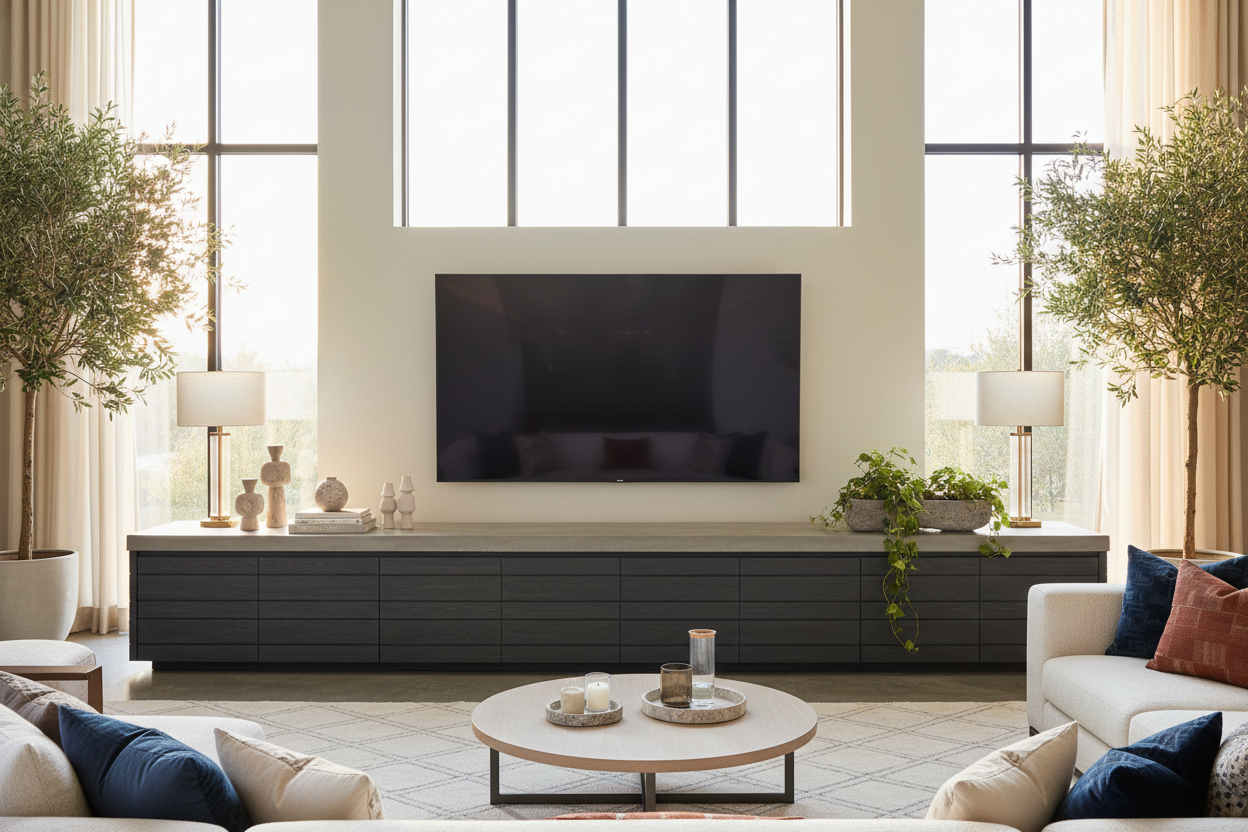
It sounds wrong, but a massive, visually heavy piece of furniture actually makes the TV look smaller. When you invest in a giant tv stand, the furniture becomes the focal point, not the screen. The wood grain, the hardware, and the physical footprint of the unit provide a 'grounding' effect. Instead of a TV floating on a wall, you have a beautiful piece of cabinetry that happens to have a screen sitting on it.
When you are browsing for TV stands, look for pieces with real 'thud' factor. You want something that feels permanent. A substantial unit acts as a visual anchor, pulling the viewer's eye down from the glowing screen and back into the room's decor. It is about shifting the hierarchy of the space so the technology serves the room, rather than the room serving the technology.
The 25-Percent Overhang Rule
If you want your setup to look intentional and not like a makeshift dorm room, you need to follow the 20-to-25-percent rule. Your credenza should extend at least several inches past the edges of your screen on both sides. If your TV is 60 inches wide, your stand should be at least 75 inches. This creates a 'buffer zone' that frames the TV.
For example, using a wide storage credenza with sliding glass doors provides that necessary horizontal runway. When the furniture is wider than the tech, the TV looks like a curated choice rather than an oversized intruder. It gives you room to breathe and, more importantly, room to style.
Balancing the Bulk Without Cluttering the Surface
Once you have the oversized tv stand in place, the temptation is to cover every inch of that new surface area with tiny frames and candles. Don't do it. A huge surface needs huge decor. Think in terms of sculptural weight—a heavy ceramic vase, a stack of oversized art books, or a substantial table lamp. Smaller items will just look like clutter against the backdrop of a large screen.
I am a big fan of using texture to break up the mass. A mid-century modern TV stand with slatted doors or fluted detailing is perfect for this. The vertical lines of the slats counteract the horizontal stretch of a long unit, keeping it from looking like a giant wooden box. It adds a layer of sophistication that makes the whole setup feel like 'interior design' rather than just 'a place for the remote.'
When You Actually Should Not Go Huge
There is one caveat: the 'path of travel' rule. If you live in a tight urban apartment where a 70-inch console would mean shimmying sideways past the coffee table, do not force it. Safety and flow trump aesthetics every time. If your room is genuinely too small for a massive unit, you are better off scaling down the TV itself or wall-mounting with a very shallow floating shelf.
In those cases, you might want to look at the Oak 50 Inch TV Stand Rule which prioritizes floor space over visual balance. It is better to have a slightly top-heavy room than a room you cannot actually walk through. But if you have the square footage? Go big. Your eyes (and your living room) will thank you.
Personal Experience: The Wobbly Metal Mistake
A few years ago, I fell for a 'minimalist' industrial stand made of thin iron pipes and reclaimed wood. It looked cool in the shop. But once my 65-inch TV was on it, the whole thing felt like a liability. Every time my dog ran through the living room, the TV would wobble for a terrifying three seconds. I eventually swapped it for a chunky, 80-inch oak sideboard. The room immediately felt calmer, the TV felt 'tucked in,' and I finally stopped worrying about a $1,200 tip-over accident.
FAQ
How much wider should a TV stand be than the TV?
Ideally, aim for at least 6 to 10 inches of extra space on each side. This ensures the TV doesn't look like it's spilling over the edges and provides a balanced silhouette.
Does a huge TV stand make a small room look smaller?
Actually, no. One large, well-proportioned piece of furniture often makes a room feel more organized and spacious than four or five small, 'leggy' pieces that create visual clutter.
Should the TV be centered on an oversized stand?
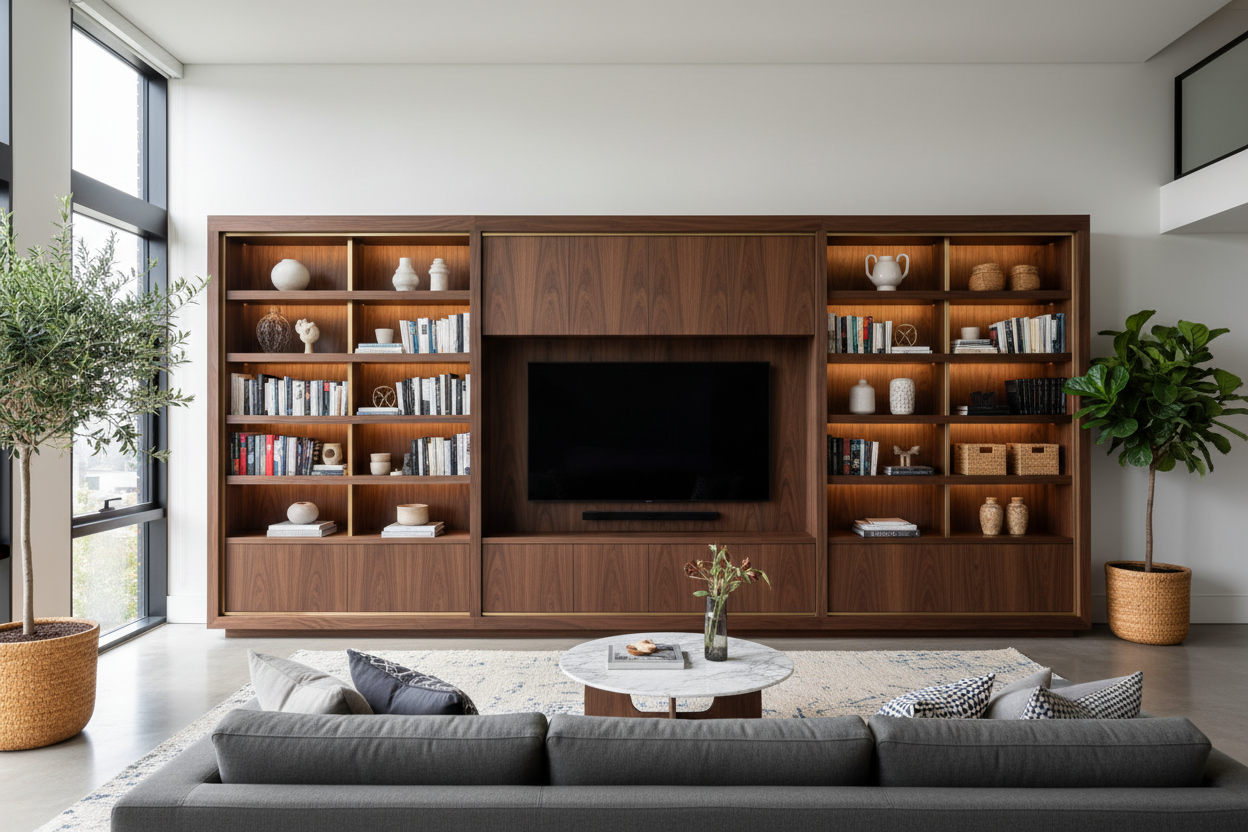
Usually, yes. However, if the stand is exceptionally long (like an 8-foot built-in), you can offset the TV to one side and balance the other side with a tall lamp or a piece of art to create a more 'designed' look.


Dejar un comentario
Este sitio está protegido por hCaptcha y se aplican la Política de privacidad de hCaptcha y los Términos del servicio.