










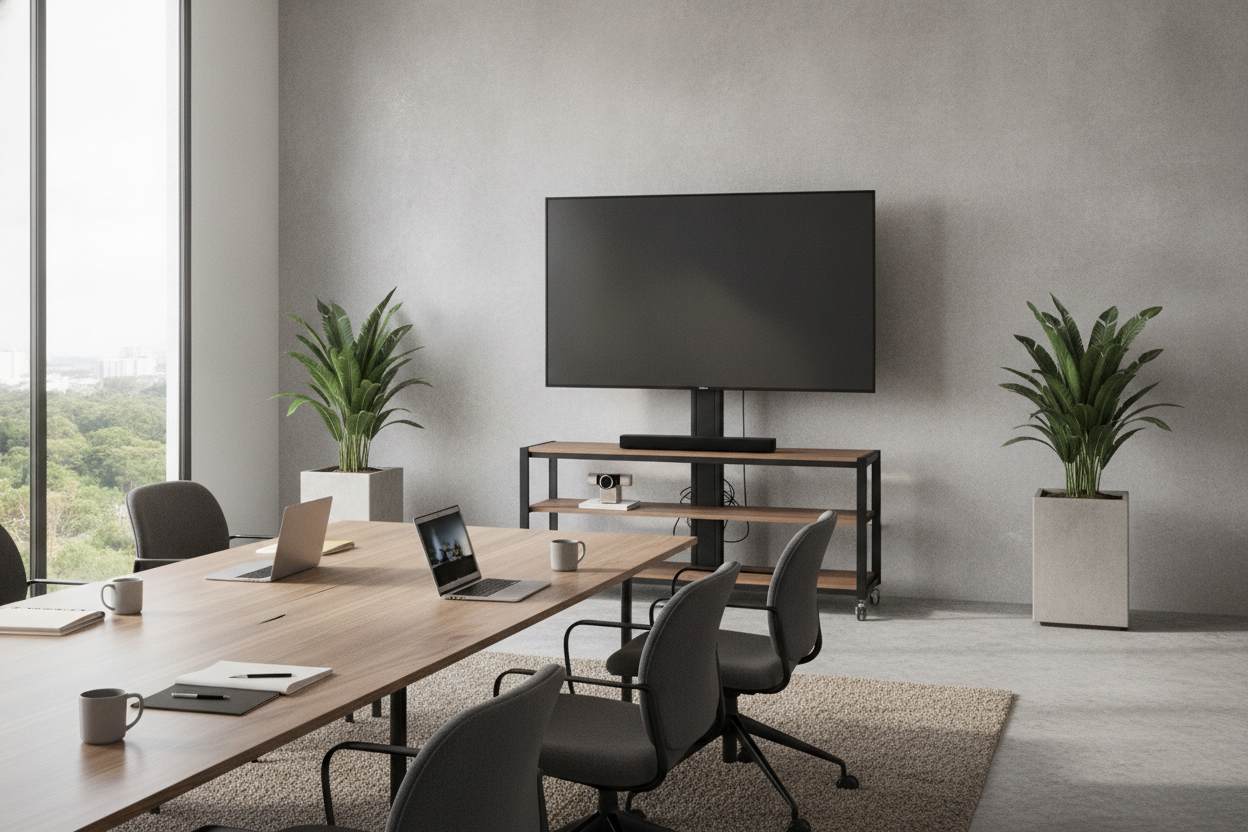
I spent three weeks staring at a jagged hole in my office wall before I realized I was doing it all wrong. We’d just moved into a new suite with those impossibly thin commercial-grade walls, and my dream of a sleek, floating 75-inch screen was dying a slow, expensive death. That’s when I ditched the contractor’s invoice and bought a conference room tv stand instead.
Quick Takeaways
- Wall mounting in commercial spaces often requires expensive 'blocking' (reinforcement) behind the drywall.
- A freestanding unit lets you take your tech with you when your lease is up.
- Modern stands hide wires better than a rushed, DIY cable drop.
- You can actually reach the HDMI ports without dislocating a shoulder.
The $3,000 Quote That Made Me Rethink Everything
A contractor quoted me exactly $2,850 just to run cables and reinforce the wall for a mount. That didn't even include the TV itself. For a growing company, that’s basically three months of high-end coffee or a really nice team dinner. I spent one night down a rabbit hole looking for a tv stand for conference room use that didn't look like it belonged in a hospital waiting room.
The reality of commercial real estate is that you don't own the walls. Every time you drill a massive hole for a recessed AV box, you’re just creating a line item for your future move-out costs. A freestanding stand solves the 'permanence' problem instantly.
The 1990s AV Cart is Dead (Thank Goodness)
Remember those squeaky metal carts from high school? The ones that rattled like a toolbox in a dryer every time they hit a door frame? Thankfully, the modern meeting room tv stand has finally grown up. We’re seeing a massive shift toward living room furniture aesthetics in the office.
Think warm oak finishes, matte powder-coated steel, and mid-century silhouettes. These pieces make a boardroom feel like a place where people actually want to brainstorm, rather than a sterile interrogation room. I’ve found that when the room feels less like a 'facility' and more like a curated space, meetings actually feel less like a chore.
What Actually Matters When Buying One
Don't just buy the cheapest thing with four stars. You need to look at the weight capacity and the base spread. A 75-inch TV weighs a lot more than you think once you factor in the mounting hardware. If your stand wobbles when someone walks past, you've bought a liability, not a piece of furniture.
Cable Management is Non-Negotiable
There is nothing more depressing than a beautiful 4K screen with a 'waterfall' of tangled black cables hanging off the back. It looks amateur. I’ve tried the 'hack' of hiding gear in a modern wall cabinet, but for a tv stand conference setup, you really want integrated cable channels.
You need a dedicated spot to tuck away a power strip, an Apple TV, and those chunky HDMI cords that refuse to bend. Look for stands with hollow legs or magnetic covers that snap over the wires. If the cables are visible, the professional vibe is dead on arrival.
To Roll or Not to Roll?
Wheels are great until they aren't. If you’re in a tight suite where you need to pivot the screen for different groups, casters are a godsend. But if you have thick carpet, those tiny plastic wheels will dig in and stay there forever. Personally, I prefer a heavy, stationary base with felt pads. It feels more permanent and high-end, and it doesn't look like you’re about to wheel in a 'Safety First' video from 1994.
Making the Tech Blend In
To avoid the 'Best Buy showroom' look, match your finishes to your existing desks. If you have walnut workstations, don't buy a cheap silver aluminum stand. You can browse modern tv stands that look like high-end residential credenzas but offer the height needed for a seated audience to see the screen clearly.
I once bought a 'minimalist' tripod stand that looked amazing in the catalog. In real life, the legs stuck out so far that our lead designer tripped over it during a pitch. I spent the next ten minutes holding a 65-inch LG for dear life while they finished their slide deck. Lesson learned: the footprint matters more than the 'vibes.'
FAQ
How high should the TV be in a meeting room?
The bottom of the screen should be about 35 to 40 inches off the floor. This ensures the person at the far end of the conference table isn't having their view blocked by the heads of people sitting closer to the screen.
Can I use a standard home media console?
Only if it's a 'tall' version. Most home units are 18-22 inches high, which is perfect for a sofa but way too low for a conference table. Everyone will be hunching over to see the data.
Is assembly difficult?
Usually, it's a 30-minute job. Do yourself a favor and use a real screwdriver or hex bit. The 'L' shaped keys included in the box are designed to test your patience and ruin your cuticles.

Dejar un comentario
Este sitio está protegido por hCaptcha y se aplican la Política de privacidad de hCaptcha y los Términos del servicio.