










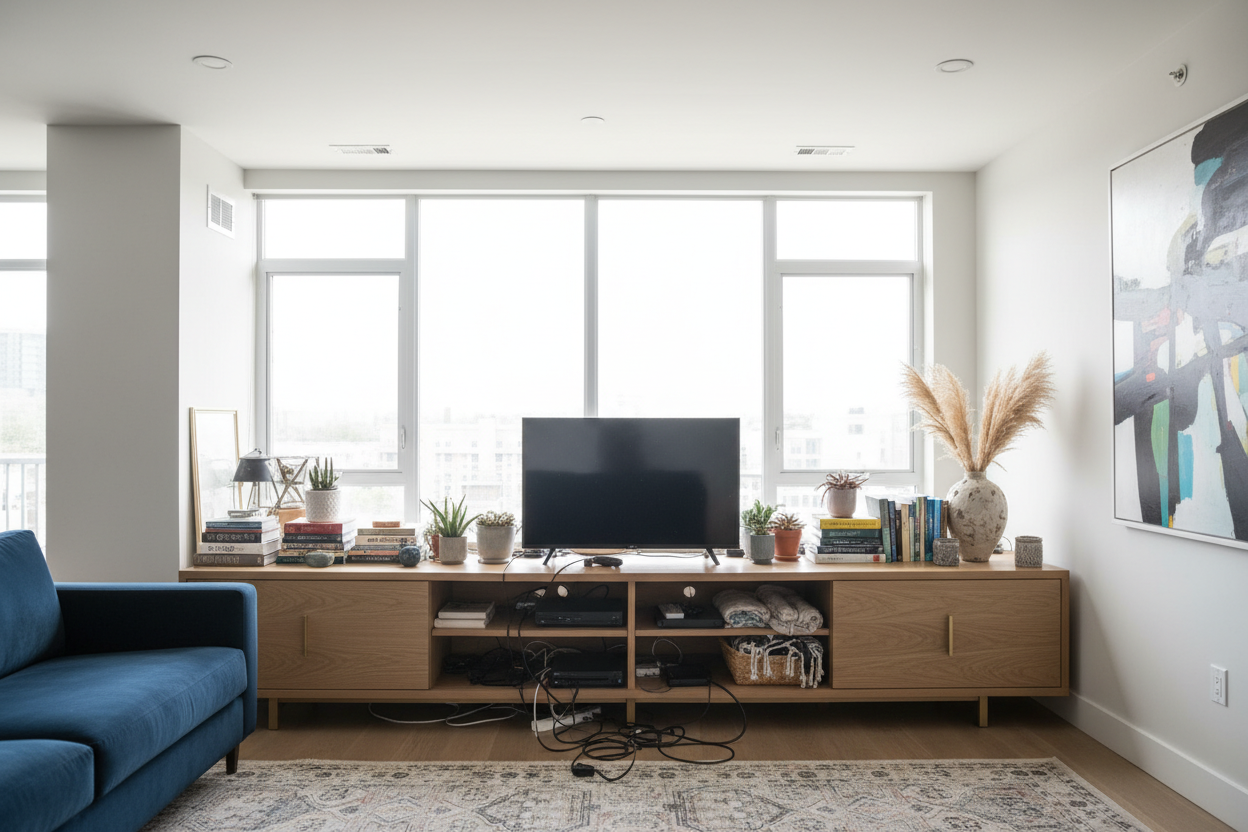
We have all seen it: a massive 75-inch screen perched precariously on a dinky media unit, looking like it might tip over if a heavy truck drives by. It is a common dilemma in North American homes where screen sizes keep growing, but the furniture underneath them fails to keep up. If your living room feels top-heavy, unbalanced, or cluttered with cables, upgrading to a wide tv stand is often the missing piece of the puzzle.
Getting the scale right is crucial. A poorly sized console can make a spacious family room feel cramped or a large television feel overwhelming. In this guide, I will walk you through the exact proportions needed to make a larger console work, how to choose materials that will not bow under pressure, and how to style the surface so it feels like a curated home rather than an electronics showroom.
Quick Decision Guide
- The Overhang Rule: Your stand should be at least 4 to 6 inches wider than your television on both sides to maintain proper visual weight.
- Center Support is Non-Negotiable: Any unit over 60 inches wide needs a center support leg to prevent the top from bowing over time.
- Watch the Depth: A widescreen tv stand should ideally be 18 to 22 inches deep to accommodate modern receivers and hide unsightly cables without eating up your walkway.
- Mix Materials: Break up the heavy look of an extra large tv stand by choosing a piece with glass, cane, or metal mesh door fronts.
Space Planning & Layout
Nailing the Proportions
When you bring an extra wide media console into a room, proportion is everything. The biggest mistake homeowners make is assuming that a 65-inch TV requires a 65-inch stand. Televisions are measured diagonally, while furniture is measured horizontally. To ground the space, you need a tv stand extra wide enough to create a visually stable base. If the screen is wider than the furniture, the setup will feel top-heavy and anxious. Aim for an extra wide entertainment center that leaves ample negative space on either side of the screen.
Clearance and Walkways
An extra wide tv console takes up serious real estate, especially in suburban family rooms or open-concept layouts. Always leave a minimum of 36 inches of clearance between the front of your wide entertainment console and your coffee table or seating arrangement. If you are working with a narrower room, look for a wide tv cabinet with sliding doors rather than swinging doors, which require zero clearance to open.
Material & Build Quality
Preventing the Dreaded Sag
The structural integrity of extra wide tv stands is frequently overlooked. If you are loading up an extra wide media cabinet with heavy vintage receivers, gaming consoles, and soundbars, material matters. Solid wood (like oak or walnut) offers the best longevity, but high-quality plywood with a wood veneer is a close second. Avoid cheap particleboard for a wide entertainment center; over a span of 70 to 90 inches, particleboard is highly prone to sagging in the middle. Always check underneath to ensure there is a fifth (or even sixth) support leg in the center.
Style & Coordination
Grounding the Room with Texture
A wide tv console acts as a visual anchor. Because it occupies so much horizontal space, a solid block of dark wood can quickly feel like a black hole in your living room. To soften the visual weight, look for an extra wide tv cabinet that incorporates texture. Fluted wood details, woven rattan panels, or frosted glass can make a massive piece feel lighter and more intentional. When styling, treat the surface flanking the TV as an opportunity: a tall structural vase on one side and a low stack of design books on the other will frame the screen beautifully without competing for attention.
Designer's Honest Take
A few years ago, I specified a stunning 96-inch extra wide tv stand for a client's open-concept living room in Toronto. The matte black walnut finish was gorgeous, and the proportions perfectly balanced their 85-inch television. It looked incredible on installation day.
But I learned a hard lesson about practicality. Because it was a solid wood, fully enclosed cabinet, it weighed nearly 300 pounds empty. When the client needed to swap out a simple HDMI cable a few months later, moving the unit away from the wall was a monumental task that required three people. The downside of massive, high-quality furniture is its permanence. Since then, I always ensure that any extra wide media console I recommend either has heavy-duty hidden casters, easily removable back panels, or enough depth to comfortably reach behind without moving the entire piece.
Frequently Asked Questions
How much wider should my console be than the TV?
A good rule of thumb is that your console should be at least 25 percent wider than the actual width of your television. This provides a minimum of 3 to 4 inches of extra surface space on each side, ensuring the setup looks deliberate and balanced.
Is a floating extra wide tv console better than a freestanding one?
Floating consoles are excellent for modern aesthetics and make a room feel larger by exposing the floor underneath. However, they require professional installation into wall studs to safely hold the weight of the unit and your electronics. If you rent or frequently rearrange your layout, stick to a freestanding wide tv cabinet.
How do I decorate a wide entertainment console without making it look cluttered?
Embrace negative space. Do not line up small trinkets across the entire surface. Instead, create two distinct groupings on either side of the TV. Use one tall item (like a branch in a ceramic vase) to add height, and a low, horizontal item (like a decorative bowl or stacked books) on the opposite side to create an asymmetrical, high-end look.

Dejar un comentario
Este sitio está protegido por hCaptcha y se aplican la Política de privacidad de hCaptcha y los Términos del servicio.