











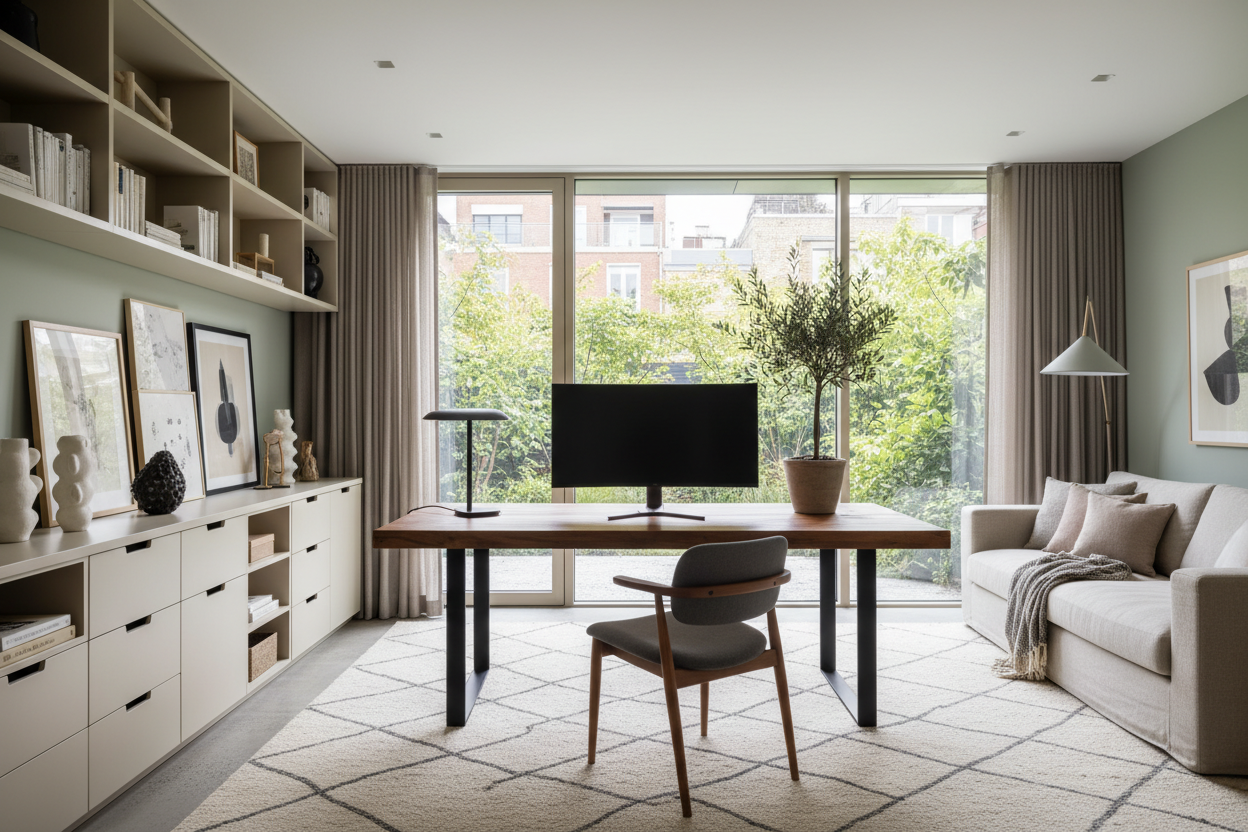
Most remote workers start with a laptop on the kitchen island, only to realize months later that their posture is wrecked and their productivity is tanking. Crafting the best home offices is not just about buying a beautiful desk; it is about engineering a room that actively supports your workflow while integrating seamlessly with your home's architecture. In this guide, we will break down the spatial rules, ergonomic necessities, and visual tricks that separate a makeshift workspace from a professional-grade residential office.
Key Takeaways for a Functional Workspace
- Adopt the command position: Place your desk so you have a clear view of the room's entrance without sitting directly in line with it.
- Prioritize task lighting: Relying solely on overhead recessed lighting creates harsh shadows; layer ambient light with a dedicated desk lamp.
- Mind the clearances: Leave a minimum of 36 inches behind your desk to allow your chair to roll back comfortably without hitting a wall or bookcase.
- Manage visual clutter: Use closed storage for cables, printers, and paperwork to reduce cognitive load during the workday.
Space Planning and Layout Rules
The Command Position
When executing the best design for home office environments, spacing and orientation are everything. The biggest mistake homeowners make is shoving a desk flush against a blank wall. This creates a cramped, punishing perspective that mimics a corporate cubicle. Instead, pull the desk out into the center of the room or float it perpendicular to a window. This arrangement, known as the command position, allows you to anchor the room. It gives your eyes negative space to rest on when you look up from your monitor, which reduces eye strain and mental fatigue.
Clearances and Footprint
Scale and proportion dictate how comfortable a room feels. If you are fitting an office into a standard 10x12 suburban spare bedroom, a massive executive desk will swallow the footprint. Opt for a writing desk with a lighter silhouette—perhaps something with tapered legs rather than heavy pedestal bases. Ensure you maintain at least 36 to 42 inches of clearance behind the desk, and 48 inches if the space behind you acts as a primary walkway.
Ergonomics Over Aesthetics
The Non-Negotiable Chair
Achieving the best home office design means accepting that a dining chair will never suffice for an eight-hour workday. You need a chair with adjustable seat depth, lumbar support, and armrests that align with your desk height. The visual weight of ergonomic chairs can be heavy, so look for modern mesh backs or upholstered options in neutral fabrics that blend with your residential decor rather than screaming 'corporate headquarters.'
Monitor Height and Desk Surface
Your desk surface should sit roughly 28 to 30 inches from the floor, allowing your elbows to rest at a 90-degree angle. Monitors need to be elevated so the top third of the screen is at eye level. If your desk does not have a built-in riser, invest in a monitor arm. It frees up valuable surface area and keeps your posture upright.
Layering Style and Function
Lighting and Visual Weight
If you are searching for the best home office ideas, start by evaluating your lighting. Natural light is ideal, but positioning your monitor directly in front of a bright window causes severe eye strain, while placing it behind you creates screen glare. Position your desk so natural light hits you from the side. Complement this with a layered lighting scheme: a structural desk lamp for task work and an ambient floor lamp to soften the corners of the room.
Designer's Honest Take
A few years ago, I designed a visually stunning workspace for a client in Toronto using a massive, custom-cut glass desk and matte black built-in bookshelves. In photos, it was a moody masterpiece. Practically? It was a daily frustration. The glass surface was freezing to the touch during Canadian winters, and optical mice simply refused to track on it. The matte black paint also absorbed all the natural light, making video calls look incredibly grainy. We eventually had to commission a custom leather desk pad and bring in high-powered ring lights just to make the space usable. I learned that day to prioritize tactile warmth and practical lighting over a slick, dramatic silhouette.
Frequently Asked Questions
What is the best desk size for a home office?
For a standard single-monitor setup with a laptop, a desk that is 48 inches wide and 24 inches deep is the minimum comfortable size. If you use dual monitors or need space to review physical documents, look for a desk that is at least 60 inches wide and 30 inches deep.
How do I make a small home office feel bigger?
Utilize vertical space. Install floating shelves above the desk to draw the eye upward and keep the floor clear. Choose furniture with exposed legs rather than solid bases to allow light to pass through, reducing the visual weight of the pieces.
Where should I place my home office in an open floor plan?
Look for architectural niches, under-stair alcoves, or corners that are naturally out of the primary traffic flow. Use a structural element like a double-sided bookcase, a large potted olive tree, or a distinct area rug to visually demarcate the workspace from the rest of the living area.


Leave a comment
This site is protected by hCaptcha and the hCaptcha Privacy Policy and Terms of Service apply.