










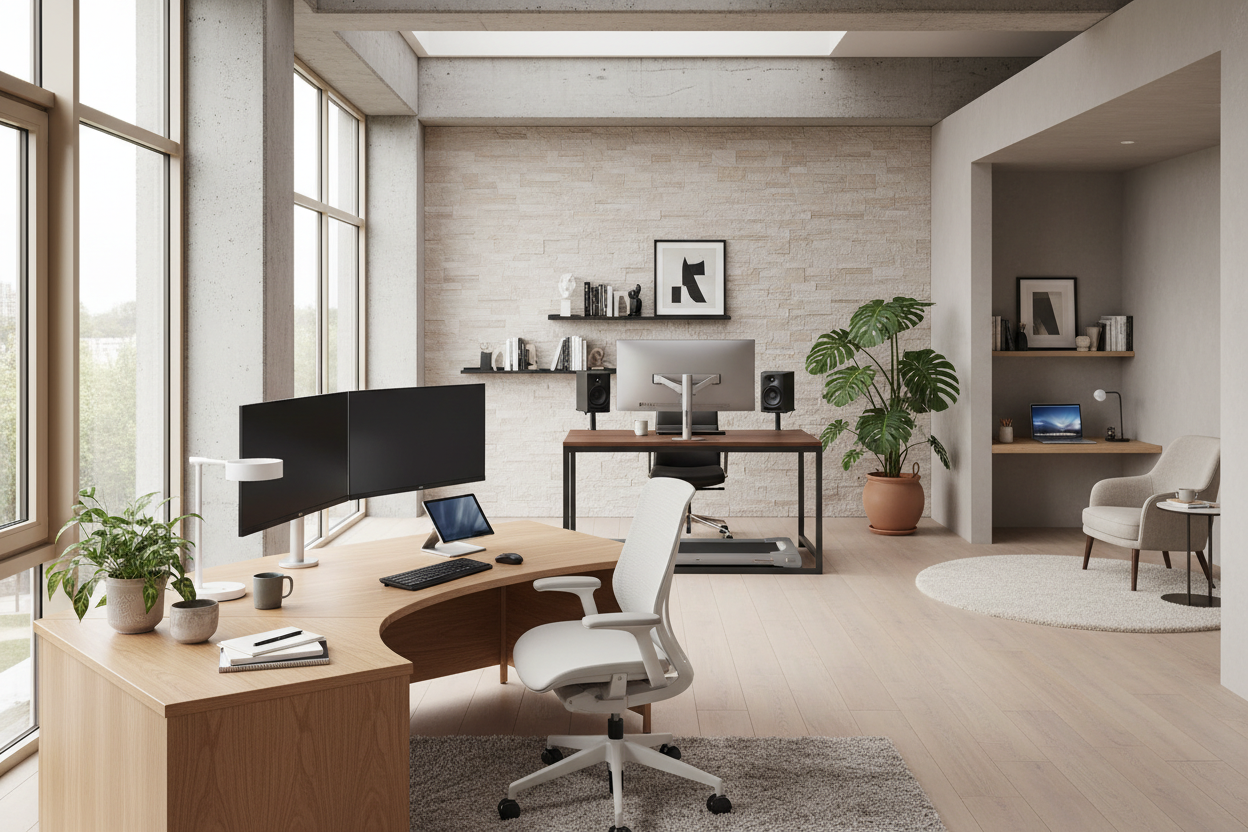
We often treat home workspaces as afterthoughts, shoving a utilitarian table into a spare corner and hoping for productivity. However, as an interior designer who has planned countless executive suites and residential studies, I can tell you that environment dictates output. The best office setup isn't just about buying the most expensive chair; it is about curating a space that balances high-performance ergonomics with the visual warmth of a well-loved home.
Key Features to Look For
- Ergonomic Integrity: Prioritize adjustability in chairs and monitor height to prevent long-term strain.
- Material Durability: Look for scratch-resistant laminates or sealed solid woods (like walnut or oak) that age gracefully.
- Lighting Layers: Combine ambient overhead light with focused task lighting to reduce eye fatigue.
- Spatial Flow: Ensure a minimum of 36 inches of clearance behind your desk for chair movement.
- Cable Management: Integrated grommets or under-mount trays are essential for visual clarity.
Anchoring the Space: The Desk Selection
The desk is the focal point of the room, dictating the layout and style of the entire area. When sourcing the best home desk setup for a client, I look at "visual weight." A heavy, double-pedestal desk demands a large room, while a parson-style desk with slender metal legs keeps a smaller room feeling airy.
Material Matters: While glass looks sleek, it is cold to the touch and creates glare from overhead lighting. For a luxury feel that aids focus, I recommend matte-finished wood veneers or linoleum-topped desks. These materials offer tactile warmth and dampen the sound of typing, a subtle detail that contributes to a calmer workflow.
The Chair: Function Meets Silhouette
Many homeowners make the mistake of choosing a dining chair for their office because it matches the decor. This is a physiological disaster. The best office setups always feature a task chair with lumbar support, seat depth adjustment, and tension control.
However, you do not have to settle for a bulky, black plastic eyesore. Look for performance chairs wrapped in high-grade fabric or leather rather than standard mesh. Brands are now producing ergonomic chairs with softer silhouettes and residential color palettes—think charcoal greys, cognacs, or muted greens—that blend seamlessly into a home environment.
Lighting and Layout Strategy
Positioning is everything. Never place your monitor directly in front of a window (backlight causes eye strain) or with a window directly behind you (glare on the screen). Perpendicular positioning is the gold standard.
To achieve the best home office desk setup, you must layer your lighting. Relying solely on a ceiling fixture creates harsh shadows. I always specify an articulated task lamp with a Color Rendering Index (CRI) of 90 or higher. This ensures that the colors on your desk look true to life and provides a focused pool of light that psychologically triggers 'work mode.'
My Personal Take on the Best Office Setup
In my years of designing, I have learned that specifications on a website rarely tell the whole story. A few years ago, I designed a custom setup for my own home office using a stunning, reclaimed oak slab. It looked incredible in photos.
However, I realized within a week that the rustic, uneven texture—while beautiful—was a nightmare for writing on paper without a blotter, and my optical mouse jittered constantly. Furthermore, I installed a heavy-duty monitor arm, but the wood wasn't dense enough at the clamp point, leading to a subtle but maddening "monitor wobble" every time I typed vigorously.
Now, when I advise clients, I check the density of the desktop core specifically for monitor arm stability, and I insist on a satin-smooth finish for the primary work zone. It is these unpolished, practical realities that define true comfort over time.
Conclusion
Creating a workspace is an investment in your mental clarity. By selecting materials that age well, prioritizing lighting, and respecting ergonomic principles, you create a space that pulls you in rather than pushes you away. Don't settle for temporary solutions; build a foundation for your best work.
Frequently Asked Questions
What is the ideal desk depth for a home office?
For a standard setup with a laptop and monitor, a depth of 24 inches is the absolute minimum. However, for the best comfort and to allow space for a keyboard and wrist rest without feeling cramped, I strongly recommend a depth of 30 inches.
How do I fit a functional setup in a small apartment?
In tight spaces, utilize verticality. Wall-mounted shelving above the desk draws the eye up and clears the desktop. Look for a "ladder desk" or a wall-mounted floating desk which removes visual clutter at the floor level, making the room feel larger.
Is a standing desk worth the investment?
Yes, but with a caveat. A standing desk is only effective if it is stable at its highest setting. Many budget options wobble significantly when raised. Look for a dual-motor frame with a crossbar for maximum stability if you plan to stand frequently.

Leave a comment
This site is protected by hCaptcha and the hCaptcha Privacy Policy and Terms of Service apply.