










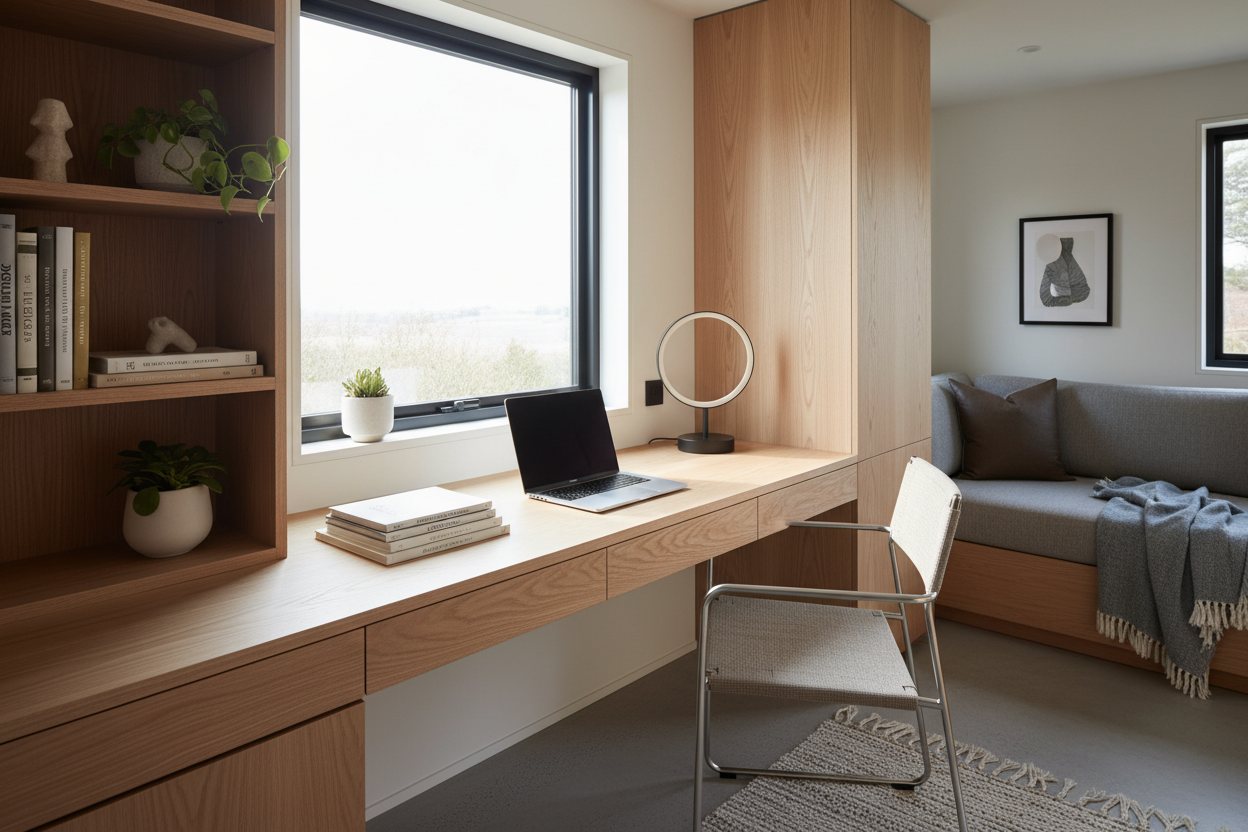
One of the most frequent challenges I encounter when planning accessory dwelling units (ADUs) or mobile layouts is the workspace dilemma. You need a dedicated area for productivity, yet every inch of floor space is premium real estate. Sacrificing productivity for square footage is a compromise you shouldn't have to make. In the world of micro-living, the tiny home desk is not just a piece of furniture; it is a lesson in architectural efficiency. Whether you are working from a converted van or a stationary foundation, the wrong choice can make your interior feel cluttered and claustrophobic.
Key Features to Look For
- Visual Weight: Opt for materials like glass, acrylic, or light-toned woods (ash, birch) to keep the space feeling open.
- Mounting Mechanism: Wall-mounted or cantilevered designs free up legroom and floor space.
- Dual Functionality: Look for surfaces that can transition from workspace to dining table.
- Depth Profile: A depth of 18-20 inches is sufficient for laptops, while 24 inches is required for external monitors.
Mastering Materiality and Visual Weight
In a standard residence, a mahogany executive desk commands respect. In a tiny house, it commands too much space. When selecting a tiny house desk, you must consider "visual weight"—how heavy the object looks, not just how much it weighs.
I often advise clients to utilize materials that blend into the wall color or allow light to pass through. A floating desk made of clear acrylic or a slim-profile powder-coated steel creates a functional surface that virtually disappears when not in use. If you prefer the warmth of wood, opt for a live-edge slab with a narrow silhouette; the organic lines soften the rigid geometry typical of small structures.
The Ergonomics of Small Spaces
There is a dangerous tendency to reduce desk depth to 12 or 14 inches to save space. From an ergonomic standpoint, this is a mistake. You need adequate wrist support and a focal distance that prevents eye strain.
The Fold-Down Solution
If a permanent footprint isn't feasible, the drop-leaf or Murphy-style desk is the industry standard. However, hardware quality is paramount here. Cheap hinges will result in a sloping surface that causes pencils to roll and coffee to spill. Look for heavy-duty, marine-grade locking brackets that snap firmly into a 90-degree angle. This ensures your workspace feels as rigid as a built-in unit during work hours but reclaims your living area the moment you sign off.
Strategic Placement and Layout
Where you place the desk dictates the flow of the entire home. Placing a desk under a loft bed is a classic space-saver, but ensure you have adequate task lighting, as these areas often suffer from shadows. Alternatively, window-facing placements help visually expand the room, allowing your gaze to travel beyond the walls, which is essential for mental well-being in restricted square footage.
Lessons from My Own Projects
I want to share a specific realization from a project I worked on last year—a 250-square-foot modern farmhouse build. We installed a custom butcher-block fold-down desk. It looked stunning in the photos.
However, during the final walkthrough, I sat down to type and noticed something usually overlooked in showrooms: the "elbow bump." We had mounted the desk too close to a built-in storage bench. Every time I shifted my weight, my elbow knocked against the cabinetry. It was a functional failure despite the aesthetic success.
We had to remount the desk three inches to the left. Furthermore, because this was a tiny home on wheels, the drop-down mechanism rattled incessantly during transit test drives. The fix? We added small, industrial felt bumpers and a secondary travel latch—a detail you won't find in a catalog, but one that preserves your sanity on the road.
Conclusion
Designing a workspace in a miniature footprint requires a shift in perspective. It is about finding the balance between a surface that is substantial enough to work on and subtle enough to ignore when the day is done. By focusing on high-quality hardware, visual lightness, and precise ergonomics, you can curate a professional environment anywhere.
Frequently Asked Questions
What is the minimum depth for a functional tiny home desk?
For a laptop setup, 18 inches is the absolute minimum to allow for wrist support. If you use a separate keyboard and monitor, aim for 22 to 24 inches to maintain proper focal distance.
How do I handle cable management in an open workspace?
Since the back of the desk is often visible, use underside cable trays or hollow-leg designs to route wires. Wireless peripherals are also highly recommended to reduce visual clutter.
Can I use a regular dining chair with my desk?
To save space, avoid bulky office chairs. Instead, use a dining chair that slides fully under the desk, or an ergonomic stool that can be tucked away into a closet or hung on a wall hook when not in use.


Leave a comment
This site is protected by hCaptcha and the hCaptcha Privacy Policy and Terms of Service apply.