



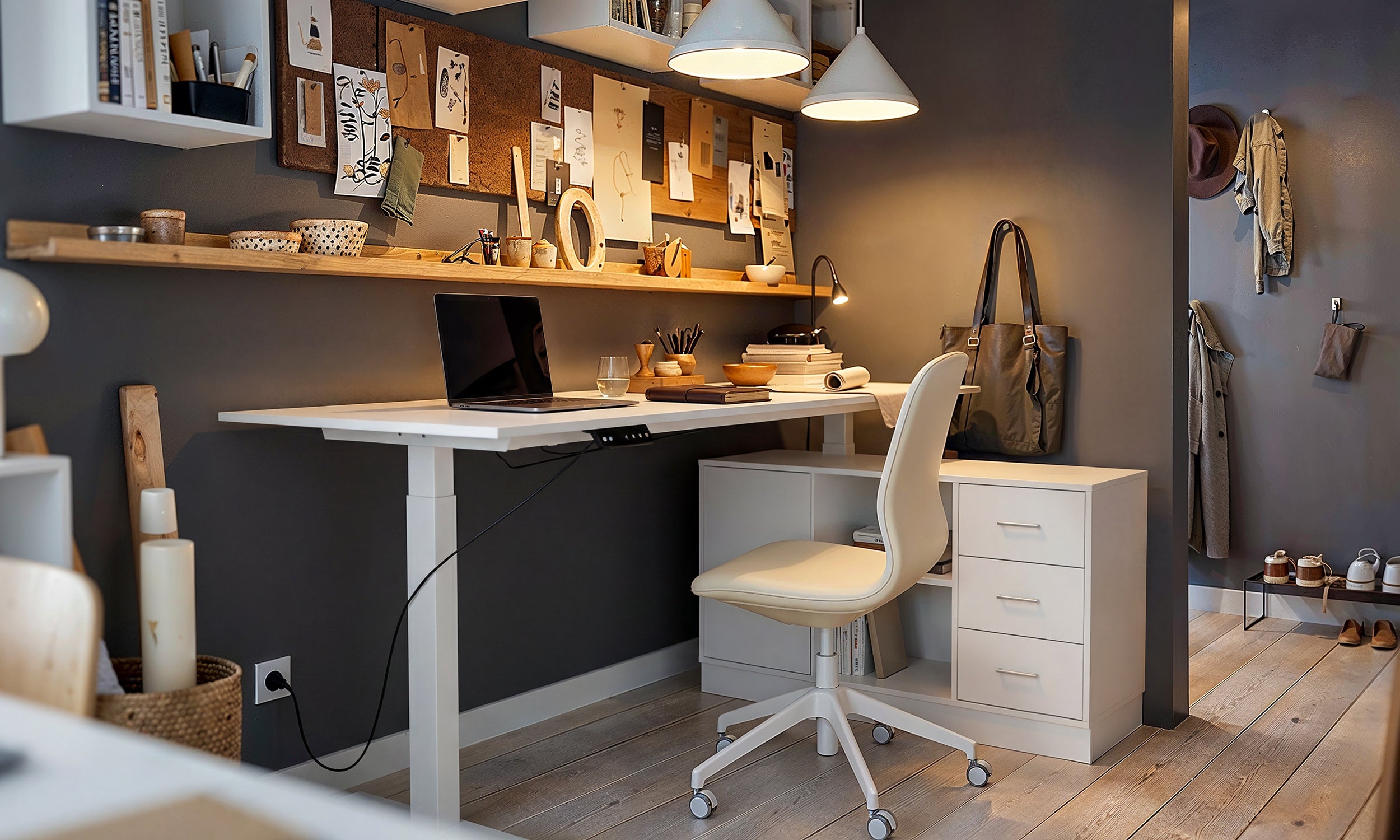
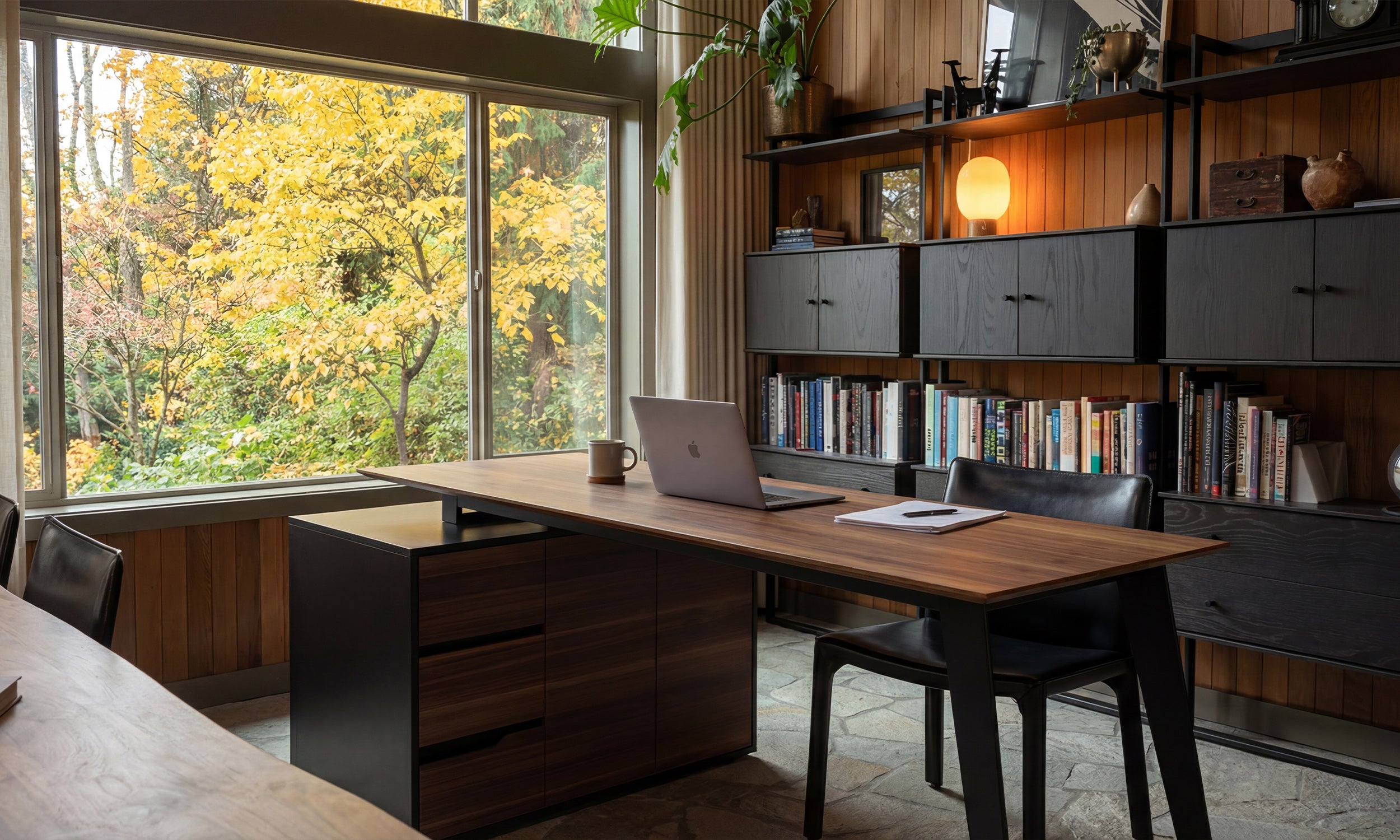



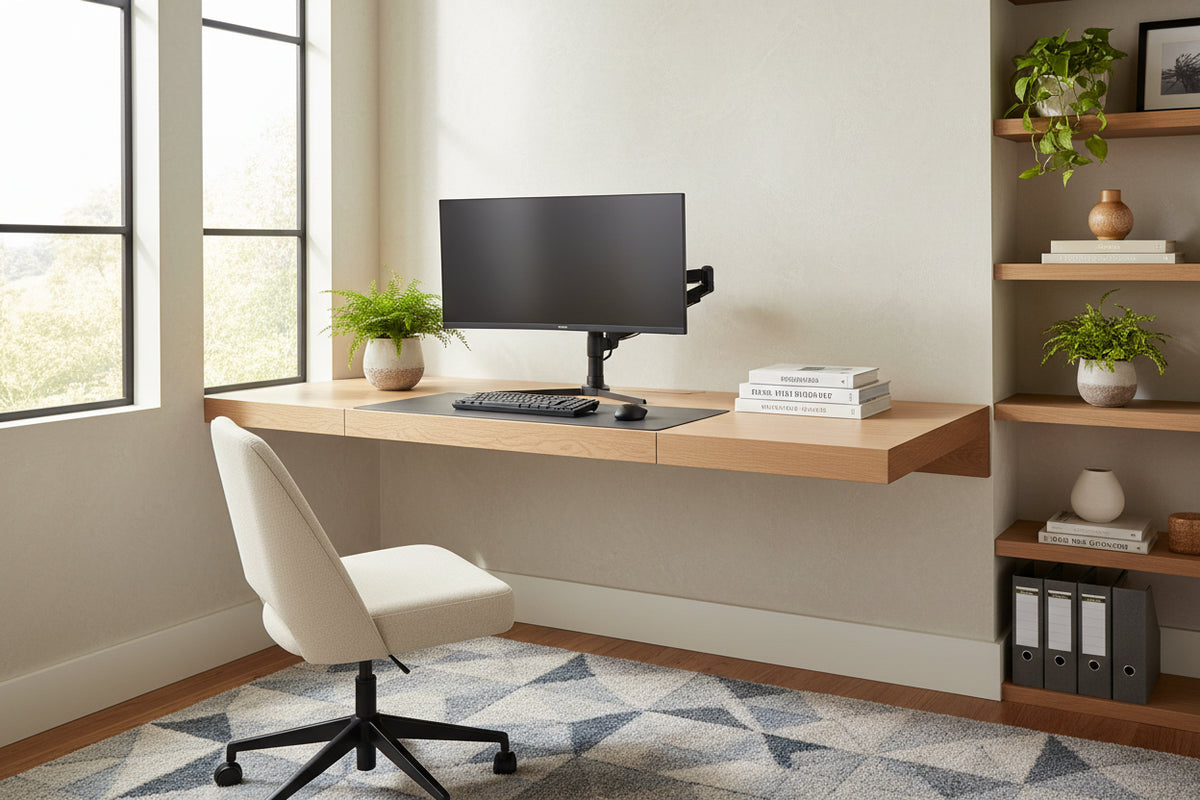
A gap between a desk and the wall usually comes from something the desk cannot sit over: a baseboard, an outlet and its plugs, a window sill, a monitor clamp on the back edge, or a standing desk that needs room to move. Fill it with a ledge or shelf that bridges the gap, a cable tray or raceway, a gap filler strip, or a monitor riser that reaches the wall, or choose a desk with a hutch, back panel or pegboard. If the gap is large, or the desk is a standing desk, it can make more sense to move the desk off the wall on purpose and manage the cables from behind.
Below: what to measure, eight fixes, the cable rules that matter behind a desk, a note on standing desks, and five picks from the FUFU&GAGA home office collection.
Key takeaways
- Find the cause first. A baseboard, a plug, a clamp and a standing desk each call for a different fix.
- Measure the gap at desktop height, where things actually fall through.
- Never close the gap by crushing a cord. The CPSC says no furniture should rest on an electrical cord.
- On a standing desk, fix any filler to the desk, not the wall, and give cables slack for the full lift.
- If the desk floats, plan 36 to 42 inches behind it for a rolling chair.
Why there is a gap between your desk and the wall
Walls are rarely as flat as a desk's back. The usual causes are baseboards and trim that stop the legs or side panels short of the wall; plugs that stick straight out of an outlet behind the desk; window sills and radiators the desk has to clear; monitor arm clamps whose brackets need room behind the top; a standing desk that should not rub the wall as it moves; and bowed walls or sloping floors that leave a gap wider at one end. The result is the same: pens, notes and chargers slide off the back. The cause tells you whether to close the gap, cover it or use it.
What to measure first
- Gap width at desktop height, at both ends. If the numbers differ, a rigid filler has to suit the wider end.
- Baseboard thickness. If only the baseboard holds the desk off the wall, that is the gap at the top.
- Outlets and plug depth. The deepest plug sets the minimum gap unless you change the plug.
- Anything clamped to the back edge, and how far it reaches behind the desk.
- For a standing desk, its lowest and highest heights. The difference is how far every cable must stretch.
- What is on the wall above: switches, sills and vents a shelf or hutch would block.
8 ways to fill the gap between desk and wall
1. Bridge it with a ledge or desk shelf
A board or narrow shelf across the back of the desk, resting on the top or fixed to its back edge, turns the gap into a ledge for a phone, plant or lamp. Finished to match the desk, it extends the top and can make an ordinary desk look built in. Watch for: a made-to-measure ledge fits one wall only and may not suit a room with different baseboards. Leave a notch so cords drop through without being pressed.
2. Add a gap filler strip
Soft foam is cheap and squeezes into an uneven gap, but its sides can look unfinished from the doorway and it collects dust and pet hair. A rigid strip in wood or clear acrylic looks neater; clear acrylic stops items falling and lets light through. Watch for: a filler wedged tight against the wall drags on it when a standing desk moves and can press on cords behind it. Choose one that fixes to the desk and leaves a cable channel.
3. Put a cable tray or raceway under the back edge
If cables cause the gap, give them a home. A tray under the back of the top holds the power strip and loose runs, and a raceway (cable cover) on one leg takes the bundle down to the outlet. With cables off the floor, a ledge or filler can close the top. Watch for: CPSC's checklist says cords should not be fixed to walls or baseboards with nails or wire staples, which can cut or crush insulation. Use clips, ties or covers.
4. Use a monitor riser or wall shelf
A riser deep enough to reach the wall fills the back strip with something useful and frees the front for the keyboard. A wall shelf just above the desktop does the same without touching the desk. Watch for: moving the screen back moves it away from your eyes, and a shelf over a standing desk must clear everything on it at full height.
5. Swap the plugs and push the desk closer
If plugs hold the desk off the wall, flat or right-angle plugs can let it move closer. Watch for: a desk pressed against a plug can bend it or lever it out of the outlet, and CPSC lists loose-fitting plugs as a cause of overheating and fires. Leave room so nothing pushes on a plug, and never trim or alter plug blades, which CPSC also warns against.
6. Choose a desk with a hutch, back panel or pegboard
A hutch covers the wall behind the screen and gives the back edge a stop, a finished back hides cables, and a pegboard holds chargers and notes that would otherwise fall behind. Our desk wall ideas guide covers what to hang above a desk if you keep the wall open instead. Watch for: headroom and anchoring. An 82.7-inch hutch desk under an 8-foot (96-inch) ceiling leaves 96 - 82.7 = 13.3 inches above it. Anchor tall pieces as their instructions say; see our guide on how to anchor a bookcase to the wall.
7. Fill a side gap with a bookcase
When the desk sits in an alcove or against a return wall, the gap is often at the side. A bookcase there turns it into storage within reach. Pick one narrower than the strip with an inch or so spare: a 31.5-inch bookcase needs at least 31.5 inches plus that margin. Watch for: door swing past the desk edge or chair, and anchor any tall bookcase.
8. Move the desk off the wall on purpose
If the gap is several inches anyway, pull the desk well clear or float it facing the room. Then its back is on show, so it needs a finished back and a planned cable route. Dimensions.com, an architectural reference, gives 36 to 42 inches of chair space behind a desk when the chair rolls back and 18 to 30 inches when it stays at the desk (Office Workstation Clearances). To check your own, sit, push back and stand as you normally would, then measure from the desk edge to the back of the chair. Our guide to a desk in the middle of the room covers getting power to a floating desk.

Which fix suits your gap
| Fix | Suits a gap from | Watch for |
|---|---|---|
| Ledge or desk shelf | Baseboards, trim | Fits one wall; leave a cord notch |
| Gap filler strip | Small, even gaps | Foam shows; fix it to the desk |
| Cable tray or raceway | Cables, power strips | No nails or staples through cords |
| Monitor riser or wall shelf | Any back gap | Screen distance, standing height |
| Flat or right-angle plugs | Outlets behind the desk | Nothing may press on a plug |
| Hutch, back panel or pegboard | Any back gap | Headroom, anchoring |
| Bookcase at the side | Alcoves, side walls | Door swing, anchoring |
| Desk off the wall | Large gaps, standing desks | Chair space, cable route |
Standing desks: leave room for the travel
Keep the desk and the wall separate. Filler wedged between a moving desk and a fixed wall rubs, scrapes paint and can catch on trim. Fix any ledge, strip or tray to the desk so it rises with it, and run the full range once before loading the desk. A hutch or pegboard built onto the top moves with it.
Give every cable slack for the full lift. Each cable needs at least the difference between the highest and lowest settings. For two desks in our picks: 44.1 - 29.5 = 14.6 inches, and 44.9 - 29.6 = 15.3 inches. Bundle the cables, raise the desk to full height, and only then tie them down; a cord that is tight at the top can pull a plug out of its outlet. Our standing desk setup guide covers heights and monitors.
Cables and outlets behind a desk: the safety rules
These come from the U.S. Consumer Product Safety Commission's Home Electrical Safety Checklist and extension cord alert, and from OSHA:
- Never pinch a cord between desk and wall. CPSC says to move cords or furniture so no furniture rests on a cord; heavy weights can crush insulation or break wire strands.
- Don't wrap cords tightly to shorten them. CPSC notes wrapped cords trap heat, which can melt or weaken insulation.
- Extension cords are temporary. CPSC's Household Extension Cords Can Cause Fires says they should only be used temporarily and not run under carpets, through doorways or under furniture.
- Plug the power strip straight into the wall. OSHA's letter says power strips are not to be connected to other power strips or to extension cords, and UL-listed strips must be connected directly to a permanently installed outlet (OSHA, relocatable power taps).
- Let equipment breathe. CPSC advises placing computers and other electronics so air can circulate around them; don't pack a tower or adapter into a closed gap.
If the only outlet is right behind the desk and the plugs keep forcing a gap, adding an outlet is a job for a licensed electrician.
Our picks: desks and storage that close or use the gap
Five pieces from FUFU&GAGA, each dealing with the space behind or beside a desk in its own way. Sizes and features are as each listing states them.
71" Modern Minimalist Standing Desk with File Drawer and Storage Cabinet
A standing desk with built-in cable management, for a gap that is mostly cables. The listing gives a 70.9" W x 31.5" D desktop that lifts electrically from 29.5" to 44.1", a side drawer and a double-door cabinet with an interior shelf, in white, black or burlywood. The desktop holds 150 lb. The deep top leaves room for a riser at the back. It is one of our most-ordered desks.
Best for: a sit-stand setup with cables tidied under the desk rather than in the gap.
Skip it if: you need hanging files (the drawer is rated 10 lb and its inside size is not listed), or your gear weighs more than 150 lb.
59" Walnut Wood Electric Height Adjustable Standing Desk with Pegboard and Power Strip
This desk brings its own back wall: a 19.6" pegboard stands above the desktop, so chargers, headphones and notes hang behind the screen instead of falling behind the desk. In the photos it is mounted on the desk, so the wall stays untouched. The listing gives 56.1" H x 59" W x 21.7" D overall, a desktop that rises up to 45.3", 1 to 3 memory presets, a built-in power strip, a keyboard tray, three drawers and four open shelves, with a 170 lb lifting capacity.
Best for: a wall you cannot or would rather not drill, with lots of small gear.
Skip it if: you need the lowest sitting height before buying (the listing gives only the top height), or the power strip's outlet count and rating, which are not stated.

62.2" Traditional Writing Desk with Bookcase, 9 Drawers and 3-Color LED Lighting
A hutch desk that turns the wall behind it into storage. The listing gives 82.7" H x 62.2" W x 21.1" D overall, a 59.1" wide desktop, a 200 lb weight capacity, nine drawers with safety stops, a bookcase top with adjustable shelves and cabinets, and plug-in 3-color LED lighting (warm, natural or cool). It has a finished back, and wall anchoring hardware is in the box. Brown or natural.
Best for: a traditional study where one piece covers the wall and stops things sliding off the back.
Skip it if: you want a sit-stand desk, your ceiling or a window leaves too little room for an 82.7" piece, or you need the desktop height (not listed).

63" Modern Walnut Standing Desk with Electric Height Adjustment
A simple standing desk for a room where it can stand clear of the wall. The listing gives a 63" W x 31.5" D top that lifts from 29.6" to 44.9" at 20 mm per second, a 4-preset memory controller, built-in cable management and a 110 lb weight capacity. With no hutch or drawers, it suits a desk set off the wall or in front of a window.
Best for: floating a desk away from the wall, with cables routed under the top.
Skip it if: you need drawers or storage, or your monitors and equipment weigh more than 110 lb.
Sofna 31.5" Modern White Standard Storage Bookcase with Glass Door and Shelves
For a side gap between a desk and a wall. The listing gives 78.7" H x 31.5" W x 15.7" D, three glass-door tiers over a closed base cabinet, five adjustable, removable shelves (30" W x 14" D) and a 200 lb weight capacity. Tipover restraint hardware is included, and the listing says it must be anchored to the wall. It is one of our most-ordered bookcases.
Best for: an alcove or side strip next to a desk, with books and files behind glass within reach.
Skip it if: the side gap is narrower than 31.5", or you cannot anchor to that wall.
Picks compared
| Pick | W x D | How it handles the gap | Best for |
|---|---|---|---|
| 71" standing desk | 70.9 x 31.5 in | Cable management, deep top | Sit-stand with storage |
| 59" pegboard standing desk | 59 x 21.7 in | Pegboard above the top, power strip | Walls you cannot drill |
| 62.2" desk with bookcase | 62.2 x 21.1 in | Hutch, finished back | Traditional study |
| 63" walnut standing desk | 63 x 31.5 in | Cable management, no hutch | Desk off the wall |
| Sofna 31.5" bookcase | 31.5 x 15.7 in | Fills a side gap | Alcoves, side walls |
Quick checklist
- Measure the gap at desktop height at both ends.
- Find the cause: baseboard, plug, clamp, sill or standing desk.
- Check no cord is pinched, stapled or tightly wrapped behind the desk.
- Plug the power strip straight into a wall outlet.
- Choose a fix that attaches to the desk and leaves a cable channel.
- On a standing desk, run the full range before tying cables down.
- Check ceiling height for a hutch, and anchor tall pieces.
- If the desk floats, allow 36 to 42 inches for a rolling chair.
FAQ
How do I stop things falling off the back of my desk?
Close the top of the gap with a ledge across the back edge, a rigid filler strip fixed to the desk, or a monitor riser that reaches the wall. A desk with a hutch or pegboard does the same with no extra parts. Leave a slot so cords drop through without being pinched.
How much space should be between a desk and the wall?
If the desk faces the wall, only what the baseboard, plugs and cables need, with no cord pressed between desk and wall. If your chair sits between desk and wall, Dimensions.com gives 36 to 42 inches for a chair that rolls back.
Should a standing desk touch the wall?
No. It should rise and lower without rubbing the wall, baseboard or sill, so leave a small clearance and test the full range. Fix any filler to the desk rather than wedging it against the wall.
Is it safe to push a desk against an outlet?
Only if nothing presses on the plugs or cords. CPSC says no furniture should rest on a cord and that loose-fitting plugs can overheat. Use flat plugs where they fit, or ask a licensed electrician about moving or adding an outlet.
Do I need a desk without drawers to get closer to the wall?
Not usually: legs, trim and plugs cause the gap, not drawers. If you are weighing an open desk anyway, our guide to a desk without drawers covers where the storage goes.
Start with the cause and the cables, then the look. For desks with hutches, pegboards and cable management, browse the FUFU&GAGA home office collection.


Leave a comment
This site is protected by hCaptcha and the hCaptcha Privacy Policy and Terms of Service apply.