










I spent three months staring at a corner of my living room that looked like a server room exploded. Between the blinking green lights of my router and the tangle of thick, dusty black power bricks, it was a total eyesore. I finally fixed it with a low narrow storage cabinet, and honestly, I should have done it years ago.
Quick Takeaways
- Standard console tables fail because open legs show every dangling cord.
- Measure your window sill height first; most 'low' units sit around 24 to 30 inches.
- Solid wood beats particle board if you plan on actually using the drawers for heavy tech.
- Drilling a 2-inch hole in the back panel is the secret to keeping things cool and connected.
The 'Rat King' of Living Room Cords Had to Go
Every time I tried to relax on my sofa, my eye would inevitably drift to the corner. It wasn't just one cord; it was a modem, a router, a Hue bridge, and a power strip that looked like a legitimate fire hazard. I call it the 'Rat King'—that tangled mess of plastic and copper that seems to grow every time you add a new gadget. It killed the vibe of my entire apartment.
I tried those plastic cable management boxes you see on Instagram. They didn't work. They just looked like slightly cleaner plastic junk sitting on the floor. When you're trying to make a small apartment feel like a home rather than a dorm room, you need actual furniture, not 'as seen on TV' organizers. The visual weight of those exposed black wires against my light gray walls was driving me toward a breakdown at 1 AM while I scrolled through 47 tabs of sideboards.
Why a Standard Console Table Completely Failed Me
My first instinct was to grab a slim console table. It looked great in the catalog, but the moment I set it up, I realized the fatal flaw: open legs. Unless you are a literal wizard with zip ties and cable raceways, those cords are still going to dangle in plain sight. I spent two hours trying to tape the power strip to the underside of the table, only for the adhesive to fail and the whole mess to come crashing down at 3 AM.
If you want to actually hide the clutter, you need closed storage. Designers have known for decades that a cabinet with doors and drawers is the only way to maintain a clean visual line. Drawers are perfect for the small stuff—extra HDMI cables, remote batteries, and manuals you'll never read—while the doors hide the bulky tech that doesn't need to be seen. Open shelving is for curated ceramics; closed storage is for the reality of modern life.
Enter the 'Squat' Storage Solution
The challenge was my window. In my apartment, the only logical place for the router is right under a massive south-facing window. A standard 36-inch sideboard would have cut off the bottom of the frame and blocked the natural light I pay way too much rent for. I needed something 'squat'—a modern narrow storage cabinet that stayed under the 28-inch sill height but offered enough depth to actually hold a router.
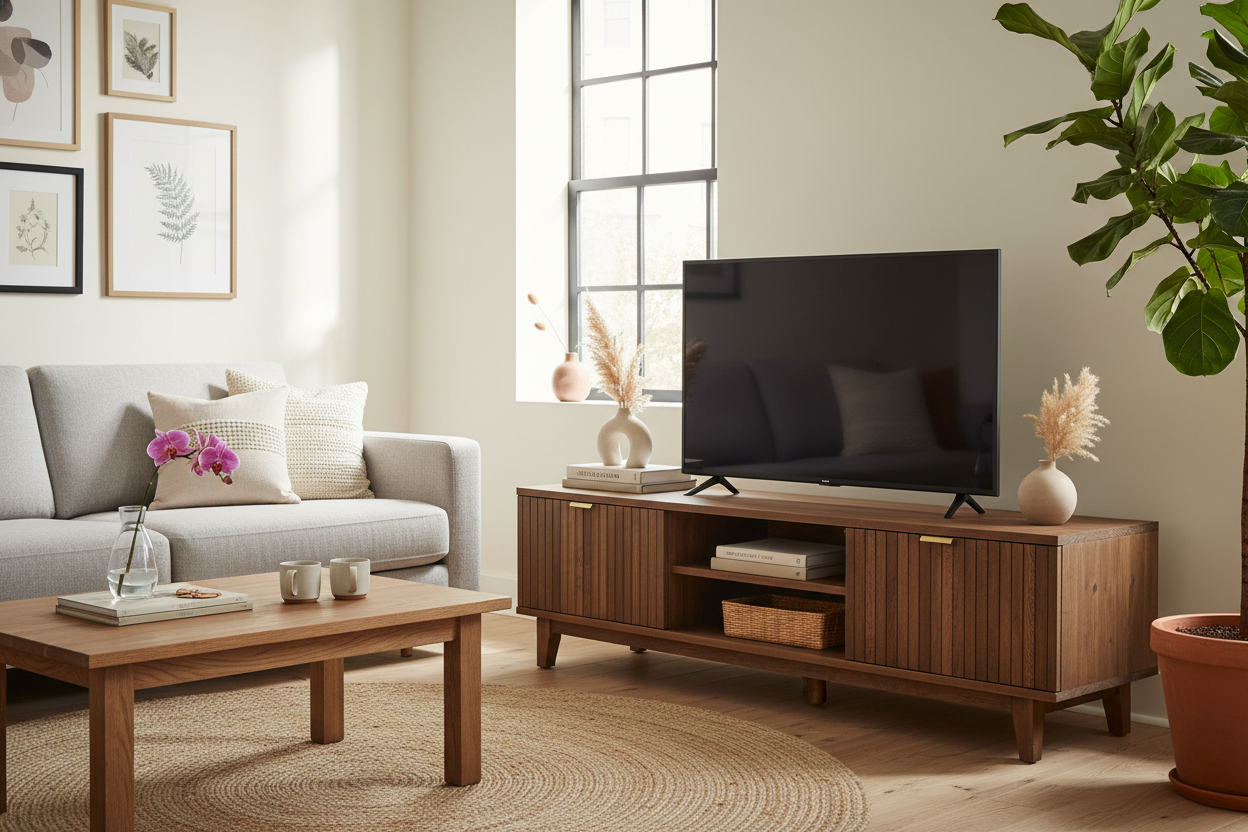
I looked at dozens of options, but most felt like flimsy office furniture. If you're going to put a piece of furniture in your primary living space, it shouldn't look like it belongs in a cubicle. I eventually opted for a solid wood modern sideboard. It has that mid-century profile but sits low enough to feel integrated into the wall. The 12-inch depth is the sweet spot; it's narrow enough that I don't trip over it, but deep enough to house my bulky Netgear router without bending the antennas.
How I Hacked the Backing for Cord Access
Here is the part where most people get stuck: how do you get the cords inside? Most furniture comes with a thin MDF or cardboard back panel. If you leave it off entirely, the cabinet loses its structural integrity and might wobble. Instead, I grabbed a cheap 2-inch hole saw bit for my power drill. I drilled two clean holes directly behind where the router and the power strip would sit.
This narrow cabinet with drawers and shelves became a custom tech hub in about ten minutes. By keeping the power strip inside the cabinet, only one single cord—the main power lead—has to exit the back and plug into the wall. I used a few adhesive cable clips to run that one cord down the leg of the cabinet, making it virtually invisible. Pro tip: make sure your router has at least two inches of clearance on all sides inside the cabinet to prevent it from overheating during a Netflix binge.
Hiding the Blinking Lights (Without Killing the Signal)
The greatest relief wasn't just hiding the cords; it was finally shutting the doors on those flashing LEDs. My bedroom is right off the living room, and at night, those router lights used to flicker like a tiny, annoying rave. Tucking everything into a white narrow cabinet with doors completely neutralized the light pollution. It makes the whole room feel calmer, especially in the evening.
I know what you're thinking: 'Won't the wood block the Wi-Fi?' I ran speed tests before and after. My gigabit connection still hits 400-500 Mbps over Wi-Fi throughout the apartment. Wood and MDF aren't like metal; they don't shield the signal significantly. Unless you're buying a literal lead-lined safe, your internet will be just fine. The trade-off—a clean, organized living room versus a 2% drop in signal strength—is a deal I'd make every single day.
FAQ
Will my router overheat inside a closed cabinet?
It shouldn't if you provide some breathing room. Don't cram the cabinet full of blankets or paper. As long as there's a couple of inches of air around the vents and a hole in the back for air exchange, modern routers stay well within safe operating temperatures.
Does a narrow cabinet tip over easily?
If it's under 30 inches tall and you aren't loading the top with heavy statues, it's usually stable. However, if you have kids or pets, always use the anti-tip kit. Most narrow units are 'leggy' and can be top-heavy when the drawers are pulled out.
How deep does the cabinet need to be for a router?
Most routers need at least 10 inches of depth once you account for the cables plugging into the back. Look for a cabinet with an internal depth of 12 inches to be safe. Anything shallower and you'll find yourself kinking your wires, which can actually damage them over time.

Leave a comment
This site is protected by hCaptcha and the hCaptcha Privacy Policy and Terms of Service apply.