










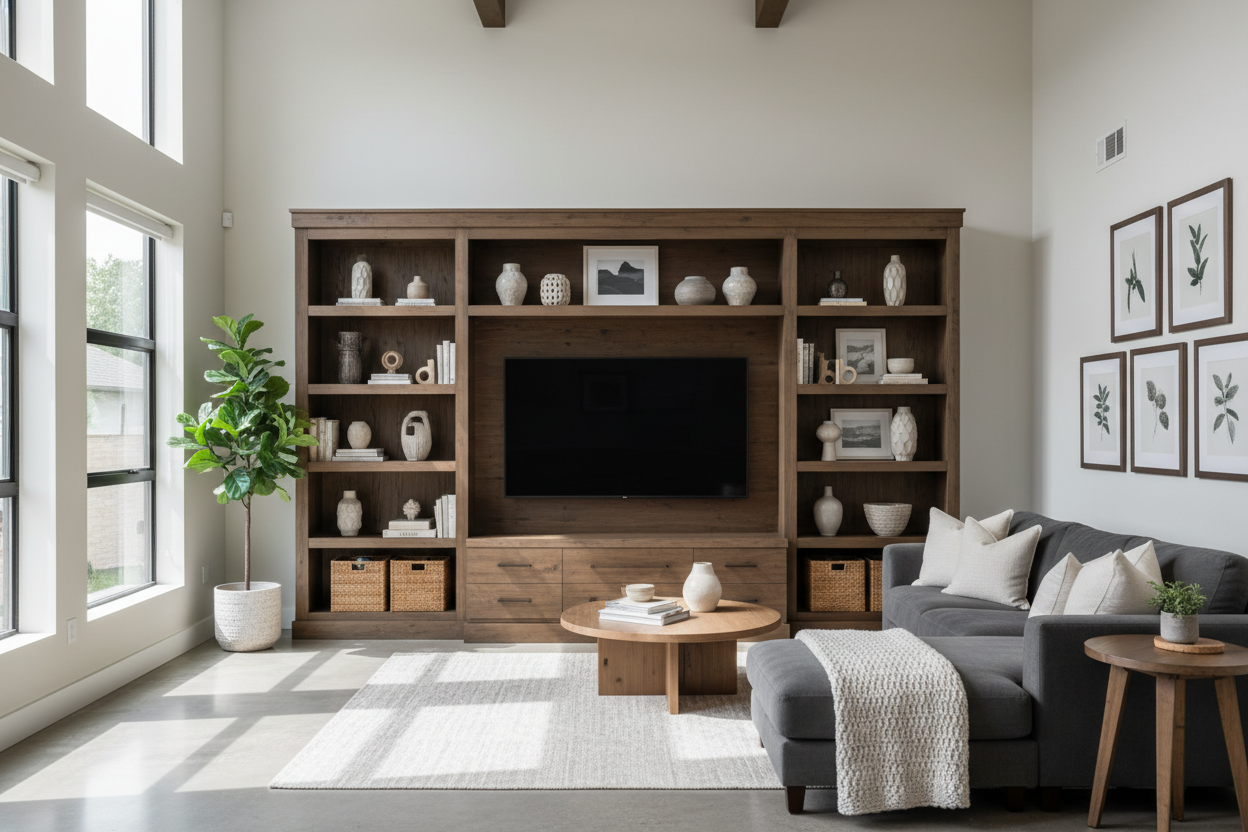
I remember my first 'adult' apartment. I spent three months saving for a velvet sofa that felt like a dream, only to realize my 55-inch TV was sitting on a $15 particle-board coffee table. It looked like a tech store had exploded in the middle of a boutique hotel. Your tv stand entertainment center shouldn't be a utility afterthought; it is the visual anchor of your entire living room.
- Proportions matter: Your stand should be at least 6-10 inches wider than your TV on both sides.
- Cable management: If I can see your tangled HDMI cords, the whole room feels messy.
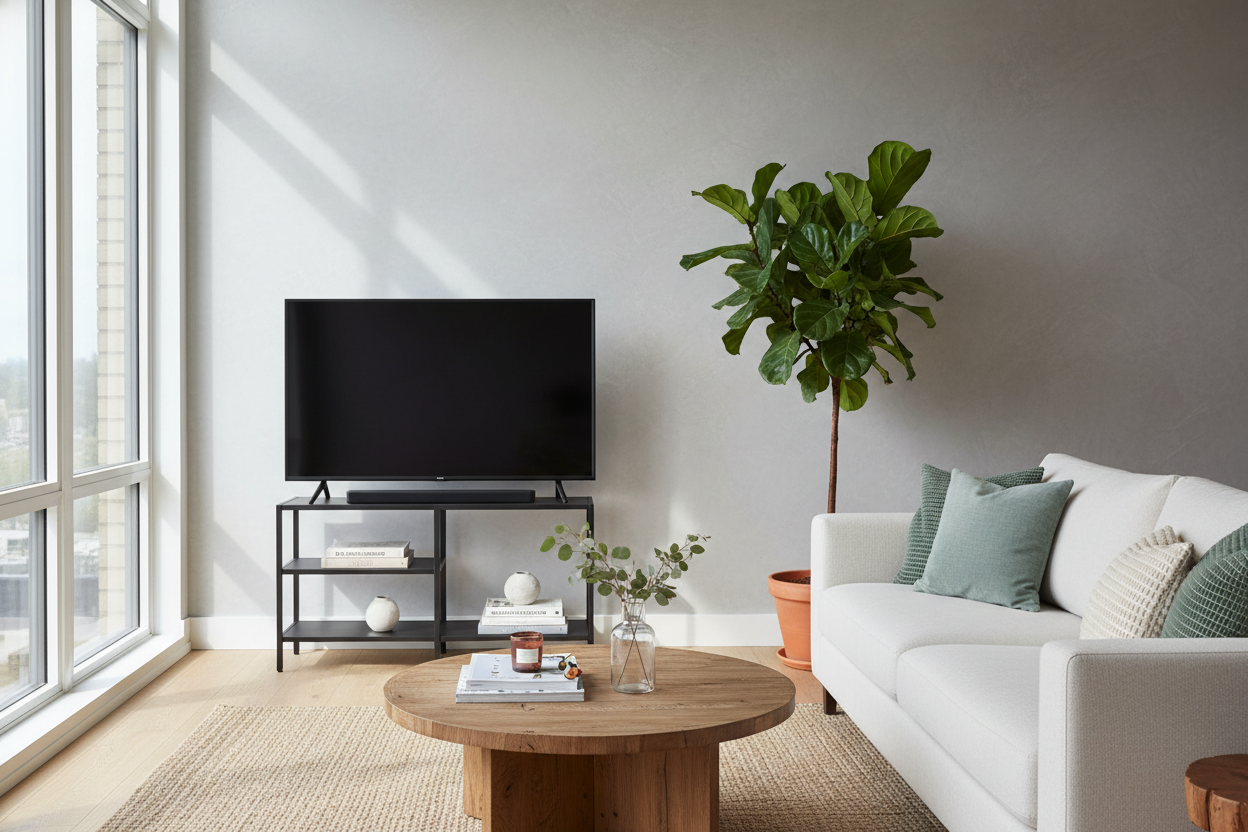
- Balance: Mix hard tech with soft textures like books, plants, or ceramic bowls.
- Lighting: Subtle backlighting reduces eye strain and makes the setup look expensive.
The 'College Dorm' Trap We All Fall Into
We have all been there. You buy the biggest screen your budget allows, then realize you have nowhere to put it. You grab a basic entertainment table for tv because it is cheap and holds the weight. But here is the truth: a massive black rectangle sitting on a flimsy, undersized console makes even a high-end room feel sterile and unfinished. It is the furniture equivalent of wearing a tuxedo with flip-flops.
When your consola de tv is too small, the TV looks like it is hovering precariously. I once tested a 48-inch stand with a 65-inch screen, and the overhang was so distracting I couldn't focus on the movie. You want a piece that feels substantial enough to ground the room, not something that looks like it is about to buckle under the weight of your Netflix habit.
Why an Entertainment Stand With Shelves is the Ultimate Fix
The biggest mistake people make is ignoring the 'dead space' around the screen. A center console tv setup often feels cold because it is all glass and plastic. This is where an rustic entertainment center with shelves becomes a literal lifesaver for your aesthetic. It allows you to flank the tech with organic textures.
I personally prefer a mix of open and closed storage. Use the closed cabinets to hide the ugly stuff—the router, the dusty PlayStation, and that nest of cords. Use the open shelves for things that tell a story. Think vintage hardbacks, a small trailing Pothos, or a piece of pottery that doesn't scream 'Best Buy.' This visual balance keeps the eye moving so the TV isn't the only thing you see when you walk in.
Swapping the Clutter for a Smart TV Console
If you are a minimalist, you probably hate the look of a bulky tv cabinet set. I get it. But the solution isn't a smaller, cheaper stand—it is a smart entertainment center designed for the modern era. We are talking about built-in wire management channels that actually work, rather than just one sad hole in the backboard that barely fits a power strip.
Modern designs have come a long way. A sleek led tv stand console table offers integrated lighting that feels intentional. I used to think built-in LEDs were tacky until I tried a unit with soft, warm-toned backlighting. It creates a 'halo' effect against the wall that makes the screen feel integrated into the architecture of the room rather than just a piece of glass stuck to it.
My 3-Step Formula for Styling a Stand Alone Entertainment Center
Styling a smart tv console shouldn't be stressful. My foolproof method starts with the 'Rule of Three.' Group items in threes of varying heights—a tall vase, a medium book, and a small brass object. This creates a silhouette that leads the eye away from the screen's harsh corners.
Step two: Add life. A trailing plant like a Philodendron placed on one end of your stand alone entertainment center softens the edges. Step three: Layer your art. Lean a small framed print against the wall behind the console. If you really want to clear the floor, a wall mounted media console is my go-to for small apartments. It keeps the floor line visible, which trick the eye into thinking the room is much larger than it actually is.
Getting the Proportions Right for Your Space
Before you buy, measure twice—then measure again. I have seen too many people buy a beautiful tv cabinet set only to realize it is 2 inches too deep for their walkway. You want about 3 feet of clearance in front of the unit so you aren't bumping your shins every time you grab the remote. Also, consider height. Your eyes should be level with the bottom third of the screen when you are seated. If you have to crane your neck up, your stand is too tall.
Ready to stop living in a tech-cluttered vacuum? You can browse our favorite tv stands to find a piece that actually fits your screen and your style. Don't let a bad console ruin a good room.
FAQ
How wide should my TV stand be?
Ideally, the stand should be at least 20% wider than the TV. This prevents the 'top-heavy' look and gives you room to place a lamp or a plant on either side without crowding the screen.
Can I put a 65-inch TV on a 55-inch stand?
Technically yes, if the legs fit, but it will look terrible. The overhang creates visual tension that makes the room feel cramped and the TV feel unstable. Always go wider than the screen.
How do I hide cables if my stand is open?
Use cable management sleeves or adhesive clips to run the wires down the back of the legs. If the stand has no back, tuck a decorative basket underneath to catch the excess cord length.


Leave a comment
This site is protected by hCaptcha and the hCaptcha Privacy Policy and Terms of Service apply.