










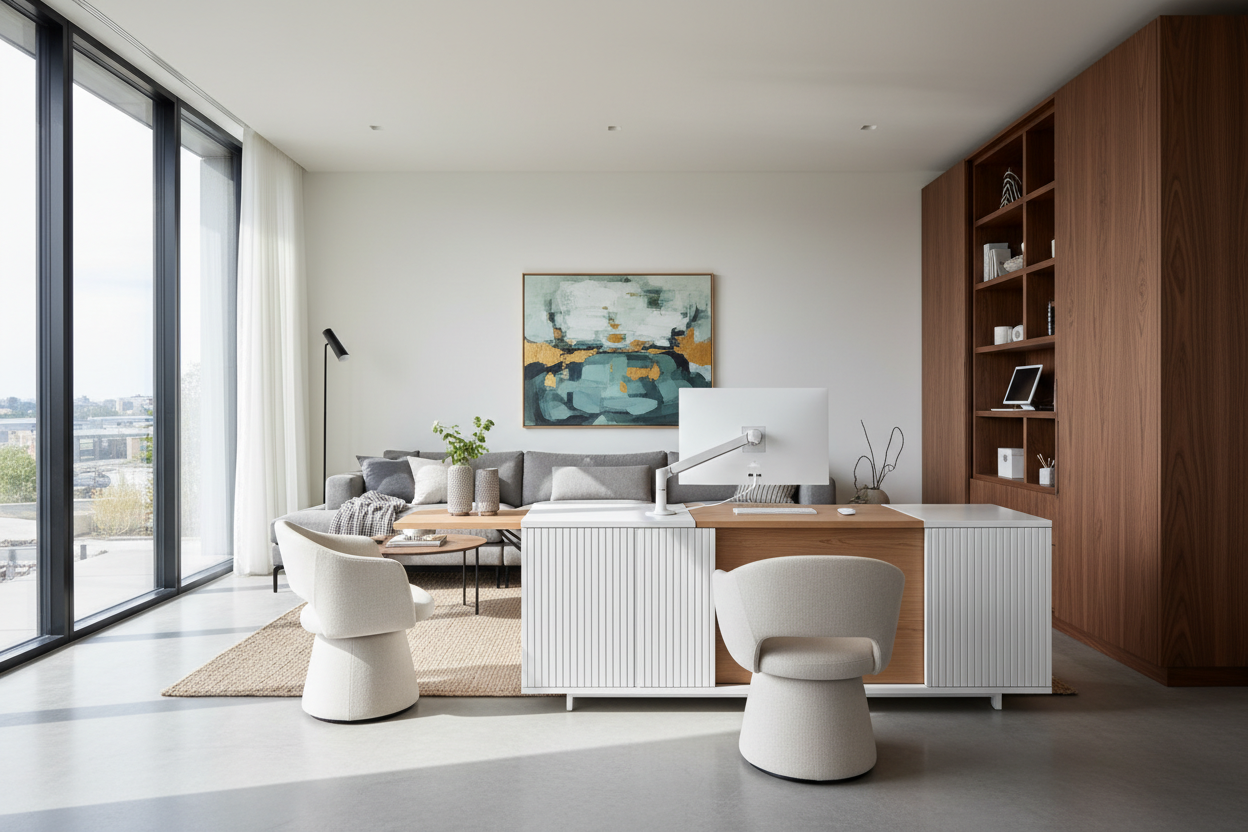
We have all been there. You are scrolling at midnight, pinning gorgeous, clutter-free workspaces with floating walnut desks and sculptural chairs. But when you try to replicate those modern office ideas pinterest serves up on your feed, the reality hits hard. Where do the printer cables go? Why does your back hurt after an hour? What looks stunning in a styled, brightly lit photograph often fails the test of a standard nine-to-five workday.
Today, we are going to bridge the gap between aesthetic inspiration and practical design. You will walk away knowing exactly how to build a workspace that looks high-end but actually functions for real life in a standard North American home.
Quick Decision Guide
- Prioritize wire management before buying a desk; open-concept frames expose every cord.
- Swap rigid accent chairs for ergonomic task seating upholstered in high-performance fabrics.
- Leave a minimum of 42 inches of clearance behind your desk to roll back comfortably.
- Use a mix of ambient, task, and accent lighting to avoid the harsh glare of overhead bulbs.
Translating the Aesthetic into Reality
The Minimalist Desk Trap
Visually light, thin-profile desks are incredibly popular online. However, they almost always lack integrated storage. If you opt for a sleek writing desk, you must plan for secondary storage. A low-profile rolling pedestal or a matching lateral file cabinet nearby is essential to keep the desktop clear of daily clutter.
Seating: The Lumbar Compromise
That beautiful velvet accent chair might look amazing tucked under a desk, but it is not an eight-hour work chair. Residential dining or accent chairs lack the proper seat pitch and lumbar support required for long-term comfort. Look for modern ergonomic chairs that feature adjustable tension and seat depth, which are now being manufactured in warmer residential fabrics rather than stark corporate mesh.
Space Planning for the WFH Era
Nailing the Clearances
Proportion is everything in a home office. A common mistake is buying a desk that is too shallow. If you use a laptop, a 24-inch depth works. If you run dual monitors, you need a minimum depth of 30 inches, or the screens will sit uncomfortably close to your face. Additionally, always leave 42 to 48 inches of negative space between the back of your desk and the wall or shelving behind you.
Layering Textures and Lighting
Warming Up the Tech
Technology inherently feels cold and sterile. When you browse a modern office pinterest board, the most successful spaces counter this by layering organic textures. Think ribbed wool rugs, natural white oak or walnut finishes, and matte ceramic table lamps. Avoid matching furniture sets; instead, mix wood tones with powder-coated metals to give the room an evolved, custom feel.
Lessons from My Own Projects
A few years ago, I designed what I thought was the ultimate minimalist home office for a client in Chicago. We used a stunning cantilevered glass desk with brass accents. It photographed beautifully. But within two weeks, the client called me in frustration. The glass surface caused massive glare during her afternoon video calls, and because the desk had zero drawers, her highlighters and notebooks ended up piled in a messy plastic tray on top.
Worse, the monitor cables hung down like a tangled spiderweb. I learned the hard way that an office desk must be a tool first and a sculpture second. We ended up swapping it for a solid white oak desk with integrated cable trays and a shallow pencil drawer. It maintained the clean lines but actually supported her workflow.
Frequently Asked Questions
How do I hide wires on a minimalist desk?
Use under-desk cable management trays, zip ties, and adhesive clips. If your desk is floating in the middle of the room, run a single braided cord down a desk leg and cover the floor wire with a low-profile rug or cord concealer.
What size desk do I need for a dual-monitor setup?
You need a desk that is at least 60 inches wide and 30 inches deep. Anything shallower will position the screens too close to your eyes, leading to visual strain, and leave you with no room for a keyboard and notepad.
Can a dining chair work as an office chair?
Only for short stints. If you work from home full-time, a dining chair lacks the seat pitch, adjustable height, and lumbar support your spine requires. Invest in a proper ergonomic chair designed for residential aesthetics.



Leave a comment
This site is protected by hCaptcha and the hCaptcha Privacy Policy and Terms of Service apply.