










Designing a workspace often starts with a surge of inspiration, but it frequently ends in a clutter of cables and mismatched aesthetics. As a designer, I see clients struggle to balance the stark utility of technology with the warmth of a well-curated room. The challenge lies in selecting furniture office equipment that serves your workflow without turning your home into a sterile cubicle farm. This guide cuts through the noise to help you curate a space that works as hard as you do.
Key Features to Look For
- Ergonomics First: Prioritize adjustable lumbar support and seat depth over pure aesthetics to prevent long-term strain.
- Material Durability: Look for high-pressure laminates or sealed solid wood that can withstand heat from electronics and coffee spills.
- Wire Management: Ensure desks and storage units have integrated grommets or hidden channels to manage the "spaghetti" of cords.
- Visual Weight: In smaller rooms, opt for legs rather than solid bases to keep the floor visible and make the space feel larger.
Harmonizing Tech with Textiles
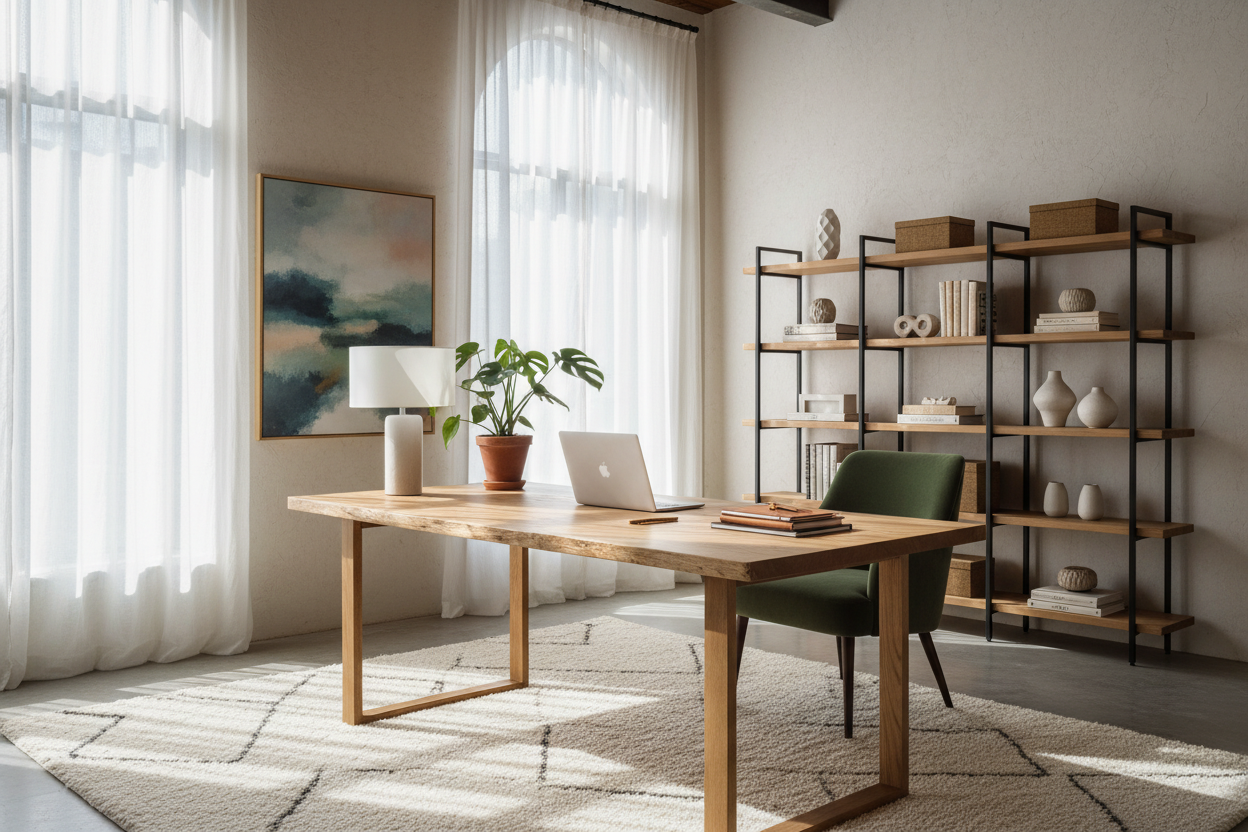
The biggest friction point in office design is the clash between sleek, plastic office equipment and furniture composed of wood or fabric. To bridge this gap, focus on texture. If you have a heavy, black monitor setup, counterbalance it with a desk surface that has a rich, tactile grain—like walnut or white oak. This softens the technological edge.
Furthermore, consider the silhouette of your seating. A mesh task chair is breathable and functional, but it can look overly industrial. Look for chairs that conceal the ergonomic mechanisms within fabric upholstery or leather. This maintains the visual integrity of a residential style while providing the necessary support for an eight-hour workday.
Space Planning and Workflow
The Triangle of Efficiency
Just as a kitchen has a work triangle, your office has a flow between the desk, the storage, and the printer station. Keep your primary furniture office equipment within arm's reach. If you have to roll your chair across the room every time you need to retrieve a document, the layout has failed. Position your storage credenza perpendicular to your desk to create an L-shape configuration; this doubles your surface area without dominating the room's footprint.
Lighting as a Design Tool
Never rely solely on overhead pot lights. They create harsh shadows that strain the eyes when working on screens. Layer your lighting. Use a dedicated task lamp with an articulated arm for focused work, and ambient floor lighting to soften the contrast between your bright monitor and the dark room. This reduces eye fatigue and adds a layer of sophistication to the environment.
Materiality: Veneer vs. Solid Wood
When selecting a desk, the debate often lands on solid wood versus veneer. For heavy computer users, high-quality veneer over MDF is often superior to solid wood. Solid wood expands and contracts with humidity changes, which can warp over time and destabilize sensitive equipment. A premium veneer offers the beauty of wood but remains dimensionally stable, ensuring your monitors always sit level.
Lessons from My Own Projects
I want to share a specific mistake I made early in my career so you don't have to repeat it. I once specified a stunning, floating glass desk for a client who wanted a "minimalist, invisible" look. It looked incredible in the rendering.
However, within a week of installation, the client called me. The reality of using a glass desk for heavy furniture office equipment was a nightmare. Every single fingerprint was visible, requiring constant Windex. Worse yet, because the desk was transparent, there was absolutely nowhere to hide the cables from the computer tower and monitors. We ended up having to install a custom cable raceway that ruined the "invisible" aesthetic anyway. Now, I always advise clients: if you have heavy tech, choose a desk with a modesty panel or a solid back. It hides the chaos of wires that is inevitable in a working office.
Conclusion
Your workspace should be a reflection of your professional ambition and your personal taste. By intentionally selecting pieces that hide the ugly reality of wires while highlighting beautiful textures, you create an environment where focus comes naturally. Don't settle for the default corporate look; curate a space that commands respect.
Frequently Asked Questions
How much space do I need behind my desk chair?
For a comfortable workflow, allow at least 36 to 48 inches of clearance behind your desk. This allows you to push back, swivel, and stand up without hitting a wall or bookshelf, preventing the space from feeling cramped.
Can I mix vintage furniture with modern office equipment?
Absolutely. In fact, placing a modern iMac on a vintage mid-century teak desk creates a compelling juxtaposition. The key is to ensure the vintage piece is sturdy enough to support the weight and that you use cable clips to route wires discreetly down the legs.
What is the best desk depth for multiple monitors?
If you are running dual monitors, avoid standard writing desks which are often only 24 inches deep. Aim for a depth of 30 inches or more. This distance prevents eye strain by keeping the screens at the proper focal length.

Leave a comment
This site is protected by hCaptcha and the hCaptcha Privacy Policy and Terms of Service apply.