










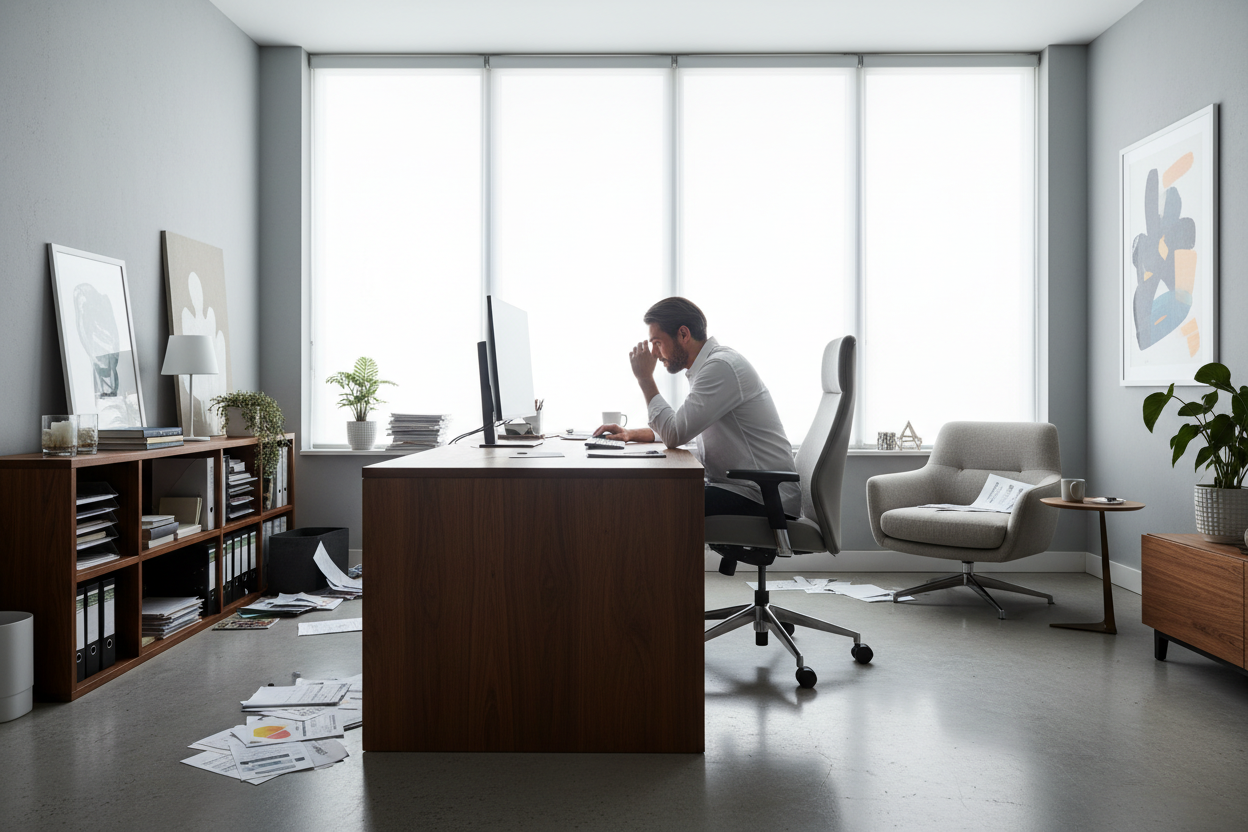
We often assume that a lack of focus stems from poor time management or digital distractions. However, as an interior designer who has overhauled hundreds of workspaces, I find the culprit is usually the physical environment itself. You can buy the most expensive executive chair on the market, but if your spatial planning ignores human behavior, your workflow will suffer. True productivity in office design is not about minimalism or buying trendy decor; it is about creating a symbiotic relationship between your body, your senses, and your furniture.
Core Elements of a High-Performance Workspace
- Ergonomic Alignment: Prioritize chairs with adjustable lumbar support and seat depth to maintain the natural S-curve of the spine.
- Lighting Temperature: Utilize 4000K (cool white) task lighting for focus, layered with warmer ambient light to reduce eye strain.
- Acoustic Control: Incorporate soft textures (rugs, curtains, upholstered panels) to dampen reverb and echo.
- Visual Anchors: Position the desk in the "command position" facing the door, rather than facing a blank wall.
- Material Tactility: Choose natural materials like wood or leather over glass or metal to reduce sensory fatigue.
The Ergonomic Foundation: Beyond the Chair
When clients ask me about office and productivity, they almost always start with the chair. While crucial, the relationship between the chair and the desk is where the real magic happens. A common error is mismatched heights. If your elbows are not at a 90-degree angle while typing, your trapezius muscles tighten, leading to tension headaches that kill focus by 2:00 PM.
Look for desks with adjustable legs or sit-stand mechanisms. If you are selecting a fixed-height desk, ensure the clearance allows your legs to move freely. We want to avoid "static loading"—where muscles hold a position for too long. The furniture should encourage micro-movements throughout the day.
Lighting Layers and Circadian Rhythm
Lighting is the unsung hero of office productivity. Relying solely on overhead recessed cans creates harsh shadows and glare on screens. To combat this, we use a layered approach:
Task Lighting
Invest in an articulated desk lamp with adjustable Kelvin temperatures. For high-focus tasks, a cooler light (around 4000K) mimics daylight and suppresses melatonin, keeping you alert.
Ambient Softening
To prevent the sterile "cubicle effect," introduce a floor lamp with a linen shade or warm LED strips behind monitors (bias lighting). This reduces the contrast between a bright screen and a dark room, significantly lowering eye fatigue.
Materiality and Sensory Feedback
The materials you touch impact how you feel. I often steer clients away from glass desktops for high-use areas. While they look sleek, they are cold to the touch and cause wrist fatigue due to their hardness. They also create acoustic reflections.
Instead, opt for solid wood or high-quality veneers. Wood has a lower thermal conductivity, meaning it feels warmer and more inviting. It also offers a subtle tactile resistance that stops papers and devices from sliding, grounding the workspace. When considering productivity in the office, the tactile experience is just as vital as the visual one.
My Personal Take on Productivity in Office Design
I learned the hard way that aesthetics cannot override function. Early in my career, I designed a home office for a client using a stunning, high-gloss lacquered Parsons desk. It looked incredible in the portfolio photos. However, two months later, the client called me. He hated working there.
The issue wasn't the size or the chair. It was the finish. The high-gloss surface reflected the overhead lights directly into his eyes, causing migraines, and every time he touched the desk, it left greasy fingerprints that distracted him. He spent more time wiping the desk than working. We swapped it for a matte-finish walnut executive desk with a leather blotter. The difference was instant. He told me the "visual noise" was gone. That experience taught me that real luxury is frictionless utility.
Conclusion
Transforming your workspace isn't just about buying new furniture; it's about curating an environment that respects your physiology. By prioritizing ergonomics, layering your lighting, and selecting materials that offer tactile comfort, you remove the invisible friction that slows you down. A well-designed office doesn't just look good—it disappears, letting you focus entirely on your work.
Frequently Asked Questions
How does color affect office productivity?
Color psychology plays a massive role. Blues and greens are generally considered best for focus and efficiency as they are low-wavelength colors that promote calmness. High-energy colors like red should be used sparingly as accents, or they may induce anxiety.
What is the ideal desk depth for a computer setup?
For a standard setup with a monitor, aim for a depth of at least 24 to 30 inches. This allows you to place the monitor at an arm's length away, preventing eye strain, while leaving enough foreground space for a keyboard, notebook, and coffee.
Is a sit-stand desk worth the investment?
Absolutely. The ability to alternate between sitting and standing increases blood flow and oxygen levels to the brain. However, ensure the desk has a stable cross-beam; cheaper models tend to wobble at full height, which disrupts concentration.

Leave a comment
This site is protected by hCaptcha and the hCaptcha Privacy Policy and Terms of Service apply.