










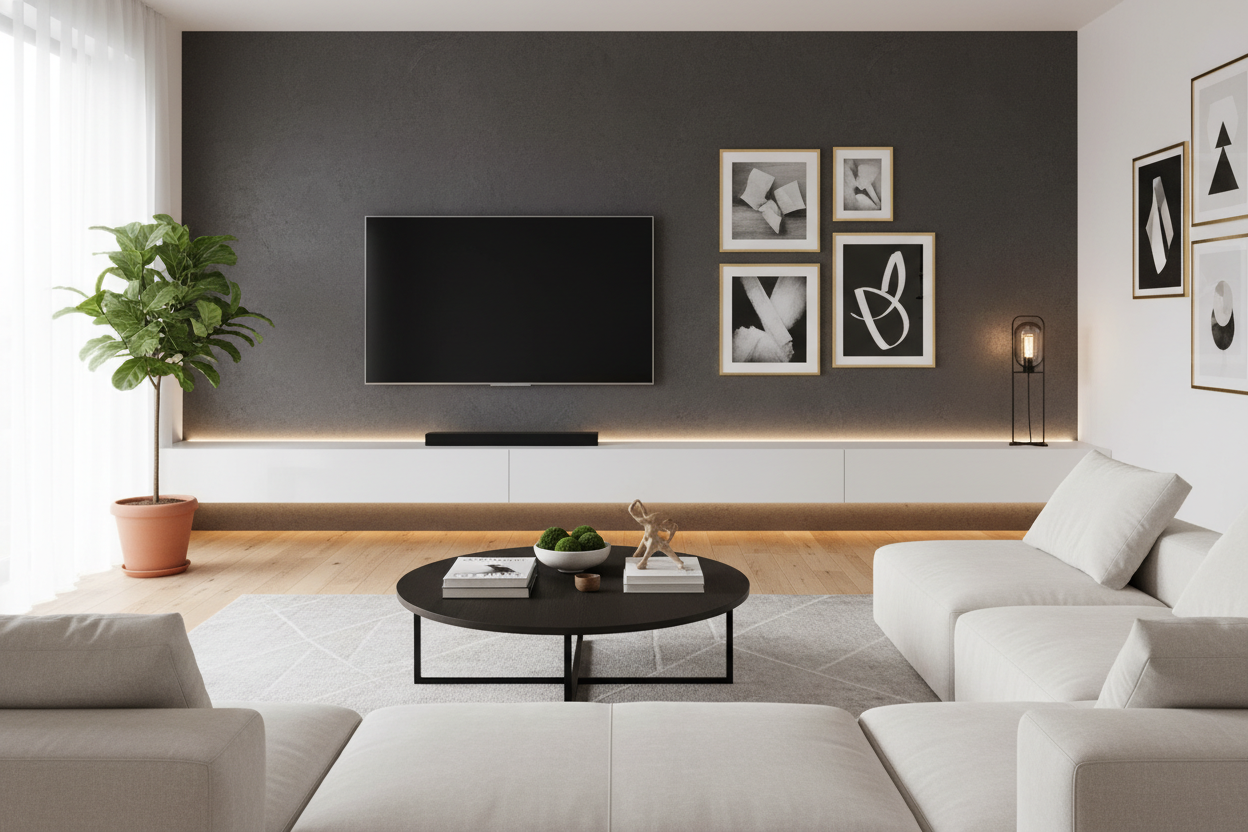
I have spent way too many hours staring at my living room wall, wondering if I can pull off integrated lighting without it looking like I am hosting a 24-hour Twitch stream. We have all seen those setups—the ones that look like a neon-soaked 19-year-old’s bedroom. But after testing several units in my own space, I have realized that a floating tv shelf with led lights can actually make a room feel expensive if you follow a few strict rules.
- Stick to warm white LEDs (2700K-3000K) to avoid the 'gamer' look.
- Choose matte or wood-grain finishes instead of high-gloss plastic.
- Hide every single wire, or the light will just highlight your cable mess.
- Balance the floating unit with vertical shelving to ground the room.
The 'Gaming Basement' Fear is Real (But Avoidable)
The hesitation to buy a wall mounted tv stand with led lights is usually rooted in one thing: the fear of the RGB rainbow. We associate glowing furniture with college dorms and basement dens. I remember helping a friend install a cheap LED strip behind his console last year, and the result was so bright and blue it felt like we were sitting in a dental office. It was a disaster.
The shift from 'juvenile' to 'sophisticated' happens when the light source is hidden. Modern furniture design has moved toward architectural accents rather than just sticking a light bulb on a shelf. When you can see the glow but not the individual LEDs, the effect changes entirely. It stops being a gimmick and starts feeling like the kind of mood lighting you would find in a boutique hotel in Copenhagen.
Think of it as a wash of light rather than a spotlight. You want the wall behind the unit to catch the glow, which adds depth to the room. It makes the wall recede, making a small apartment feel significantly larger. I have found that using the light as a secondary source—something you turn on when the main lamps are off—creates a cozy atmosphere that is perfect for a movie night without the eye strain of a pitch-black room.
How to Find a Wall Mounted TV Stand With LED Lights That Fits In
Material choice is the hill I will die on. If you buy a unit made of high-gloss white acrylic, the LEDs are going to bounce off that surface in a way that looks clinical and cheap. I have tested both, and matte finishes win every single time. A matte black or a textured wood grain absorbs just enough of the light to make the glow feel soft and intentional.
I am particularly fond of units that offer a bit of modularity. For example, the 90 wall mounted and freely arranged TV stand with LED is a great example of how to do this right. Instead of one long, boring box, it allows for a staggered, asymmetrical look. This breaks up the visual weight of the TV and makes the lighting feel like a design choice rather than an afterthought. The wood textures available in these types of units help ground the modern tech, giving it some much-needed warmth.
When shopping, look for a depth of at least 10 to 12 inches. Anything shallower looks like a toothpick on your wall, and anything deeper starts to feel like a bulky cabinet that's about to fall off the studs. You want a unit that feels substantial. I once bought a flimsy 6-inch deep shelf that couldn't even hold my PlayStation without it hanging off the edge. It looked ridiculous. Go for something with some meat on its bones, and make sure the LED channel is recessed into the bottom or back of the unit.
The Secret is Entirely in the Color Temperature
Please, I am begging you: stop using the remote to turn your living room purple. If you want a grown-up vibe, you need to stay in the warm white spectrum. When you get your new shelf, throw away the 'cycling rainbow' setting. You want a color temperature between 2700K and 3000K. This is the 'Golden Hour' of interior design.
Anything above 4000K starts looking blue, which is fine for a garage or a pharmacy, but it kills the mood in a living room. I have a 3000K strip behind my own media unit, and it makes the walnut finish look rich and vibrant. If I flip it to 'cool white,' the wood looks grey and dead. It is a small detail that completely changes how much you’ll actually enjoy sitting in the room.
If your unit comes with a cheap RGB controller, don't be afraid to swap it out. You can buy high-quality warm white LED strips for twenty bucks that plug right into a USB port on your TV. This also allows you to sync the lights with your TV's power, so when you turn off the movie, the 'mood' turns off with it. It’s a seamless experience that feels much more high-end than fumbling for a separate plastic remote.
Balancing the Ambient Glow With Your Other Furniture
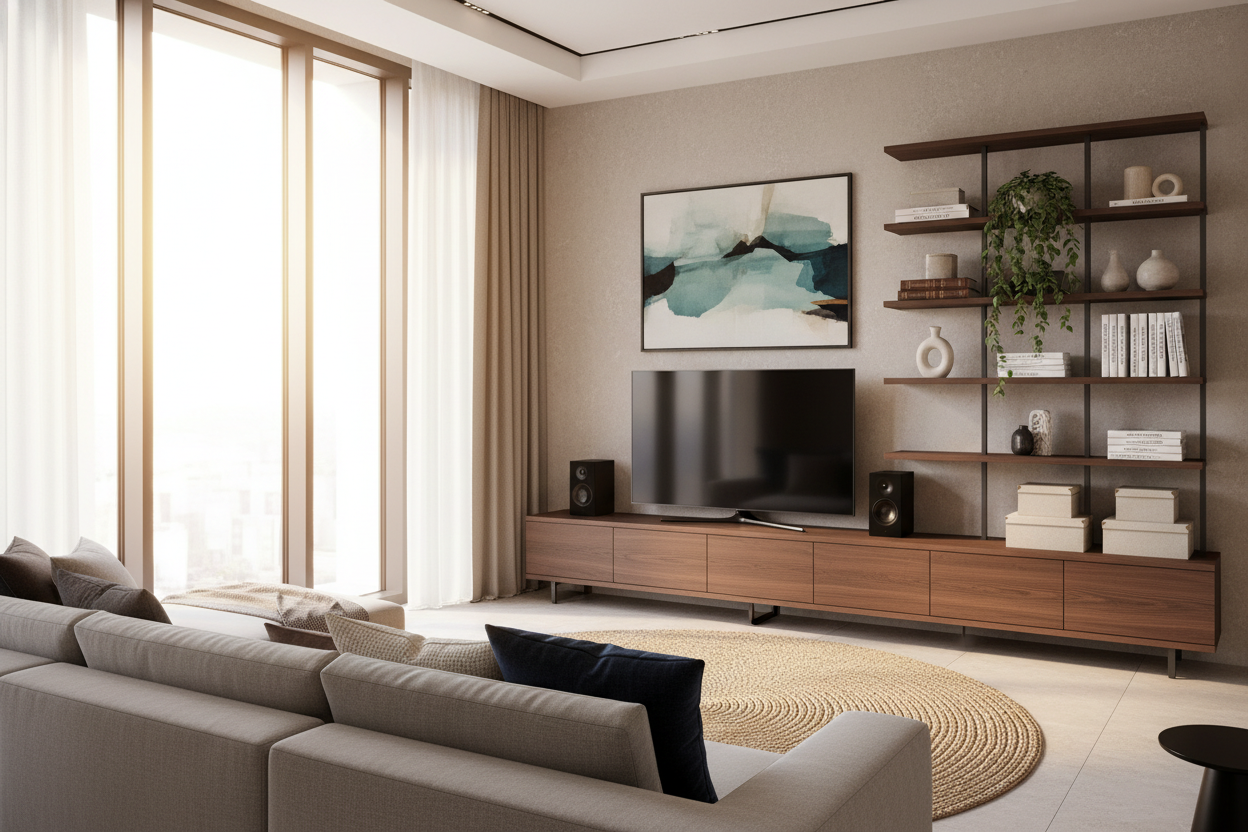
A floating shelf can look a bit lonely on a massive blank wall. It can feel like an alien spaceship just landed there. To make it feel integrated, you need to balance the visual weight. I usually recommend flanking the media unit with some adjustable shelf storage. This allows you to mix in 'human' elements like books, ceramics, or a trailing Pothos plant.
The glow from the TV stand will naturally draw the eye, so you want the surrounding area to be curated. If you have a 70-inch TV on a 90-inch shelf, you have about 10 inches on either side to play with. Don't clutter it. A single, heavy ceramic vase on one side and a stack of coffee table books on the other is plenty. The light will hit these objects and create interesting shadows, making the whole wall feel like a gallery installation.
I’ve made the mistake of putting too many shiny objects near the LEDs before. The reflections were distracting during dark movie scenes. Keep the nearby decor matte or organic. Wood, stone, and fabric are your friends here. If you have a rug with a bit of a pile, the light from the bottom of the shelf will catch the texture of the carpet, which looks incredible at night.
Hiding the Ugly Tech That Ruins the Vibe
LEDs are the ultimate snitch. They will illuminate every dust bunny and every tangled HDMI cable hanging behind your console. If you cannot commit to cable management, do not buy a floating shelf with lights. The glow will literally highlight your failure to organize. I spent three hours last weekend with Velcro ties and cable channels just to make sure my setup looked clean.
One of the biggest hurdles is the soundbar. Most people just plunk it on top, but that can block the TV or look cluttered. This is why you need a TV stand with speaker shelf or a dedicated cubby. It allows the audio equipment to live in its own home, leaving the top of the shelf clear for that clean, minimalist look. When the top surface is clear, the LED glow looks much more intentional.
For the power cables, I highly recommend installing an 'in-wall' cable management kit. It’s a $20 DIY project that lets you run the cords behind the drywall. If you are renting and can't cut holes, buy a paintable cable race-way that matches your wall color. It isn't perfect, but it is 100 times better than a black cord dangling in the middle of a beautiful light wash.
FAQ
Is it hard to install a floating TV shelf?
It is a two-person job. You absolutely must find the studs; do not trust the plastic drywall anchors that come in the box. If you miss the studs, that shelf (and your TV) will be on the floor within a week. Use a high-quality stud finder and a four-foot level.
Can I replace the LED strips if they burn out?
Usually, yes. Most of these units use standard 5V or 12V LED strips that are held on with adhesive. If the original lights are too blue or stop working, you can peel them off and stick on a new set in about ten minutes.
Do I need an outlet behind the TV?
Ideally, yes. If your outlet is down by the baseboard, you will have a cord visible. To get that true 'floating' look, you want the power and the LED plug to be hidden directly behind the unit or the TV itself.

Dejar un comentario
Este sitio está protegido por hCaptcha y se aplican la Política de privacidad de hCaptcha y los Términos del servicio.