










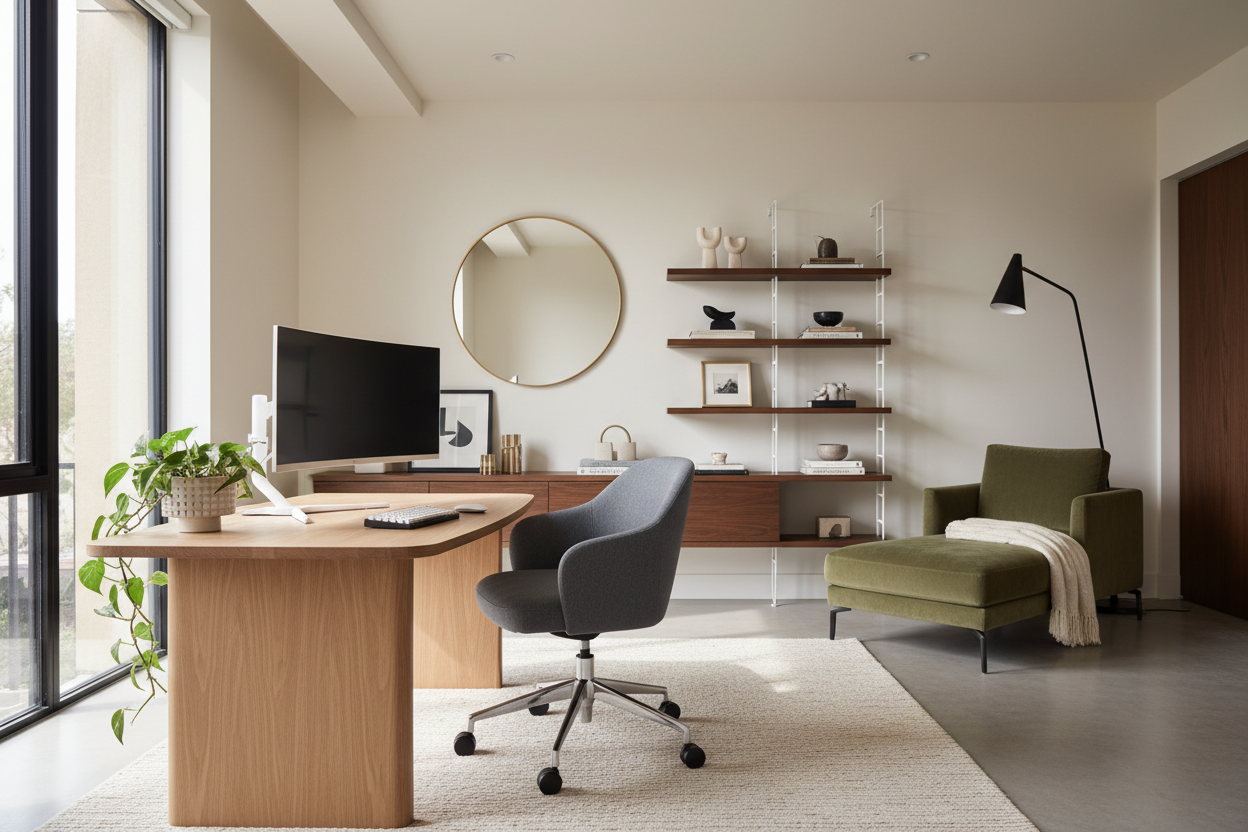
We have all been there: scrolling endlessly, saving image after image, trying to decode why a specific work from home setup pinterest algorithms feed us looks so effortless while our own spaces feel cluttered or sterile. As a designer, I often see clients try to replicate these viral images by purchasing cheap imitations, only to find the ergonomics lacking and the finish disappointing. The secret isn't just buying the right accessories; it is understanding the architectural balance between function and visual weight.
Quick Decision Guide: The Essentials
Before you purchase a single piece of furniture, consult this checklist to ensure your home office is as functional as it is photogenic. These are the core elements that separate a professional design from a temporary fix.
- Desk Depth: Aim for a minimum depth of 24–30 inches to maintain proper focal distance from monitors.
- Materiality: Prioritize solid wood or high-grade veneer over hollow-core laminates for longevity and tactile warmth.
- Lighting Layers: Never rely on a single overhead source. Combine ambient, task, and accent lighting.
- Cable Discipline: The "clean" look relies entirely on hidden cable management solutions (trays, sleeves, grommets).
- Ergonomic Integrity: A chair must offer lumbar support and adjustability, regardless of how aesthetic its silhouette is.
The Anchor: Selecting the Desk
The desk is the focal point of your design. In the viral images you save, pay attention to the visual weight of the desk. A heavy, dual-pedestal executive desk grounds a room, signaling permanence and authority. Conversely, a floating desk or one with slender metal legs creates a sense of airiness, ideal for smaller footprints.
When selecting materials, I always advise clients to consider the tactile experience. A walnut or white oak top offers a warmth that glass or metal cannot replicate. If you are drawn to the raw wood look popular on social media, ensure the finish is sealed with a matte polyurethane. Unfinished wood absorbs coffee rings and ink stains instantly, ruining the aesthetic within weeks.
Ergonomics vs. Aesthetics: The Chair Dilemma
This is where the "Pinterest vs. Reality" gap is widest. Many stylized photos feature dining chairs or mid-century modern accent chairs at a desk. While these offer a beautiful silhouette, they are disastrous for an eight-hour workday.
You do not have to sacrifice style for comfort, but you must be selective. Look for performance task chairs that hide their mechanisms. Brands are now producing high-end ergonomic chairs upholstered in boucle, linen, or velvet, with bases that match the room's metal finishes (brass or matte black) rather than the standard office chrome. The goal is a chair that supports your spine but looks like it belongs in a living room.
Lighting: The Invisible Design Element
Lighting dictates the mood. A common mistake is using cool, blue-toned bulbs (4000K-5000K) which can feel clinical. for a residential feel that reduces eye strain, stick to 2700K or 3000K warm white bulbs.
Layer your lighting. You need a dedicated task lamp with an articulated arm for paperwork. Add an ambient floor lamp to soften shadows in the corners of the room. If your setup faces a wall, consider installing an LED strip behind the monitor (bias lighting). This reduces contrast strain on your eyes and adds that signature high-end glow seen in professional setups.
My Personal Take on work from home setup pinterest Trends
I feel obligated to share a lesson learned from a project I took on about two years ago. A client was obsessed with a specific minimalist setup featuring a glass-top trestle desk she found online. It looked stunning in the photo—sleek, invisible, modern.
Against my better judgment regarding utility, we installed it. Within two weeks, she called me. First, the glass was perpetually cold on her forearms, making it uncomfortable to type for long periods. Second, optical mice don't track well on glass without a pad, which ruined the "invisible" look she wanted. Finally, the trestle legs had no cable management, so every single wire from her PC hung down in a chaotic mess that the original photo had conveniently photoshopped out.
We eventually swapped it for a white oak desk with integrated cable routing. The lesson? A setup must be designed for living, not just for photographing. If a trend compromises your physical comfort or workflow, it is bad design, no matter how many likes it gets.
Conclusion
Creating a workspace that rivals the best inspiration boards requires looking past the styling and understanding the structure. By investing in quality materials, prioritizing light layering, and ensuring your furniture serves your body as well as your eye, you build a space that invites productivity. Don't just copy the image; curate the environment.
Frequently Asked Questions
How do I hide cables to get that clean look?
Use a cable management tray mounted to the underside of your desk to hold power strips. Route cables down a single desk leg using a zippered cable sleeve or velcro ties. Wireless peripherals also significantly reduce visual clutter.
What is the ideal desk size for a dual-monitor setup?
For dual monitors, aim for a desk width of at least 60 inches. This prevents the screens from overhanging the edges and provides enough surface area for speakers, a lamp, and writing space without feeling cramped.
Can I mix wood tones in my home office?
Yes, mixing wood tones adds depth and sophistication. The trick is to keep the undertones consistent. Mix warm walnuts with warm oaks, but avoid mixing warm reddish woods with cool, gray-washed woods, as this can look disjointed.

Dejar un comentario
Este sitio está protegido por hCaptcha y se aplican la Política de privacidad de hCaptcha y los Términos del servicio.