










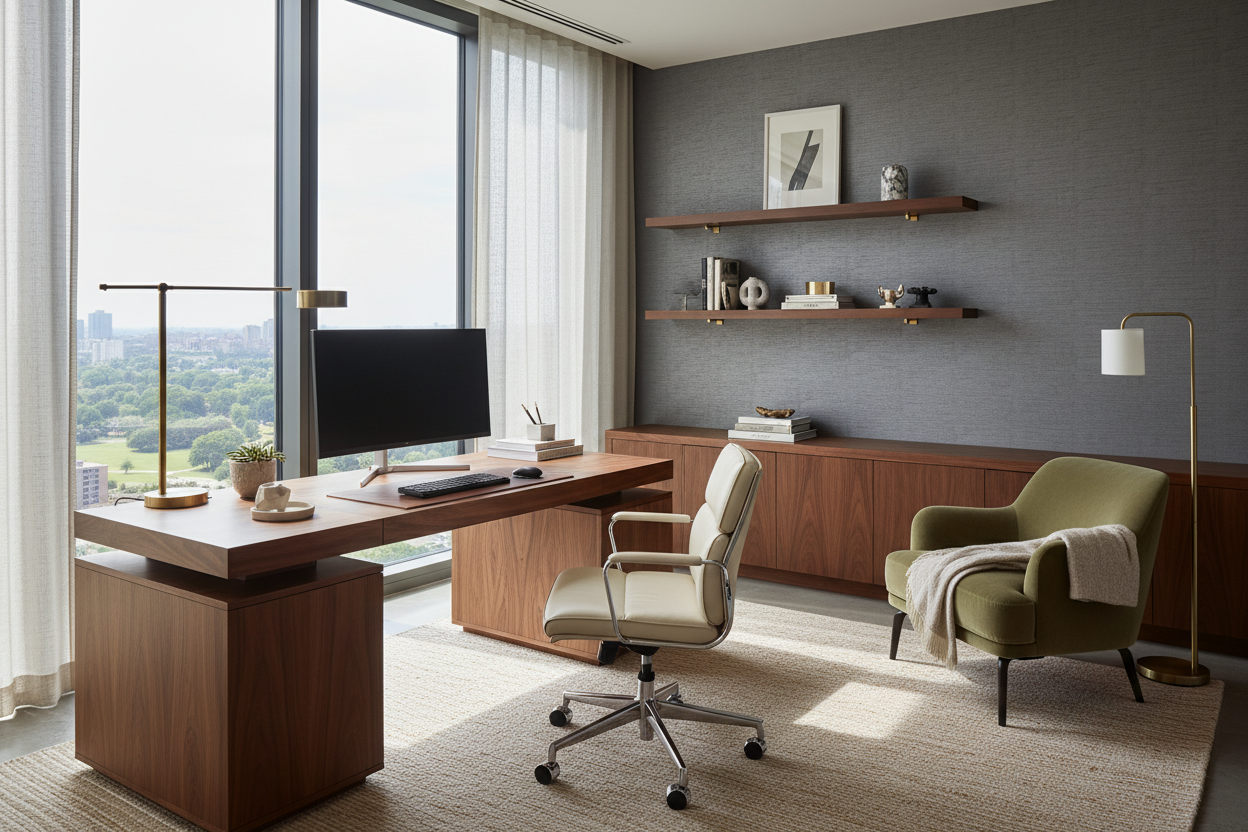
The distinction between a temporary desk and a permanent, high-performance office lies in the details. For many of my clients, the challenge isn't just finding furniture; it is integrating a functional workstation at home that complements the interior architecture without dominating the room. Whether you are converting a spare bedroom or carving out a niche in an open-plan living area, the goal is to balance ergonomic necessity with visual harmony.
Key Features to Look For
Before committing to a layout or specific piece of furniture, consider these core elements to ensure longevity and comfort:
- Material Tactility: Choose surfaces like linoleum or solid wood that are warm to the touch, rather than cold glass or stone.
- Visual Weight: In smaller rooms, opt for legs with negative space (open frames) to keep the room feeling airy.
- Lighting Layers: Ensure a mix of ambient overhead light and focused task lighting (approx. 4000K color temperature).
- Ergonomic Flow: Allow at least 36 to 48 inches of clearance behind your chair for movement.
- Cable Management: Look for integrated grommets or hidden channels to maintain a clean aesthetic.
Mastering the Home Workstation Set Up
Creating a professional environment requires more than a table and a chair; it requires spatial planning. When curating a home workstation set up, start by analyzing the light. Never position your screen directly facing a window (glare issues) or with a window directly behind you (silhouette issues on video calls). The ideal placement is perpendicular to the light source, allowing natural illumination to wash across the desk surface.
Choosing the Right Materials
As a specialist, I often steer clients toward matte finishes. High-gloss lacquers may look stunning in a showroom, but under the concentrated gaze of a desk lamp, they create eye-straining reflections. Solid walnut or oak offers durability and can be refinished over time, whereas veneers, once chipped, are difficult to repair. If you prefer a modern look, Fenix laminate is exceptional—it is soft to the touch and resists fingerprints.
Refining the Workstation Set Up at Home
The layout must account for your workflow. If you use multiple monitors, the desk depth becomes critical. A standard 24-inch deep desk is often insufficient for dual screens; I recommend a minimum depth of 30 inches to maintain proper focal distance and prevent eye fatigue.
The Seating Silhouette
Your chair is the anchor of the workstation set up at home. While gaming chairs are popular, they often clash with sophisticated interiors. Look for high-performance task chairs upholstered in quality fabrics or leather that offer lumbar support without the aggressive, racing-stripe aesthetic. The chair should slide fully under the desk to maximize floor space when not in use.
Lessons from My Own Projects
I want to share a specific realization from a recent project that changed how I approach desk surfaces. I once specified a stunning, rough-hewn reclaimed timber table for a client who was a copywriter. Visually, it added incredible texture and warmth to her minimalist loft.
However, two weeks later, she called me with a practical issue I hadn't anticipated: the texture was making handwriting impossible and the rough grain was snagging the sleeves of her delicate knitwear. We ended up having to commission a custom, full-grain leather desk pad to create a smooth work zone. It was a humbling reminder that in a workspace, "hand-feel" is just as vital as the visual silhouette. Now, I always test the edge of a desk to ensure it's beveled or rounded—sharp 90-degree edges will cut into your forearms after an hour of typing, no matter how beautiful the table looks.
Conclusion
Curating the ideal workspace is an investment in your daily focus and physical health. By prioritizing matte finishes, proper depth, and warm materials, you create a space that invites productivity rather than fatigue. Focus on quality pieces that will age gracefully with your home.
Frequently Asked Questions
What is the ideal desk height for a workstation at home?
Standard desk height is between 29 and 30 inches. However, if you are shorter than 5'4", you may need a footrest or a height-adjustable desk to ensure your elbows remain at a 90-degree angle while typing.
How do I light a workstation without causing eye strain?
Avoid relying solely on overhead pot lights, which cast shadows on your work. Layer your lighting with an articulating desk lamp positioned below eye level. Aim for a bulb brightness of around 450-500 lumens for task work.
What is the minimum space needed for a functional setup?
For a compact yet functional setup, aim for a desk width of at least 48 inches. Anything smaller typically feels cramped once you add a laptop, a cup of coffee, and a notebook.

Dejar un comentario
Este sitio está protegido por hCaptcha y se aplican la Política de privacidad de hCaptcha y los Términos del servicio.