










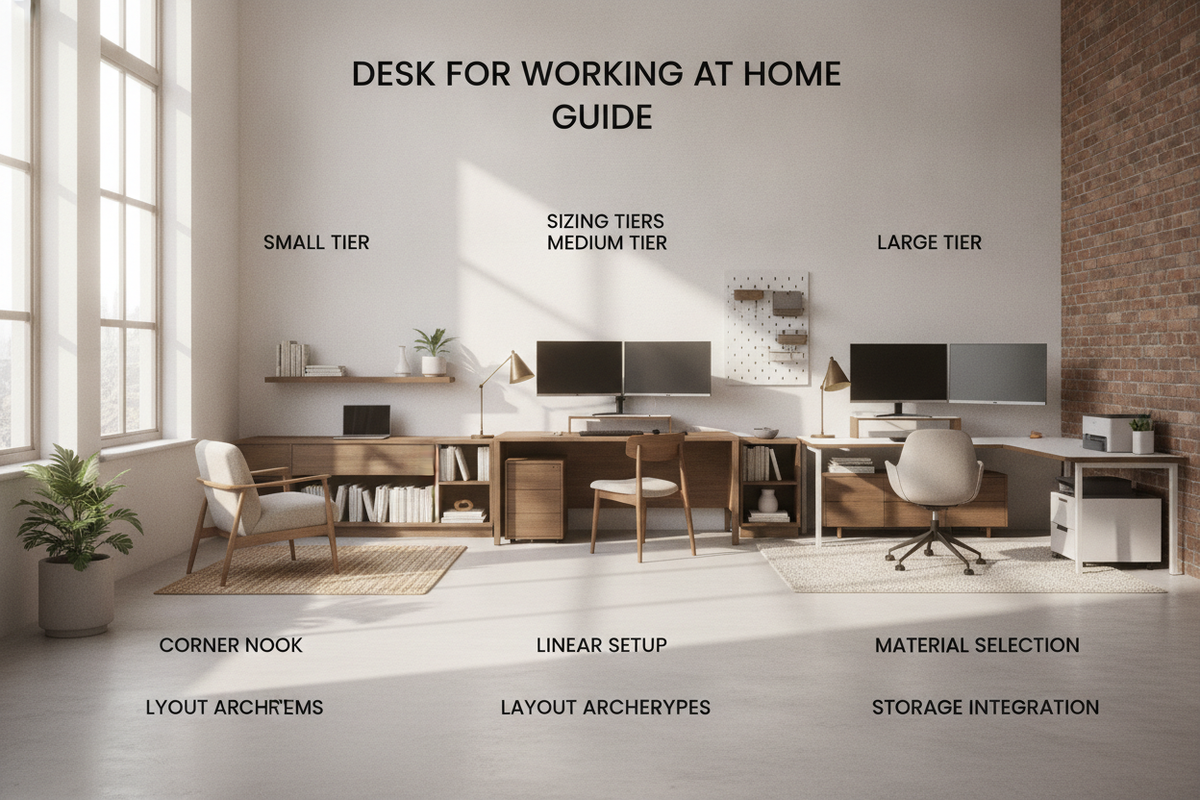
Workstation Foundations: Evaluating a Desk for Working at Home
Selecting a suitable desk for working at home requires balancing physical room constraints, hardware footprints, and daily ergonomic habits. An improvised dining table or makeshift surface often creates posture fatigue and visual clutter, whereas a dedicated setup establishes distinct psychological and spatial boundaries between personal relaxation and professional focus. To understand why intentional furniture choices matter over temporary options, explore our work desk office guide.
When evaluating furniture for a remote workstation, consider not just the desktop surface, but also how the overall structure supports wire routing, storage needs, leg clearance, and room circulation paths. A well-planned working at home desk enhances everyday efficiency while fitting seamlessly into your interior decor.
Dimensional Categories: Matching Desktop Sizing to Remote Workflows
Surface dimensions directly dictate the type of equipment you can comfortably support. Selecting an inappropriate footprint is one of the most frequent missteps when furnishing residential workspaces. Before committing to a specific model, consulting a comprehensive working desk guide can prevent costly layout errors.
Compact Nook Workstations for Multi-Use Spaces
Compact desks are designed specifically for bedrooms, hallways, or living room alcoves. These units prioritize vertical economy and minimal floor obstruction, making them well-suited for single laptop users who rely primarily on digital cloud storage rather than bulky peripherals or stacks of paperwork.
Standard Task Desks for Single and Dual Display Setups
Mid-sized task desks represent the most versatile category for typical hybrid professionals. They provide adequate depth to maintain a comfortable focal distance from secondary monitors while leaving ample room for an external keyboard, mouse pad, and desktop notepad.
Generous Executive and Creative Surfaces
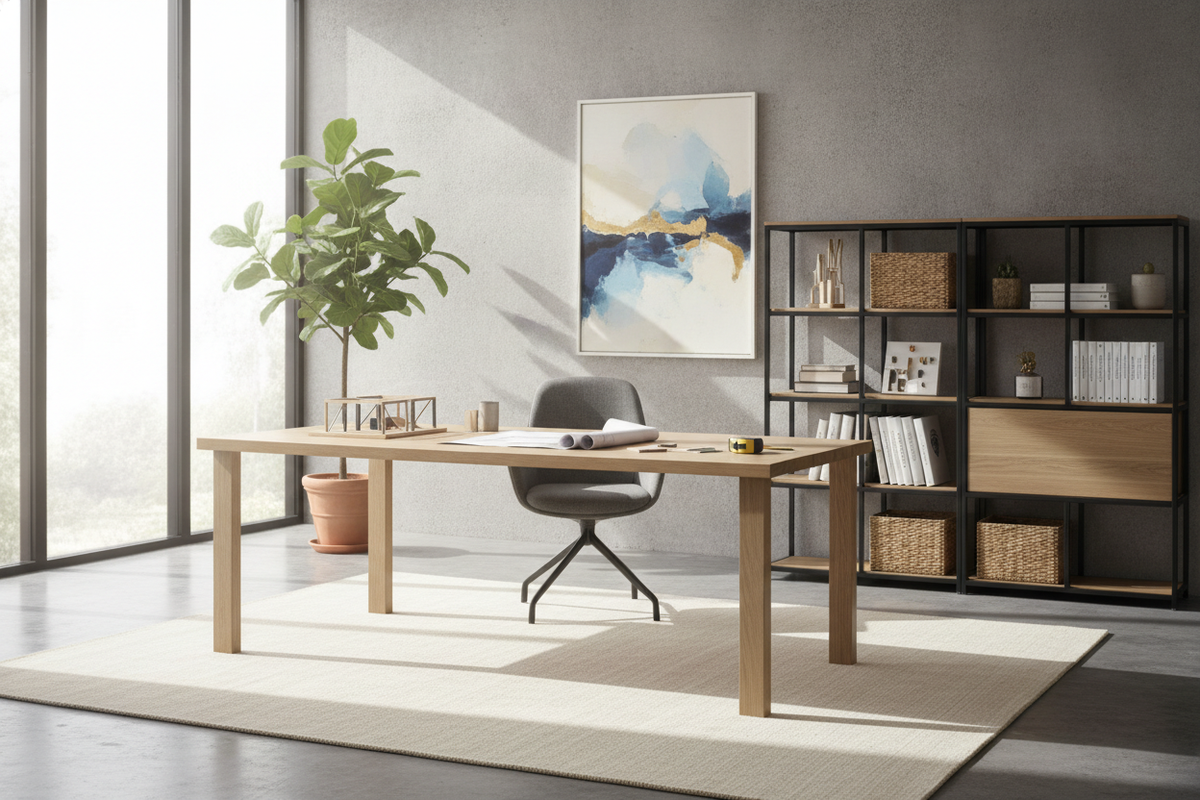
For professionals handling multiple large displays, audio-visual interfaces, drafting tools, or physical document binders, expanded executive desks provide the necessary surface area. These larger surfaces allow distinct zones for computing, reading, and writing without forcing you to constantly shift equipment around.
Workstation Archetypes: Choosing the Right Layout Configuration
The layout configuration of work from home desks influences traffic flow, corner utility, and overall room balance. Matching the desk archetype to your floor plan ensures smooth day-to-day usability.
Linear Writing and Computer Desks
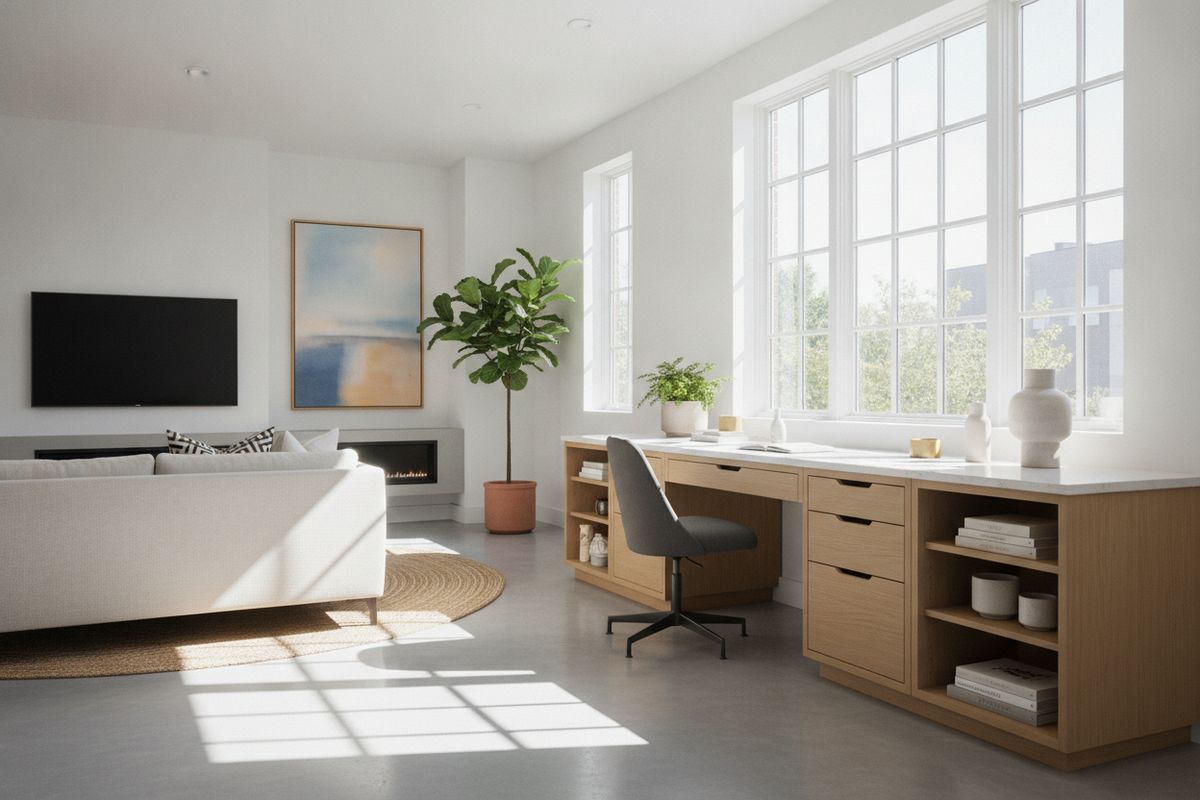
Straight linear desks are straightforward to position against solid walls or beneath windows. Their simple rectangular footprint makes them easy to reposition, pair with freestanding shelving, or integrate into narrow rectangular home offices.
Corner and L-Shaped Workstations
L-shaped layouts maximize corner areas that might otherwise remain underutilized. By separating computer hardware onto one wing and administrative or writing tasks onto the other, a corner workstation creates a productive dual-zone environment. If you need an efficient configuration with integrated shelving, consider an office desk product engineered specifically for corner placement.
Integrated Credenza and Storage Desks
Desks featuring attached cabinetry, file drawers, or side credenzas are ideal for professionals who need physical paperwork, reference materials, and peripherals kept close at hand. A multi-compartment office desk product keeps your primary workspace clutter-free by providing dedicated concealed storage within arm's reach.
Storage Architecture: Organizing WFH Essentials and Cable Routing
An effective working from home office desk relies on well-structured storage architecture. Without dedicated organizational elements, desktop surfaces quickly accumulate power bricks, charging cords, stationary, and paperwork.
- Active Desktop Zones: Keep the immediate reach zone clear for keyboards, pointing devices, and current active documents.
- Drawer and Pedestal Zoning: Store small accessories, sensitive documents, and backup office supplies in drawers to maintain visual calm.
- Cable Management Passages: Utilize integrated grommets, modesty panel channels, or under-desk wire trays to conceal trailing cables and prevent cord tangles.
Material Selection and Structural Durability
Material composition determines how well a desk withstands daily use, liquid spills, and monitor mounts. Engineered wood panels with durable melamine or laminate veneers offer high resistance to everyday scuffs, scratches, and moisture rings. Powder-coated steel frames provide rigid stability without adding excessive bulk, while solid wood accents bring natural warmth to traditional spaces.
When researching options or reading a wfh desk review, focus on joint construction, edge banding quality, and panel thickness. For further guidance on identifying long-lasting workstation builds, read our work desk review guide.
Assembly, Stability, and Ergonomic Clearances
A stable workstation prevents monitor wobble during typing and maintains structural integrity over years of use. Consider these practical checkpoints when selecting and assembling your desk:
- Leveling Adjustability: Look for adjustable leveling feet to compensate for uneven flooring or thick area rugs.
- Knee and Armrest Clearance: Ensure there is sufficient vertical and lateral room beneath the desk frame to accommodate ergonomic chair armrests and natural leg movement.
- Hardware Fasteners: Ensure all cam locks, machine bolts, and structural crossbars are securely tightened during initial assembly to prevent structural racking over time.
Decision Framework: Selecting Your Ideal Working at Home Desk
To choose the best desk for your specific needs, assess your available floor space, primary computing hardware, and storage preferences. Compact linear desks excel in small multi-functional rooms, while corner and credenza configurations provide expanded utility for demanding workflows. By aligning footprint dimensions, layout style, and storage features with your daily work habits, you can build a reliable and organized home workspace tailored to long-term productivity.

Dejar un comentario
Este sitio está protegido por hCaptcha y se aplican la Política de privacidad de hCaptcha y los Términos del servicio.