










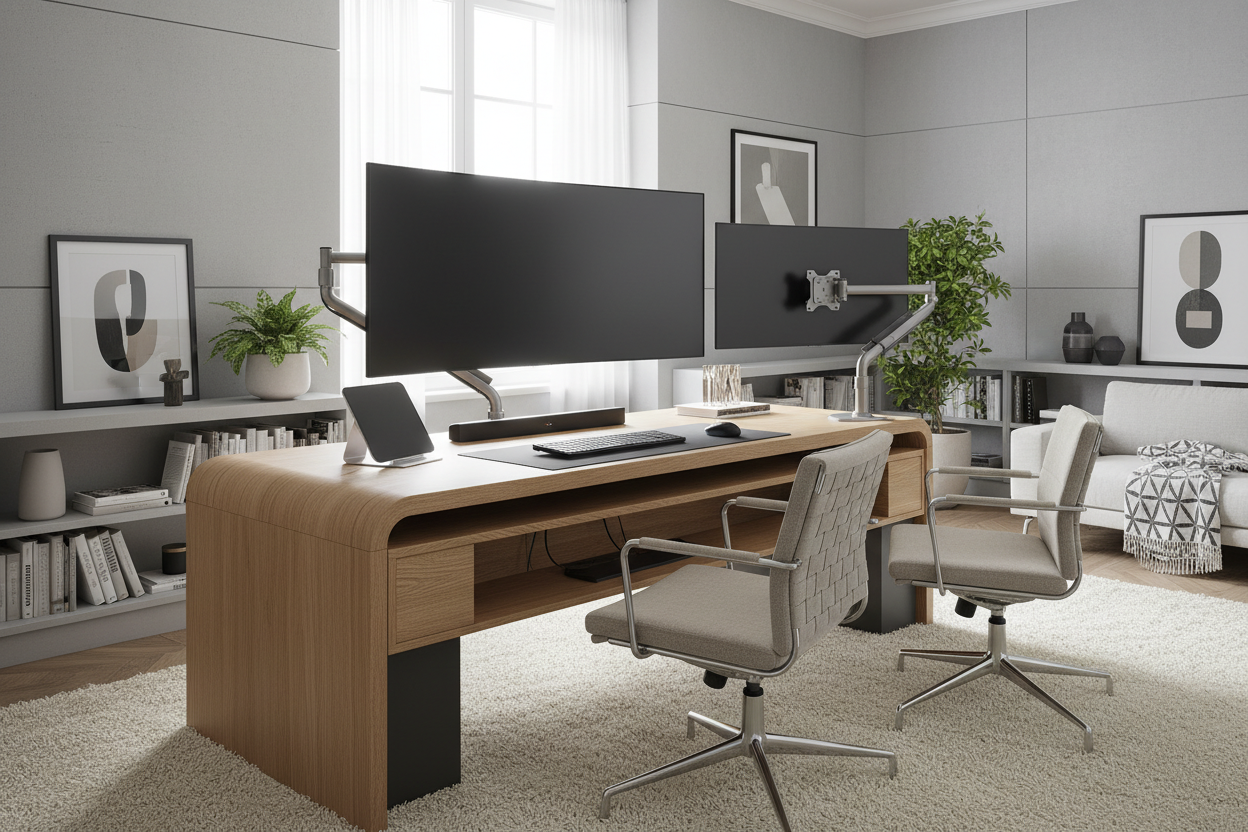
I spent three weeks convincing myself that a 43-inch 4K TV was the ultimate productivity hack. When it finally arrived, I realized I had made a massive ergonomic mistake. The factory legs were so wide and deep that I had about four inches of desk space left for my keyboard and coffee. I was basically sitting inside the pixels, squinting at a screen that took up 90% of my peripheral vision.
The only way to salvage the setup was to get the screen off the desk surface entirely. Using a heavy-duty tv desktop mount changed the entire dynamic of my office. It turned a claustrophobic tech nightmare into a clean, functional workspace where I actually have room to move my mouse.
- Weight Capacity: Always check the weight, not just the screen size; TVs are heavier than monitors.
- VESA Compatibility: Most TVs use 200x200 or larger patterns, which standard monitor arms won't fit.
- Desk Material: Only use a heavy-duty clamp on solid wood or high-density materials.
- Depth is King: The further back you can push a large screen, the less neck strain you'll feel.
The Lure of the Giant Screen (And the Immediate Regret)
We've all seen the setups on Reddit—a single, glorious 43-inch panel replacing three smaller monitors. It looks sleek until you try to set it up on a standard 24-inch deep desk. I quickly realized that a desk mount for 43 inch tv isn't just a luxury; it's a spatial necessity. Without one, the factory feet on my 40 inch tv desk mount setup were literally touching my mousepad.
Before I committed to the arm, I wondered Is Your Desk Too Small for That Screen? Try a TV Monitor on Stand, but a basic stand still sits on the desktop. To truly reclaim my sanity, I needed a mount that could hover the screen at the very back edge of my workspace, giving my eyes some much-needed breathing room.
Why Standard Monitor Arms Will Probably Drop Your TV
Don't try to use the $30 arm you bought for your old Dell monitor. Most standard arms max out at 17 or 20 pounds. Even a modern samsung tv desk mount setup is going to push those limits, and the last thing you want is 50 inches of glass face-planting onto your keyboard at 3 AM. You need a specialized tv desk bracket designed for the weight and the specific VESA holes on the back of a television.
Finding a monitor arm for 55 inch tv requires looking at the tension specs. A heavy-duty tv arm mount desk uses a reinforced gas spring to keep the screen from sagging. Visually, a massive 55 monitor stand setup looks ridiculous on a tiny table; it really only feels balanced when you pair it with a wide computer desk that can handle the scale of the hardware.
Clamp vs. Grommet: Don't Crack Your Desk
The physics of a tv desk clamp are pretty unforgiving. When you hang 30 pounds of TV on an arm that extends 15 inches forward, you’re creating a massive amount of torque at the mounting point. I’ve seen people try to mount a tv desk mount 32 inch setup onto a hollow-core IKEA desk only to have the clamp bite right through the particle board like a cracker.
I highly recommend ensuring you have a sturdy writing computer desk made of solid wood or thick butcher block before you tighten those bolts. If you're worried about the pressure, use a steel reinforcement plate to spread the load. If your desk has a cable hole, a grommet mount is often more stable than a edge clamp because it centers the weight over a larger surface area.
The Ergonomic Secret to Surviving a Massive Monitor
The biggest mistake people make with a 50 inch tv desk mount is mounting it too high. You shouldn't be looking 'up' at your screen; your eyes should be level with the top third of the panel. A good tv desk bracket allows you to slam the screen down as close to the desk surface as possible, mimicking the height of a standard monitor but with four times the real estate.
If your desk isn't deep enough, you're going to get headaches. I ended up utilizing the deep corner of a 55 inch L shaped corner desk to maximize the viewing distance. By tucking the mount into the corner, I could push the screen back an extra six inches, which is the difference between seeing individual pixels and enjoying a crisp, retina-like experience.
FAQ
Can I use a regular monitor arm for a 40-inch TV?
Only if the weight of the TV is under the arm's rated capacity and the VESA patterns match. Most 40-inch TVs use a 200x200 mount, while standard arms usually stop at 100x100. You'll likely need a VESA adapter plate at the very least.
Will a TV desk mount damage my glass desk?
Yes, almost certainly. I would never recommend clamping a heavy-duty arm to a glass top. The concentrated pressure at the clamp point is a recipe for a shattered desk. Stick to solid wood or metal-framed surfaces.
Is a 55-inch TV too big for a desk mount?
It's the absolute limit. If you go this route, you need a high-end monitor arm for 55 inch tv specifically rated for the weight. Make sure the arm has a tilt-lock feature, or the screen will just flop forward and face the floor.



Dejar un comentario
Este sitio está protegido por hCaptcha y se aplican la Política de privacidad de hCaptcha y los Términos del servicio.