










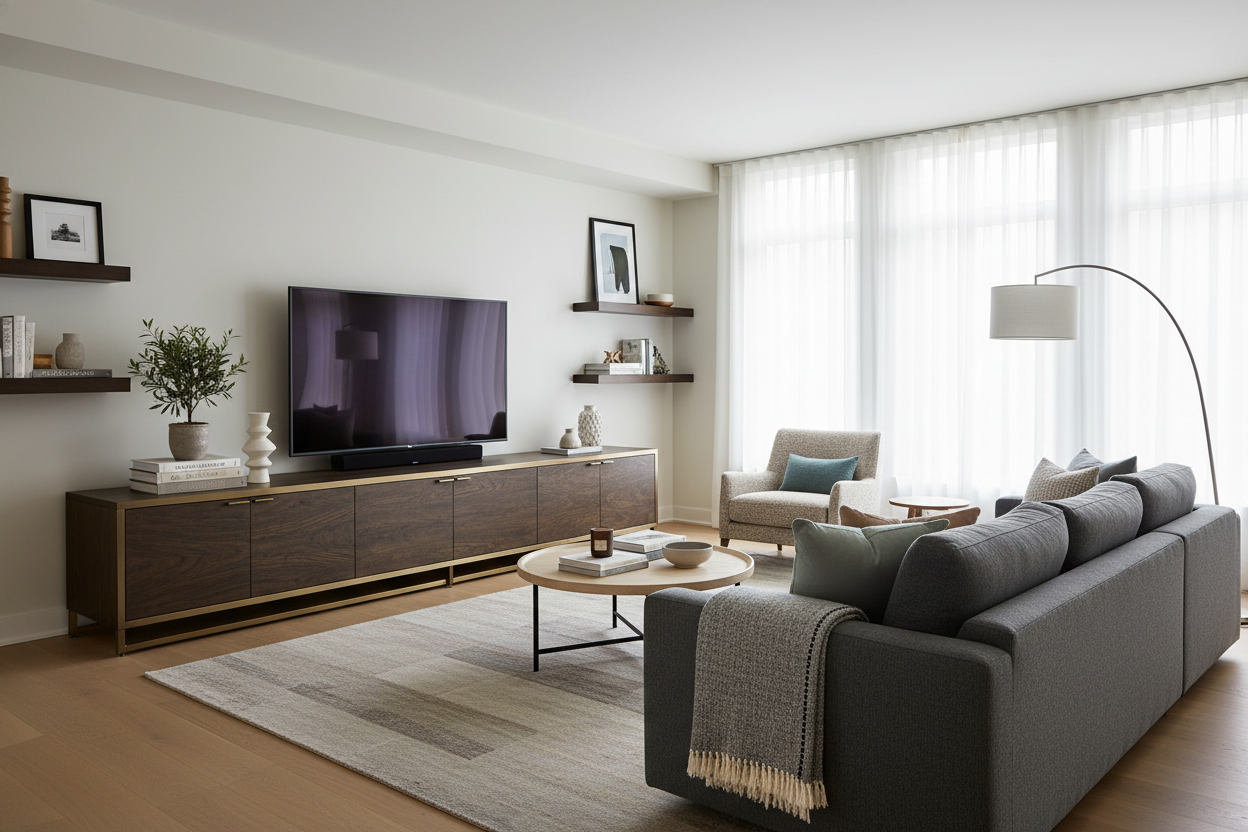
I sat on my floor for three hours staring at my new 77-inch OLED. It was glorious, but it looked ridiculous perched on the mid-century modern credenza I’d owned since my first studio apartment. The screen hung over the edges by two inches on each side, making the whole room feel like a precarious Jenga tower. I finally realized that if you’re going to go big on the tech, you have to find a tv stand big enough to actually anchor the beast.
- The stand should be at least 12 to 16 inches wider than the TV itself.
- A low, wide profile prevents the 'lollipop effect' in your living room.
- Deep consoles (18 inches plus) are essential for modern AV receivers and cable management.
- Wall-to-wall units can actually make a small room feel wider, not more crowded.
The Top-Heavy Trap: When Huge Screens Meet Tiny Furniture
There is a specific kind of visual anxiety that comes from watching a massive 85-inch screen balance on a 60-inch console. It’s what I call the 'lollipop effect'—a giant head on a tiny stick. When your television is wider than the furniture beneath it, your brain registers the setup as unstable. It doesn't matter if the stand is made of solid oak and rated for 200 pounds; if the screen overhangs the edges, the room feels top-heavy and cluttered.
I spent months trying to convince myself my old setup was 'minimalist.' In reality, it was just poorly proportioned. The moment you realize your current setup isn't working is the moment you need to look for a media cabinet for TV that actually matches the scale of your hardware. A tv stand for big tv setups isn't just about holding the weight; it's about providing a visual base that grounds the room. Without that horizontal anchor, your expensive television just looks like a black hole sucking the design out of the space.
The Golden Rule of Sizing: How Much Wider Should It Be?
If you want your living room to look like it was designed by a pro and not just thrown together after a Black Friday sale, you need to follow the 6-to-8-inch rule. Your tv stand for large tv should extend at least 6 to 8 inches past the outer edge of the screen on both sides. This creates a balanced silhouette and provides a dedicated spot for a couple of decorative objects—a ceramic vase or a stack of books—that help the tech blend into your home decor.
Interior design math is simple here: if you have a 75-inch TV (which is actually about 65 inches wide), you need a console that is at least 80 inches long. I’ve seen people try to cheat this with two smaller cabinets pushed together, but the seam always gives it away. Investing in a large entertainment center provides a continuous line that draws the eye across the room, making the ceiling feel higher and the walls feel wider. Don't forget the height, either. For these massive screens, you want a lower profile—around 18 to 22 inches high—so the center of the screen stays at eye level when you're on the sofa.
Why I Stopped Fearing the 90-Inch Console
I used to be terrified of 'big' furniture. I thought a 94-inch extra large tv console would turn my living room into a showroom floor. I was wrong. By choosing a piece that spanned nearly the entire length of my focal wall, the furniture actually 'disappeared' into the architecture. It stopped looking like a piece of furniture and started looking like a built-in feature of the house.
I eventually pulled the trigger on a large TV cabinet with a sleek, matte finish. It was a beast to assemble—took me and a friend four hours and two pizzas—but the result was transformative. It hid the rat's nest of HDMI cables and power bricks that had been haunting my baseboards for years. When the furniture matches the scale of the tech, the tech stops being the only thing you see when you walk into the room.
Storage Matters: Hiding the Mess a Big Screen Brings
Big screens rarely come alone. They bring along soundbars, subwoofers, PlayStation 5s, and enough cabling to power a small village. Standard tv stands large enough for the screen often fail because they are too shallow. I’ve made the mistake of buying a beautiful 'scandi-style' bench only to find out my AV receiver stuck out the back by three inches, preventing the unit from sitting flush against the wall.
When shopping for tv cabinets large enough to handle your setup, look for internal depths of at least 17 inches. You also want ventilated back panels. High-end gaming consoles and receivers run hot; trapping them in a tight, unventilated wooden box is a recipe for a hardware failure. I prefer cabinets with slatted doors—they allow IR signals from remotes to pass through and keep the airflow moving while hiding the blinking blue lights of your gear.
What If Your Wall Is Too Narrow for Massive Furniture?
Not everyone has a 20-foot wide Great Room. If you’re in a tight apartment but insisted on that 85-inch screen, you have to get creative with large tv units. One trick is to use an asymmetrical layout. Instead of centering the TV on a stand that barely fits, place the TV on one side of a longer, lower tv table large enough to extend into the corner. This breaks up the boxy feel of the room.
If you absolutely cannot fit a wide console, consider wall-mounting the TV and using a floating shelf that spans the entire wall below it. This keeps the floor clear, which tricks the eye into thinking there’s more square footage than there actually is. However, for most of us, the best move is to browse TV stands that prioritize length over height. A long, low unit will always look more 'designer' than a tall, cramped one.
Frequently Asked Questions
Can my TV be wider than the stand?
Technically, yes, but it looks terrible. It creates a 'top-heavy' look that makes the room feel unstable. Always aim for a stand that is at least 12 inches wider than the TV's total width.
How high should a large TV stand be?
For screens 65 inches and larger, keep the stand height between 18 and 24 inches. You want the middle of the screen to be at eye level when you are seated to avoid neck strain.
What is the best material for a heavy TV?
Look for kiln-dried hardwood or high-grade MDF with a solid metal frame. Avoid the super cheap particle board found in $100 big-box stands; a 75-inch TV is a heavy investment, and you don't want the shelves sagging within six months.


Dejar un comentario
Este sitio está protegido por hCaptcha y se aplican la Política de privacidad de hCaptcha y los Términos del servicio.