










We have all experienced the 3:00 PM slump, but few realize that the culprit often isn't a lack of caffeine—it is poor illumination. As a designer, I see too many home offices treated as afterthoughts, relying on a single overhead bulb that casts harsh shadows and creates screen glare. Proper wfh lighting is not just about visibility; it is about regulating your circadian rhythm, reducing optical fatigue, and ensuring you look professional during virtual client presentations. This guide will walk you through the architectural approach to illuminating your workspace.
Key Features to Look For
- Color Temperature (Kelvin): Aim for 3000K to 4000K. This range mimics bright morning light, keeping you alert without the sterility of clinical blue light.
- Color Rendering Index (CRI): Look for a CRI of 90+. This ensures that colors (including your skin tone on camera) look natural rather than washed out.
- Adjustability: Articulating arms and dimmable switches are non-negotiable for adapting to changing daylight conditions throughout the day.
- Diffusion: Choose fixtures with frosted glass or linen shades to soften the light output and prevent harsh shadows on your face.
The Art of Layering Light
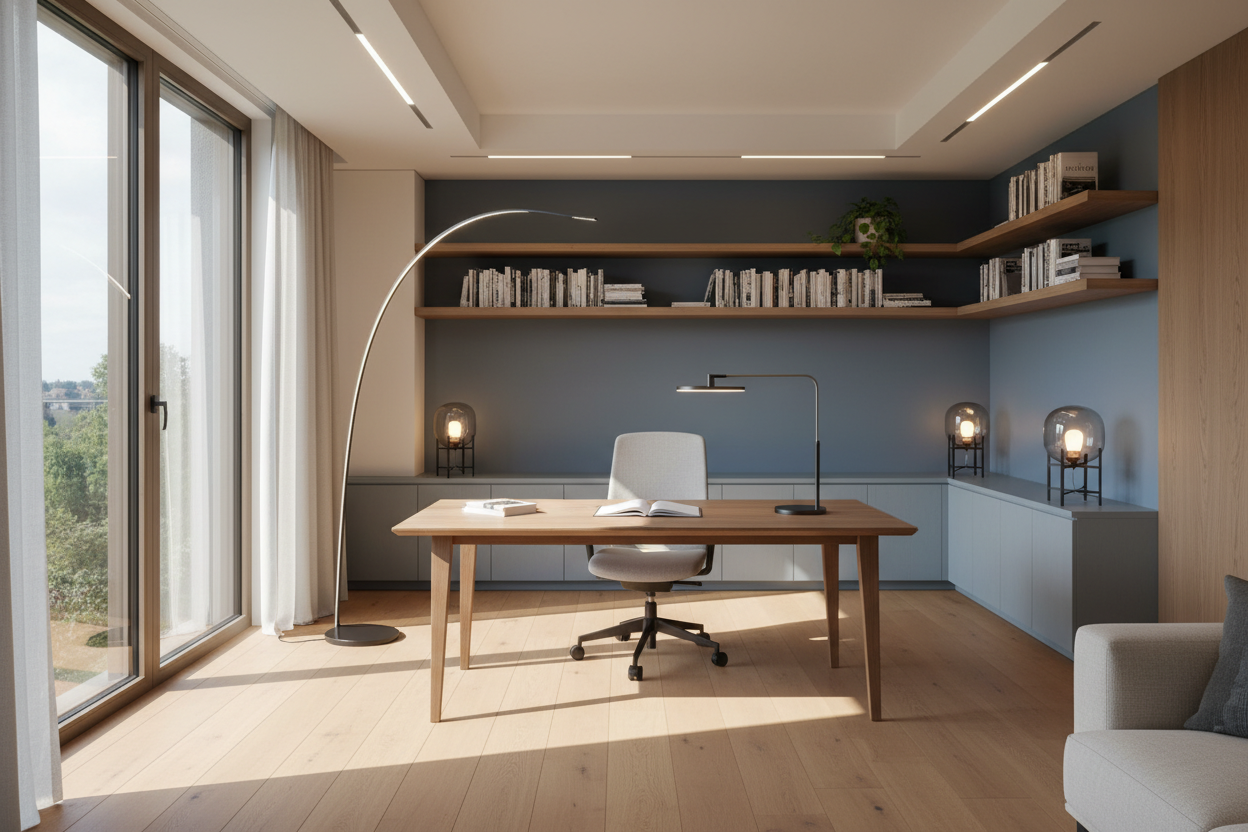
In high-end interior design, we never rely on a single light source. To achieve the best work from home lighting, you must employ a three-tier strategy: Ambient, Task, and Accent.
1. Ambient Lighting: The Foundation
This is your general illumination. Avoid relying solely on recessed can lights directly above your head, as they create unflattering "raccoon eyes" shadows. Instead, opt for a semi-flush mount or a pendant with a diffuser that casts light upward and outward, bouncing it off the ceiling to create a soft, even glow throughout the room.
2. Task Lighting: The Workhorse
This is where function meets form. An articulating desk lamp is essential for reviewing documents and focusing on details. However, placement is critical. If you are right-handed, place the lamp on your left to avoid casting shadows across your writing surface. Look for architectural silhouettes in matte finishes—brass or matte black are timeless—that add visual weight to the desk without dominating the surface area.
Video Conference Optimization
The rise of Zoom has changed how we design lighting for work from home. The goal is to illuminate your face evenly. Avoid placing a window directly behind you, as the backlight will turn you into a silhouette. Conversely, a window directly in front of you can be too intense.
The ideal setup involves "cross-lighting." Place two table lamps with fabric shades on either side of your monitor, slightly behind it. This provides a soft, flattering wash of light that fills in shadows and makes you look presentable without the harshness of a ring light.
Materiality and Visual Balance
When selecting fixtures, consider the tactile experience and visual weight. A heavy marble base offers stability and a sense of permanence, while a slender metal arm feels modern and airy. Be wary of high-gloss finishes on the lamp base itself; these can catch reflections from your monitor, creating distracting hotspots in your peripheral vision. Matte, brushed, or textured finishes are far superior for reducing glare.
My Personal Take on wfh lighting
I learned a hard lesson about lighting finishes during a project for a tech executive—and subsequently in my own home office. I initially specified a stunning, high-gloss chrome task lamp that looked sculptural and incredible when turned off.
However, once I started using a similar fixture personally, I noticed a maddening issue: the chrome was so reflective that it acted like a mirror for my computer screen. Every time I moved my mouse, I saw the motion reflected in the lamp base out of the corner of my eye. It was incredibly distracting. Furthermore, the "cool" LED bulb I bought cheaply from a hardware store made my workspace feel like a hospital room, and I found myself avoiding the desk by mid-afternoon. I swapped it for a matte black fixture with a 3500K bulb, and the shift in my focus and comfort was immediate. It’s a reminder that in design, the finish is just as functional as the form.
Conclusion
Curating your workspace illumination is an investment in your daily performance and well-being. By prioritizing color temperature, adjustability, and proper layering, you create an environment that supports focus rather than forcing your eyes to compensate. Treat your lighting as a tool, not just a decoration.
Frequently Asked Questions
What is the best color temperature for productivity?
For most home offices, 3500K to 4000K is the sweet spot. It is cool enough to promote concentration and alertness but warm enough to feel residential and comfortable rather than institutional.
How do I light a small desk with no floor space?
Wall-mounted sconces with swing arms are an excellent solution. They free up valuable desk real estate while providing adjustable task lighting. Alternatively, a high-quality monitor light bar can illuminate your workspace without a footprint.
Why do my eyes hurt after working under my current lights?
This is likely due to a lack of "bias lighting." If your screen is bright and the wall behind it is dark, your eyes constantly adjust between the two extremes. Placing a small LED strip or lamp behind your monitor to illuminate the back wall reduces this contrast and eases eye strain.


Dejar un comentario
Este sitio está protegido por hCaptcha y se aplican la Política de privacidad de hCaptcha y los Términos del servicio.