










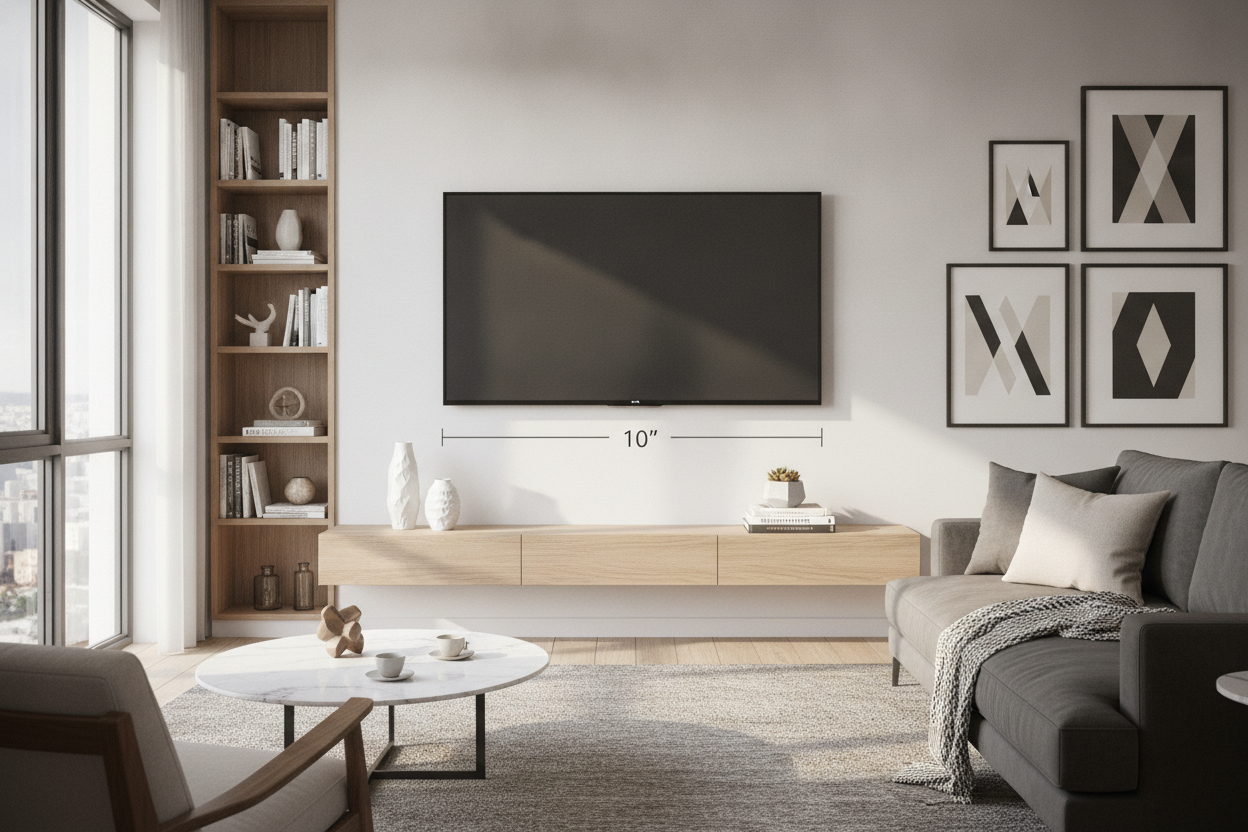
I spent three hours last Saturday staring at my 65-inch LG like it was a piece of modern art that hated me. It was just... there. A massive black rectangle suctioned to the drywall with zero context. Adding a shelf under tv on wall was the only way to stop the room from feeling like a sterile waiting room at a dentist's office.
- Maintain an 8 to 10-inch gap between the TV and the shelf.
- Ensure the shelf is at least 25% wider than the screen itself.
- Use toggle bolts for anything weighing over 10 pounds.
- Hide your cables or the whole aesthetic falls apart.
The Dreaded 'Floating Black Box' Syndrome
We’ve all seen it. A high-end OLED TV mounted perfectly level, yet it looks completely lost on a giant expanse of white wall. Without a visual anchor, your TV looks like a heavy void floating arbitrarily in space. It creates a weird tension in the room because your eyes don't know where the 'ground' of the entertainment center is. It’s a common DIY pitfall that makes a $2,000 screen look like an afterthought.
I often talk to homeowners who are terrified of cluttering their minimalist setup, but a bare wall usually backfires. You start wondering, Do You Really Need an On Wall TV Shelf for a Mounted Screen? In my experience, yes. Unless you have custom-built recessed shelving, a wall-mounted ledge provides the architectural 'bottom' that the TV needs to feel like a permanent part of the room rather than a sticker slapped on the wall.
Enter the 10-Inch Gap Rule
The biggest mistake people make is hanging the shelf too low (leaving a 'no man’s land' of drywall) or too high (making it look like the shelf is trying to eat the TV). Through trial, error, and way too many unnecessary holes in my living room, I’ve found the magic number: 8 to 10 inches. This specific distance creates a visual bridge. It’s close enough that the two pieces read as a single unit, but far enough that your soundbar or a few decorative items don't feel like they're crowding the screen.
If you go tighter than 8 inches, the setup starts to look cramped, especially if you have a thicker TV or a chunky soundbar. If you go wider than 10 inches, the connection breaks. The shelf stops being a 'media unit' and starts being just another random object on the wall. When you hit that 10-inch sweet spot, the negative space actually works in your favor, giving the tech room to breathe while keeping the design grounded.
Why Width Matters Just as Much as Height
Proportion is the silent killer of good design. If you put a 50-inch wall shelf under tv that is 55 inches wide, it’s going to look like a bad mustache. The rule of thumb is that your shelf should be at least 25% wider than the TV. If your TV is 50 inches wide, aim for a shelf that’s at least 62 inches. This prevents the 'top-heavy' look where the TV seems like it's about to crush the ledge beneath it.
This extra width is also a clever spatial trick. People often ask me, Does A Tv Shelf Floating On The Wall Actually Save Space? Technically, it takes up the same footprint as a slim console, but because you can see the floor underneath, the room feels significantly larger. By extending the width of the shelf, you draw the eye horizontally, which makes a narrow living room feel much more expansive than it actually is.
Styling Your Wall Mounted Under TV Shelf
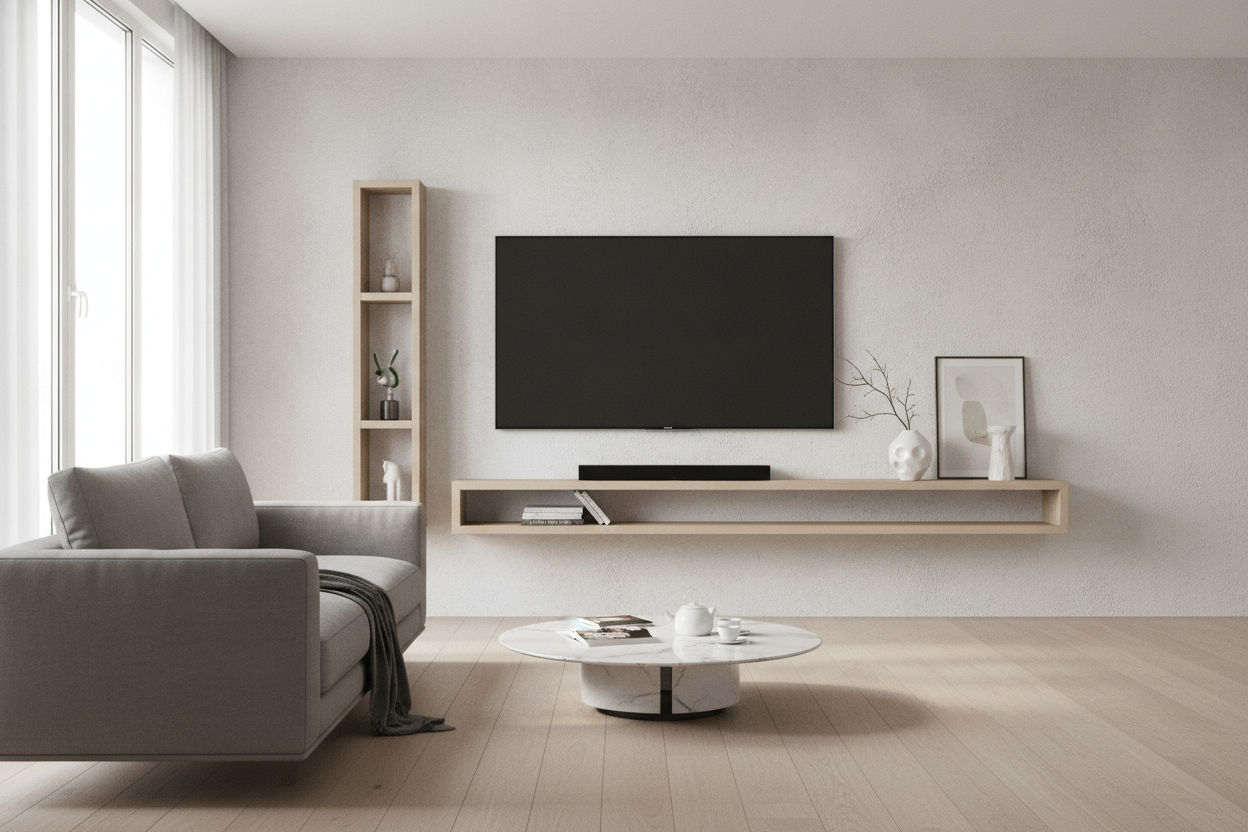
Once the shelf is up, don't just dump your remotes and a PlayStation controller on it. A wall mounted under tv shelf should be styled asymmetrically. If you center everything, it looks too formal and stiff. I like to put a trailing plant (like a Pothos) on one end to soften the hard edges of the tech, and a small stack of coffee table books on the other. Keep the middle relatively clear so it doesn't interfere with your remote's IR sensor or your soundbar's upward-firing speakers.
If you're a tech nerd like me and you're constantly upgrading your gear, look into Adjustable Shelf Storage. Having the ability to tweak the height of your ledge by an inch or two is a lifesaver when you realize your new Sonos Arc is taller than your old Vizio bar. Flexibility is the key to a setup that actually lasts more than one season of binge-watching.
When You Should Abandon the Floating Look Entirely
I love a floating ledge, but it isn't for everyone. If you’re a renter with 'eggshell' walls and a landlord who counts every nail hole, a heavy floating shelf is a recipe for a lost security deposit. Similarly, if you have a vintage McIntosh receiver or a heavy-duty turntable that weighs 40 pounds, do not trust a drywall anchor. I don't care how many 'heavy duty' labels are on the box; gravity always wins eventually.
In those cases, you’re better off with a solid piece of furniture. A 70 9 Tv Stand With Adjustable Center Shelf Black Metal Handles And Dual Side Cabinets gives you that same wide, grounded look but with the structural integrity to hold actual weight. It also hides the bird's nest of wires that inevitably comes with high-end audio gear, which no floating shelf can truly manage without some serious behind-the-wall cable routing.
Personal Experience: The 2 AM Crash
I once tried to mount a solid white oak ledge using the plastic ribbed anchors that came in the box. I thought it was fine. Three days later, I heard a sound like a gunshot at 2 AM. My shelf had ripped out of the wall, taking a chunk of drywall with it, and my Apple TV was buried under a pile of splinters. Lesson learned: always find a stud, or use 1/4-inch toggle bolts. Never, ever trust the hardware that comes 'free' in the packaging.
FAQ
Can I put a soundbar on a 10-inch shelf?
Yes, but check the depth. Most soundbars are 3-5 inches deep, so a 10-inch shelf is perfect. Just make sure the soundbar isn't blocking the bottom of the TV screen.
How do I hide the wires?
The cleanest way is an in-wall cable routing kit. If you can't cut into the wall, use a paintable cord racer that runs vertically from the center of the TV to the shelf.
What is the best material for a TV shelf?
Solid wood or thick plywood. Avoid cheap 1/2-inch MDF for long spans; it will eventually sag in the middle under its own weight, especially in humid climates.

Dejar un comentario
Este sitio está protegido por hCaptcha y se aplican la Política de privacidad de hCaptcha y los Términos del servicio.