










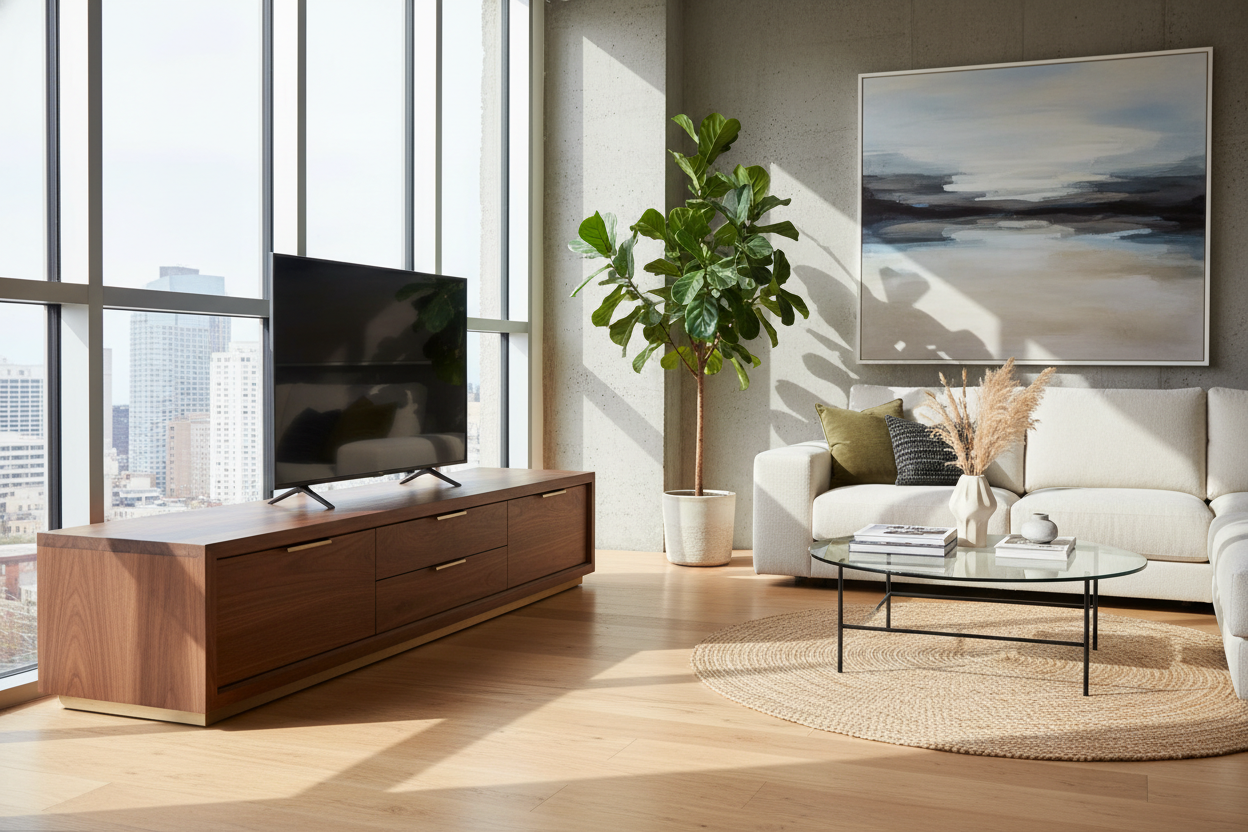
You have the perfect sectional, a beautiful vintage rug, and the lighting is just right. Yet, when you sit down to relax, the living room still feels a bit unpolished. More often than not, the culprit is sitting right under your screen. Settling for a cheap media console can drag down the entire aesthetic of a room, which is why investing in a quality tv stand is one of the smartest design decisions you can make.
In this guide, I will walk you through exactly what separates a piece that lasts decades from one that starts sagging after six months, so you can shop with confidence.
Quick Decision Guide
- Width rule: Always choose a console that is at least 4 to 6 inches wider than your television on both sides to maintain proper visual proportion.
- Ideal height: The center of your screen should sit at eye level when seated, which usually means a stand height between 20 and 28 inches.
- Material matters: Kiln-dried solid wood or high-grade plywood with wood veneer resists the dreaded middle-sag better than standard particleboard.
- Ventilation: Closed cabinets need breathable backing or slatted fronts to prevent gaming consoles and receivers from overheating.
Sizing Your Console for Real Life
The Proportion Rule
A common mistake I see in suburban family rooms is a massive 75-inch television hovering over a tiny, narrow console. It creates an uncomfortable top-heavy silhouette that makes the room feel anxious. Your media unit needs enough visual weight to anchor the technology above it. As a baseline, if you have a 65-inch TV (which is about 57 inches wide), your stand should be an absolute minimum of 65 inches wide, though 70 to 72 inches looks substantially better.
Nailing the Viewing Height
Ergonomics dictate comfort. In most North American living rooms with standard sofa seat heights (around 17 to 18 inches), you do not want to be craning your neck upward. If you mount your TV, the stand below it should sit low enough to leave an intentional gap of negative space—usually 6 to 8 inches—between the top of the console and the bottom of the screen.
Materials That Actually Last
Solid Wood vs. High-Grade Veneers
When clients ask me what defines a truly durable piece, we always start with the frame. Solid oak, walnut, and maple are the gold standards for longevity. They easily support heavy electronics and survive the inevitable bumps from vacuum cleaners and pets. However, high-quality wood veneers over a solid plywood core are also excellent. They offer the beautiful grain of solid wood but are less susceptible to warping in homes with drastic humidity changes.
The Particleboard Trap
If the price seems too good to be true, you are likely looking at low-density particleboard wrapped in a paper laminate. While these might look fine on day one, they are notorious for bowing in the center under the weight of a heavy television. If you must go with engineered wood to fit a budget, look for MDF (medium-density fiberboard), which is significantly denser and more structurally sound.
Functional Aesthetics: Hiding the Mess
A beautiful silhouette means nothing if it is tangled in a web of black cords. The best pieces integrate cable management seamlessly. Look for consoles with recessed back panels that allow you to push the furniture flush against the wall while routing cords out of sight. Slatted wood doors are incredibly popular right now for a reason: they add gorgeous texture to a room while allowing infrared remote signals to reach your cable boxes and sound systems hidden inside.
Lessons from My Own Projects
A few years ago, I sourced a stunning, custom-built solid white oak credenza for a client's media room. The craftsmanship was flawless, and the matte finish was exactly what the space needed. But I made a rookie mistake: I didn't verify the internal depth against the client's high-end audio receiver.
When installation day came, the receiver fit on the shelf, but the stiff HDMI cables and power cords sticking out the back required an extra three inches of clearance. We couldn't close the beautiful cabinet doors, and pushing the unit back meant crushing the wires. We ended up having to carefully cut out a larger section of the back panel on site. It was a stressful afternoon that taught me to always measure the depth of the electronics, plus the cables, before falling in love with a piece's exterior.
Frequently Asked Questions
How wide should my TV stand be for a 65-inch TV?
A 65-inch TV is roughly 57 inches wide. To keep the proportions balanced and avoid a top-heavy look, your stand should be at least 65 inches wide, ideally closer to 72 inches.
Can I put a heavy TV on an engineered wood console?
It depends on the type of engineered wood. High-density MDF or a plywood core with veneer can handle heavy screens perfectly fine. Low-grade particleboard, however, will likely bow in the center over time.
How do I hide cords without cutting into my walls?
Choose a media unit with built-in wire management channels in the back panel. Group your cables together using velcro ties, route them through the designated holes, and use an adhesive cable raceway along the back edge of the furniture to keep them off the floor.

Leave a comment
This site is protected by hCaptcha and the hCaptcha Privacy Policy and Terms of Service apply.