










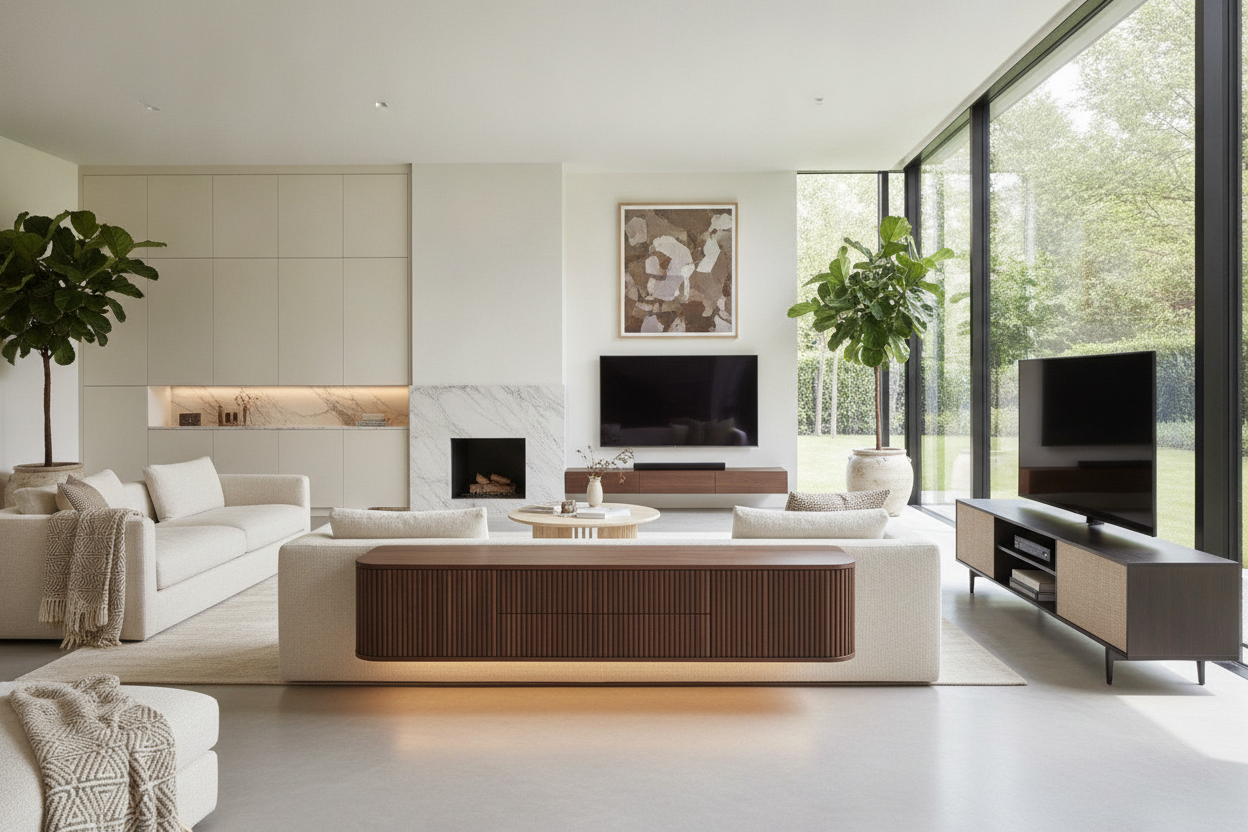
I have spent more hours than I care to admit staring at a tangled web of HDMI cables peeking out from behind a wobbly particle-board stand. It is a specific kind of interior design purgatory. You spend thousands on a 4K OLED screen only to set it on a piece of furniture that feels like it was held together by hope and two hex bolts. Finding high-quality tv units designs shouldn't feel like a part-time job, but the market is flooded with flimsy junk that sags the moment you add a soundbar.
Quick Takeaways
- Avoid 'spindly leg' syndrome; your console needs visual weight to balance a large screen.
- Closed storage is non-negotiable for hiding the chaos of routers and power strips.
- Texture (like fluting or matte finishes) prevents the unit from looking like a flat, cheap box.
- Freestanding cabinets can mimic the look of $5,000 custom built-ins for a fraction of the price.
Why Most Media Consoles Look Like They Belong in a Dorm
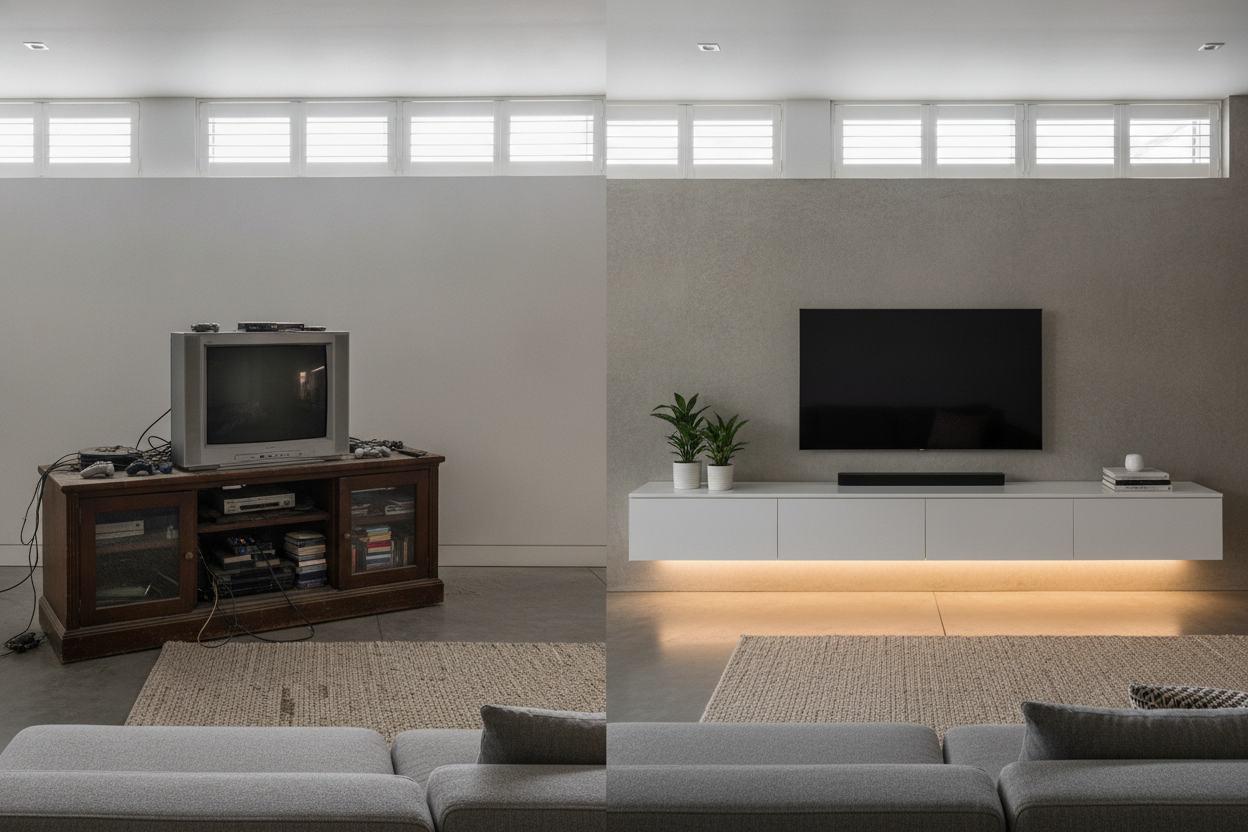
We have all seen them: the open-wire racks or the glass-and-metal tiered stands that scream 'first apartment.' While they are functional in a utilitarian sense, they do absolutely nothing for the soul of a room. A media unit is often the largest piece of furniture on your longest wall. If it looks cheap, the whole room feels unfinished. I have learned the hard way that open shelving under a TV is a recipe for visual clutter. You think you will style those shelves with beautiful art books, but within a week, they are covered in dust, spare remotes, and a stray PlayStation controller.
Your living room deserves a piece with actual substance. When you look at modern entertainment units, the best ones function as a stylish anchor. They aren't just a place to park your tech; they define the scale of the wall. A flimsy stand makes your expensive TV look like a temporary guest in your home, whereas a solid, well-proportioned unit makes the entire setup feel intentional and permanent.
Detail 1: Serious Visual Weight (No Spindly Legs Allowed)
Proportion is the biggest mistake I see in living rooms. People buy a massive 75-inch TV and then try to balance it on a console that is barely 60 inches wide with thin, tapered legs. It creates an uncomfortable, top-heavy look—like a bodybuilder who skipped leg day. To make a space feel 'expensive,' you need a unit that is significantly wider than the TV. I usually aim for at least 10 inches of breathing room on either side of the screen.
If you are dealing with a long, awkward wall, an adjustable length media console is a total lifesaver. It allows you to stretch the footprint of the furniture to match the scale of the room, ensuring the TV doesn't dwarf everything beneath it. Look for pieces with a thick plinth base or substantial, low-profile legs. This groundedness provides the visual 'heft' required to support the dark rectangle of a television without the whole setup looking like it might tip over if someone sneezes.
Detail 2: Closed Storage is Your Best Friend
Let's talk about the 'cord-pocalypse.' Nothing ruins a high-end aesthetic faster than a dangling black wire or the blinking neon lights of a router. I am a self-proclaimed cord-hater, and my biggest rule is that if I can see a power strip, the design has failed. This is why I exclusively look for units with solid doors or heavy-duty cable management systems. You want a large TV cabinet with spacious storage that actually accounts for the depth of a modern receiver or a gaming console.
I once bought a beautiful mid-century unit that was only 14 inches deep. I didn't realize my receiver was 16 inches deep until I tried to close the back panel and realized I'd have to cut a massive hole in the wood just to plug it in. It was a disaster. Always measure your deepest piece of tech before you commit. A deep cabinet with built-in routing holes allows you to shove all that plastic junk behind closed doors, leaving only your clean, curated surfaces visible to guests.
Mixing Textures to Distract from the Screen
A giant black screen is essentially a 'dead zone' in your decor. To counteract that, your tv units designs need to bring some life back to the wall through texture. Flat, shiny white laminate looks cheap because it has no depth. Instead, look for fluted wood panels, matte finishes, or even integrated stone tops. These materials catch the light differently and add a tactile quality that feels premium.
I'm particularly fond of using a black cabinet with glass doors—specifically reeded or smoked glass. It adds a layer of sophistication and allows you to hide the mess while still letting remote signals pass through. The dark texture helps the TV blend into the background when it is off, rather than letting it sit there like a giant black hole in the middle of a white wall. It’s about creating a focal point that looks good 24 hours a day, not just when the Netflix logo is up.
Detail 3: Skipping the Carpentry for Freestanding TV Cabinet Designs
Everyone wants the look of custom floor-to-ceiling built-ins, but very few people want to spend $8,000 on a contractor and a week of sawdust in their lungs. The secret is that you can achieve nearly the same effect with high-quality freestanding tv cabinet designs. The key is to find a unit that sits low and wide, mimicking the architectural lines of a custom piece. When a cabinet spans most of a wall and features clean, handle-less doors, it disappears into the architecture of the room.
By choosing clever TV cupboard designs, you get the storage of a built-in without the permanent commitment. I’ve moved three times in five years; I can’t take a built-in with me, but I can take my 94-inch console. Look for modular options or units with a consistent height that you can flank with bookshelves to create a 'pseudo-built-in' look that feels incredibly high-end for a fraction of the price.
Personal Experience: The Wobbly Stand Lesson
A few years ago, I fell for a 'deal' on a viral media stand that looked great in a 2-second TikTok clip. It arrived in a flat box, weighed about as much as a stack of napkins, and the 'oak' finish was actually just a sticker. Within three months, the center started to bow under the weight of my 55-inch TV. Every time I walked past it, the TV would wobble. It was a constant reminder that I’d wasted $200. Now, I look for a minimum weight capacity of 150 lbs and kiln-dried wood or heavy-duty MDF. If the box is light enough for one person to carry comfortably, it’s probably not sturdy enough for your living room.
FAQ
How much wider should my TV unit be than my TV?
At least 6 to 10 inches on each side. If the TV is wider than the stand, it creates a 'top-heavy' look that makes the room feel small and cluttered.
How do I hide cables if my unit doesn't have holes?
You can use a hole-saw attachment on a standard drill to create your own, but it’s better to buy a unit with pre-drilled management. Use Velcro ties—never plastic zip ties—to bundle cables together inside.
Is a floating TV unit better than one on the floor?
Floating units look modern and make cleaning easier, but they require professional mounting into studs. If you have a massive TV, a floor-based unit with a plinth base is usually safer and offers more storage depth.

Leave a comment
This site is protected by hCaptcha and the hCaptcha Privacy Policy and Terms of Service apply.