










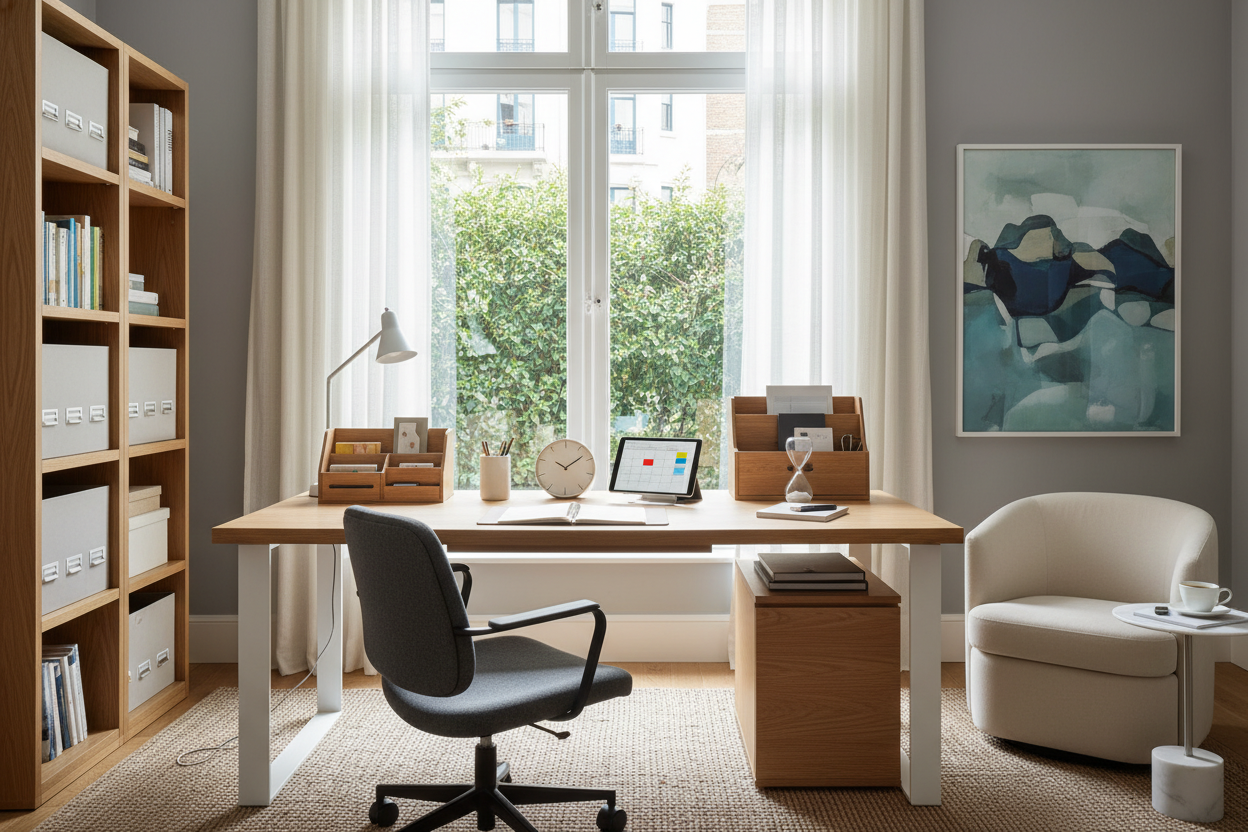
Ever notice how a quick email from the sofa turns into a three-hour slump? When the lines between your living space and workspace blur, your daily schedule usually collapses right along with them. As an interior designer, I constantly see clients trying to fix their productivity with apps and planners, completely ignoring the physical room around them. Mastering time management working from home isn't just a mental exercise; it is deeply rooted in space planning, ergonomics, and visual boundaries.
If your environment lacks structure, your day will too. Today, we are going to look at how your furniture layout, material choices, and seating heavily dictate your focus, and how to arrange your space to naturally enforce a healthy workflow.
Quick Decision Guide: Designing for Focus
- Define the zone: Use area rugs or open shelving to create a distinct physical boundary between your workspace and relaxation areas.
- Prioritize ergonomics over aesthetics: A beautiful dining chair will ruin your focus (and your back) within two hours. Invest in an adjustable task chair.
- Control visual weight: Keep heavy, dark furniture out of your direct line of sight while working to reduce mental fatigue.
- Use concealed storage: Open clutter demands mental energy. Opt for credenzas with solid doors to hide work materials at the end of the day.
Space Planning & The Psychology of Zones
Figuring out how to manage time working from home often comes down to spatial cues. In a traditional corporate environment, the commute and the building itself tell your brain it is time to work. In a standard North American open-concept home, those cues do not exist naturally.
Creating Physical Boundaries
Effective remote work time management requires creating a dedicated "clock-in" zone. If you are in a small apartment and cannot dedicate a whole room to an office, use furniture to build a room within a room. A floating desk anchored by a 5x8 area rug creates a distinct psychological zone. When you step onto that rug, you are at work. When you step off, you leave work behind. This physical separation is crucial for time management work from home setups, preventing the dreaded 9 PM laptop sessions on the couch.
Ergonomics and Sustained Focus
You cannot concentrate if you are physically uncomfortable. The secret to time management remote work is sustaining energy throughout the day, which relies heavily on your body's alignment.
Why Your Dining Chair is Stealing Your Time
I see so many beautiful home offices on social media featuring rigid, mid-century wooden dining chairs. While they look incredibly chic, they are terrible for work at home time management. After an hour, your lower back aches, you start shifting, you get up for an unnecessary snack, and suddenly your focus is gone. Choose a chair with proper seat depth (you should have two inches between the back of your knees and the seat edge) and high-density foam. Pair it with a desk that sits at a comfortable 29 to 30 inches high to prevent shoulder strain.
Visual Clutter and Mental Load
One of my top time management tips for remote workers is to aggressively manage visual clutter. Your brain processes everything in your line of sight. If you are staring at a stack of unpaid bills, a messy bookshelf, or tangled cords, your cognitive load increases, draining the energy you need for deep work.
Concealed Storage as a Productivity Tool
When clients ask for time management tips for working from home, I always recommend closed storage. A sleek, solid-wood credenza or a filing cabinet with clean lines allows you to sweep away the physical reminders of your job at 5:00 PM. This is how to manage working from home without letting it consume your evening. Opt for lighter wood tones like white oak or ash, which carry less visual weight and keep the room feeling airy and less oppressive.
Designer's Honest Take: My Own Office Mistakes
Early in my career, I designed what I thought was the perfect home office for myself. I placed a stunning, glass-topped writing desk right in the center of the room, facing the doorway so I could look out into my open-concept living room. It was a massive mistake.
I learned the hard way that maintaining time management while working from home is impossible when you can see your kitchen island. Every time I looked up from my laptop, I saw the breakfast dishes I hadn't washed. I saw the laundry basket in the hallway. The visual distractions completely shattered my focus. I ended up rotating my desk to face a blank wall with a single piece of calming art. It wasn't the "magazine cover" layout I originally wanted, but my daily output doubled. Sometimes, function has to violently overrule form.
Frequently Asked Questions
How do I manage time working from home in a small apartment?
Use multifunctional furniture that can be hidden or closed. A secretary desk or a wall-mounted drop-leaf table allows you to physically close up your workspace. This visual finality tells your brain the workday is over, protecting your personal time.
Does office furniture really impact time management remote work?
Absolutely. Uncomfortable furniture causes physical restlessness, which leads to frequent breaks and loss of focus. A supportive chair and a desk at the correct height keep you anchored and comfortable, allowing for longer periods of uninterrupted deep work.
What are the best time management tips for working from home regarding lighting?
Never place your desk where a window is directly behind your monitor (causing eye strain from contrast) or directly behind your chair (causing screen glare). Position your desk perpendicular to the window. Proper lighting prevents the mid-afternoon eye fatigue that often derails productivity.

Leave a comment
This site is protected by hCaptcha and the hCaptcha Privacy Policy and Terms of Service apply.