










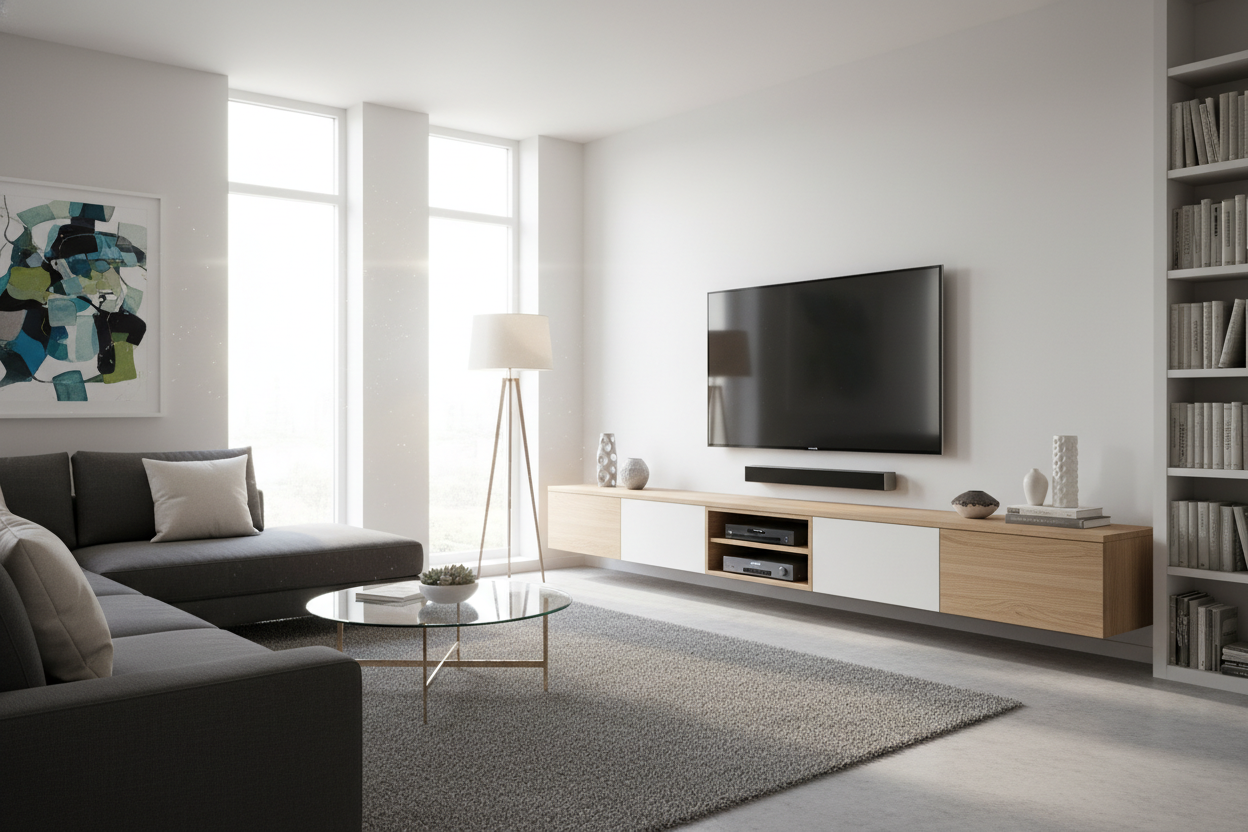
I remember the day I finally got my 65-inch OLED professionally mounted. I felt like a tech wizard for about ten minutes, until I sat back on my sofa and realized my living room suddenly looked like the waiting room at a mid-tier dental practice. There was this awkward, four-foot stretch of bare drywall between the TV and the floor that just felt... lonely. It turns out, just because you can mount a TV doesn't mean you should leave it hanging in a void.
Adding a media cabinet for wall mounted tv setups isn't about supporting the weight of the screen anymore; it's about visual gravity. Without something underneath it, your TV looks like a black hole sucking the soul out of your decor. You need a piece that anchors the room and makes the tech feel intentional rather than just 'stuck' there.
- Anchor the Room: A cabinet provides a visual base so your TV doesn't look like it's drifting away.
- Hide the Spaghetti: Even 'wireless' setups have power bricks and HDMI cables that need a home.
- Storage is King: You still need a spot for the PS5, the Apple TV, and those three remotes you only use once a month.
- Proportional Balance: Your cabinet should always be wider than your TV to avoid the 'top-heavy' look.
The Waiting Room Effect: Why Your Wall-Mounted TV Looks Unfinished
We’ve all seen it: the 'floating screen phenomenon.' You mount the TV to save space, but you end up with a room that feels sterile and unfinished. Before everyone started drilling holes in their studs, traditional TV stands naturally anchored our living spaces. They provided a focal point that felt grounded and cozy.
When you remove that base, you lose the scale of the room. A bare wall under a TV creates a 'dead zone' that catches dust and highlights every scuff on your baseboards. I’ve found that even a slim unit can bridge that gap, turning a cold, tech-heavy wall into a curated design feature. It’s the difference between a house that looks like a bachelor pad and one that looks like a home.
What Actually Makes a Good Unit for Under Wall Mounted TV?
If you're looking for a unit for under wall mounted tv, forget the old rules of height. Since the TV is already at eye level (please, don't mount it over the fireplace), your cabinet's job is to look good and hold gear. The golden ratio I swear by is leaving about 6 to 12 inches of breathing room between the bottom of the TV and the top of the cabinet. Any more, and they look disconnected; any less, and it feels cramped.
You also need to consider depth. If you have a super-slim TV, a chunky 20-inch deep dresser underneath it will look bizarre. I usually look for something around 14 to 16 inches deep. It’s enough to hold a soundbar and a gaming console without eating up half your floor space. Material-wise, go for something with texture—real wood grain or a matte finish—to contrast the cold glass of the screen.
Floating vs. Grounded: Picking Your Vibe
You have two main paths here: the 'I want to see my floor' route or the 'I need this room to feel substantial' route. Both work, but they change the energy of the room entirely.
The Sleek Route: A Modern Wall Mount TV Cabinet
If you’re a minimalist at heart, a modern wall mount tv cabinet is the move. These 'floating' units are bolted directly to the wall, leaving the floor clear. It makes a small room feel twice as big because your eyes can see all the way to the baseboard. I’m a huge fan of using a wall mounted TV stand that incorporates clean lines and maybe a bit of integrated lighting to really lean into that futuristic, airy aesthetic. It keeps the 'floating' theme consistent from the screen down to the storage.
The Grounded Route: A Long, Low Console
On the flip side, I often prefer a heavy, floor-bound piece. There’s something comforting about a solid modern TV console cabinet with actual legs or a plinth base. It adds a sense of permanence. If you have high ceilings, a grounded unit prevents the TV from looking like a tiny postage stamp on a giant envelope. Plus, you don't have to worry about your drywall's weight capacity if you decide to store your entire vinyl collection inside.
You Still Have Cords (Why You Need a Wall Mounted TV Cabinet With Drawers)
Let’s be real: the 'cordless' life is a lie sold to us by professional stagers who hide the wires behind the wall for the photoshoot. In the real world, you have power strips, ethernet cables, and that bulky brick for the Nintendo Switch. This is why you absolutely need a wall mounted tv cabinet with drawers or deep cubbies.
I once tried to go 'minimalist' with just a single floating shelf. Within a week, it was a bird's nest of white and black cables. It looked terrible. You want a wall mounted tv case that has built-in cable management ports. If you’re wondering Can a Media Cabinet for Wall Mounted TV Actually Hide All Your Cords?, the answer is yes—but only if you choose a piece designed for tech, not just a repurposed bookshelf.
Steal This Look: Wall Mount TV Stand Images That Got It Right
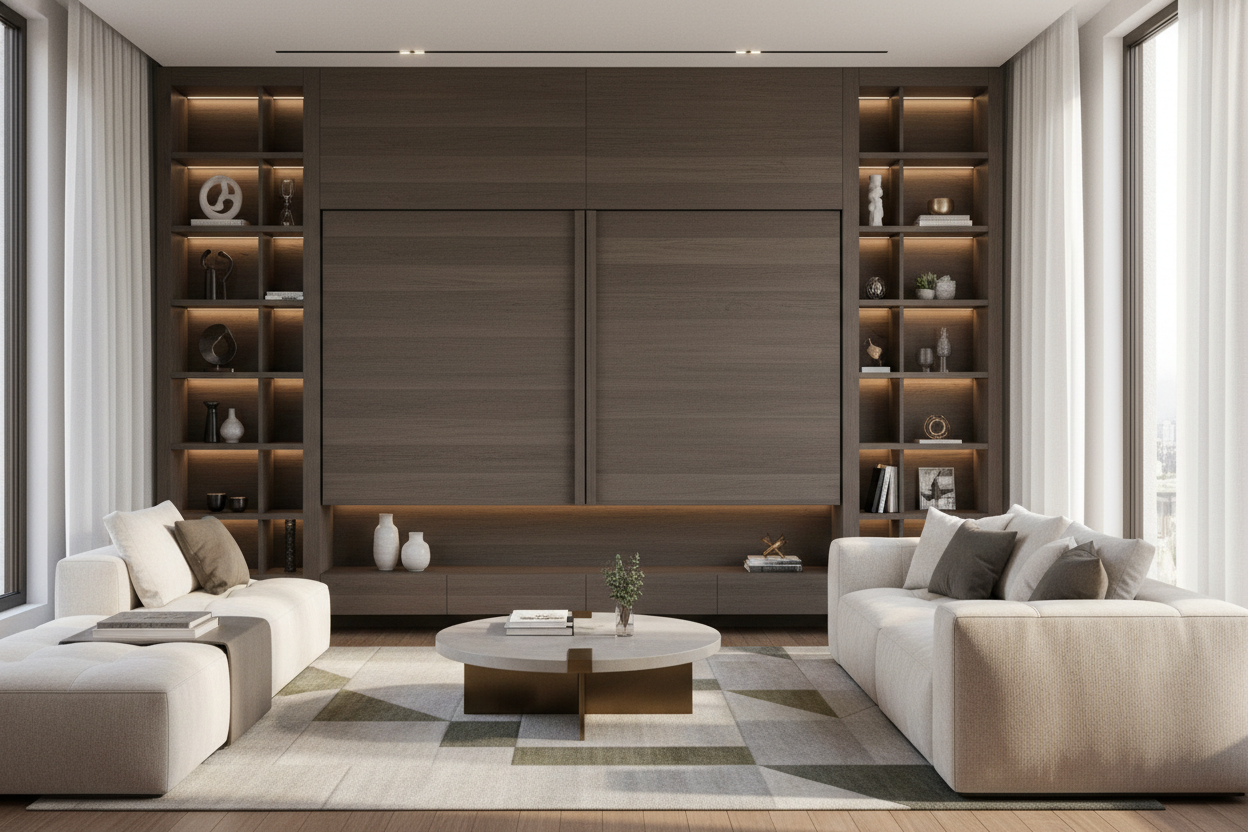
When you're scrolling through wall mount tv stand images for inspiration, notice one thing: the best ones don't just have a TV. They use wall mounted tv shelving units to flank the screen with books, plants, or art. This 'blurs' the edges of the TV so it isn't the only thing your eye hits when you walk in.
My favorite trick? Place a tall floor plant on one side of the cabinet and a stack of oversized coffee table books on the other. It breaks up the horizontal lines and makes the whole setup feel like a gallery wall rather than a home theater. If you use wall hanging tv shelves, offset them slightly so they don't look too symmetrical—perfection is the enemy of 'cozy.'
Personal Experience: My 'Cable Waterfall' Disaster
A few years ago, I bought a gorgeous, expensive reclaimed wood bench to put under my mounted TV. It looked amazing in the store. But because it had no back and no drawers, my living room looked like a server room at a startup. I spent three hours with zip ties trying to hide the 'cable waterfall' behind one of the legs. I eventually gave up and bought a proper cabinet with a back panel. Learn from my pride: if you have more than two things plugged in, buy something with a door.
FAQ
How much wider should the cabinet be than the TV?
Aim for at least 3 to 6 inches of overhang on each side. If your cabinet is the same width as your TV, the whole setup looks like a giant, awkward rectangle. Wider is always better for balance.
Can I put a soundbar inside the cabinet?
Only if the cabinet has mesh or slatted doors. If you put a soundbar behind solid wood or glass, you’re going to get muffled, garbage audio. Most people just park the soundbar right on top of the unit.
How high should I mount the cabinet?
If it’s a floating unit, 8 to 12 inches off the floor is the sweet spot. It’s high enough to clean under but low enough that it still feels like furniture rather than a shelf.

Leave a comment
This site is protected by hCaptcha and the hCaptcha Privacy Policy and Terms of Service apply.