










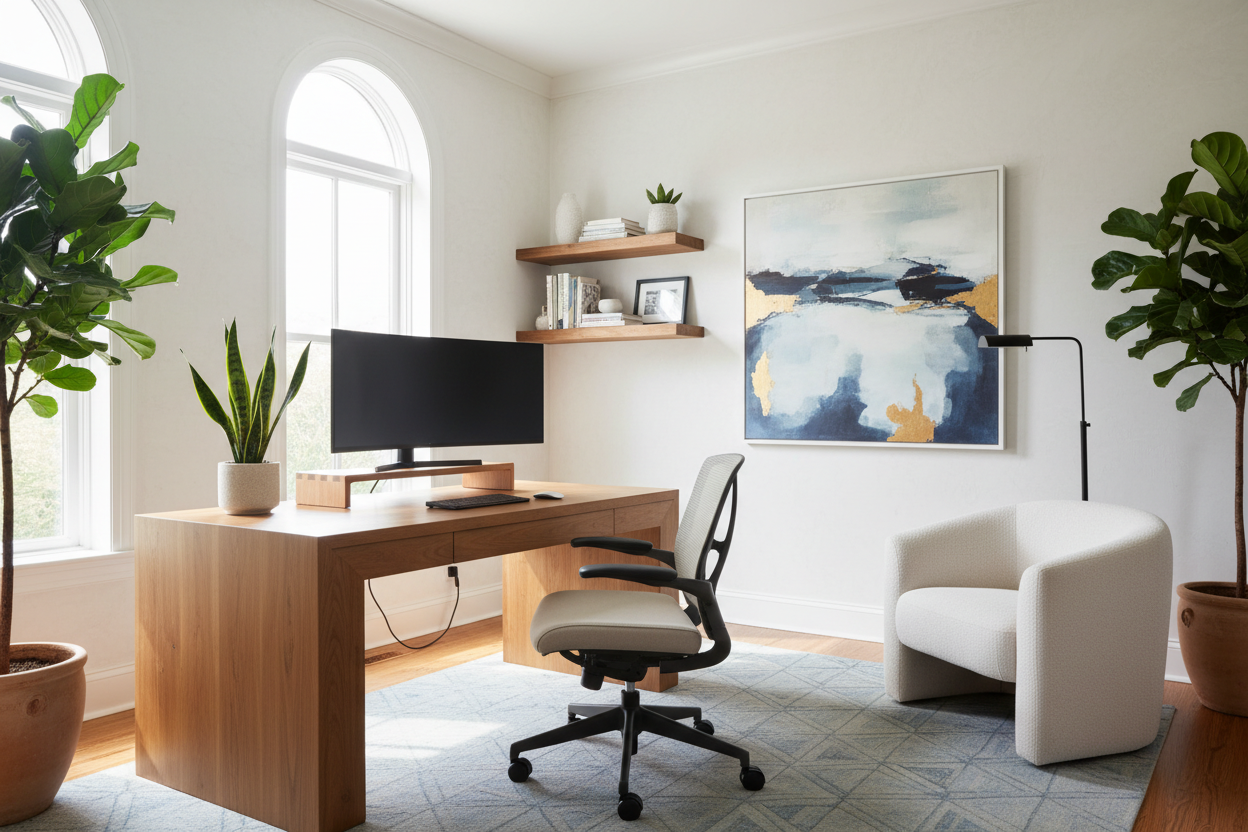
We have all been there: hunching over a dining table, battling glare from a kitchen window, or trying to look professional while sitting on a sofa. The makeshift era is over. A truly effective remote work setup is no longer just about having a laptop and a Wi-Fi connection; it is about curating a space that respects both your productivity and your home's interior aesthetic. As a designer, I see too many clients sacrifice style for utility, or worse, ignore ergonomics for the sake of a pretty vignette. The goal is to blend high-performance functionality with the comfort of residential design.
Quick Decision Guide: The Essentials
If you are planning a renovation or a quick refresh, keep these core pillars in mind to ensure your space performs as well as it looks.
- Ergonomics First: Prioritize a chair with lumbar support and adjustable height over purely decorative seating. Your spine is non-negotiable.
- Lighting Layers: Never rely on a single overhead fixture. Combine ambient light with focused task lighting to reduce eye strain.
- Material Tactility: Choose desk surfaces that feel good to the touch (like solid wood or matte laminate) and resist fingerprints.
- Acoustic Control: Incorporate soft furnishings like rugs or upholstered panels to dampen echo during calls.
- Visual Zoning: Even in a shared room, use rugs or paint blocking to psychologically separate 'work' from 'living'.
Space Planning and Layout Strategy
When clients ask me how to set up a home office for remote work, we start with the floor plan. The most common mistake is pushing the desk directly against a blank wall. While space-saving, this creates a claustrophobic visual field. Instead, consider the "command position." Position your desk so you have a view of the door or a window, but never have your back to the entrance.
If you are setting up a remote office in a multipurpose room, visual boundaries are crucial. Floating the desk in the center of the room, anchored by a textural area rug, instantly elevates the perceived value of the space. It signals that this is a dedicated zone, not an afterthought.
The Desk and Chair: Balancing Form and Physiology
Your remote work desk setup is the anchor of the room. In terms of materials, I always steer clients toward hardwoods like walnut or white oak for their warmth and durability. Glass tops, while sleek, can be cold on the wrists and unforgiving with dust and fingerprints.
Regarding seating, the debate between the "executive chair" aesthetic and the "mesh task chair" utility is eternal. However, setting up a home office for remote work requires a hybrid approach. Look for chairs with high-performance mechanisms hidden within upholstered fabrics like wool or velvet. This softens the "corporate" look while maintaining ergonomic integrity.
Lighting: The Video Call Factor
Lighting is often the most undervalued element in a remote home office setup. Poor lighting not only causes fatigue but also renders you unprofessional on camera. Avoid placing a window directly behind you, as this creates a silhouette effect. Instead, position your light source in front of you or to the side.
For a sophisticated remote work office setup, layer your lighting. Start with a warm ambient glow (2700K-3000K bulbs), add an architectural task lamp for focused work, and consider a subtle ring light or bounce light for those high-stakes video conferences. The fixture itself should be sculptural—treat it as jewelry for the room.
Styling and Acoustics
Learning how to set up a remote office involves managing sound as much as sight. Hard surfaces bounce sound, creating that hollow, empty-room echo. Introduce "absorbers" to the space. Heavy drapery, a plush rug, or even a canvas art piece can significantly improve audio quality.
Finally, curate your background. This is your digital storefront. Avoid clutter, but do not leave the shelves empty. Style with intention: a stack of coffee table books, a trailing pothos plant for biophilic connection, and perhaps a piece of ceramic art. This adds depth and personality without distraction.
My Personal Take on Remote Work Setup
I learned a hard lesson about finishes in my own home office renovation last year. I fell in love with a matte black, soft-touch laminate desk for its modern, architectural silhouette. It looked incredible in photos. However, within two weeks of actual use, it drove me crazy. Every single natural oil mark from my hands showed up instantly. I found myself wiping the desk down three times a day just to maintain that "clean" look.
Another detail people rarely mention is the "under-desk" reality. I once designed a beautiful floating desk for a client, only to realize we hadn't accounted for the sheer volume of power bricks and cables. We had to retrofit a cable management spine that, frankly, ruined the clean lines we aimed for. Now, when I advise on how to set up work from home spaces, I insist on furniture with integrated, hidden cable channels. It is those unglamorous details—hiding the wires and choosing forgiving finishes—that determine if you will love the space six months from now.
Conclusion
Designing a workspace is about respecting your own time and energy. By selecting materials that age well, prioritizing light that flatters and functions, and solving ergonomic needs with style, you create a remote work setup that pulls you in rather than pushes you away. It is an investment in your daily peace of mind.
Frequently Asked Questions
How do I set up a remote office in a small apartment?
Verticality is your friend. Use wall-mounted shelving or a ladder desk to minimize the floor footprint. Ensure your chair can tuck fully under the desk when not in use to keep traffic flow open.
What is the best desk depth for a remote work setup?
Aim for a minimum depth of 24 to 30 inches. This allows enough distance between your eyes and the monitor to reduce strain, while leaving room for a keyboard and notepad.
Is a standing desk worth the investment?
Absolutely, but ensure it has a stable base. Many budget standing desks wobble at full height. Look for dual-motor options and pair it with an anti-fatigue mat to protect your joints.

Dejar un comentario
Este sitio está protegido por hCaptcha y se aplican la Política de privacidad de hCaptcha y los Términos del servicio.